
1. Introduction
This manual provides essential information for the proper installation, operation, and maintenance of your Broan S97013576 Ceiling Fan Grille. Please read these instructions thoroughly before proceeding with installation or maintenance to ensure safe and correct usage. This replacement grille is designed for specific Broan ventilation fan models.
Key Features:
- Designed to fit Broan fan models 676 and 684.
- Dimensions: Approximately 10.625 inches x 11.125 inches.
- Engineered for easy installation.
- Includes necessary mounting springs.
2. Safety Information
Always observe the following safety precautions to reduce the risk of fire, electric shock, or injury:
- Disconnect Power: Before installing, cleaning, or servicing the grille, always ensure that power to the fan unit is turned off at the service panel and locked to prevent accidental power-on.
- Read Instructions: Follow all instructions provided in this manual and any instructions included with your Broan ventilation fan.
- Proper Use: Use this grille only in the manner intended by the manufacturer. If you have questions, contact Broan customer support.
- Inspect for Damage: Before installation, inspect the grille for any shipping damage. Do not install if damaged.
3. Package Contents
Verify that all components are present before beginning installation:
- 1 x Broan S97013576 Ceiling Fan Grille (White)
- 2 x Mounting Springs (typically pre-attached to the grille)
4. Setup and Installation
This grille is designed for straightforward installation on compatible Broan fan models 676 and 684. Ensure power is disconnected before proceeding.
- Remove Old Grille (if applicable): Gently pull down on the existing grille to disengage its mounting springs from the fan housing. Carefully detach the springs and remove the old grille.
- Prepare New Grille: Ensure the two mounting springs are securely attached to the new Broan S97013576 grille. The springs should be positioned to hook into the fan housing.
- Align Grille: Position the new grille against the fan housing opening.
- Insert Springs: Carefully push the mounting springs into the designated slots or tabs within the fan housing. Apply gentle, even pressure to the grille until the springs fully engage and hold the grille flush against the ceiling.
- Verify Secure Fit: Once installed, gently tug on the grille to ensure it is securely fastened and does not wobble.
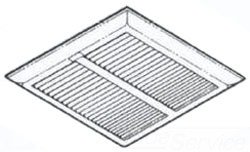
Image of the Broan S97013576 Ceiling Fan Grille, showing its white finish and design, ready for installation.
5. Operating
The Broan S97013576 Ceiling Fan Grille is a passive component designed to cover the ventilation fan opening. It allows for proper airflow while concealing the internal fan components and providing a finished appearance. There are no operational controls on the grille itself. The fan's operation is controlled by its dedicated wall switch or other control mechanisms.
6. Maintenance
Regular cleaning and inspection will help maintain the appearance and function of your grille.
- Cleaning: To clean the grille, first ensure the fan's power is disconnected. Gently remove the grille by pulling it down to disengage the springs. Wash the grille with mild soap and water, or wipe it with a damp cloth. Avoid abrasive cleaners that could damage the finish. Allow the grille to dry completely before re-installing.
- Inspection: Periodically inspect the grille and its mounting springs for any signs of wear or damage. Ensure the springs maintain their tension for a secure fit.
7. Troubleshooting
If you encounter issues with your Broan S97013576 Ceiling Fan Grille, consider the following:
- Grille Does Not Fit: Verify that your fan model is either Broan 676 or 684. This grille is specifically designed for these models. Check the dimensions of your fan opening against the grille's dimensions (approximately 10.625 in. x 11.125 in.).
- Grille Is Loose: Ensure the mounting springs are fully engaged in the fan housing slots. If springs appear stretched or damaged, they may need replacement.
- Grille is Damaged: If the grille is cracked or broken, it will need to be replaced.
For further assistance, contact Broan customer support.
8. Specifications
| Feature | Specification |
|---|---|
| Brand | Broan |
| Model Number | S97013576 (Part Number: 97013576) |
| Compatible Fan Models | Broan 676, Broan 684 |
| Color | White |
| Material | Metal |
| Item Dimensions (L x W x H) | Approximately 12 x 12 x 12 inches (Packaging/Overall) |
| Grille Dimensions | 10.625 in. x 11.125 in. (Opening Coverage) |
| Item Weight | 12.2 ounces |
| Installation Type | Bolt-On (Spring-clip attachment) |
| Mounting Type | Ceiling Mount |
| UPC | 026715102990 |
9. Warranty and Support
Broan products are manufactured to high-quality standards. For specific warranty details regarding your Broan S97013576 Ceiling Fan Grille, please refer to the warranty information provided with your original Broan ventilation fan or visit the official Broan website. Keep your purchase receipt as proof of purchase.
For technical support, replacement parts, or any questions not covered in this manual, please contact Broan customer service directly. Contact information can typically be found on the Broan website or on the packaging of your original fan unit.


