1. Introduction
This manual provides instructions for the installation, operation, and maintenance of your Needit Park Lite I electronic parking disc. The Needit Park Lite I is designed to automatically display your arrival time when parking, ensuring compliance with parking regulations.
It features automatic parking time detection, dual displays for clear visibility, and automatic adjustment for daylight saving time. This device is officially approved by the German Federal Motor Transport Authority (Kraftfahrt-Bundesamt) under ECE approval number 10 R – 047203.
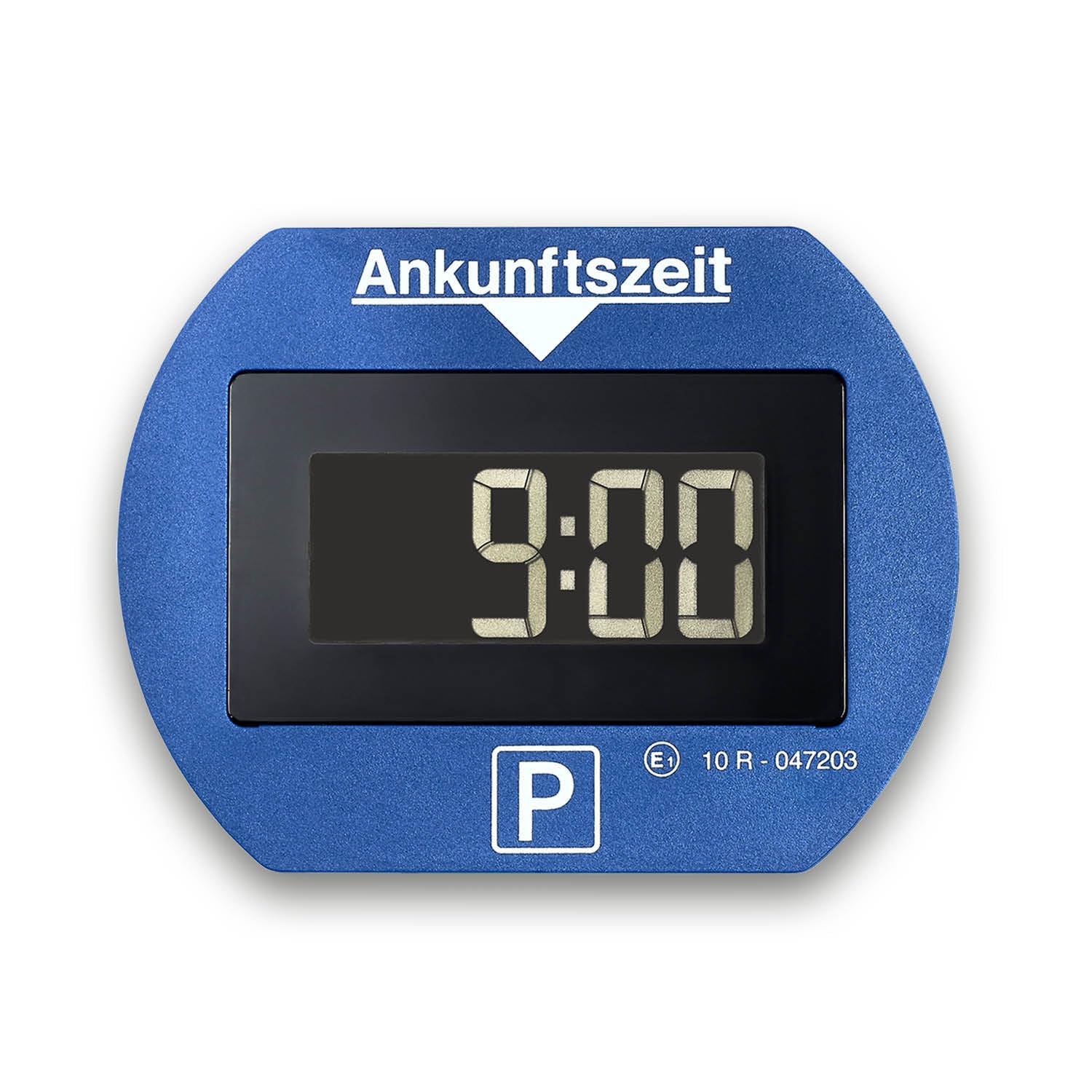
Figure 1: Front view of the Needit Park Lite I electronic parking disc displaying 9:00 AM.

Figure 2: Key features of the Needit Park Lite I, including automatic activation and official approval.
2. Setup
2.1 Unpacking and Initial Inspection
Upon receiving your Needit Park Lite I, carefully unpack all components. The package should contain:
- Needit Park Lite I electronic parking disc
- Instruction manual
- 3M adhesive pads (pre-mounted)
- Cleaning cloth
- 1 LR44 battery (pre-installed or included)
Inspect the device for any visible damage. If any components are missing or damaged, contact customer support.
2.2 Battery Installation/Check
The Needit Park Lite I requires 1 LR44 battery, which is typically included and may be pre-installed. To ensure proper function or replace the battery:
- Locate the battery compartment on the back of the device.
- Open the compartment cover.
- Insert or replace the LR44 battery, ensuring correct polarity (+/-).
- Close the battery compartment securely.

Figure 3: Rear view of the parking disc indicating battery placement and dimensions (7.7 cm x 10 cm).
2.3 Mounting the Parking Disc
The Needit Park Lite I is designed for quick and easy attachment to your vehicle's windshield. For optimal performance and visibility, follow these steps:
- Choose a suitable location on the inside of your windshield, preferably in the lower right corner (passenger side), ensuring it does not obstruct your view.
- Use the provided cleaning cloth to thoroughly clean the chosen area on the windshield. Ensure the surface is dry and free of dust or grease.
- The 3M adhesive pads are pre-mounted on the back of the parking disc. Remove the protective film from the adhesive pads.
- Press the parking disc firmly onto the cleaned area of the windshield for at least 30 seconds to ensure a secure bond.
The device should be operational within 2 minutes of installation.

Figure 4: Illustration of secure mounting with adhesive pads and other features like night park mode and manual pre-setting.
3. Operation
3.1 Automatic Parking Time Detection
The Needit Park Lite I automatically detects when your vehicle is stationary. Once your vehicle has been stationary for more than 20 seconds, the parking disc will automatically activate and display the current arrival time, rounded up to the next half-hour, as required by regulations.
For example, if you park at 10:05 AM, the display will show 10:30 AM. If you park at 10:35 AM, it will show 11:00 AM.

Figure 5: Display showing automatically set arrival time (10:30 AM) and official approval mark.
3.2 Dual Displays
The device features two easy-to-read displays:
- Outer Display: Visible from outside the vehicle, showing the set arrival time for parking enforcement.
- Inner Display: Visible from inside the vehicle, showing the current time and date, along with the parking mode indicator.

Figure 6: The Needit Park Lite I provides carefree parking with automatic time setting.
3.3 Automatic Summer/Winter Time Change
The Needit Park Lite I automatically adjusts for daylight saving time (summer/winter time changes), eliminating the need for manual adjustments.
3.4 Manual Pre-setting (Night Park Mode)
For specific situations, such as parking overnight where parking disc requirements begin the following day, the device offers a manual pre-setting option. This allows you to manually set the arrival time. Refer to local parking regulations for specific use cases.
4. Maintenance
4.1 Cleaning
To maintain optimal visibility and function, periodically clean the display and the device's exterior. Use a soft, damp cloth. Avoid abrasive cleaners or solvents that could damage the surface or display.
4.2 Battery Replacement
The Needit Park Lite I is designed for long battery life (approximately 3 years). When the battery level is low, an indicator will typically appear on the inner display. To replace the battery:
- Carefully detach the parking disc from the windshield if necessary.
- Open the battery compartment on the back of the device.
- Remove the old LR44 battery.
- Insert a new LR44 battery, ensuring correct polarity.
- Close the battery compartment securely.
- Re-attach the parking disc to the windshield using new adhesive pads if the old ones have lost their adhesion.
Note: The device may need to be re-calibrated or re-set after battery replacement. Consult the full instruction manual for detailed steps if available.
5. Troubleshooting
5.1 Device Not Activating Automatically
- Check Battery: Ensure the battery is correctly installed and has sufficient charge. Replace if necessary.
- Vehicle Movement: The device requires the vehicle to be stationary for at least 20 seconds to activate. Ensure the vehicle is completely stopped.
- Mounting Position: Verify the device is securely mounted and not subject to excessive vibrations that might interfere with its motion sensor.
5.2 Incorrect Time Display
- Time Zone/Daylight Saving: The device automatically adjusts for daylight saving. If the time is incorrect, a manual adjustment might be needed if the automatic system failed or if you are in a region with non-standard time changes.
- Battery: A low battery can sometimes affect timekeeping accuracy. Replace the battery.
5.3 Display Not Visible
- Battery: Check if the battery is dead or low.
- Extreme Temperatures: LCD displays can be affected by extreme cold or heat. Allow the device to return to a moderate temperature.
6. Specifications
| Feature | Detail |
|---|---|
| Brand | Needit |
| Model Number | 1411 |
| Item Weight | 62 g |
| Product Dimensions | 7.7 x 1.8 x 10 cm |
| Battery Type | 1 x LR44 (Lithium-Ion) |
| Battery Life Cycle | Approx. 3 years |
| Voltage | 3 Volts |
| Material | Needit PARK LITE (likely plastic/ABS) |
| Drive Type | Electric |
| Official Approval | ECE-Genehmigung Nr. 10 R – 047203 (Kraftfahrt-Bundesamt) |
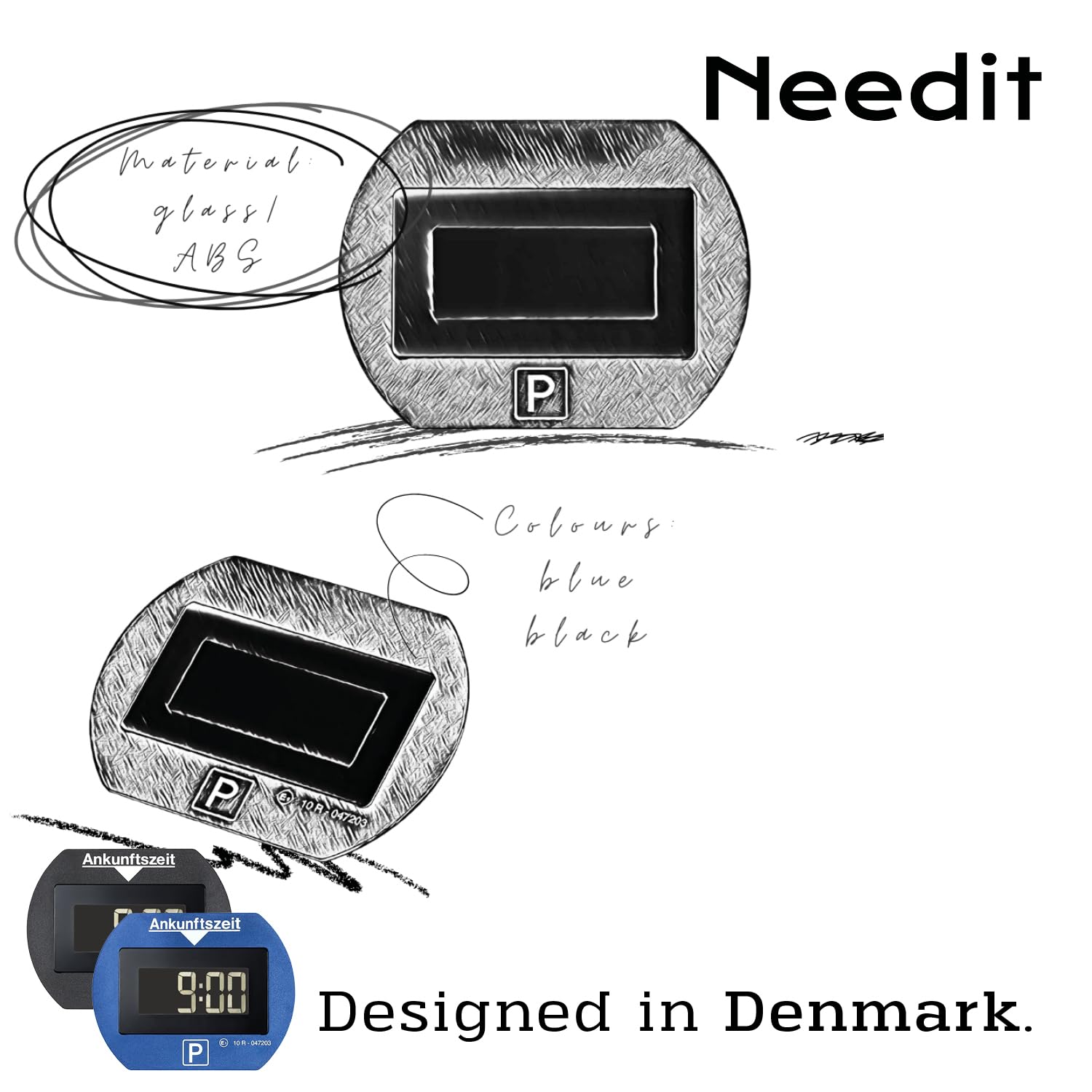
Figure 7: Design elements and material information for the Needit Park Lite I.
7. Compliance & Warranty
7.1 Official Approval
The Needit Park Lite I electronic parking disc is officially approved by the German Federal Ministry of Transport, Building and Urban Development (Bundesministerium für Verkehr Bau u. Stadtentwicklung) with reference to Regulation No. 219, and by the Federal Motor Transport Authority (Kraftfahrt-Bundesamt) with ECE approval number 10 R – 047203. This certification ensures the device meets all legal requirements for use in Germany and other countries recognizing ECE regulations.

Figure 8: Official seal of the Kraftfahrt-Bundesamt, indicating product compliance.
7.2 Warranty Information
Specific warranty terms and conditions are typically provided with the product packaging or can be obtained from the retailer or manufacturer's official website. Please retain your proof of purchase for any warranty claims.


