
Introduction
This manual provides essential instructions for the proper installation, maintenance, and care of your Envion Replacement Filter for the Therapure TPP220 Air Purifier. Adhering to these guidelines will help ensure optimal performance and longevity of your air purification system.
Installation Instructions
Before beginning the filter replacement process, ensure your Therapure TPP220 Air Purifier is turned off and unplugged from the power outlet. This is a critical safety measure.
- Access the Filter Compartment: Locate the filter access panel on your Therapure TPP220 Air Purifier. Refer to your air purifier's main instruction manual for specific details on how to open this compartment.
- Remove the Old Filter: Carefully remove the used filter from the compartment. Dispose of the old filter according to local regulations.
- Unpack the New Filter: Remove the new Envion Replacement Filter from its packaging.
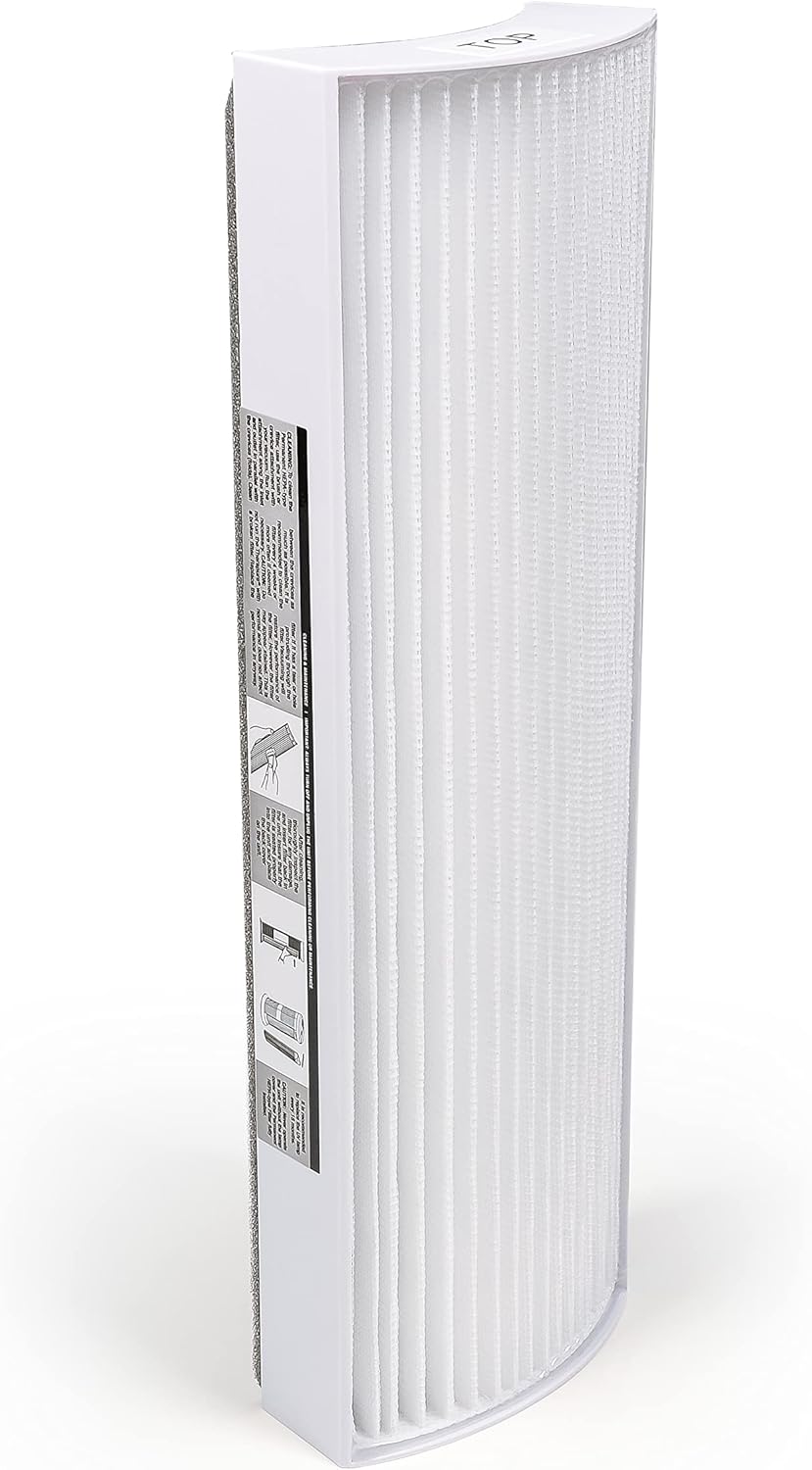
- Insert the New Filter: Place the new filter into the compartment, ensuring it is oriented correctly. The filter is designed to fit in only one direction.
- Secure the Compartment: Close and secure the filter access panel.
- Restore Power: Plug the air purifier back into the power outlet and turn it on.
Maintenance
Filter Cleaning
To maintain the efficiency of your permanent HEPA-Type filter, regular cleaning is recommended. Use the brush attachment of your vacuum cleaner to gently run along the outside of the filter, removing accumulated dust and dirt.
CAUTION: Do not use water or other liquids to clean the filter. Only vacuum cleaning is recommended. Using liquids can damage the filter material and reduce its effectiveness.
Filter Replacement Schedule
The Envion Replacement Filter should be replaced approximately every 6 months, or more frequently depending on usage and air quality conditions. Regular replacement ensures optimal air purification performance.
IMPORTANT: Always turn off and unplug the unit before performing any cleaning or maintenance on the filter or air purifier.
Troubleshooting: When to Replace Your Filter
Observe your air purifier's performance for the following indicators that suggest it's time to replace your filter:
- Decreased Air Output: If you notice a significant reduction in the amount of air flowing from the unit.
- Increased Noise: If the air purifier starts to operate with an unusual or increased level of noise.
- Increased Odors: If the unit begins to emit or no longer effectively removes odors from the air.
- Visible Damage: If the filter itself appears visibly damaged or excessively clogged.
Addressing these issues promptly by replacing the filter will restore your air purifier's efficiency.
Specifications
| Model Name | Envion - Replacement Filter for Therapure TPP220 |
| Part Number | 60241 |
| Material | Plastic |
| Item Package Dimensions (L x W x H) | 12.5 x 4.5 x 2.25 inches |
| Package Weight | 0.2 Kilograms |
Warranty Information
This Envion Replacement Filter is covered by a manufacturer's warranty. For detailed information regarding warranty terms, conditions, and duration, please refer to the documentation included with your original air purifier or visit the official Envion website.
Customer Support
For further assistance, technical support, or to inquire about other Envion products, please visit the official Envion website or contact their customer service department. Contact information can typically be found on the product packaging or the brand's official online presence.


