
EPtech THS30W-xy-z
EPtech AC/DC Adapter User Manual
Model: THS30W-xy-z
1. Introduction
This manual provides essential information for the safe and effective use of your EPtech AC/DC Adapter. This power supply is specifically designed to provide reliable power to compatible devices, such as the Korg Pa50 and Pa50SD Professional Arranger Keyboards. Please read this manual thoroughly before use and retain it for future reference.
2. What's in the Box
Carefully unpack the contents and ensure all items are present and undamaged.
- 2 x Power Adapter
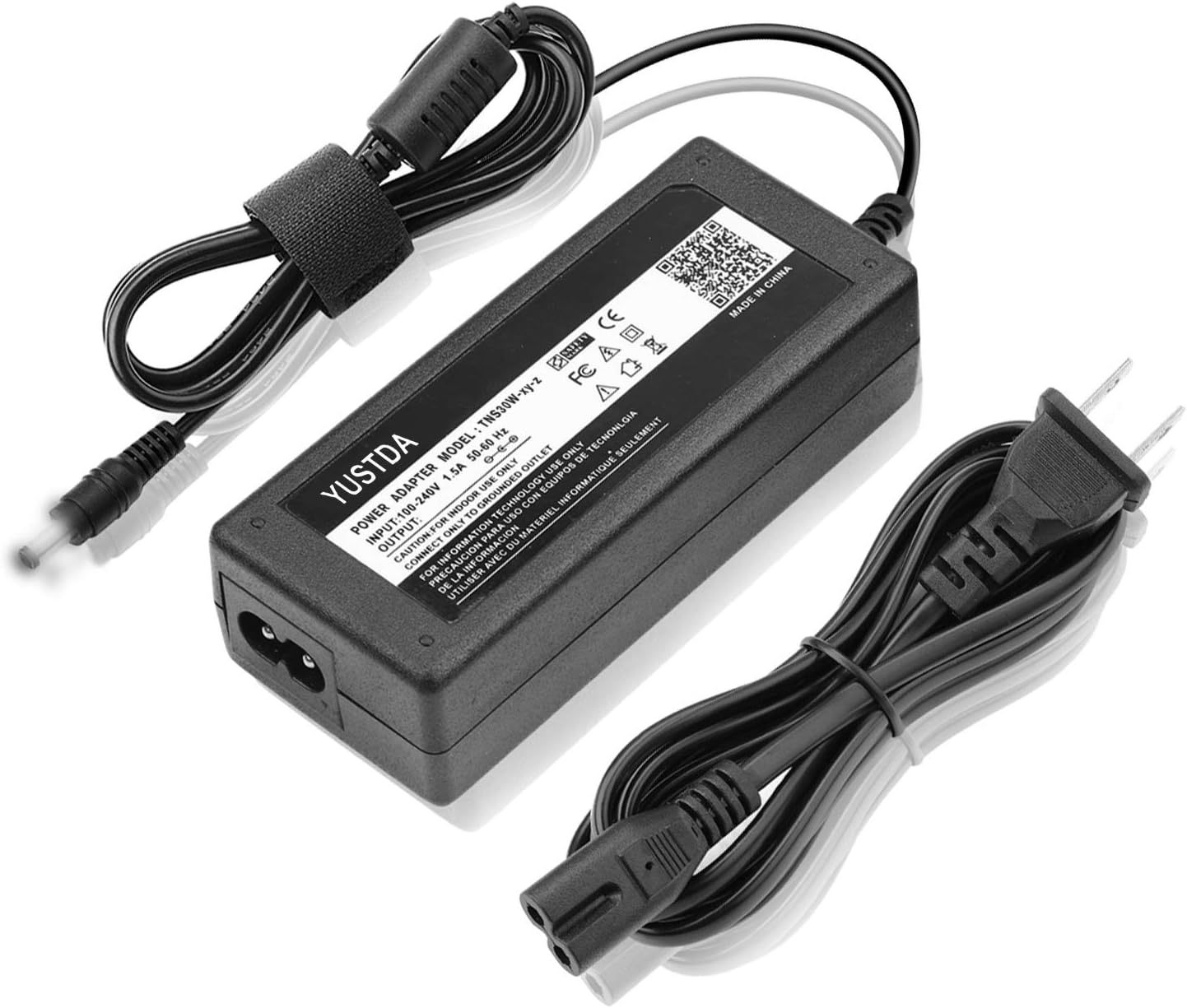
Figure 1: Contents of the package, showing the main adapter unit and its two connecting cables.
3. Specifications
The following table details the technical specifications of the EPtech AC/DC Adapter:
| Feature | Detail |
|---|---|
| Model | THS30W-xy-z |
| Input Voltage | AC 100V-240V |
| Input Frequency | 50-60Hz |
| Output | DC Output (specific voltage/current depends on model variant) |
| Safety Features | Over Voltage Protection, Over Heat Protection, CE Certified |
| Item Weight | 9.9 ounces (approx. 280g) |
| Cable Length (Output) | Approx. 4 ft (1.2 meters) |
| Cable Length (Input) | Approx. 6 ft (1.8 meters) |

Figure 2: Detailed view of the adapter unit, highlighting the model number and safety markings.

Figure 3: Illustration of the adapter's cable lengths and the anti-interference magnetic ring for stable operation.
4. Setup Instructions
Follow these steps to properly set up your AC/DC adapter:
- Verify Compatibility: Ensure that your device (e.g., Korg Pa50/Pa50SD Keyboard) requires the specific voltage and current output provided by this adapter. Refer to your device's original specifications.
- Connect to Device: Insert the barrel plug of the adapter's output cable firmly into the DC input jack of your Korg keyboard or compatible device.
- Connect to Power Outlet: Plug the AC input cable into the adapter unit, then insert the two-prong plug into a standard AC 100V-240V wall outlet.
- Power On: Once connected, the adapter is ready to supply power. Turn on your device as usual.
Important Safety Note:
- Use only with grounded outlets.
- Do not expose the adapter to water or excessive moisture.
- Do not disassemble or modify the adapter.
- Ensure proper ventilation around the adapter during use.
5. Operating the Adapter
The EPtech AC/DC Adapter is designed for simple plug-and-play operation. Once connected as described in the Setup section, it will automatically provide the necessary power to your compatible device.
- Power Indicator: Some adapter units may feature an LED light to indicate that power is being supplied. Refer to Figure 3 for an example.
- Continuous Use: The adapter is designed for continuous use within its specified operating parameters.
6. Maintenance and Care
To ensure the longevity and optimal performance of your adapter, follow these maintenance guidelines:
- Cleaning: Disconnect the adapter from the power outlet and your device before cleaning. Use a soft, dry cloth to wipe the exterior. Do not use liquid cleaners or solvents.
- Storage: When not in use, store the adapter in a cool, dry place away from direct sunlight and extreme temperatures. Avoid tightly coiling the cables to prevent damage.
- Inspection: Periodically inspect the cables and connectors for any signs of wear, fraying, or damage. If any damage is observed, discontinue use immediately and replace the adapter.
- Ventilation: Ensure the adapter is placed in an area with adequate airflow to prevent overheating. Do not cover the adapter during operation.
7. Troubleshooting
If you encounter issues with your EPtech AC/DC Adapter, refer to the following common problems and solutions:
| Problem | Possible Cause | Solution |
|---|---|---|
| Device not powering on | Adapter not plugged in correctly Faulty power outlet Adapter or device malfunction | Ensure all connections are secure. Test the outlet with another device. If possible, test the adapter with another compatible device or consult support. |
| Adapter feels hot | Normal operation (slight warmth) Poor ventilation Overload or internal fault | Ensure adequate airflow around the adapter. Disconnect if excessively hot and allow to cool. If problem persists, discontinue use. |
| Intermittent power | Loose connection Damaged cable/connector | Check all connections for tightness. Inspect cables for damage. Replace if damaged. |
If the problem persists after attempting these solutions, please refer to the Warranty and Support section.
8. Warranty Information
EPtech stands behind the quality of its products. This AC/DC adapter comes with the following warranty:
- 30 Days Money Back Promised: If you are not satisfied with your purchase within 30 days, you may be eligible for a full refund.
- 60 Days Free Exchange: Within 60 days of purchase, you may be eligible for a free exchange with a paid return label for defective products.
- 360 Days Anytime Worry-Free Warranty: This product is covered by a 1-year warranty from the date of purchase, ensuring peace of mind against manufacturing defects.
Please retain your proof of purchase for warranty claims.
9. Customer Support
For further assistance, technical inquiries, or warranty claims, please contact your retailer or the EPtech customer service department. Refer to the contact information provided with your purchase or on the official EPtech website.
When contacting support, please be prepared to provide the following information:
- Product Model: THS30W-xy-z
- Date of Purchase
- Description of the issue
Ask a question about this manual
Ask about setup, troubleshooting, compatibility, parts, safety, or missing instructions. Manuals+ will review the question and use this page’s manual context to help answer it.