
Introduction
Thank you for choosing the P3 International Smart Charger 3-in-1. This versatile device combines a portable hand warmer, a backup power bank for your mobile phone, and a built-in flashlight, making it an ideal companion for various activities, especially in colder environments. This manual provides essential information for the safe and efficient use of your device.
Safety Information
- Read all instructions before using the device.
- Do not expose the device to water, moisture, or extreme temperatures.
- Do not attempt to disassemble, repair, or modify the device. This will void the warranty and may cause injury.
- Keep out of reach of children and pets.
- Use only the included USB cable or a certified equivalent for charging the unit.
- Dispose of the device and its battery responsibly according to local regulations.
- Avoid prolonged direct skin contact with the heated surface to prevent burns, especially for individuals with sensitive skin or impaired circulation.
Package Contents
Please check the package for the following items:
- P3 International Smart Charger 3-in-1 Unit
- USB to Micro USB Charging Cable
- Knit Sleeve
Product Overview
The P3 International Smart Charger 3-in-1 features a durable aluminum shell designed for efficient thermal conductivity. It integrates three primary functions: a hand warmer, a portable charger for cellular phones, and a built-in flashlight. The device is activated and controlled via a 360-degree rotary switch.
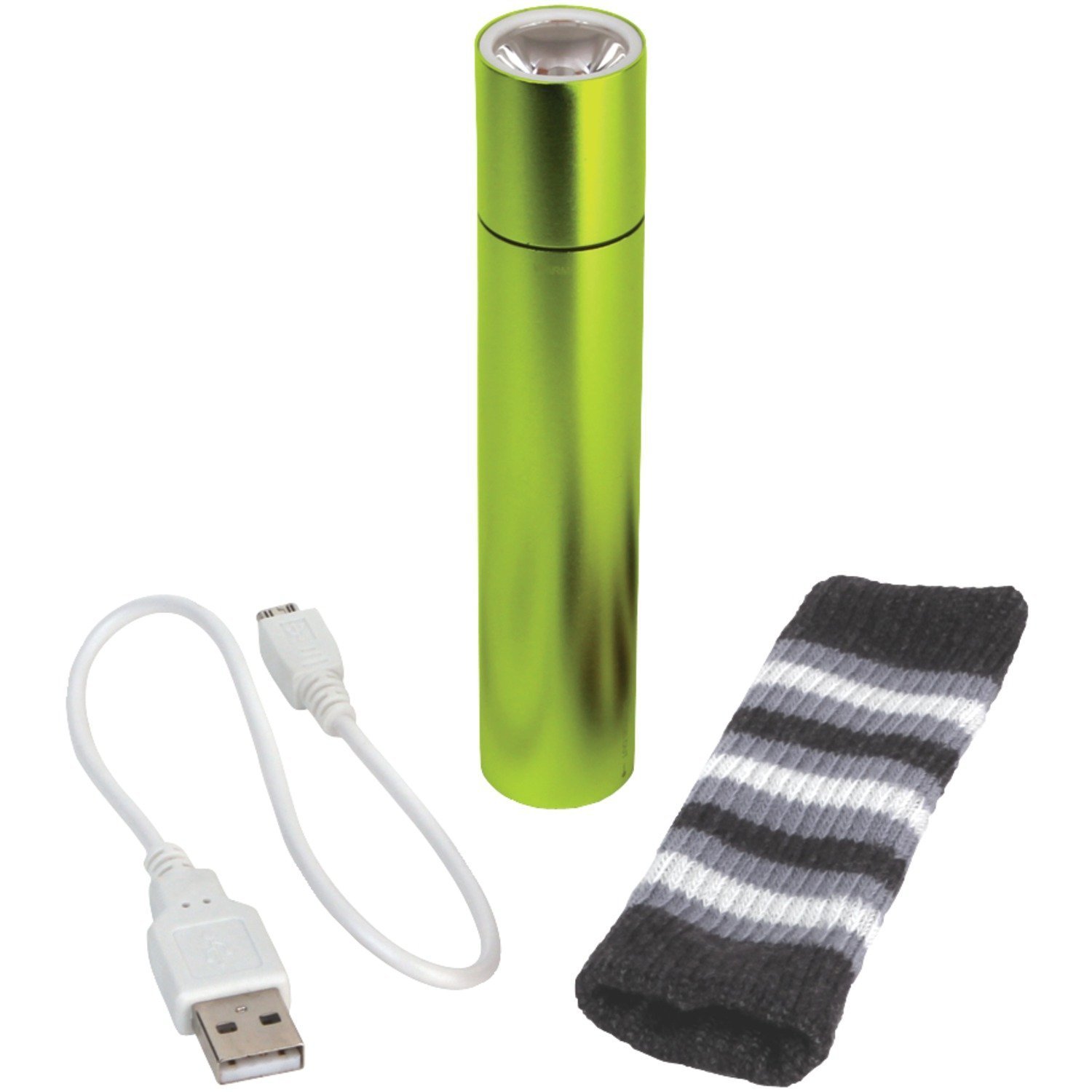
Image: The P3 International Smart Charger 3-in-1. This image displays the compact, green-colored device, highlighting its sleek aluminum casing and overall design.
Setup
Charging the Smart Charger Unit
- Connect the micro USB end of the included charging cable to the charging port on the Smart Charger unit.
- Connect the standard USB end of the cable to a powered USB port (e.g., computer, USB wall adapter).
- The unit will begin charging. A full charge typically takes approximately 3.5 to 5 hours.
- Once fully charged, disconnect the cable. The unit can be recharged over 500 times.
Operating
Using as a Hand Warmer
- Ensure the Smart Charger unit is adequately charged.
- Rotate the 360-degree switch to the 'ON' position to activate the warming function.
- The unit will begin to warm up, reaching its maximum temperature of 104 degrees Fahrenheit (40 degrees Celsius) within approximately 1 minute.
- For comfortable use and to retain heat, slip the warmed unit into the provided knit sleeve.
- The warming function can last for up to 5 hours on a single charge.
- To turn off the warming function, rotate the switch to the 'OFF' position.
Using as a Portable Charger (Power Bank)
- Ensure the Smart Charger unit is adequately charged.
- Connect your cellular phone or other compatible device to the Smart Charger unit using the included USB to micro USB cable, or your device's original charging cable if it has a micro USB connector.
- The Smart Charger will automatically begin providing backup charging power to your connected device.
- Monitor your device's charging status. Disconnect once your device is charged or when the Smart Charger's power is depleted.
Using the Flashlight
- Ensure the Smart Charger unit has power.
- Locate the flashlight on the unit.
- Rotate the 360-degree switch to activate the flashlight. (Note: The flashlight may be integrated with the warming switch or have a separate activation method depending on the specific model; refer to visual indicators on your device).
- The flashlight can operate for up to 50 hours on a single charge when used independently.
- To turn off the flashlight, rotate the switch to the 'OFF' position.
Maintenance
- Cleaning: Wipe the device with a soft, dry cloth. Do not use harsh chemicals or abrasive cleaners. Ensure the device is off and cool before cleaning.
- Storage: Store the Smart Charger in a cool, dry place away from direct sunlight and extreme temperatures. If storing for extended periods, charge the unit to approximately 50% every 3-6 months to maintain battery health.
Troubleshooting
- Unit Not Charging:
- Ensure the charging cable is securely connected to both the Smart Charger and the power source.
- Try a different USB port or wall adapter.
- Inspect the charging cable for any damage.
- Device Not Warming:
- Check if the unit is sufficiently charged.
- Ensure the rotary switch is firmly in the 'ON' position for warming.
- Phone Not Charging from Unit:
- Verify the Smart Charger has enough power.
- Ensure the connection between the Smart Charger and your phone is secure.
- Try using a different charging cable for your phone.
- Flashlight Not Working:
- Check if the unit has power.
- Ensure the switch is correctly positioned to activate the flashlight.
Specifications
| Model Number | P3-P8440G |
| Battery Type | Lithium-Ion |
| Charging Time | 3.5 - 5 hours |
| Max Warming Temperature | 104°F (40°C) |
| Warming Duration | Up to 5 hours |
| Flashlight Duration | Up to 50 hours (flashlight-use only) |
| Recharge Cycles | Over 500 times |
| Material | Aluminum |
| Dimensions (LxWxH) | 3 x 1 x 6 inches |
| Weight | 8 ounces |
Warranty Information
For detailed warranty information, including terms, conditions, and registration, please refer to the official P3 International website or the warranty card included with your product packaging. Keep your proof of purchase for any warranty claims.
Support
Should you require technical assistance, have questions about your product, or need customer service, please visit the official P3 International website. You may find FAQs, troubleshooting guides, and contact information for customer support there.
Manufacturer: P3 International