
LEGO 75073
LEGO Star Wars Microfighters Series 2 Vulture Droid (75073)
Instruction Manual
Introduction
This manual provides detailed instructions for the assembly, operation, and maintenance of your LEGO Star Wars Microfighters Series 2 Vulture Droid (Set 75073). This miniature replica of the Separatist Vulture Droid is designed for building and imaginative play, featuring movable parts and a Pilot Battle Droid minifigure.
Please read through this manual carefully before beginning assembly to ensure a smooth and enjoyable building experience.
Safety Information
WARNING: CHOKING HAZARD – Small parts. Not for children under 3 years.
This product contains small parts which may pose a choking hazard to young children. Adult supervision is recommended during assembly and play, especially for younger users.
Recommended Age: 6 years and up.
Always ensure that all LEGO elements are kept away from infants and toddlers to prevent accidental ingestion.
Parts List
The LEGO Star Wars Microfighters Series 2 Vulture Droid (75073) set includes 77 pieces. Before beginning assembly, please verify that all pieces are present. Refer to the image below for a visual representation of the product packaging, which indicates the piece count.
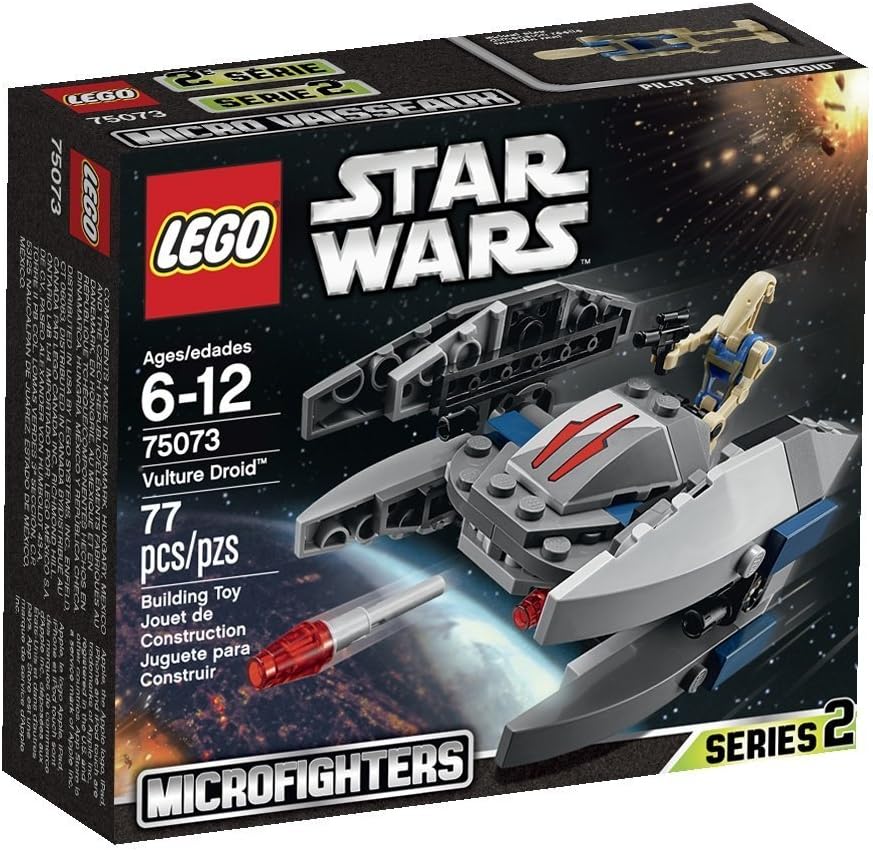
Figure 1: Product Packaging. The box displays the set number, piece count (77 pcs), and the included Pilot Battle Droid minifigure.
The set also includes one Pilot Battle Droid minifigure with a blaster pistol.
If any pieces are missing or damaged, please refer to the "Support Information" section for assistance.
Setup (Assembly)
Assembly of the LEGO Vulture Droid is a step-by-step process. Follow the included physical instruction booklet for detailed building steps. The following images illustrate the completed model and its key components.

Figure 2: Assembled Vulture Droid and Pilot Battle Droid. This image shows the completed model in its flight configuration, alongside the included minifigure.
The Vulture Droid features a central body with four wings. The Pilot Battle Droid can be seated in the mini cockpit located on the top of the central body.
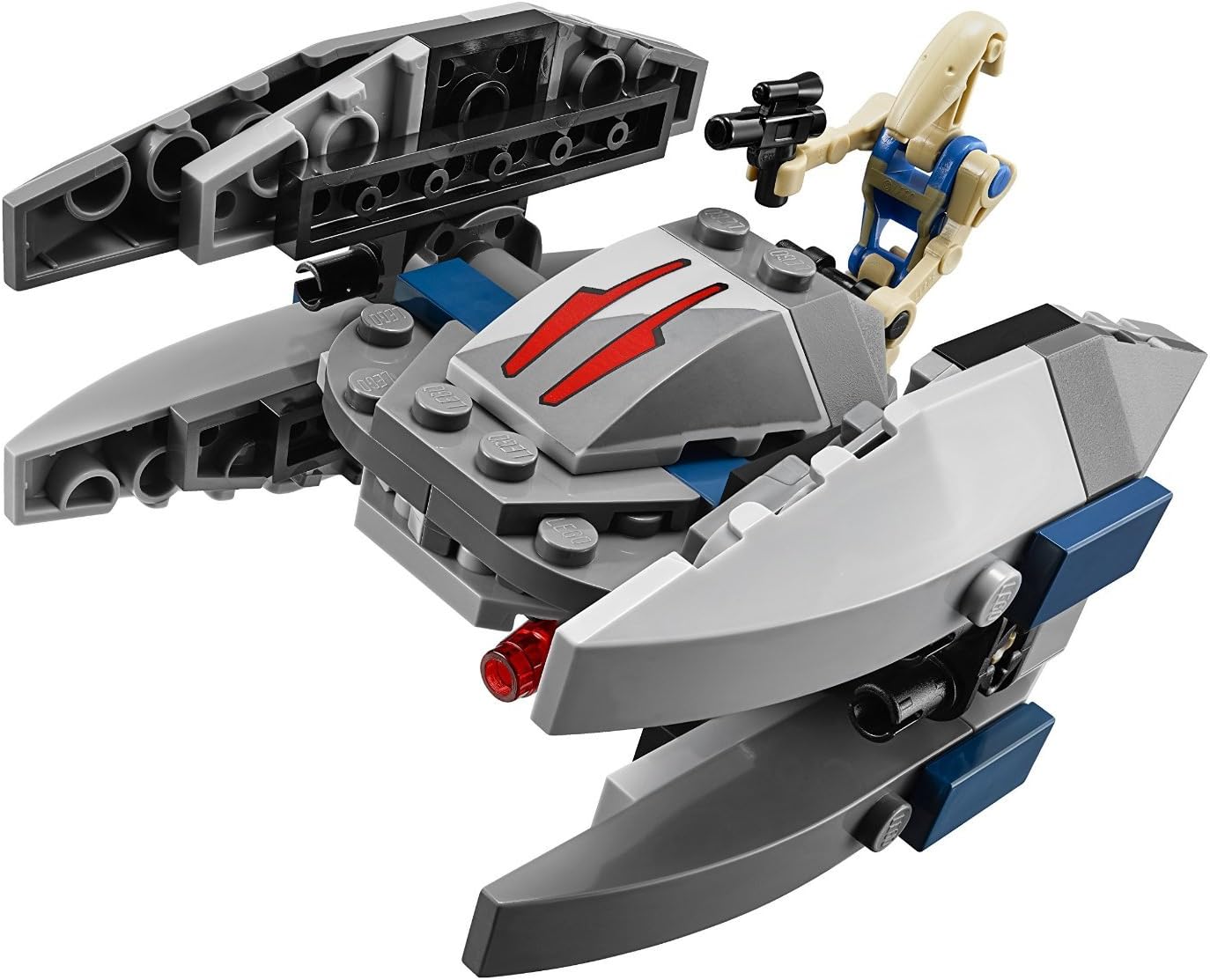
Figure 3: Vulture Droid Detail. This view emphasizes the detailed top section, including the cockpit area and the red flick missiles positioned at the front.
Ensure all bricks are firmly pressed together to create a stable model. The wings are designed to rotate, allowing for different display and play modes.
Operating Features
The LEGO Vulture Droid Microfighter is designed with several interactive features for enhanced play:
- Rotating Wings: The four wings can be rotated to switch between walker mode and flight mode. In flight mode, the wings are typically extended outwards, while in walker mode, they can be positioned downwards to simulate the droid walking on surfaces.
- Flick Missiles: The Vulture Droid is equipped with two red flick missiles located at the front. To launch a missile, simply flick the rear end of the missile with your finger.
- Mini Cockpit: The Pilot Battle Droid minifigure can be placed inside the mini cockpit. Lift the grey hinged section on top of the droid to access the cockpit.
These features allow for dynamic play scenarios, recreating scenes from the Star Wars universe.
Maintenance
Proper care of your LEGO set will ensure its longevity and maintain its quality:
- Cleaning: To clean LEGO bricks, use a mild soap solution and lukewarm water (not exceeding 40°C or 104°F). Gently scrub the bricks with a soft brush or cloth. Rinse thoroughly with clear water and allow them to air dry at room temperature. Do not use hot water, harsh chemicals, or abrasive materials, as these can damage the plastic.
- Storage: Store your LEGO set in a clean, dry place away from direct sunlight and extreme temperatures. Prolonged exposure to sunlight can cause colors to fade, and extreme heat can deform the plastic.
- Handling: Handle the set with care to prevent pieces from breaking or becoming loose. Avoid excessive force when connecting or disconnecting bricks.
Regular maintenance will keep your Vulture Droid in excellent condition for continued enjoyment.
Troubleshooting
Here are solutions to common issues you might encounter:
- Missing Pieces: If you discover a missing piece during assembly, first double-check the packaging and surrounding area. If still missing, contact LEGO Customer Service (see "Support Information" section) for replacement parts.
- Difficulty Connecting Bricks: Ensure that the bricks are aligned correctly and apply firm, even pressure. If a brick is particularly stiff, try wiggling it slightly while applying pressure. Avoid using tools or excessive force, which can damage the bricks.
- Model Instability: If the assembled model feels unstable, re-examine the connections, especially in critical structural areas. Ensure all bricks are fully pushed together as per the instructions.
- Flick Missiles Not Launching: Check that the missiles are correctly inserted into their launchers. Ensure there is no obstruction and that the flick mechanism is clear.
For persistent issues not covered here, please contact LEGO Customer Service.
Specifications
| Product Name | LEGO Star Wars Microfighters Series 2 Vulture Droid |
| Model Number | 75073 (Item model number: 6100098) |
| Brand | LEGO |
| Number of Pieces | 77 |
| Included Minifigure | Pilot Battle Droid |
| Recommended Age | 6 years and up |
| Product Dimensions | 5.55 x 4.8 x 1.81 inches (14.1 x 12.2 x 4.6 cm) |
| Item Weight | 3.52 ounces (99.8 grams) |
| Release Date | January 1, 2015 |
Note: Dimensions and weight are approximate and may vary slightly.
Warranty Information
LEGO products are manufactured to high quality standards. While specific warranty details for individual sets are not typically provided, LEGO Group stands behind the quality of its products.
If you encounter any issues with the quality of the bricks, or if parts are missing or defective upon opening the set, please contact LEGO Customer Service directly. They are committed to ensuring customer satisfaction and will assist with replacements as needed.
Please retain your proof of purchase for any warranty-related inquiries.
Support Information
For further assistance, including inquiries about missing parts, building instructions, or product information, please contact LEGO Customer Service:
- Online Support: Visit the official LEGO website's customer service section. You can often find digital building instructions, frequently asked questions, and a form to request missing bricks.
- Contact Form: www.lego.com/service
- Phone Support: Check the LEGO website for regional phone numbers and operating hours.
When contacting support, please have the set number (75073) and the item model number (6100098) ready, as this will help expedite your request.
Ask a question about this manual
Ask about setup, troubleshooting, compatibility, parts, safety, or missing instructions. Manuals+ will review the question and use this page’s manual context to help answer it.