
ZEISS Otus 85mm f/1.4 Apo Planar T ZE Manual Focus Lens User Manual
Model: 2040-292
1. Introduction
This manual provides essential information for the proper use, care, and maintenance of your ZEISS Otus 85mm f/1.4 Apo Planar T ZE Manual Focus Lens. Please read this manual thoroughly before using the lens to ensure optimal performance and longevity.
The ZEISS Otus 85mm f/1.4 is a high-performance manual focus lens designed for Canon EOS-Mount cameras, known for its exceptional optical correction and image quality, particularly its apochromatic design which minimizes chromatic aberrations.
2. Product Overview
The ZEISS Otus 85mm f/1.4 Apo Planar T ZE lens is engineered for professional imaging, offering a fast f/1.4 aperture and a precise manual focus mechanism. Its optical design, based on the classic Planar concept, ensures outstanding image quality across the frame.
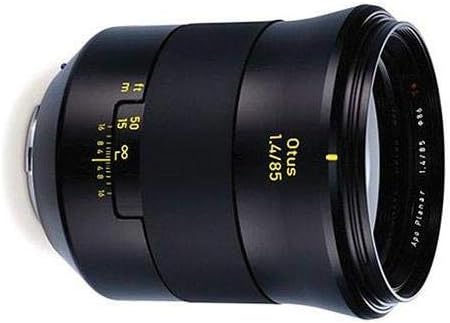
Figure 2.1: Front-side view of the ZEISS Otus 85mm f/1.4 lens, showing the front element and focus ring.
Key features include:
- Focal Length: 85mm (fixed)
- Maximum Aperture: f/1.4
- Mounting Type: Canon EF
- Focus Type: Manual Focus
- Optical Design: Apochromat Planar T*
- Filter Size: 86mm
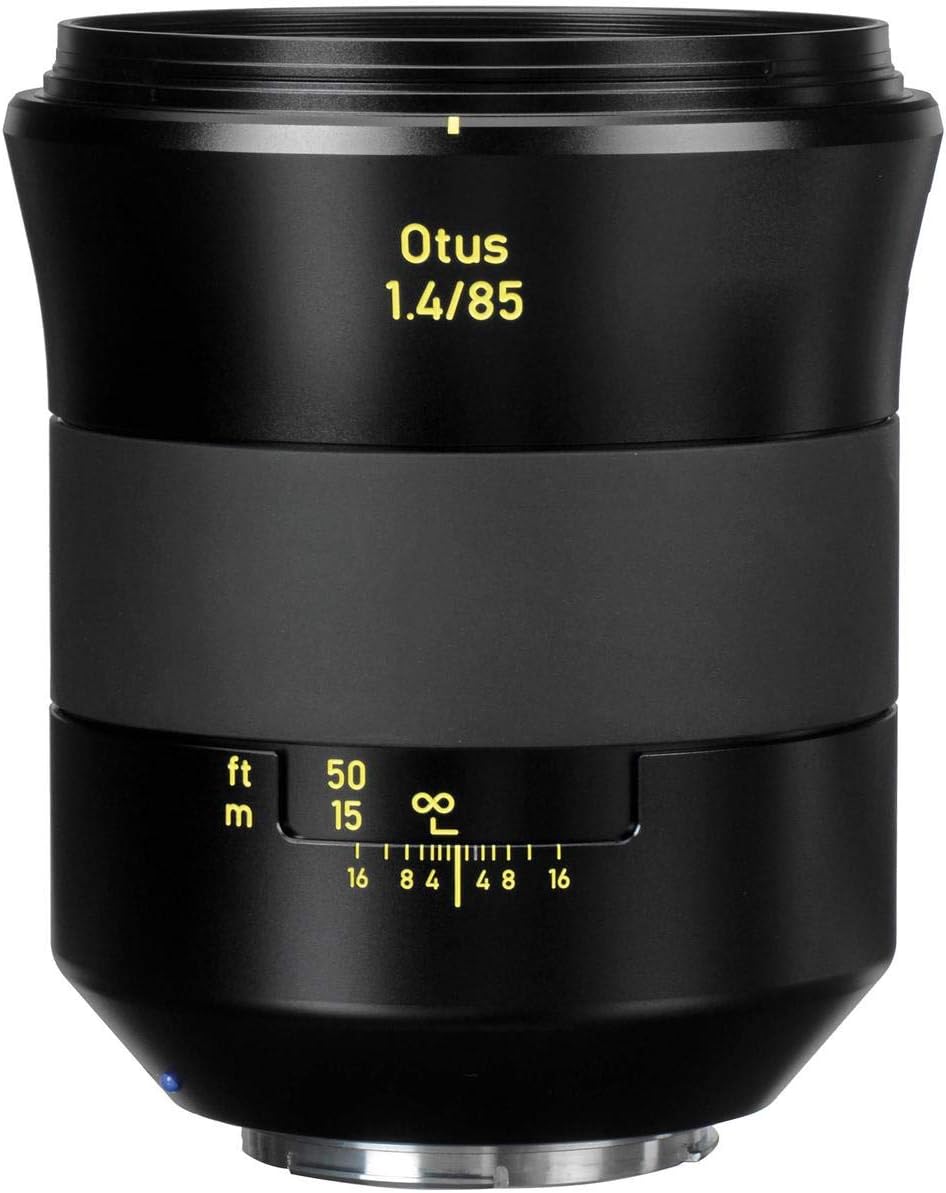
Figure 2.2: Close-up view of the focus ring with distance scale (feet and meters) and depth of field markings on the ZEISS Otus 85mm f/1.4 lens.
3. Setup
3.1 Attaching the Lens to the Camera
- Ensure your camera is turned off.
- Remove the rear lens cap from the ZEISS Otus lens and the body cap from your Canon EOS camera.
- Align the red index mark on the lens barrel with the red index mark on your camera's lens mount.
- Insert the lens into the camera mount and rotate it clockwise until it clicks into place. Do not force the lens.
3.2 Attaching the Lens Hood
The included lens hood helps to prevent flare and provides additional protection for the front element.

Figure 3.1: The ZEISS Otus 85mm f/1.4 lens with its dedicated lens hood properly attached.
- Align the lens hood with the front of the lens barrel. There is usually a small dot or mark on the hood and lens to indicate alignment.
- Twist the hood clockwise until it locks securely into place.
3.3 Removing/Attaching Lens Caps
Always use the front and rear lens caps when the lens is not in use to protect the optical elements from dust and scratches.
- Front Cap: Pinch the sides of the cap and place it onto the front of the lens or lens hood. Release to secure.
- Rear Cap: Align the cap with the lens mount and twist counter-clockwise until it clicks into place.
4. Operating the Lens
4.1 Manual Focusing
The ZEISS Otus 85mm f/1.4 is a manual focus lens, requiring precise adjustment of the focus ring.
- Look through your camera's viewfinder or use Live View on the LCD screen.
- Rotate the wide focus ring on the lens barrel until your subject appears sharp.
- Utilize your camera's focus aids, such as focus peaking (if available) or magnification in Live View, for critical focus.
- The distance scale on the lens barrel indicates the approximate focus distance in feet (ft) and meters (m).
4.2 Aperture Control
For the ZEISS Otus T ZE (Canon EF-Mount) version, the aperture is controlled electronically via your camera body. Set your desired aperture value directly on your camera.
4.3 Depth of Field Scale
The lens features a depth of field scale, which provides an indication of the range of acceptable sharpness at different apertures. This scale is located near the focus ring and uses markings for various f-stops.
- To use, focus on your subject.
- Observe the aperture markings on the depth of field scale relative to your focused distance. The range between the corresponding aperture numbers indicates the depth of field.
5. Maintenance
5.1 Cleaning the Lens
Proper cleaning helps maintain optical performance and extends the life of your lens.
- Lens Elements: Use a blower brush to remove loose dust. For smudges or fingerprints, use a clean, soft microfiber cloth specifically designed for optics, along with a small amount of lens cleaning fluid. Apply fluid to the cloth, not directly to the lens. Clean in a circular motion from the center outwards.
- Lens Body: Wipe the lens barrel with a soft, dry cloth. Avoid using harsh chemicals or solvents.
5.2 Storage
When not in use, store the lens in a cool, dry place, away from direct sunlight and extreme temperatures. Always attach both front and rear lens caps. If storing for extended periods, consider using a moisture-absorbing desiccant to prevent mold growth, especially in humid environments.
5.3 Handling Precautions
- Avoid dropping or subjecting the lens to strong impacts.
- Do not expose the lens to water or excessive moisture, as it is not water-resistant.
- Do not attempt to disassemble the lens, as this will void the warranty and may cause damage.
6. Troubleshooting
This section addresses common issues you might encounter with your ZEISS Otus 85mm f/1.4 lens.
| Problem | Possible Cause | Solution |
|---|---|---|
| Images are blurry or out of focus. | Incorrect manual focus. | Ensure precise manual focusing using camera's focus aids (e.g., Live View magnification, focus peaking). Practice manual focusing techniques. |
| Lens not attaching securely to camera. | Incorrect alignment or obstruction. | Verify red index marks are aligned. Check for any debris on the lens mount or camera mount. Do not force the lens. |
| Dust or spots visible in images. | Dust on front/rear lens elements or camera sensor. | Clean lens elements as described in Section 5.1. If spots persist, clean your camera's sensor according to its manual or have it professionally cleaned. |
| Lens hood is loose. | Not fully locked into place. | Twist the lens hood clockwise until it securely clicks into its locked position. |
7. Specifications
Detailed technical specifications for the ZEISS Otus 85mm f/1.4 Apo Planar T ZE lens (Model 2040-292).
- Model Name: 2040-292
- Brand: ZEISS
- Focal Length: 85 mm (Fixed)
- Maximum Aperture: f/1.4
- Minimum Aperture: f/16 (typical for Otus lenses, though not explicitly listed for this model in provided data, f/1.4 is listed as min aperture which is likely a data error)
- Lens Type: Standard, Prime
- Compatible Mountings: Canon EF
- Focus Type: Manual Focus
- Image Stabilization: Optical (Note: This refers to the camera body's stabilization if applicable, the lens itself does not have IS)
- Real Angle Of View: 23.71 Degrees
- Photo Filter Size: 86 Millimeters
- Item Weight: Approximately 2.6 Pounds (1.18 kg)
- Water Resistance Level: Not Water Resistant
8. Warranty and Support
8.1 Manufacturer's Warranty
The ZEISS Otus 85mm f/1.4 Apo Planar T ZE lens is covered by a manufacturer's warranty. For specific terms, conditions, and duration of the warranty, please refer to the documentation included with your purchase or visit the official ZEISS website.
8.2 Customer Support
For technical assistance, service, or inquiries regarding your ZEISS lens, please contact ZEISS customer support directly through their official website. Ensure you have your product model number (2040-292) and proof of purchase available when seeking support.


