
1. Safety Information
Please read and understand all instructions before assembling and using the Fisher-Price Deluxe Take-Along Swing & Seat. Keep this manual for future reference.
- WARNING: Never leave child unattended.
- WARNING: This product is not intended for prolonged periods of sleep.
- WARNING: Always use the restraint system. Ensure the harness is properly adjusted and secured.
- WARNING: Do not use this product once your child can sit up unaided or weighs more than 25 lbs (11.3 kg).
- WARNING: Do not move or lift the product with the child inside.
- WARNING: Always place the product on a flat, level surface.
- WARNING: Keep children away from the product during assembly and disassembly.
- WARNING: Do not use if any components are broken or missing.
- WARNING: Do not use accessories or replacement parts other than those approved by Fisher-Price.
- WARNING: Batteries are not included. Use 4 C (LR14) alkaline batteries. Do not mix old and new batteries. Do not mix alkaline, standard (carbon-zinc), or rechargeable (nickel-cadmium) batteries.

Image: A baby is shown safely secured in the swing with the adjustable five-point harness system, emphasizing proper use of the safety restraints.
2. Setup
2.1 Unpacking and Initial Assembly
Carefully remove all components from the packaging. While the product is designed for easy setup, ensure all parts are present and undamaged before proceeding.
- Unfold the frame until it locks into place. Ensure all locking mechanisms are engaged.
- Attach the seat pad to the frame according to the instructions provided in the separate assembly guide (if applicable).
- Ensure the overhead toy bar is securely attached.

Image: This view illustrates the main components of the swing, providing a visual reference for assembly steps.
2.2 Battery Installation
The swing requires 4 C (LR14) alkaline batteries for operation of the swing, vibration, and sound features.
- Locate the battery compartment, typically on the underside of the control unit.
- Using a Phillips head screwdriver, loosen the screw(s) on the battery compartment cover and remove the cover.
- Insert 4 C (LR14) alkaline batteries, ensuring correct polarity (+/-).
- Replace the battery compartment cover and tighten the screw(s).
Note: For optimal performance and battery life, use high-quality alkaline batteries. Rechargeable batteries may not provide consistent power.
3. Operation
3.1 Control Panel Overview
The control panel is located on the top of the swing unit and allows you to manage all electronic functions.

Image: A close-up view of the control panel, showing buttons for power, swing speed, vibration, music, and volume control.
- Power Button: Turns the unit on or off.
- Swing Speed Buttons: Adjusts the swing speed (6 settings).
- Vibration Button: Activates or deactivates the calming vibrations.
- Music/Sound Buttons: Selects between 10 musical tunes and nature sounds, and adjusts volume.
3.2 Using the Swing Function
- Place your child securely in the seat and fasten the five-point harness.
- Press the power button to turn on the unit.
- Use the swing speed buttons to select one of the 6 available speeds. Start with a lower speed and adjust as needed.
- To stop the swing, press the power button or reduce the speed to zero.

Image: A baby is comfortably seated in the Fisher-Price Deluxe Take-Along Swing & Seat, demonstrating its use as a soothing spot with the swing function active.
3.3 Using the Stationary Seat Function
The product can be converted into a stationary infant seat.
- Ensure the swing function is off.
- Locate the locking mechanism at the base of the swing frame.
- Engage the lock to prevent the swing motion. Refer to the product's labels for specific locking instructions.
- The seat will now remain stationary. You can still use the vibration and sound features.

Image: The product is displayed in its stationary seat configuration, providing a secure spot for the baby without swinging, ideal for feeding or playtime.
3.4 Portability and Folding
The swing features an easy-fold frame for convenient transport and storage.
- Remove the child from the seat.
- Disengage any locking mechanisms that hold the frame in the open position.
- Follow the folding instructions on the product labels or in the separate assembly guide to collapse the frame.
- Once folded, use the integrated handle for carrying.

Image: A person is shown easily carrying the folded swing by its handle, highlighting its portability feature for travel or moving between rooms.
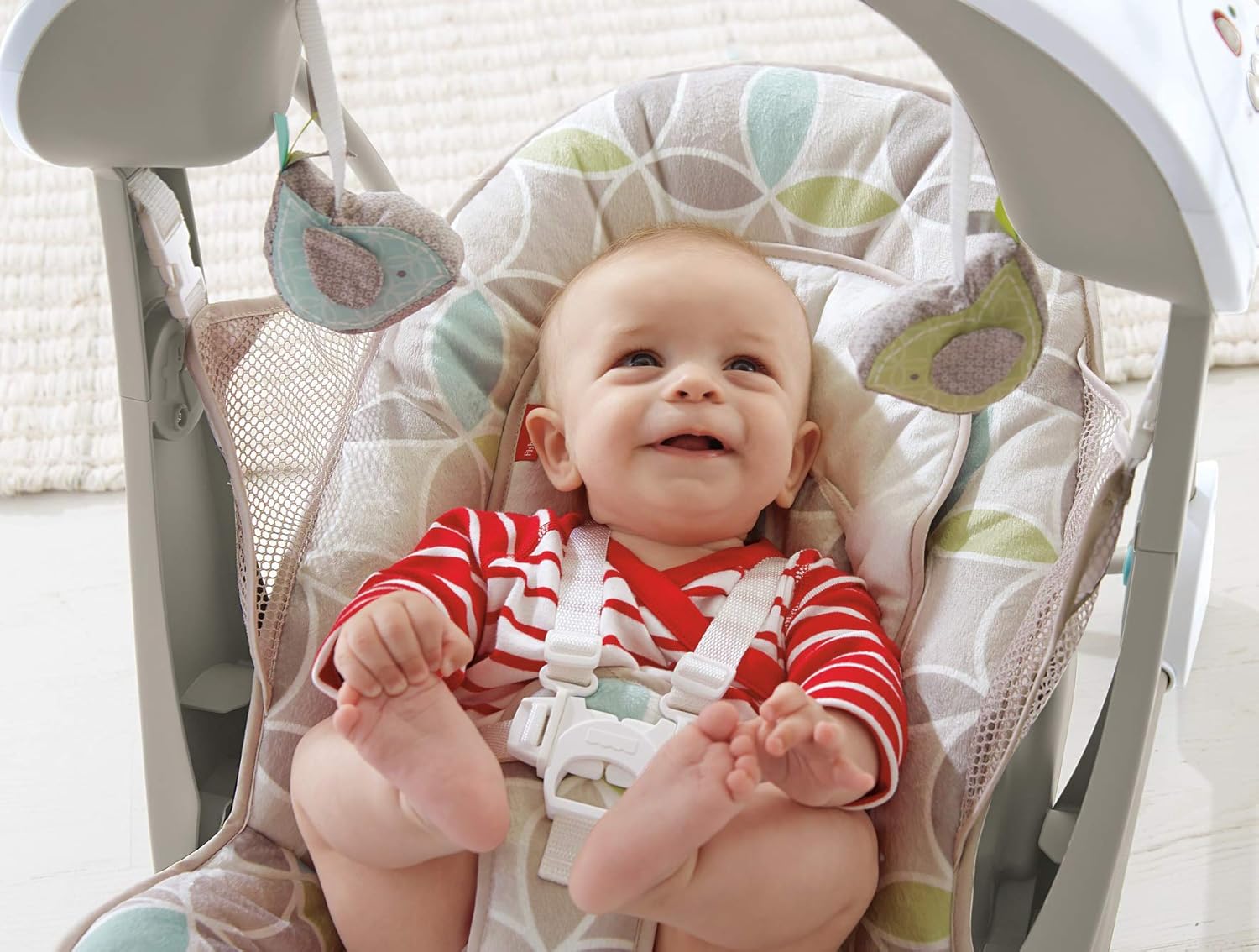
Image: The swing is shown from the side, folded compactly for storage or transport, demonstrating its space-saving design.
4. Maintenance
4.1 Cleaning Instructions
Regular cleaning helps maintain the product's hygiene and appearance.
- Seat Pad: The seat pad is machine-washable. Remove it from the frame according to the instructions on the fabric label. Wash in cold water on a gentle cycle. Do not bleach. Tumble dry on low heat.
- Frame and Toys: Wipe the frame, plastic parts, and toys with a damp cloth and mild soap. Rinse thoroughly with a clean damp cloth. Do not immerse the electronic unit in water.
- Do not use abrasive cleaners or solvents.

Image: A detailed view of the swing's seat pad, featuring soft fabric and a removable newborn insert, designed for comfort and easy cleaning.
4.2 Battery Care
- Remove batteries if the product is stored for a long period or if batteries are depleted.
- Dispose of depleted batteries properly.
- Do not dispose of batteries in fire; they may explode or leak.
5. Troubleshooting
| Problem | Possible Cause | Solution |
|---|---|---|
| Swing does not operate or operates slowly. | Low or dead batteries; incorrect battery installation; obstruction. | Replace batteries with fresh C (LR14) alkaline batteries. Check battery polarity. Ensure no objects are obstructing the swing mechanism. Sometimes a gentle nudge may be needed to initiate motion. |
| Vibration or sounds do not work. | Low or dead batteries; unit not powered on. | Replace batteries. Ensure the power button is pressed and the unit is on. |
| Harness straps seem too short or tight. | Straps may be pulled back into the seat. | Pull the straps forward from the back of the seat to extend them. Adjust to fit your child snugly but comfortably. |
| Product does not fold easily. | Locking mechanisms not disengaged. | Ensure all frame locks are released before attempting to fold. Refer to the folding instructions. |
6. Specifications
- Model Number: CJV03
- Brand: Fisher-Price
- Product Dimensions (Open): 19.84"D x 25.39"W x 25.04"H (50.4 cm D x 64.5 cm W x 63.6 cm H)
- Item Weight: Approximately 1 lbs (0.45 kg)
- Maximum Child Weight: 25 lbs (11.3 kg)
- Power Source: 4 C (LR14) alkaline batteries (not included)
- Swing Speeds: 6
- Music & Sounds: 10 tunes and nature sounds
- Features: Calming vibrations, portable, easy-fold frame, machine-washable seat pad with newborn insert.
7. Warranty & Support
7.1 Manufacturer's Warranty
This product is covered by a limited manufacturer's warranty. Please refer to the warranty information included with your purchase or visit the official Fisher-Price website for details regarding warranty coverage, terms, and conditions.
7.2 Customer Support
For further assistance, replacement parts, or to report any issues not covered in this manual, please contact Fisher-Price customer service.
- Online Support: Visit the official Fisher-Price website for FAQs and support resources.
- Phone Support: Refer to your product packaging or the Fisher-Price website for regional contact numbers.