
1. Introduction
Thank you for choosing the SYLVANIA LED A19 Light Bulb. This manual provides essential information for the safe and efficient installation, operation, and maintenance of your new LED bulb. Please read these instructions thoroughly before use and retain them for future reference.
2. Safety Information
Always follow basic safety precautions when installing or replacing light bulbs to reduce the risk of fire, electric shock, or personal injury.
- WARNING: Risk of electric shock. Disconnect power before installation.
- Do not use with dimmers unless explicitly stated as dimmable. This bulb is not specified as dimmable in the provided data.
- Not suitable for totally enclosed fixtures unless specified.
- Do not use where directly exposed to water.
- Ensure the bulb is securely fastened in the fixture.
- Do not disassemble the bulb. There are no user-serviceable parts inside.
- Dispose of used bulbs according to local regulations.
3. Product Overview
The SYLVANIA LED A19 Light Bulb (Model 79149) is an energy-efficient lighting solution designed for general purpose illumination. It features a standard A19 shape and an E26 medium screw base, making it compatible with most common light fixtures.
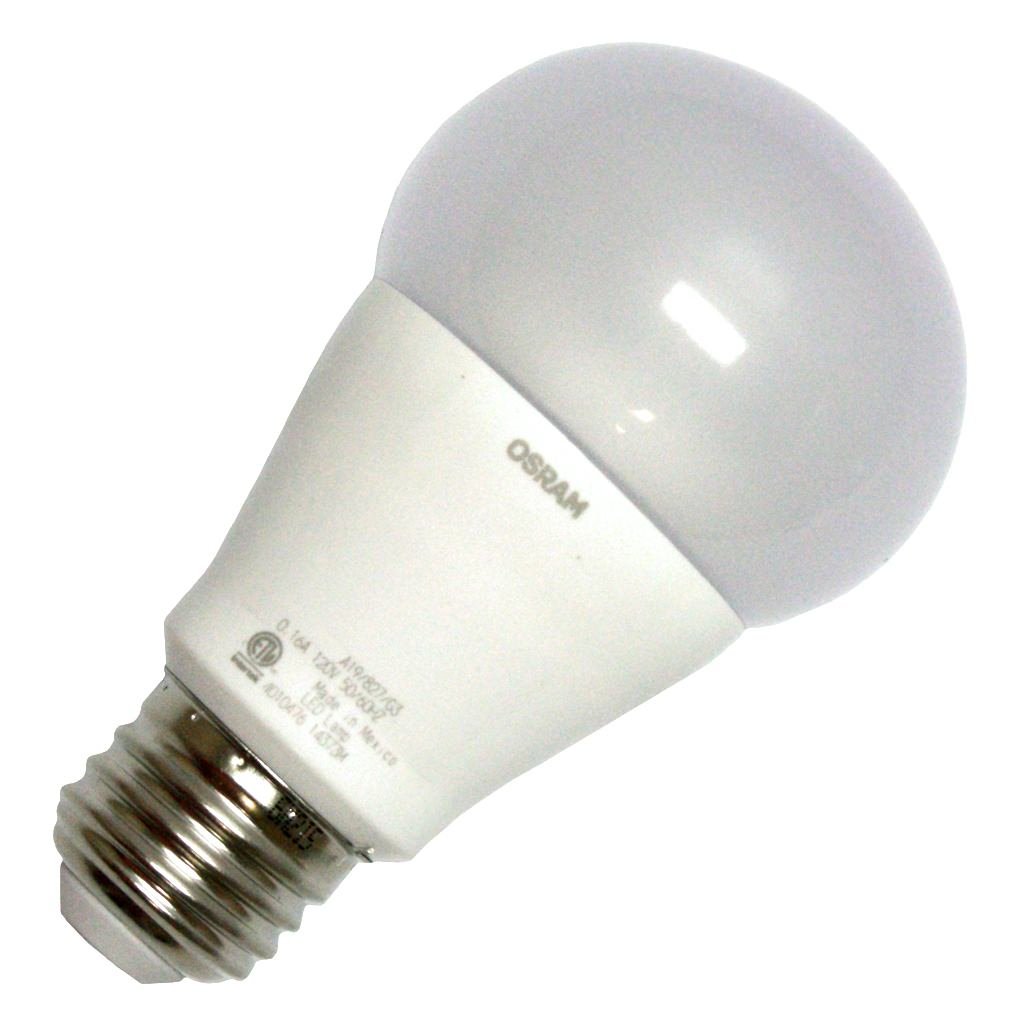
Figure 1: SYLVANIA LED A19 Light Bulb, Model 79149. This image shows the frosted A19 bulb with its E26 medium screw base.
Key Features:
- Energy Efficient: 6 watts of power consumption.
- Standard Base: E26 medium screw base for easy installation.
- Warm White Light: 2700 Kelvin color temperature for a comfortable ambiance.
- Frosted Finish: Provides diffused, even light distribution.
- Voltage: Operates on 120 Volts.
4. Setup and Installation
Installing your SYLVANIA LED A19 Light Bulb is a simple process. Follow these steps carefully:
- Turn off Power: Before attempting any installation, ensure the power to the light fixture is completely turned off at the circuit breaker or wall switch.
- Remove Old Bulb: Carefully unscrew the existing light bulb from the fixture in a counter-clockwise direction. Allow it to cool if it was recently on.
- Inspect Fixture: Check the light fixture for any damage or wear. Ensure the socket is clean and free of debris.
- Install New Bulb: Gently screw the SYLVANIA LED A19 bulb into the E26 medium screw base socket in a clockwise direction until it is snug. Do not overtighten.
- Restore Power: Once the bulb is securely installed, restore power to the fixture at the circuit breaker or wall switch.
- Test: Turn on the light switch to confirm the bulb is working correctly.
If the bulb does not light up, ensure it is properly screwed in and that power is restored to the fixture.
5. Operating Instructions
Operating the SYLVANIA LED A19 Light Bulb is straightforward:
- Power On/Off: Use the standard wall switch connected to your light fixture to turn the bulb on or off.
- Instant Full Brightness: LED bulbs provide instant full brightness upon switching on, with no warm-up time required.
- Non-Dimmable: Based on available specifications, this bulb is not designed for use with dimmer switches. Using it with a dimmer may cause damage to the bulb or the dimmer, and may void the warranty.
6. Maintenance
LED bulbs require minimal maintenance. Follow these guidelines to ensure optimal performance and longevity:
- Cleaning: Ensure the power is off and the bulb is cool before cleaning. Wipe the bulb with a soft, dry cloth. Do not use liquid cleaners or abrasive materials.
- Replacement: Replace the bulb when its light output significantly diminishes or it ceases to function. Always ensure power is off before replacing.
- Storage: If storing unused bulbs, keep them in their original packaging in a cool, dry place.
7. Troubleshooting
If you encounter issues with your SYLVANIA LED A19 Light Bulb, refer to the following common problems and solutions:
| Problem | Possible Cause | Solution |
|---|---|---|
| Bulb does not light up. |
|
|
| Bulb flickers. |
|
|
| Light output is too low. |
|
|
If the problem persists after trying these solutions, please contact SYLVANIA customer support.
8. Specifications
Detailed technical specifications for the SYLVANIA LED A19 Light Bulb (Model 79149):
| Model Number | 79149 (LED6A19/F/827/RP) |
| Light Type | LED |
| Bulb Shape Size | A19 |
| Bulb Base | E26 (Medium Screw) |
| Wattage | 6 Watts |
| Voltage | 120 Volts |
| Light Color | Warm White |
| Color Temperature | 2700 Kelvin |
| Special Feature | Frosted |
| Color Rendering Index (CRI) | 80 |
| Control Method | App (Note: This typically refers to smart bulb features, but for this specific model, operate via standard switch unless smart features are explicitly advertised elsewhere.) |
| UPC | 046135791499 |
9. Warranty and Support
SYLVANIA products are manufactured to high-quality standards. For specific warranty information, please refer to the warranty card included with your purchase or visit the official SYLVANIA website. Keep your purchase receipt as proof of purchase for warranty claims.
For technical support, troubleshooting assistance beyond this manual, or to inquire about warranty service, please contact SYLVANIA customer support through their official channels. You can often find contact information on the product packaging or the SYLVANIA website.
Online Resources: Visit the SYLVANIA Store on Amazon


