Welcome
Thank you for choosing the Polk Omni S2R Rechargeable Compact Wireless Music Streaming Speaker. This manual provides essential information for setting up, operating, and maintaining your speaker to ensure optimal performance and longevity. The Omni S2R offers a portable solution for enjoying Polk's signature sound wirelessly, whether indoors or outdoors.
Product Overview
Key Features
- Up to 6 hours of battery life for portable use.
- Integrated Bluetooth adapter for flexible streaming.
- Room-filling sound from twin 2-inch full-range drivers and passive bass radiators.
- Wi-Fi streaming via the Free Polk Omni App (Amazon Prime Music, Pandora, Spotify, iHeartRadio, personal music collection).
- Splash and humidity resistant design with a tough metal grille for outdoor use.
- Extended range Wi-Fi antenna for broad coverage.
- Multi-room audio capabilities with other Polk Omni Collection speakers.
Package Contents
- Polk Omni S2R Speaker
- Power Adapter
- Quick Start Guide

Image: The Polk Omni S2R speaker, showcasing its compact and portable design.
Setup Guide
Initial Charge
Before first use, fully charge your Polk Omni S2R speaker using the provided power adapter. A full charge provides up to 6 hours of playback at moderate listening levels.
Connecting to Wi-Fi
- Download the free Polk Omni App from your device's app store.
- Plug in your Omni S2R speaker.
- Open the Polk Omni App and follow the on-screen instructions to connect your speaker to your Wi-Fi network. This process typically involves selecting your Wi-Fi network and entering the password.
- Once connected, the speaker's Wi-Fi indicator light will confirm the connection.
Bluetooth Pairing
The Omni S2R includes an ultra-compact Bluetooth adapter for direct streaming when Wi-Fi is not available or preferred.
- Ensure the Bluetooth adapter is connected to the speaker.
- Activate Bluetooth on your smartphone, tablet, or computer.
- Select the Polk Omni S2R from the list of available Bluetooth devices to pair.
- The speaker will indicate a successful Bluetooth connection.
Video: An overview of the Polk Omni Wireless Music System, demonstrating its multi-room capabilities and ease of use.
Operating Instructions
Using the Polk Omni App
The Polk Omni App is your central control for the speaker. It allows you to:
- Browse and play music from various streaming services (e.g., Amazon Prime Music, Pandora, Spotify, iHeartRadio) or your personal music library.
- Adjust volume levels for individual speakers or groups.
- Create and manage multi-room audio zones, playing the same music in all rooms or different songs in different rooms.
- Access speaker settings and perform firmware updates.
Music Streaming
Stream your favorite audio content seamlessly:
- Wi-Fi Streaming: For the highest quality audio and multi-room functionality, use the Polk Omni App to stream over your Wi-Fi network. This provides a stable connection and allows for synchronized playback across multiple Omni devices.
- Bluetooth Streaming: For quick, direct connection to a single device, use the Bluetooth adapter. This is ideal for portable use outside your Wi-Fi network range.
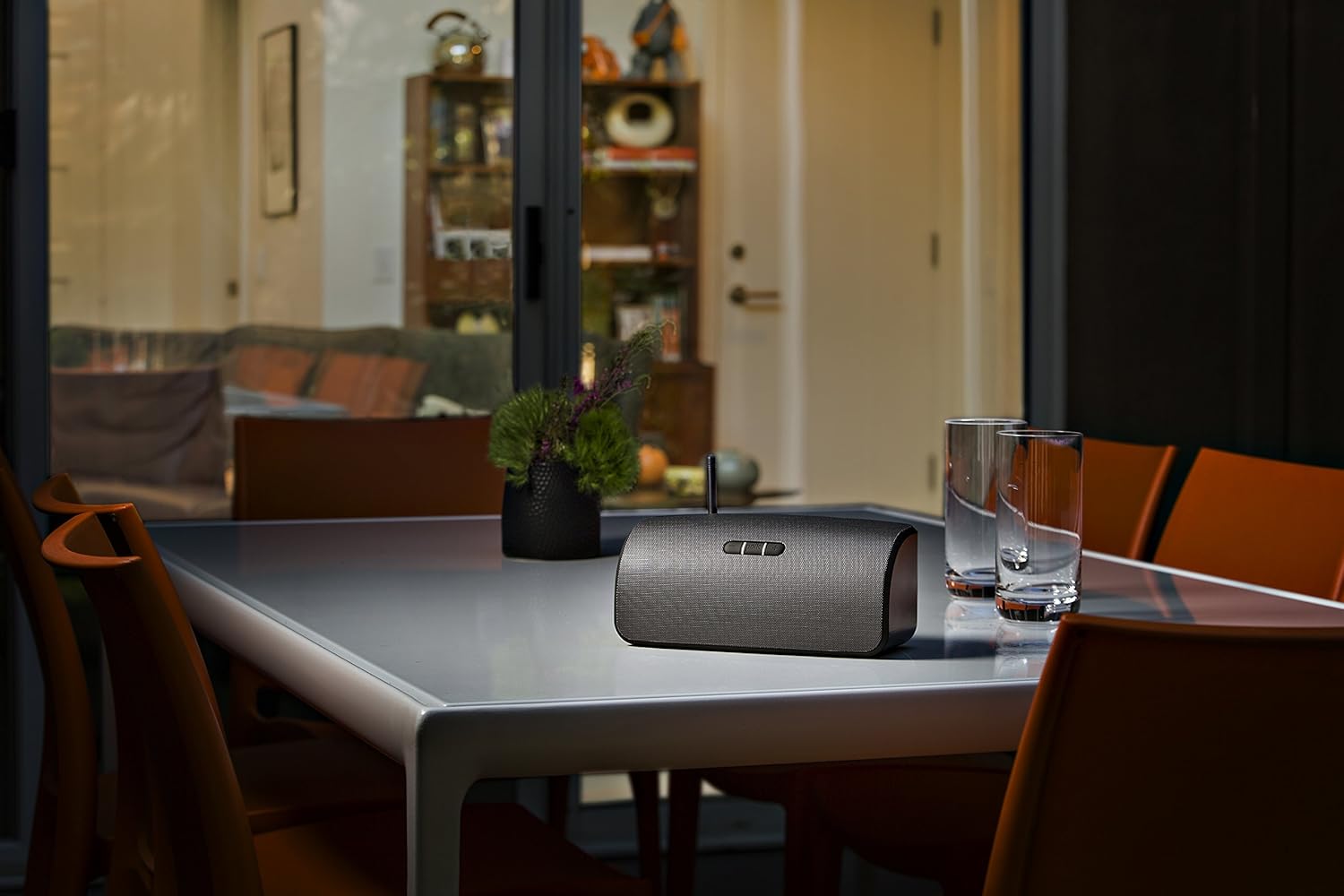
Image: The Polk Omni S2R speaker positioned on an outdoor patio table, demonstrating its portability for outdoor entertainment.

Image: The Polk Omni S2R speaker placed on a wooden surface indoors, highlighting its versatile design for any room.
Maintenance and Care
Cleaning
To clean your speaker, use a soft, dry cloth. Do not use liquid cleaners or aerosol sprays, as they may damage the finish or internal components.
Storage
When not in use for extended periods, store the speaker in a cool, dry place away from direct sunlight and extreme temperatures. Ensure the battery is partially charged (around 50%) before long-term storage to preserve battery health.
Weather Resistance
The Omni S2R features a weather-resistant design suitable for casual outdoor use. However, it is not waterproof. Avoid submerging the speaker in water or exposing it to heavy rain. Always ensure the charging port cover is securely closed when outdoors.
Troubleshooting
| Problem | Possible Cause | Solution |
|---|---|---|
| No power/Speaker not charging | Power adapter not connected properly; Faulty outlet; Battery depleted. | Ensure power adapter is securely plugged into speaker and a working outlet. Allow sufficient time for charging. |
| No sound/Low volume | Volume too low; Muted; Incorrect source selected; Speaker not connected. | Increase volume on speaker and source device. Check if speaker is muted. Verify correct input source in the app. Re-establish Wi-Fi or Bluetooth connection. |
| Wi-Fi connectivity issues | Incorrect Wi-Fi password; Speaker out of range; Network interference. | Double-check Wi-Fi password. Move speaker closer to router. Reduce interference from other wireless devices. Restart router and speaker. |
| Bluetooth pairing issues | Bluetooth not enabled; Speaker not in pairing mode; Device already paired. | Ensure Bluetooth is enabled on your device. Put speaker into Bluetooth pairing mode (refer to quick start guide). Forget previous pairings on your device and try again. |
| Sound distortion/Skipping | Weak Wi-Fi/Bluetooth signal; Interference; Source audio quality. | Move speaker closer to router/Bluetooth device. Avoid placing near other electronics. Check audio source quality. |
| Multi-room sync issues | Network congestion; Speaker placement; Firmware outdated. | Ensure strong Wi-Fi signal to all speakers. Reduce network traffic. Check for and install any available firmware updates via the Polk Omni App. |
Product Specifications
| Specification | Detail |
|---|---|
| Model Name | Omni S2R |
| Speaker Type | Outdoor |
| Special Feature | Portable |
| Recommended Uses For Product | Music |
| Compatible Devices | Smartphone, Tablet, MP3 Player, Desktop, Television, Projector, Laptop |
| Controller Type | Battery Powered |
| Surround Sound Channel Configuration | 2.0 |
| Color | GRAY |
| Battery Life | 6 Hours |
| Included Components | Speakers |
| Item Weight | 4.85 Pounds |
| Is Waterproof | FALSE |
| Warranty Type | Manufacturer Warranty |
| Number of Items | 1 |
| Control Method | Touch |
| Wireless Communication Technology | Bluetooth, Wireless |
| Speaker Size | 2 Inches |
| Power Source | Battery Powered |
| Woofer Diameter | 2 Inches |
| Customer Package Type | Standard Packaging |
| Number of Batteries | 1 Lithium Ion batteries required. (included) |
| Audio Driver Type | Dynamic Driver |
| Connectivity Protocol | Bluetooth, Wi-Fi |
| Includes MP3 player? | No |
| UPC | 747192124687 |
| Style | Portable |
| Indoor/Outdoor Usage | Outdoor |
| Global Trade Identification Number | 00747192124687 |
| Manufacturer | Polk Audio |
| Product Dimensions | 6.7 x 7.9 x 12.7 inches |
| Item Weight | 4.85 pounds |
| ASIN | B00NAMZBQS |
| Item model number | AM6913-A |
| Batteries | 1 Lithium Ion batteries required. (included) |
| Is Discontinued By Manufacturer | No |
| Date First Available | September 15, 2014 |
| Brand | Polk Audio |
| Speaker Maximum Output Power | 5 Watts |
| Connectivity Technology | Bluetooth, Wi-Fi |
| Audio Output Mode | Stereo |
| Mounting Type | Tabletop Mount |
Warranty and Support
Warranty Information
This product is covered by a Manufacturer Warranty. Please refer to the warranty card included with your product for specific terms and conditions, or visit the Polk Audio official website for detailed warranty information.
Additional Support
For further assistance, you can refer to the official User Manual (PDF) available online: Polk Omni S2R User Manual PDF


