
Introduction
This manual provides essential information for the safe and efficient operation, maintenance, and troubleshooting of your BLACK+DECKER 40V MAX* Cordless Lithium-Ion Chainsaw, 12-Inch (LCS1240). Please read this manual thoroughly before using the product.
The BLACK+DECKER 12-Inch 40V MAX* Cordless Lithium-Ion Chainsaw is designed for high-powered, gas-free sawing. It features a 12-inch OREGON low-kickback bar and chain for smooth, fast cuts, an automatic oiling system, and tool-free chain tension adjustment. Safety features include a front hand guard and a lock-off button.
Safety Information
WARNING: Always wear appropriate personal protective equipment (PPE) including safety glasses, hearing protection, gloves, and sturdy footwear when operating the chainsaw. Ensure the work area is clear of bystanders and obstacles.
- Read and understand all instructions before operation.
- Keep hands and feet away from the chain.
- Do not operate the chainsaw in wet conditions.
- Ensure the battery is removed before performing any maintenance or adjustments.
- Always maintain a firm grip with both hands on the chainsaw.
Setup
1. Battery Installation
Insert the 40V MAX* Lithium-Ion battery into the battery compartment until it clicks into place. Ensure it is securely seated.
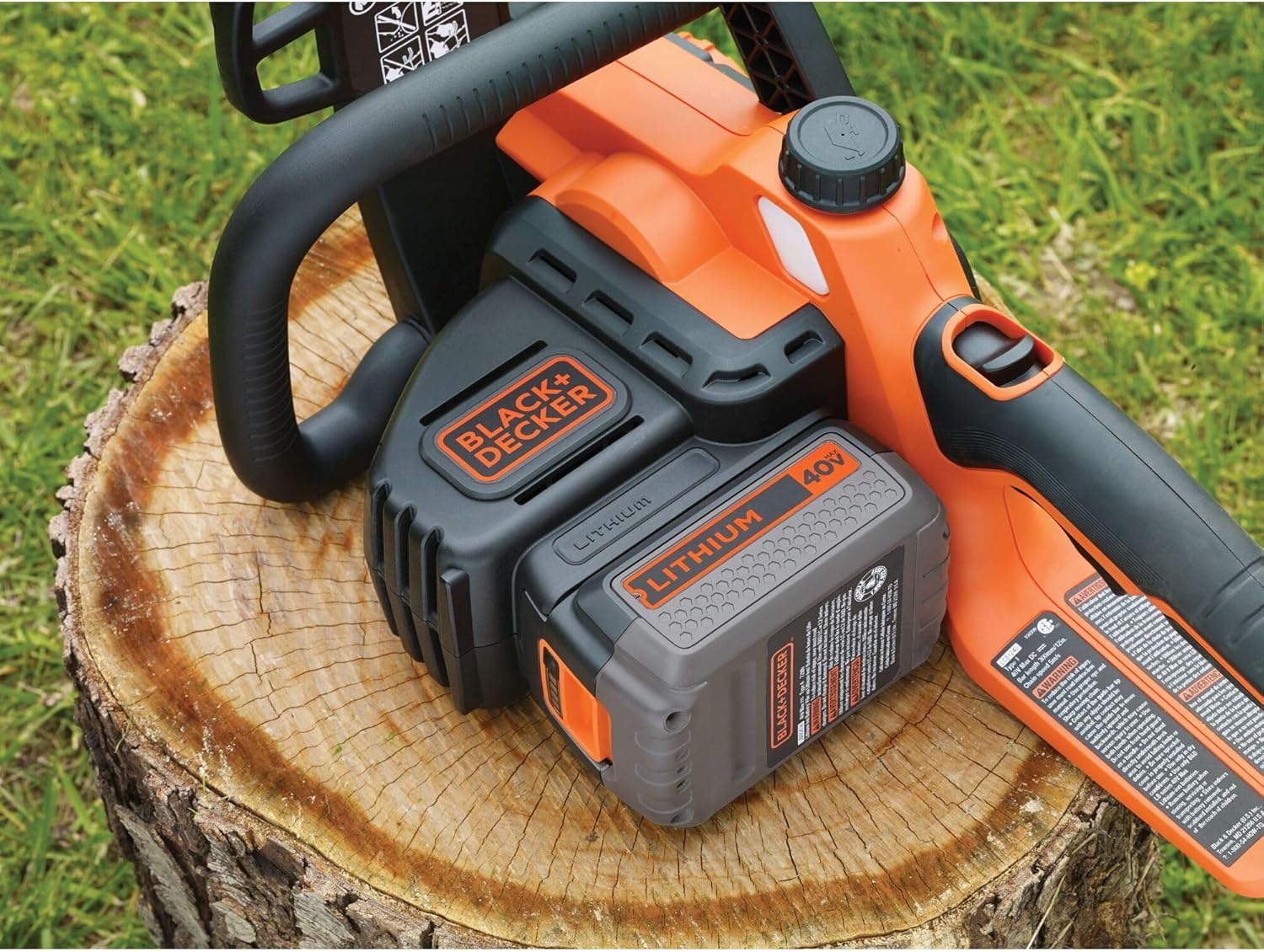
Image: The BLACK+DECKER 40V MAX* Cordless Chainsaw with the 40V Lithium-Ion battery pack inserted into its compartment, ready for operation.
2. Chain Tensioning
The chainsaw features tool-free chain tensioning. Rotate the orange knob on the side of the chainsaw to adjust the chain tension. The chain should be snug but still able to be pulled freely around the bar by hand.

Image: A close-up view of the chainsaw's side, highlighting the orange knob used for tool-free chain tension adjustment. This allows for quick and easy tightening or loosening of the chain.
3. Oiling System
Fill the oil reservoir with appropriate bar and chain oil. The chainsaw has an automatic oiling system to keep the bar and chain lubricated during operation.

Image: Hands demonstrating the process of filling the oil reservoir on the BLACK+DECKER 40V MAX* Cordless Chainsaw, ensuring the automatic oiling system is ready for use.
Operating Instructions
Starting the Chainsaw
To start the chainsaw, first press the lock-off button, then squeeze the trigger. Release the lock-off button once the chainsaw starts. Always maintain a firm grip with both hands.

Image: An annotated view of the BLACK+DECKER 40V MAX* Cordless Chainsaw, pointing out key safety features like the lock-off button and front hand guard, along with the tool-free chain tensioning mechanism.
Cutting Techniques
Always ensure the chainsaw is at full speed before beginning a cut. Use a smooth, steady motion. For felling small trees or cutting larger limbs, plan your cuts to avoid pinching the bar and chain.

Image: A person demonstrating the use of the BLACK+DECKER 40V MAX* Cordless Chainsaw to cut through a fallen log, showcasing its application in wood cutting tasks.

Image: A person using the BLACK+DECKER 40V MAX* Cordless Chainsaw to prune a tree branch, illustrating its versatility for various cutting angles and tasks.
Maintenance
Chain Lubrication
Regularly check the oil level in the reservoir and refill as needed. The automatic oiling system ensures continuous lubrication during operation, but manual checks are crucial.
Cleaning
After each use, clean the chainsaw thoroughly. Remove sawdust and debris from the chain, bar, and motor housing. Ensure the battery is removed before cleaning.
Chain Sharpening
A dull chain can lead to poor performance and increased kickback risk. Sharpen the chain regularly or replace it when necessary. Refer to the full user guide for detailed sharpening instructions.
Troubleshooting
| Problem | Possible Cause | Solution |
|---|---|---|
| Chainsaw does not start | Battery not charged or not inserted correctly; Lock-off button not pressed. | Charge battery fully and ensure it is securely inserted. Press lock-off button before squeezing trigger. |
| Chain not cutting efficiently | Dull chain; Incorrect chain tension; Low oil level. | Sharpen or replace chain. Adjust chain tension. Refill oil reservoir. |
| Chainsaw stops during operation | Overload protection activated; Battery depleted. | Reduce cutting pressure. Allow motor to cool. Recharge or replace battery. |
| Excessive vibration | Loose chain; Damaged chain or bar. | Adjust chain tension. Inspect chain and bar for damage and replace if necessary. |
Specifications
- Brand: BLACK+DECKER
- Model: LCS1240
- Power Source: Battery Powered (40V MAX* Lithium-Ion)
- Chain Length: 12 Inches
- Item Weight: 10.4 Pounds
- Product Dimensions: 28.56"L x 8.81"W x 9.63"H
- Manufacturer: Black & Decker Outdoor
- UPC: 885911357302
Warranty and Support
For detailed warranty information, please refer to the warranty card included with your product or visit the official BLACK+DECKER website. For technical support or service, contact BLACK+DECKER customer service.
A comprehensive User Guide (PDF) is available for download: Download User Guide
You can also visit the BLACK+DECKER Store on Amazon for more product information and accessories.