1. Introduction
Thank you for purchasing the Panasonic Hand Blender MX-S300-K. This manual provides essential information for the safe and effective use of your appliance. Please read these instructions thoroughly before use and retain them for future reference.
2. Important Safety Information
To reduce the risk of fire, electric shock, or injury, always follow these basic safety precautions:
- Read all instructions before operating the appliance.
- Do not immerse the motor unit in water or other liquids.
- Keep hands, hair, and clothing away from moving parts during operation.
- Always unplug the appliance from the outlet when not in use, before assembling or disassembling parts, and before cleaning.
- Do not operate any appliance with a damaged cord or plug, or after the appliance malfunctions or has been dropped or damaged in any manner.
- This appliance is not intended for use by persons (including children) with reduced physical, sensory or mental capabilities, or lack of experience and knowledge, unless they have been given supervision or instruction concerning use of the appliance by a person responsible for their safety.
- Children should be supervised to ensure that they do not play with the appliance.
- Avoid contact with moving parts.
- Blades are sharp. Handle with care.
3. Product Overview and Components
The Panasonic Hand Blender MX-S300-K comes with several components designed for versatile food preparation.

Image 3.1: Overview of the Panasonic Hand Blender MX-S300-K and its accessories, including the main blender unit, chopper attachment, measuring cup, and whisk attachment.
Components:
- Main Blender Unit: The motor housing with controls and the blending shaft.
- Blender Blade Attachment: For blending and pureeing.
- Whisk Attachment: For whipping cream or beating eggs.
- Chopper Attachment: For chopping vegetables, nuts, or mincing meat. Includes a bowl and blade.
- Measuring Cup (700ml): For blending ingredients and measuring.

Image 3.2: Detailed view of the 4-blade cutter for chopping, the 700ml measuring cup, and the whisk attachment for whipping.
4. Setup and Assembly
Before first use, wash all parts that will come into contact with food. Ensure the appliance is unplugged before assembly.
- Attaching the Blending Shaft: Align the blending shaft with the motor unit and twist until it locks securely into place.
- Attaching the Whisk: Insert the whisk into the whisk adapter, then attach the adapter to the motor unit, twisting to lock.
- Attaching the Chopper: Place the chopper blade onto the central pin in the chopper bowl. Add ingredients, then place the chopper lid onto the bowl. Finally, attach the motor unit to the chopper lid, twisting to lock.
5. Operating Instructions
The Panasonic Hand Blender MX-S300-K offers various functions for different food preparation needs.
5.1 Controls Overview

Image 5.1: Detailed view of the control panel, highlighting the speed adjustment dial, child lock mechanism, and the double action switch for operation.
- Speed Adjustment Dial: Located at the top of the motor unit, this dial allows you to select the desired blending speed.
- Child Lock: A safety feature that prevents accidental operation. Engage or disengage as needed.
- Double Action Switch: Requires two actions to activate, enhancing safety during operation.
5.2 General Operation
- Ensure the desired attachment is securely fitted to the motor unit.
- Plug the appliance into a 100 Volt power outlet.
- Place the attachment into the ingredients.
- Select the desired speed using the speed adjustment dial.
- Engage the child lock (if applicable) and then press the double action switch to start blending.
- Release the switch to stop operation.
- Unplug the appliance after use and before changing attachments or cleaning.
5.3 Specific Functions

Image 5.2: Demonstrations of the hand blender's versatility, including chopping with the attachment, mashing directly in a pot, mixing in the measuring cup, and whisking for aeration.
Blending/Pureeing:
Use the blender blade attachment for making smoothies, soups, sauces, and baby food. Immerse the blade fully into the ingredients before starting. Move the blender up and down gently for even blending.

Image 5.3: The hand blender in action, pureeing a creamy soup directly within a cooking pot.

Image 5.4: Examples of baby food textures achievable with the hand blender: a smooth pureed turnip and a textured mashed potato salad.
Chopping:
Attach the chopper unit for chopping onions, garlic, herbs, nuts, or mincing small amounts of meat. Do not overfill the chopper bowl. Use short pulses for coarse chopping.
Whisking:
Use the whisk attachment for whipping cream, beating egg whites, or mixing light batters. Ensure the whisk is immersed in the liquid before starting. Use a deep bowl to prevent splashing.
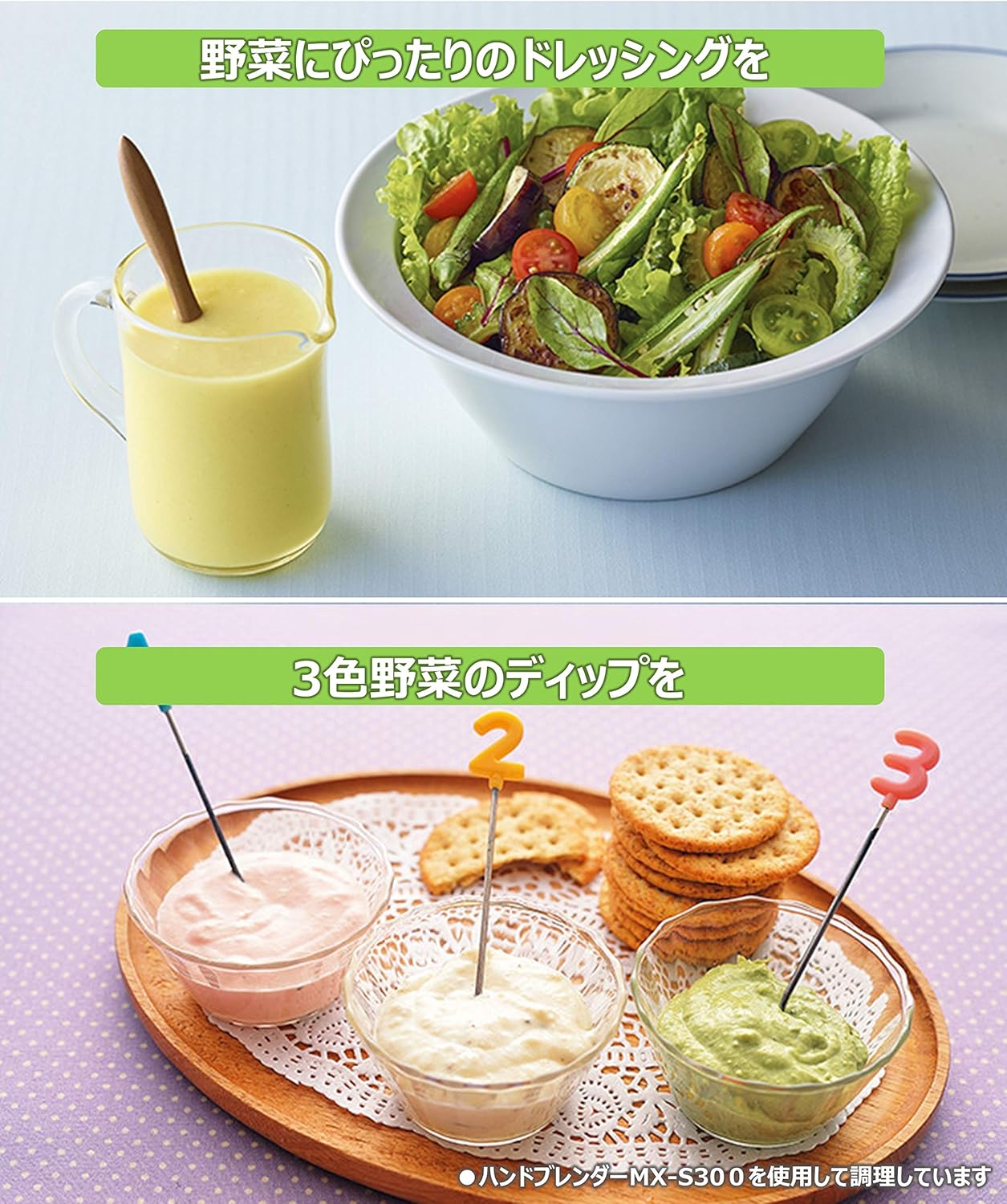
Image 5.5: Culinary applications: a smooth salad dressing prepared in a pitcher and a selection of three colorful dips served with crackers, all facilitated by the hand blender.
6. Maintenance and Cleaning
Proper cleaning and maintenance ensure the longevity and hygiene of your hand blender.
- Always unplug the appliance before cleaning.
- Motor Unit: Wipe the motor unit with a damp cloth. Do not immerse it in water or wash it under running water.
- Attachments (Blender Blade, Whisk, Chopper Bowl/Blade, Measuring Cup): These parts can be washed in warm, soapy water. Rinse thoroughly and dry immediately. Be extremely careful when handling the blender and chopper blades as they are very sharp.
- Storage: Store the hand blender and its accessories in a dry place, away from direct sunlight and out of reach of children.
7. Troubleshooting
If you encounter issues with your Panasonic Hand Blender, refer to the following table for common problems and solutions.
| Problem | Possible Cause | Solution |
|---|---|---|
| Appliance does not start. | Not plugged in; child lock engaged; attachment not properly secured. | Check power connection; disengage child lock; ensure attachment is locked. |
| Motor stops during operation. | Overheating due to continuous use or processing too hard ingredients. | Unplug and let cool down for 30 minutes. Reduce load or process in smaller batches. |
| Ingredients not blending evenly. | Insufficient liquid; ingredients too large; not moving the blender. | Add more liquid; cut ingredients into smaller pieces; move the blender up and down. |
| Excessive vibration or noise. | Attachment not properly secured; damaged blade. | Ensure attachment is securely locked. Inspect blade for damage; replace if necessary. |
8. Specifications
- Model: MX-S300-K
- Brand: Panasonic
- Power Source: Corded Electric
- Voltage: 100 Volts
- Blade Material: Stainless Steel
- Controls Type: Push Button
- Special Features: Portable, Lightweight
- Included Components: Blender Blade, Whisk Attachment, Jug (Measuring Cup)
- Item Weight: 4.19 pounds
- Date First Available: October 6, 2014
9. Warranty and Support
This Panasonic Hand Blender MX-S300-K comes with a Limited Warranty. Please refer to the warranty card included in your product packaging for specific terms and conditions, including coverage duration and how to make a claim.
For technical support, service, or to purchase replacement parts, please visit the official Panasonic website or contact Panasonic customer service. Contact information can typically be found on the Panasonic website or in your product packaging.
You can visit the official Panasonic store on Amazon for more information: Panasonic Store


