Introduction
The Antares GLX Galaxy LED Strip Fixture is a high-efficiency, ultra-slim, and dimmable lighting solution designed for various indoor applications. This 18-watt, 45-inch fixture operates on 120V AC and provides a bright 5000K (cool white) light output of 1815 lumens. Its linear design and aluminum construction ensure durability and a sleek aesthetic, making it suitable for under-cabinet lighting, display cases, workshops, and more.

Image: The Antares GLX Galaxy LED Strip Fixture, showcasing its slim, linear design and white finish.
Important Safety Information
Please read all instructions carefully before installation and use. Failure to follow these instructions may result in electrical shock, fire, or other hazards.
- This fixture is a PORTABLE LUMINAIRE and is UL US LISTED (E364489).
- For indoor use only. Do not expose to water or moisture.
- To avoid risk of electrical shock or fire, do not connect more than 12 fixtures in a continuous run.
- Connect only to adjacent units. The total current draw for a continuous run of fixtures must not exceed 1.2 Amperes.
- Ensure the power source is disconnected before installation, maintenance, or troubleshooting.
- Do not attempt to modify or disassemble the fixture. There are no user-serviceable parts inside.

Image: Close-up view of the fixture's side, showing the UL listing and safety warnings regarding indoor use and maximum number of connected fixtures.
Package Contents
Verify that all components are present before beginning installation:
- Antares GLX Galaxy LED Strip Fixture (1 unit)
- Mounting Clips (quantity may vary based on fixture length)
- Mounting Screws (quantity matching clips)
- Power Cord (US style, 3-prong plug)
- End-to-End Connector (for linking multiple fixtures)

Image: Mounting clip and screw.

Image: Power cord for the fixture.

Image: End-to-end connector.
Setup and Installation
- Plan Installation Location: Choose a dry, indoor location for mounting. Ensure the surface is suitable for drilling and can support the weight of the fixture(s). Consider the proximity to a 120V AC power outlet.
- Mounting the Fixture:
- Mark the desired mounting points for the clips. For the 45-inch fixture, use at least two clips, spaced evenly.
- Drill pilot holes at the marked locations.
- Secure the mounting clips to the surface using the provided screws.
- Snap the LED fixture into the mounted clips, ensuring it is securely held.
- Connecting Power:
- Insert the smaller end of the power cord into the input port on one end of the LED fixture.
- Plug the 3-prong end of the power cord into a standard 120V AC wall outlet.

Image: End view of the fixture, highlighting the connection port.
- Linking Multiple Fixtures (Optional):
- If connecting multiple fixtures, ensure the total current draw does not exceed 1.2 Amperes (maximum 12 fixtures).
- Use the provided end-to-end connector to link the output end of one fixture to the input end of the next.
- Alternatively, extension cords (sold separately) can be used for spaced installations.
Operating Instructions
The Antares GLX Galaxy LED Strip Fixture is designed for simple operation. Once properly installed and connected to power, it can be controlled via a compatible wall switch or a remote control (if included or purchased separately).
- Power On/Off: Use the wall switch connected to the fixture's power outlet to turn the light on or off.
- Dimming Function: This fixture is dimmable. To utilize the dimming feature, connect it to a compatible 120V AC dimmer switch. Follow the dimmer switch manufacturer's instructions for operation. If a remote control is provided, refer to its specific instructions for dimming and other functions.
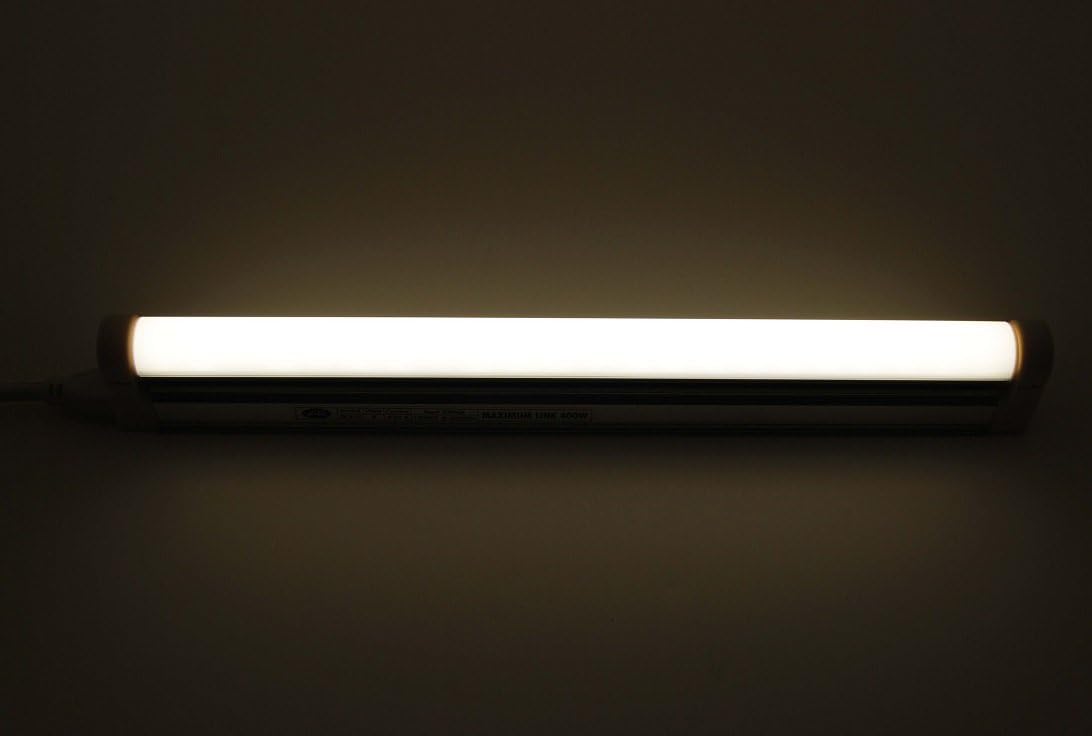
Image: The Antares GLX Galaxy LED Fixture in an illuminated state, demonstrating its light output.
Maintenance
The Antares GLX Galaxy LED Strip Fixture requires minimal maintenance due to its durable LED technology.
- Cleaning: Disconnect power before cleaning. Use a soft, dry, or slightly damp cloth to wipe the surface of the fixture. Do not use abrasive cleaners, solvents, or harsh chemicals, as these may damage the finish or internal components.
- LED Lifespan: The LEDs are designed for long-term use and do not require replacement. If the fixture stops functioning, refer to the Troubleshooting section.
Troubleshooting
If you encounter issues with your Antares GLX Galaxy LED Strip Fixture, please refer to the following common problems and solutions:
| Problem | Possible Cause | Solution |
|---|---|---|
| Fixture does not turn on. | No power to the outlet; loose connection; faulty fixture. | Check if the outlet has power (test with another device). Ensure the power cord is securely plugged into both the fixture and the wall outlet. If linking multiple fixtures, check all connections. |
| Light flickers or is dim. | Incompatible dimmer switch; loose connection; overloaded circuit. | Ensure you are using a compatible 120V AC dimmer switch. Check all power connections. Verify that you have not exceeded the maximum of 12 linked fixtures or 1.2 Amperes total current draw. |
| Only some linked fixtures are working. | Loose connection between fixtures; faulty connector. | Check the end-to-end connections between each fixture in the chain. Ensure connectors are fully inserted. |
Specifications
| Model Number | GLX145E850 |
| Brand | ANTARES |
| Power Source | 120V AC |
| Wattage | 18 Watts |
| Brightness | 1815 Lumens |
| Color Temperature | 5000 Kelvin (Cool White) |
| Special Feature | Dimmable |
| Light Source Type | LED |
| Material | Aluminum |
| Shape | Linear |
| Length | 45 inches |
| Control Method | Remote (via compatible remote control, sold separately or included with specific kits) / Wall Switch |
| Certifications | UL US Listed (E364489) |
Warranty and Support
Specific warranty information for the Antares GLX Galaxy LED Strip Fixture is not provided in this manual. For warranty details, technical support, or replacement parts, please contact Antares Enterprises directly.
Manufacturer: Antares Enterprises
Please visit the official Antares website or refer to your purchase documentation for contact information.