
Introduction
The Dahle 472 Premium Rolling Trimmer is a precision cutting tool designed for professional and commercial use. Engineered in Germany, this trimmer offers a 72-inch cut length and is capable of accurately cutting various materials, including paper, mat board, and fine art paper. Its self-sharpening rotary blade ensures consistent, clean cuts in both directions, while the automatic clamp securely holds materials in place.

Image: Full view of the Dahle 472 Premium Rolling Trimmer, showcasing its long cutting bed and rotary cutting head.
Key Features:
- Self-Sharpening Blade: Cuts in both directions, maintaining a sharp edge.
- Dual-Barrel Guide Bar: Provides strength and accuracy for precise cuts.
- Automatic Clamp: Securely holds materials to prevent shifting during cutting.
- Sturdy Metal Base: Offers a stable and durable foundation for rigorous use.
- German Engineered: Designed for precision and accuracy in cutting tasks.
- High Capacity: Cuts up to 12 sheets of paper at a time and is suitable for mat board.
Setup
Upon receiving your Dahle 472 Rolling Trimmer, carefully unpack all components. Ensure the trimmer is placed on a stable, level surface capable of supporting its dimensions (approximately 79.5 x 15.13 x 4 inches) and weight (28 lbs). No complex assembly is typically required for the main cutting unit.
Initial Inspection:
- Verify that all parts are present and undamaged.
- Check that the cutting head moves smoothly along the guide bar.
- Ensure the automatic clamp mechanism functions correctly.
Operating Instructions
Follow these steps for safe and effective operation of your Dahle 472 Rolling Trimmer:
- Prepare Your Material: Place the material to be cut (paper, mat board, etc.) onto the trimmer's base. Ensure it is flat and free of wrinkles.
- Align the Material: Use the screened guides and the adjustable alignment guide on the metal base to position your material accurately. For repetitive cuts, the adjustable guide helps maintain consistency.
- Secure the Material: Gently lower the cutting head assembly. The automatic clamp will engage, holding the material firmly in place to prevent shifting during the cut.
- Perform the Cut: With one hand, firmly grasp the cutting head. Apply even downward pressure and smoothly glide the cutting head along the guide bar. The self-sharpening rotary blade cuts in both directions, allowing for efficient operation.
- Remove Cut Material: Once the cut is complete, lift the cutting head assembly and remove the trimmed material.

Image: Close-up view of the cutting head engaging with paper on the trimmer's base, demonstrating the automatic clamp and cutting action.
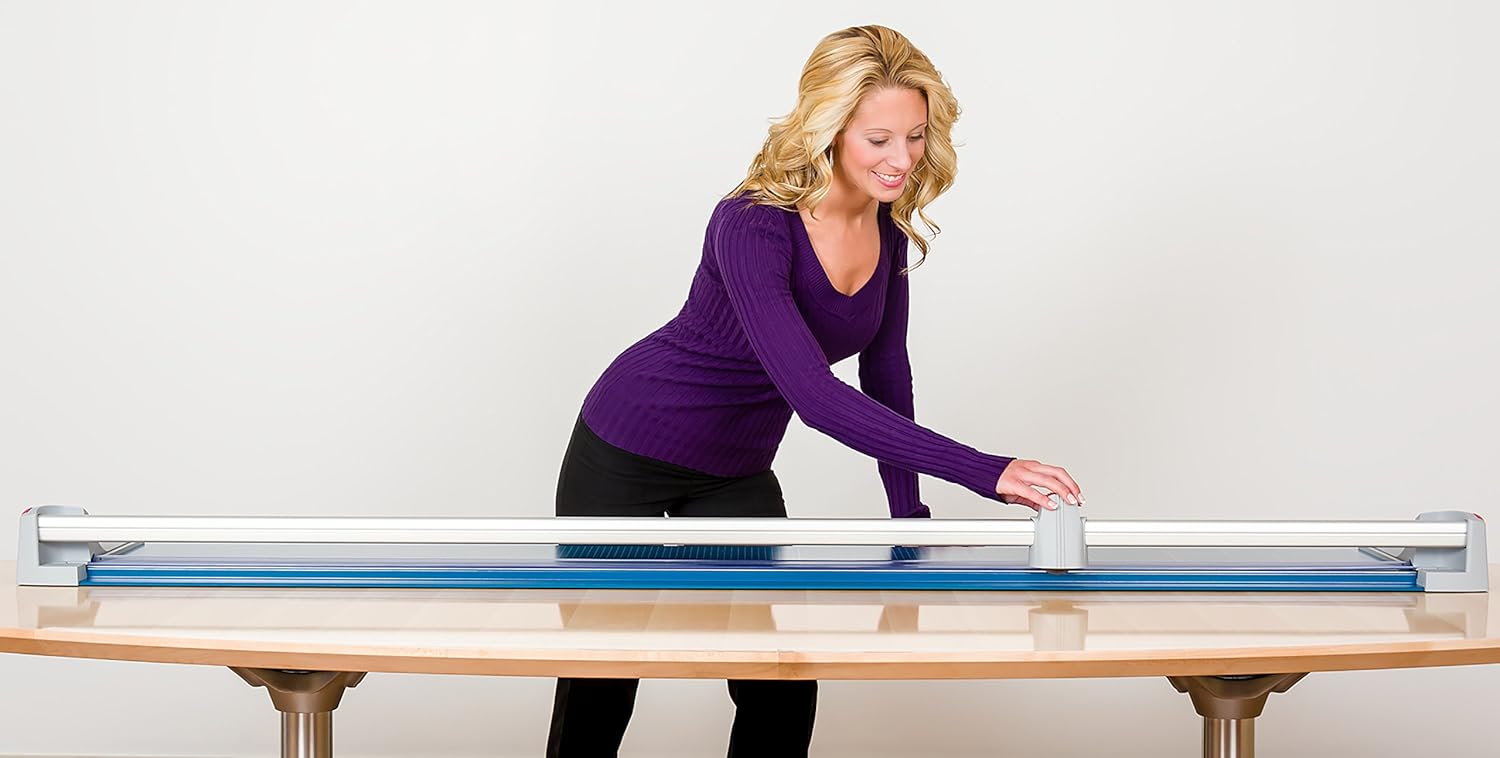
Image: A user operating the Dahle 472 trimmer, guiding the cutting head across a large sheet of material on a tabletop.
Safety Precautions:
- Always keep fingers clear of the cutting path. The ground steel blade is encased in a protective housing, but caution is advised.
- Do not attempt to cut materials exceeding the recommended thickness (12 sheets of standard paper or equivalent). Forcing thick materials can cause misalignment or damage.
- Ensure the trimmer is stable and cannot move during operation.
Maintenance
Proper maintenance ensures the longevity and performance of your Dahle 472 Rolling Trimmer.
- Cleaning: Regularly wipe down the cutting bed and guide bar with a soft, dry cloth to remove paper dust and debris. Avoid abrasive cleaners.
- Blade Care: The self-sharpening feature of the rotary blade minimizes the need for manual sharpening. However, if you notice a decrease in cutting performance, ensure the blade housing is free of obstructions.
- Inspection: Periodically inspect the guide bar and cutting head for any signs of wear or damage. Ensure all moving parts operate smoothly.
Troubleshooting
If you encounter issues with your Dahle 472 Rolling Trimmer, consider the following:
- Uneven or Jagged Cuts:
- Ensure the material is properly aligned and held securely by the automatic clamp.
- Verify that you are not attempting to cut material thicker than the recommended capacity (12 sheets of paper). Overloading can cause the blade to jump or misalign.
- Check the cutting head for any debris that might impede smooth movement.
- Cutting Head Does Not Glide Smoothly:
- Clean the guide bar thoroughly to remove any accumulated dust or residue.
- Ensure the trimmer is on a flat, stable surface.
- Alignment Issues with Guides:
- If the printed guides on the base appear misaligned with the blade, ensure the trimmer has not been subjected to impact or stress. For critical precision, always perform a test cut on scrap material.
Specifications
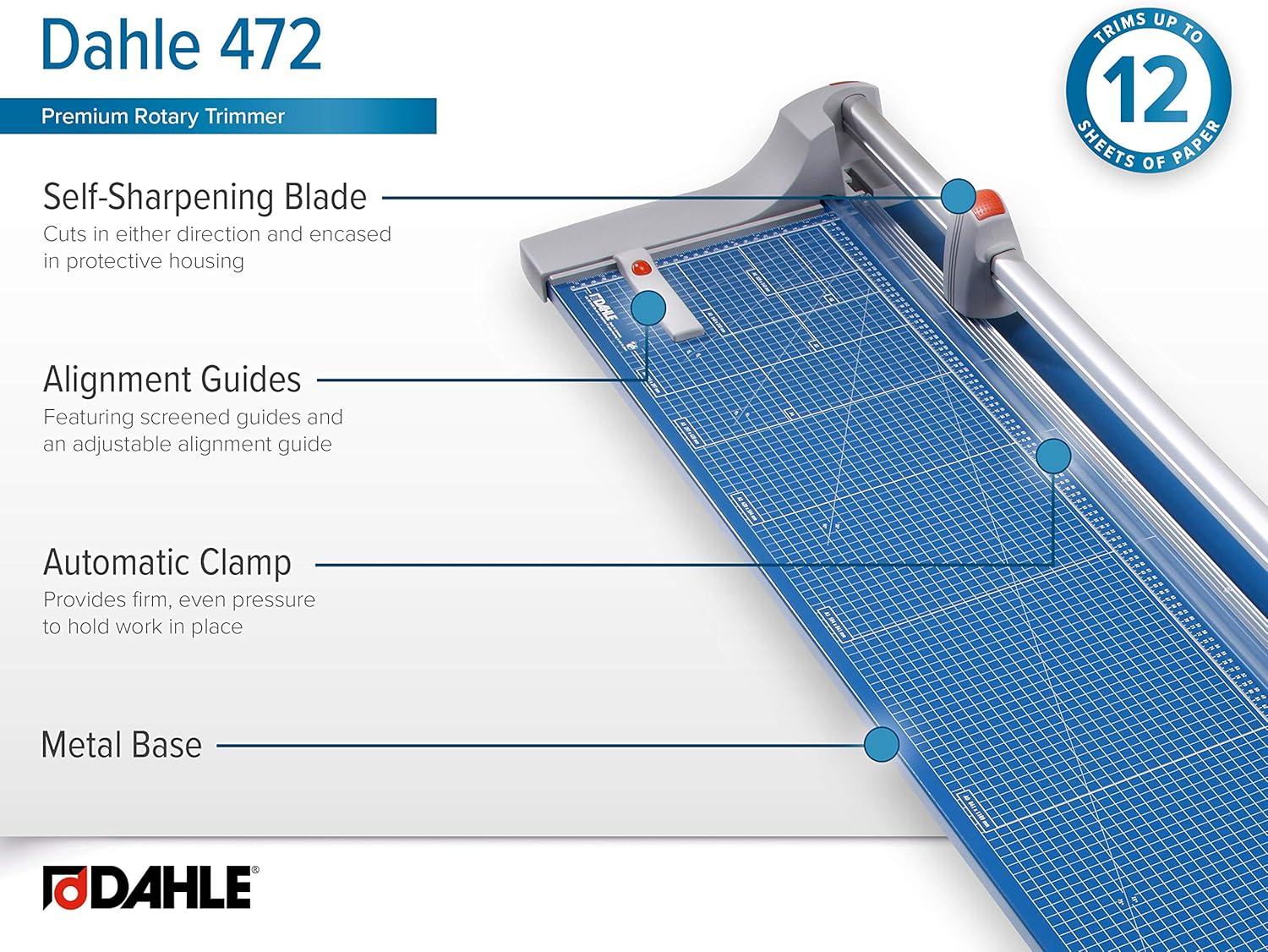
Image: Diagram highlighting key features of the Dahle 472 Trimmer: Self-sharpening blade, alignment guides, automatic clamp, and sturdy metal base.
| Feature | Detail |
|---|---|
| Model Number | 472 |
| Cut Length | 72 inches (182.88 cm) |
| Sheet Capacity | Up to 12 sheets of 20 lb paper |
| Material Compatibility | Paper, Mat Board, Fine Art Paper, Banners |
| Blade Type | Self-sharpening rotary blade (ground steel) |
| Clamping Mechanism | Automatic clamp |
| Base Material | Sturdy Metal |
| Product Dimensions (L x W x H) | 79.5 x 15.13 x 4 inches (approx.) |
| Item Weight | 28 pounds (12.7 kg) |
| Color | Blue |
Warranty and Support
For detailed warranty information, please refer to the documentation included with your product or visit the official Dahle website. Warranty terms and conditions may vary.
If you require technical assistance, replacement parts, or have questions not covered in this manual, please contact Dahle customer support directly. You can often find contact information on the manufacturer's website or through the retailer where the product was purchased.
Additional resources:


