
Cat Mate 80869
Cat Mate Microchip Activated Cat Flap Instruction Manual
Model: 80869
Introduction
Thank you for choosing the Cat Mate Microchip Activated Cat Flap. This innovative product provides secure and convenient access for your cat while preventing entry by unwanted animals. It operates by recognizing your cat's unique implanted microchip or a Cat Mate I.D. disc (sold separately), ensuring only authorized pets can enter your home. This manual provides detailed instructions for installation, operation, and maintenance to ensure optimal performance and longevity of your cat flap.

Front view of the Cat Mate Microchip Activated Cat Flap.

The microchip activation feature ensures only your paired pets have access, keeping out neighborhood cats and wildlife. It is also designed to be draft and weather-proof.
Safety Information
- Read all instructions carefully before installation and use.
- This product is designed for cats and small dogs only.
- Keep packaging materials away from children and pets to prevent choking hazards.
- Ensure proper installation to prevent injury to pets or humans.
- Do not attempt to modify or repair the unit yourself. Contact customer support for assistance.
- Batteries should be inserted with the correct polarity. Do not mix old and new batteries or different types of batteries.
Package Contents
Please check that all components are present before beginning installation:
- 1 x Cat Mate Microchip Activated Cat Flap (Model 80869)
- Installation screws and caps
- Instruction Manual
Note: 4 x AA batteries are required for operation and are not included. Cat Mate I.D. discs are available separately if your pet does not have an implanted microchip.
Setup and Installation
1. Battery Installation
- Locate the battery compartment on the top of the cat flap unit.
- Open the battery compartment cover.
- Insert 4 x AA batteries, ensuring correct polarity (+/-) as indicated inside the compartment.
- Close the battery compartment cover securely.
2. Microchip Programming
The cat flap can store up to 30 unique microchip IDs. To program your cat's microchip:
- Press and hold the programming button (usually located near the top of the unit, often indicated by a paw print or 'P' symbol) until the LED indicator light begins to flash.
- Gently guide your cat through the cat flap. Ensure their microchip passes close to the reader.
- The LED indicator will flash rapidly and/or emit a sound to confirm the microchip has been successfully registered.
- Repeat for all cats you wish to grant access.
- The cat flap will automatically exit programming mode after a short period of inactivity or if the button is pressed again.
3. Installation
The Cat Mate Microchip Activated Cat Flap is suitable for installation in UPVC doors, glass, and wooden doors. It self-lines to 85mm (3 3/8 inches) thick. For glass panels or thicker installations, an adapter kit may be required (sold separately).
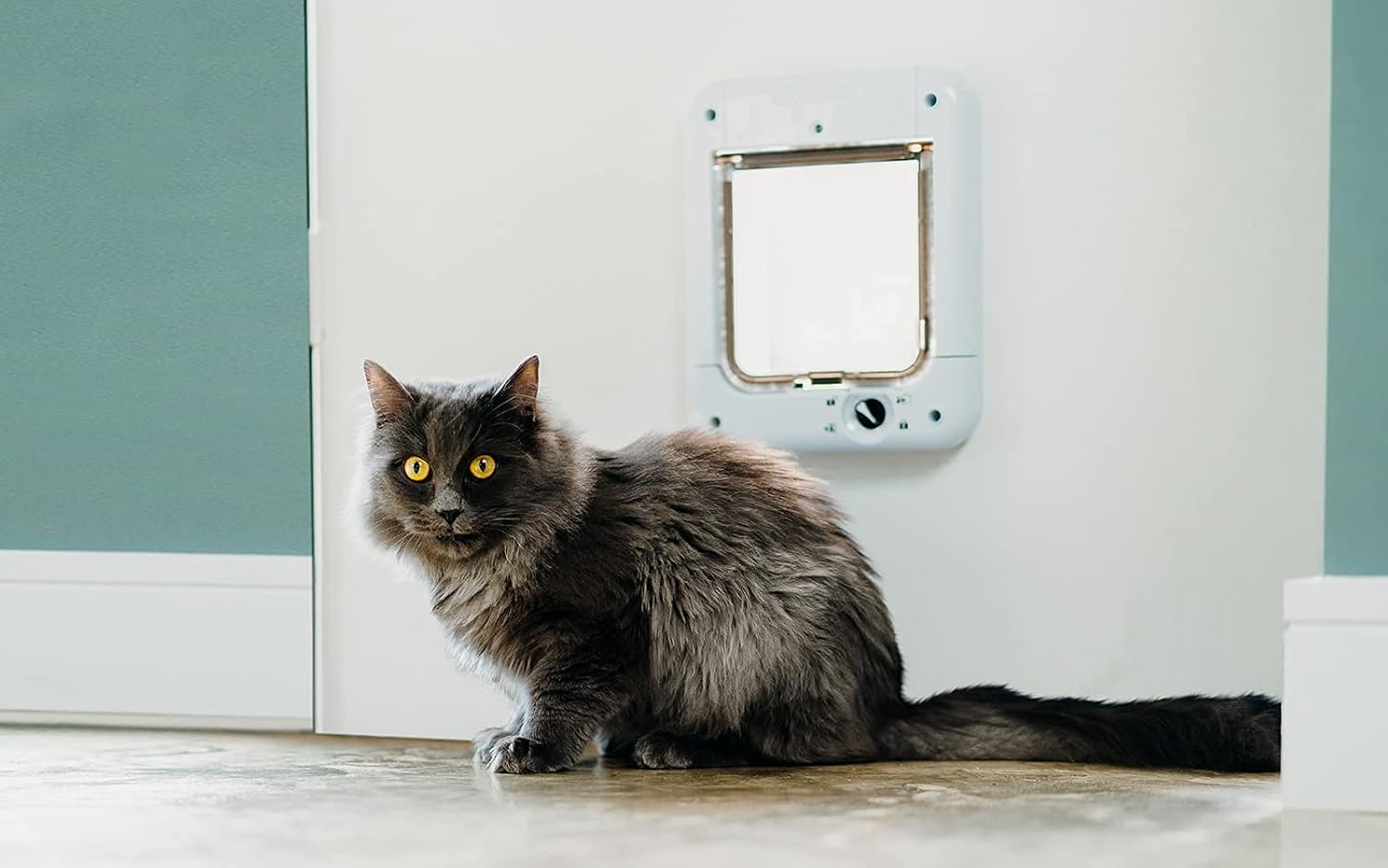
An installed Cat Mate Microchip Activated Cat Flap in a wall, with a cat nearby.

The cat flap shown with its integrated tunnel, suitable for various door thicknesses.
General Installation Steps:
- Determine the optimal height for installation, ensuring your cat can comfortably pass through.
- Use the provided template (if included) or measure the dimensions of the cat flap opening to mark the cutting line on your door or wall.
- Carefully cut the opening using appropriate tools for your door material.
- Position the cat flap in the opening and secure it with the provided screws. Ensure it is level and flush with the surface.
- Attach the screw caps for a neat finish.
Operating the Cat Flap
The Cat Mate Microchip Activated Cat Flap features a 4-way rotary lock, allowing you to control your pet's access.

Visual representation of the four lock settings: Unlocked, In Only, Out Only, and Locked.

A close-up view of the rotary knob for selecting the desired access mode.
Rotate the central knob to select one of the following settings:
- Unlocked (Fully Open): Allows free entry and exit for all pets. The microchip reader is inactive in this mode.
- In Only: Allows microchip-activated entry but prevents exit. Ideal for keeping your pet indoors at night.
- Out Only: Allows exit but prevents microchip-activated entry. Useful for letting your pet out without allowing them back in immediately.
- Locked (Fully Closed): Prevents both entry and exit.
Maintenance
- Cleaning: The cat flap is made of super-tough wipe-clean plastic. Clean the unit regularly with a damp cloth and mild detergent. Avoid abrasive cleaners.
- Flap Condition: Periodically check the transparent flap and brush seal for any signs of wear or damage. A fully brush-sealed flap with magnetic closure helps maintain weatherproofing.
- Battery Replacement: Replace batteries approximately every 12 months, or when the low battery indicator (if present) illuminates. Always replace all 4 AA batteries at the same time.
Troubleshooting
| Problem | Possible Cause | Solution |
|---|---|---|
| Cat flap not opening for my pet. | Pet's microchip not programmed; low batteries; incorrect lock setting. | Ensure microchip is programmed (see Setup); replace batteries; check 4-way lock is not on 'Locked' or 'Out Only'. |
| Unwanted animals entering. | Incorrect lock setting; faulty microchip reader. | Ensure 4-way lock is on 'In Only' or 'Locked'; contact customer support if reader is suspected to be faulty. |
| Flap not closing properly. | Debris in the flap mechanism; damaged brush seal or magnet. | Clean the flap area; inspect brush seal and magnet for damage. |
| Short battery life. | Poor quality batteries; high usage. | Use high-quality alkaline batteries; ensure the flap is not constantly triggered unnecessarily. |
Specifications
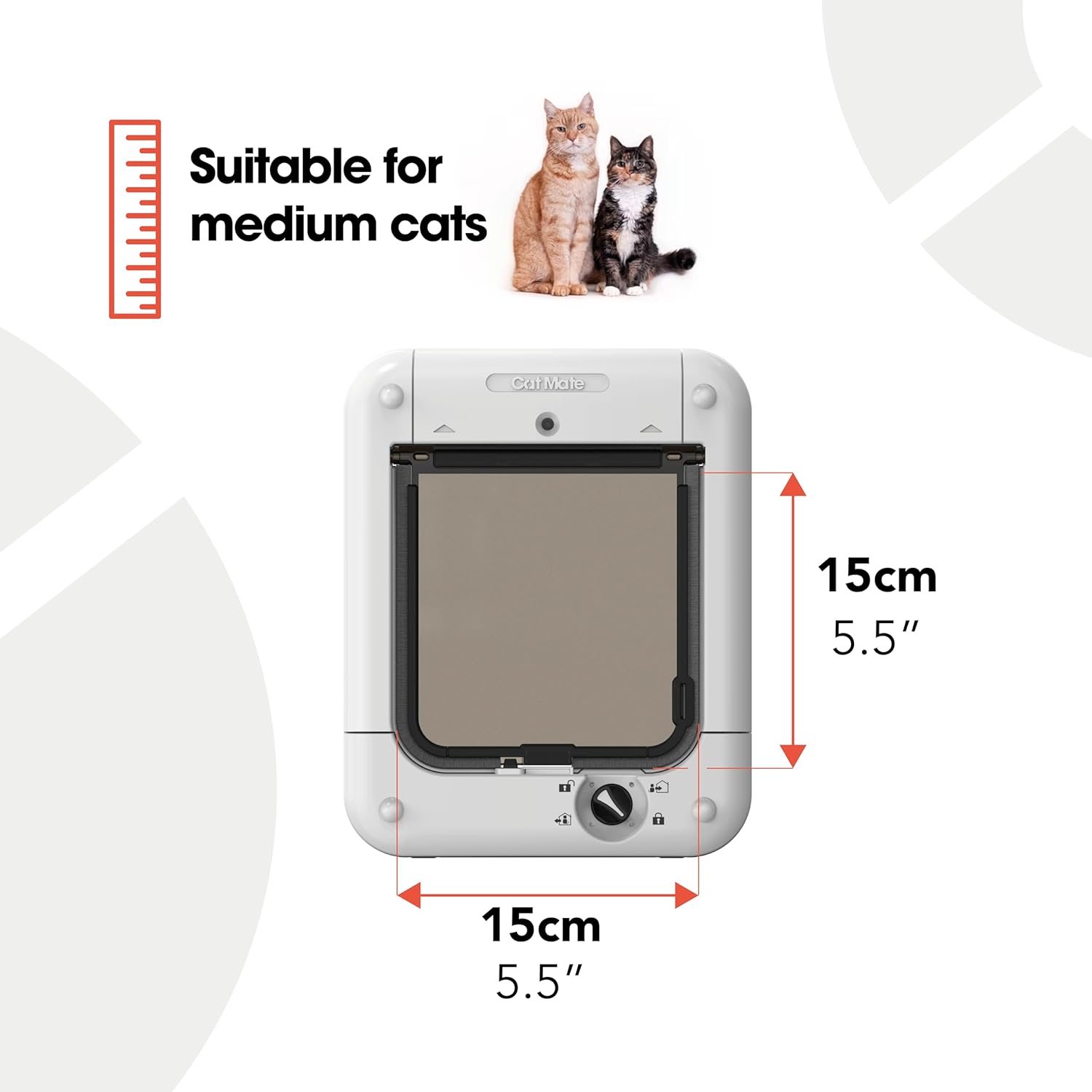
Key dimensions of the Cat Mate Microchip Activated Cat Flap.
| Feature | Detail |
|---|---|
| Model Number | 80869 |
| Brand | Cat Mate |
| Color | White |
| Power Source | 4 x AA Batteries (not included) |
| Battery Life (Approx.) | 12 months |
| Maximum Microchip Capacity | 30 cats |
| Self-Lining Thickness | Up to 85 mm (3 3/8 inches) |
| Flap Type | Transparent, brush-sealed with magnetic closure |
| Locking Mechanism | 4-way rotary lock |
| Material | Super-tough wipe-clean plastic |
| Item Weight | 0.94 Kilograms (2.07 pounds) |
| Product Dimensions (LxWxH) | 4.33 x 7.87 x 9.84 inches |
Warranty and Support
The Cat Mate Microchip Activated Cat Flap comes with a 3-year warranty from the date of purchase. This warranty covers defects in materials and workmanship under normal use.
For warranty claims, technical support, or any questions regarding your product, please contact Cat Mate customer service. Keep your proof of purchase for warranty validation.
For further assistance, please visit the official Cat Mate website or refer to the contact information provided on the product packaging.
Ask a question about this manual
Ask about setup, troubleshooting, compatibility, parts, safety, or missing instructions. Manuals+ will review the question and use this page’s manual context to help answer it.