
1. Introduction
This manual provides detailed instructions for the safe and efficient use of your REV Ritter 25220102 Automatic Dusk Sensor Timer. This device is designed to automatically switch connected electrical appliances on at dusk and off after a user-defined duration.
2. Safety Instructions
- Always ensure the timer is correctly plugged into a suitable power outlet.
- Do not exceed the maximum load capacity of 1800W (8A, 230V~, 50Hz).
- This timer is equipped with a Schuko plug (Type F) and socket. Ensure compatibility with your local electrical outlets. Adapters may be required for non-Schuko outlets.
- Do not immerse the device in water or expose it to extreme moisture.
- Do not open or attempt to repair the device yourself. Refer all servicing to qualified personnel.
- Keep out of reach of children.
3. Product Features
- Automatic dusk sensor for activation at nightfall.
- Selectable timer durations: 1H, 2H, 4H, 6H, 8H.
- Manual ON/OFF function.
- LED indicator for operational status.
- Compact and durable plastic housing.
4. Setup
- Unpack the Timer: Carefully remove the timer from its packaging.
- Inspect the Device: Check for any visible damage. Do not use if damaged.
- Plug into Wall Socket: Insert the REV Ritter timer into a standard 230V~, 50Hz wall socket. Ensure the socket is compatible with the Schuko plug type.

Image 1: Front view of the REV Ritter 25220102 Timer, showing the Schuko plug and socket.
- Connect Appliance: Plug the appliance you wish to control into the timer's socket.

Image 2: The REV Ritter 25220102 Timer, illustrating its compact design when plugged into an outlet.
5. Operating Instructions
The timer features several buttons for setting the desired operation mode and duration.

Image 3: Close-up view of the control panel with buttons for AUTO, 1H, 2H, 4H, 6H, 8H, and Power.
5.1 Automatic Dusk Sensor Mode
- Press the AUTO button (labeled with a sun icon). The LED indicator next to the button will illuminate, indicating that the dusk sensor is active.
- When the ambient light level drops (dusk), the timer will automatically switch on the connected appliance.
- To set the duration for which the appliance remains on after activation, press one of the duration buttons: 1H, 2H, 4H, 6H, or 8H. The LED next to the selected duration will light up.
- After the selected duration, the appliance will automatically switch off. The cycle will repeat the next time dusk is detected.
5.2 Manual ON/OFF Operation
- To manually switch the connected appliance ON or OFF, press the Power button (labeled with a circle and vertical line).
- This mode overrides any automatic settings.

Image 4: Detailed view of the timer's buttons and LED indicators for various settings.
6. Maintenance
- Cleaning: Disconnect the timer from the power outlet before cleaning. Wipe the exterior with a soft, dry cloth. Do not use abrasive cleaners or solvents.
- Storage: Store the timer in a cool, dry place when not in use.
7. Troubleshooting
- Appliance not turning on:
- Ensure the timer is securely plugged into the wall socket and the appliance is securely plugged into the timer.
- Check if the wall socket is live by plugging in another device.
- Verify that the timer is in the correct operating mode (AUTO with a duration set, or Manual ON).
- In AUTO mode, ensure the ambient light is sufficiently low for the dusk sensor to activate.
- Timer not responding to button presses:
- Unplug the timer from the wall socket for a few seconds, then plug it back in to reset it.
- Incompatibility with wall sockets:
- The timer uses a Schuko (Type F) plug. If your wall sockets are of a different type (e.g., Type E in France), an appropriate adapter is required.
8. Specifications
| Specification | Value |
|---|---|
| Model Number | 0025220102 |
| Dimensions (L x W x H) | 5.6 x 6 x 10 cm |
| Weight | 112 Grams |
| Material | Plastic |
| Color | White |
| Manufacturer | REV Ritter |
| Electrical Rating | 8A, 230V~, 50Hz |
| Max. Power Load | 1800W |
| Global Trade Item Number (GTIN) | 04006341706034 |
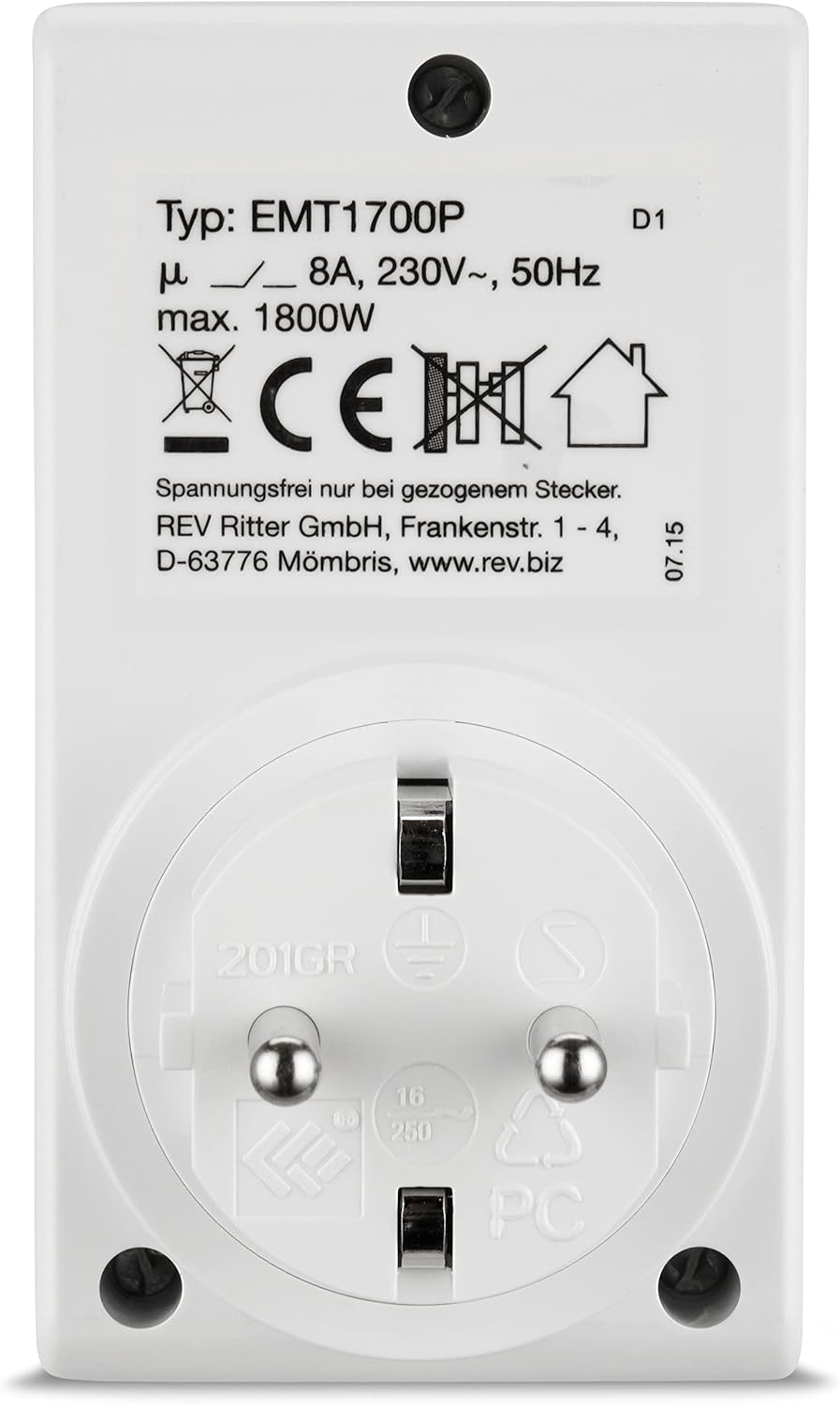
Image 5: Back label of the timer showing model type, electrical ratings, and manufacturer information.
9. Warranty and Support
REV Ritter products are manufactured to high-quality standards. For information regarding warranty terms and conditions, please refer to the documentation provided with your purchase or visit the official REV Ritter website. For technical support or inquiries, please contact your retailer or the manufacturer directly.
You can find more information about REV Ritter products by visiting their official store on Amazon: REV Ritter Amazon Store