
1. Product Overview
The BeA Digital Transmitter is a compact, single-button device operating at a frequency of 433 MHz. It is designed for various remote control applications requiring a reliable digital signal transmission.
Key Features:
- Frequency: 433 MHz
- Button: (1) Single button for operation
- Compact Design: Lightweight and portable
- Origin: Made in China
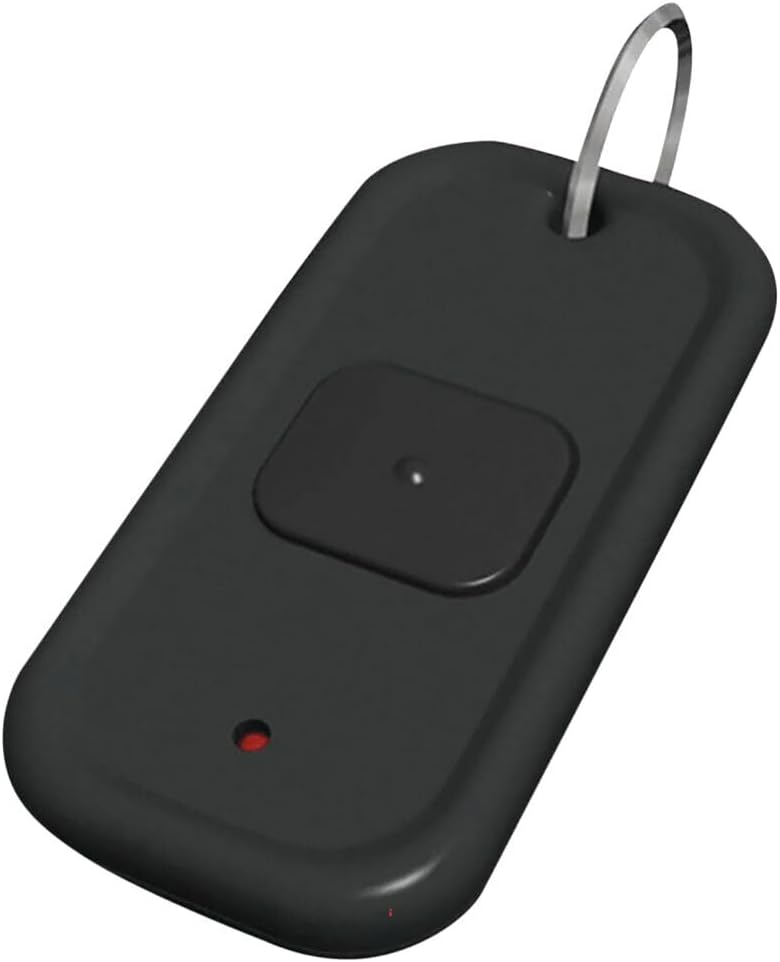
Figure 1: Front view of the BeA Digital Transmitter. This image displays the compact black casing, the prominent single black button, and a small red LED indicator light located below the button. A metal key ring loop is visible at the top.
2. Setup
The Digital Transmitter is designed for ease of use and typically requires minimal setup. Ensure the device has a working battery before operation.
2.1. Battery Installation/Check
- Locate the battery compartment on the back or side of the transmitter. This may require a small screwdriver to open.
- Insert the required battery type (refer to the device's internal markings or packaging for specific battery type, typically a coin cell battery) ensuring correct polarity (+ and -).
- Securely close the battery compartment.
- Test the transmitter by pressing the button; a small red indicator light should illuminate, confirming power.
2.2. Pairing (If Applicable)
This transmitter operates at 433 MHz. For integration with a receiver system, follow the pairing or learning instructions provided with your specific 433 MHz receiver unit. The transmitter sends a unique digital code when its button is pressed.
3. Operating Instructions
Using the Digital Transmitter is straightforward.
- Ensure the transmitter has a functional battery.
- Point the transmitter towards the intended receiver (if directional operation is required by your receiver system).
- Press and hold the single button firmly for approximately 1-2 seconds.
- Observe the red indicator light on the transmitter; it should illuminate while the button is pressed, indicating a signal is being transmitted.
- Release the button once the desired action is performed by the receiver.
The effective range of the transmitter will vary depending on environmental factors, receiver sensitivity, and obstructions. For optimal performance, maintain a clear line of sight if possible.
4. Maintenance
Proper maintenance ensures the longevity and reliable operation of your Digital Transmitter.
4.1. Battery Replacement
When the red indicator light dims or fails to illuminate, or if the transmission range decreases significantly, it is likely time to replace the battery. Follow the battery installation steps outlined in Section 2.1.
4.2. Cleaning
Clean the exterior of the transmitter with a soft, dry cloth. Do not use abrasive cleaners, solvents, or immerse the device in water.
4.3. Storage
Store the transmitter in a cool, dry place away from direct sunlight, extreme temperatures, and high humidity. If storing for extended periods, consider removing the battery to prevent leakage.
5. Troubleshooting
If you experience issues with your Digital Transmitter, refer to the following common problems and solutions:
| Problem | Possible Cause | Solution |
|---|---|---|
| Transmitter not responding / Indicator light not illuminating. | Dead or incorrectly installed battery. | Replace the battery, ensuring correct polarity. |
| Short transmission range or intermittent operation. | Low battery, interference, or obstructions. | Replace battery. Reduce distance to receiver. Remove obstructions. Check for strong interference sources (e.g., other 433 MHz devices). |
| Receiver not responding to transmitter. | Transmitter not paired with receiver, or receiver issue. | Ensure the transmitter is correctly paired with your receiver (refer to receiver's manual). Verify receiver is powered and functioning correctly. |
6. Specifications
| Attribute | Detail |
|---|---|
| Model Number | 10TD433HH1 |
| Brand | BeA |
| Frequency | 433 MHz |
| Button Count | 1 |
| Product Dimensions | 3.2 x 2.6 x 1.2 inches |
| Item Weight | 0.01 ounces |
| ASIN | B00LU4I9NU |
| Manufacturer | BEA |
| Date First Available | September 28, 2011 |
7. Warranty and Support
7.1. Warranty Information
Specific warranty details for the BeA Digital Transmitter are typically provided by the manufacturer at the time of purchase or can be found on the official BeA website. Please retain your proof of purchase for any warranty claims.
7.2. Technical Support
For technical assistance, further troubleshooting, or inquiries regarding your BeA Digital Transmitter, please contact the manufacturer directly or refer to their official support channels. Contact information can usually be found on the manufacturer's website or product packaging.
You may visit the BeA brand page on Amazon for more information.


