
Nintendo WUPPAWSE
Nintendo Wii Sports Club - Wii U Instruction Manual
1. Introduction
Wii Sports Club is a collection of five popular sports games: Tennis, Bowling, Golf, Boxing, and Baseball, re-imagined for the Wii U console. This manual provides essential information for setting up, playing, and enjoying the game, including details on controls, gameplay mechanics, and online features.
2. Setup
- Insert the Game Disc: Gently insert the Wii Sports Club game disc into the disc slot of your Wii U console.
- Controller Connection: Ensure your Wii U GamePad and Wii Remote Plus controllers are properly synced with your Wii U console. Wii Remote Plus controllers (or original Wii Remotes with a MotionPlus accessory) are required for gameplay.
- System Updates: If prompted, allow your Wii U console to perform any necessary system updates to ensure optimal game performance and access to online features.
3. Operating Instructions
Wii Sports Club utilizes the Wii Remote Plus for motion controls and the Wii U GamePad for unique gameplay elements in certain sports.
3.1. Tennis
Experience realistic tennis gameplay by swinging your Wii Remote Plus like a racket. The game supports both singles and doubles matches, allowing for dynamic multiplayer interactions.

Image: Tennis gameplay in Wii Sports Club, featuring Mii characters on a court.
3.2. Bowling
Simulate bowling by swinging your Wii Remote Plus and releasing the 'B' button to send the ball down the lane. An automatic release feature is available for simplified play. Challenge yourself with the 100-pin mode for a unique bowling experience.

Image: Bowling gameplay in Wii Sports Club, with pins scattering after a ball strike.
3.3. Golf
Swing your Wii Remote Plus as you would a golf club. The Wii U GamePad enhances the experience by allowing you to place it on the floor to view the ball and club for aiming reference. Occasional calibration may be required for optimal accuracy.
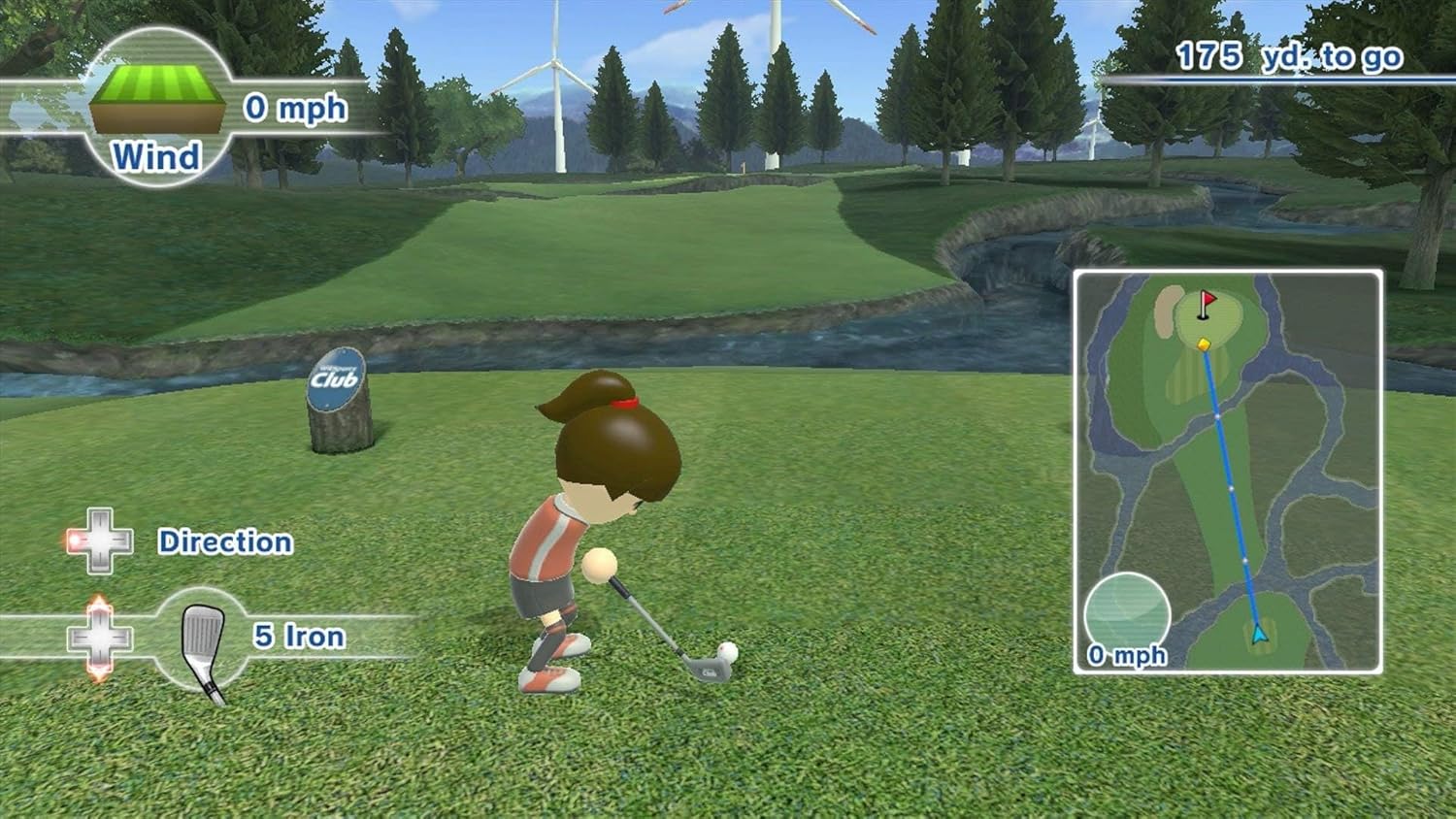
Image: Golf gameplay in Wii Sports Club, illustrating a Mii character on the course.
3.4. Baseball
Batting involves swinging the Wii Remote Plus at the right time and force. Pitching is controlled using the Wii U GamePad buttons (A, B, X, Y) to select pitch types and timing. For catching fly-balls, aim the GamePad at the screen to align the ball within a target circle.

Image: Baseball gameplay in Wii Sports Club, demonstrating pitching with the Wii U GamePad.
3.5. Boxing
Engage in boxing matches using one or two Wii Remote Plus controllers. Perform punches, jabs, hooks, and uppercuts, and use your controllers to block incoming attacks. Two-handed control is recommended for a more natural feel.

Image: Boxing gameplay in Wii Sports Club, featuring two Mii boxers in action.
4. Online Features
Wii Sports Club offers online multiplayer capabilities, allowing you to compete with friends and other players. Join a club, typically categorized by region, to compete for rankings and build a community with fellow members. Broadband Internet access is required for online features.
5. Training Modes
Each sport includes dedicated training exercises to help improve your skills and provide additional challenges:
- Tennis: Ring Master (hit balls through rings), Tennis Moles (hit moles for points), Runner Ducky (hit balls to make a duck run).
- Bowling: Spare Pickups (practice converting spares), Tricky Pins (hit pins arranged uniquely), 100-Pin Pro (three frames to knock down 100 pins in various formations).
- Golf: Pro Putter (sink 10 balls into 10 cups), Chip-In Bingo (chip onto a Bingo board), Driver Challenge (aim for a target on water).
- Baseball: Homer Hero (hit as many home runs as possible), Wall Breaker (hit walls across the field), Pitch Perfect (pitch to on-screen boxes and catch pop-flies).
- Boxing: Plate Smasher (jab to smash plates), Picky Puncher (punch bags with correct hand/combo), Fowl Dodgeball (dodge flying tennis balls).
6. Specifications
| Platform | Nintendo Wii U |
| Number of Players | Multiplayer |
| Release Date | July 25, 2014 |
| Item Model Number | WUPPAWSE |
| Item Weight | 2.72 ounces |
| Product Dimensions | 7.52 x 5.29 x 0.53 inches |
| Language | English |
7. Troubleshooting
- Disc Read Errors: If the console displays a disc read error, ensure the game disc is clean and free of smudges or scratches. Reinsert the disc carefully.
- Controller Disconnection: If your Wii Remote Plus or GamePad disconnects, check the battery levels. Re-sync the controllers by pressing the SYNC button on both the controller and the console.
- Golf GamePad Calibration Issues: If golf aiming is inaccurate, re-calibrate the Wii U GamePad by following the on-screen instructions or adjusting your stance.
- Online Connectivity Problems: Verify your Wii U console's internet connection in the system settings. Ensure your network is stable and meets the requirements for online play.
8. Product Video Demonstration
Video: Official overview of Wii Sports Club for Wii U, showcasing various sports gameplay and features.
9. Warranty and Support
For detailed warranty information, product registration, or technical assistance, please visit the official Nintendo support website or refer to the documentation included with your Wii U console. Nintendo provides comprehensive support resources for its products.
Official Nintendo Support: https://www.nintendo.com/support/