1. Introduction
This manual provides essential instructions for the safe and efficient operation of your Panasonic NN-CT353BFDG 23L Convection Microwave Oven. Please read all instructions carefully before using the appliance and retain this manual for future reference.
The Panasonic NN-CT353BFDG is a versatile 23-liter convection microwave oven designed for various cooking needs, including microwave, grill, and convection functions. It features an 800-watt power output, a 360-degree heat wrap system for uniform cooking, and a Magic Grill for enhanced browning.

Image 1.1: Front view of the Panasonic NN-CT353BFDG Convection Microwave Oven.
2. Safety Instructions
Always follow basic safety precautions when using electrical appliances to reduce the risk of fire, electric shock, or injury.
- Do not attempt to operate this oven with the door open, as this can result in harmful exposure to microwave energy.
- Do not place any object between the oven front face and the door, or allow soil or cleaner residue to accumulate on sealing surfaces.
- Do not operate the oven if it is damaged, particularly the door, door seals, or hinges. Contact qualified service personnel for repair.
- Ensure the oven is properly grounded.
- Do not heat liquids or other foods in sealed containers, as they are liable to explode.
- Never use metal utensils or containers in microwave mode, as this can cause arcing.
- Supervise children closely when the oven is in use.
- Use only microwave-safe cookware.
3. Product Overview and Features
Your Panasonic NN-CT353BFDG oven combines multiple cooking technologies to offer a wide range of culinary options.
Key Features:
- 23L Capacity: Suitable for families of 3 to 4 members.
- 800 Watts High Power: Ensures fast and even cooking results.
- 360 Degree Heat Wrap: Advanced heat wave ducts distribute heat uniformly for consistent cooking.
- Magic Grill: Dual power of top and back grills for crispy exteriors and juicy interiors.
- Auto Cook 61 Menu: Pre-loaded menus for various dishes, from starters to desserts.
- Re-Heat & Defrost: Automated modes for even reheating and defrosting.
- Vapor Clean: A function to keep the oven odor and stain-free.
- Compact Design: Space-saving design suitable for countertops.
- Touch Key Pad (Membrane): Sensitive and easy-to-clean control interface.
- Stainless Steel Cavity: Durable and rust-free interior for easy cleaning and efficient cooking.

Image 3.1: Overview of key features including Magic Grill, 360° Heating, and 61 Auto Cook Menus.

Image 3.2: Features for convenient cooking such as Child Lock, Auto Defrost, Vapor Clean, and Stainless Steel Cavity.
4. Setup and Installation
4.1 Unpacking
Carefully remove the microwave oven and all packing materials from the carton. Check for any damage during transit. Do not remove the mica sheet inside the oven cavity, as it protects the magnetron.
4.2 Placement
- Place the oven on a flat, stable surface strong enough to support its weight.
- Ensure adequate ventilation: leave at least 20 cm (8 inches) of space above the oven, 10 cm (4 inches) at the rear, and 5 cm (2 inches) on both sides. Do not block any ventilation openings.
- Keep the oven away from heat sources and strong magnetic fields.

Image 4.1: Illustrates the oven's dimensions (48.6 cm width, 29.2 cm height, 40.5 cm depth) and 23L capacity, suitable for a 28.8 cm tray.

Image 4.2: Diagram showing approximate dimensions: 48 cm (1 ft 5 in) width and 27 cm (8 in) height.
4.3 Power Connection
Plug the oven into a dedicated, properly grounded 230V AC power outlet. Do not use extension cords or adapters.
4.4 Included Accessories
The following accessories are included with your oven:
- Wire Rack
- Glass Tray
- User Manual (this document)
- Warranty Card
5. Operating Instructions
The control panel features a touch key pad for easy operation. Familiarize yourself with the buttons and display before use.

Image 5.1: Close-up of the control panel, showing various function buttons and the digital display.
5.1 Basic Microwave Cooking
- Place food in a microwave-safe container on the glass tray.
- Close the oven door securely.
- Press the Micro Power button repeatedly to select desired power level (High, Med, Low).
- Use the 10 min, 1 min, and 10 sec buttons to set the cooking time.
- Press Start to begin cooking.
5.2 Convection Cooking
Convection mode uses a fan to circulate hot air, ideal for baking and roasting.
- Place food on the wire rack (if applicable) or a heat-resistant dish.
- Press the Convection button.
- Set the desired temperature using the Up/Down arrows.
- Set the cooking time using the time buttons.
- Press Start. The oven will preheat to the set temperature. Once preheated, a beep will sound, and you can place the food inside and press Start again.
5.3 Grill Cooking
Grill mode is suitable for browning and toasting.
- Place food on the wire rack.
- Press the Grill button.
- Set the grilling time.
- Press Start.
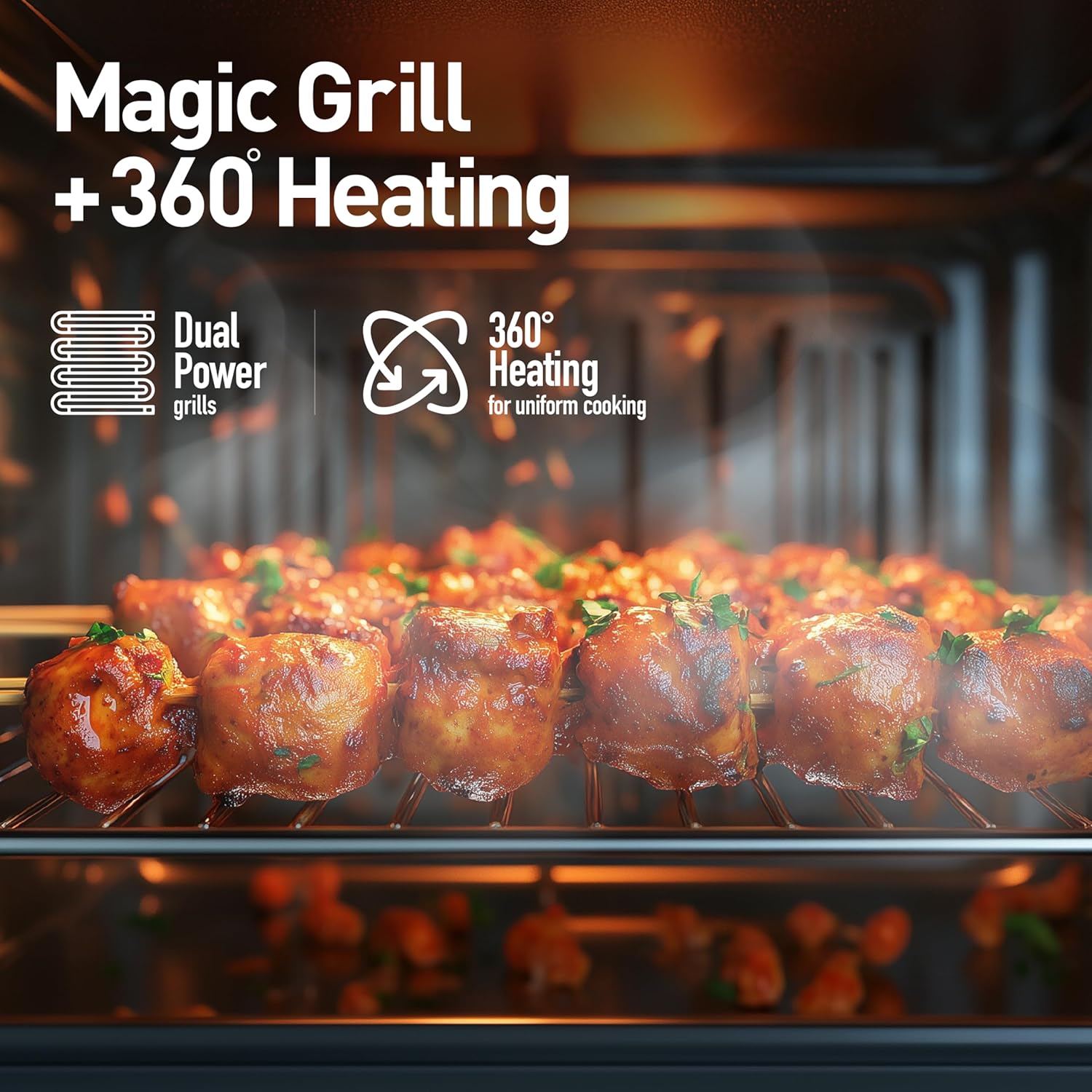
Image 5.2: Illustrates the Magic Grill and 360° Heating features in action, cooking food evenly.
5.4 Combination Modes
The oven offers various combination modes for versatile cooking.

Image 5.3: Shows available cooking modes: Dual Grill, Bake, Defrost/Reheat, and Combination Mode.
- Press the Combination button to cycle through available modes (e.g., Convection + Micro, Grill + Micro, Convection + Grill).
- Adjust temperature (if applicable) and time.
- Press Start.
5.5 Auto Cook Menu (61 Presets)
The oven includes 61 pre-programmed menus for convenience.
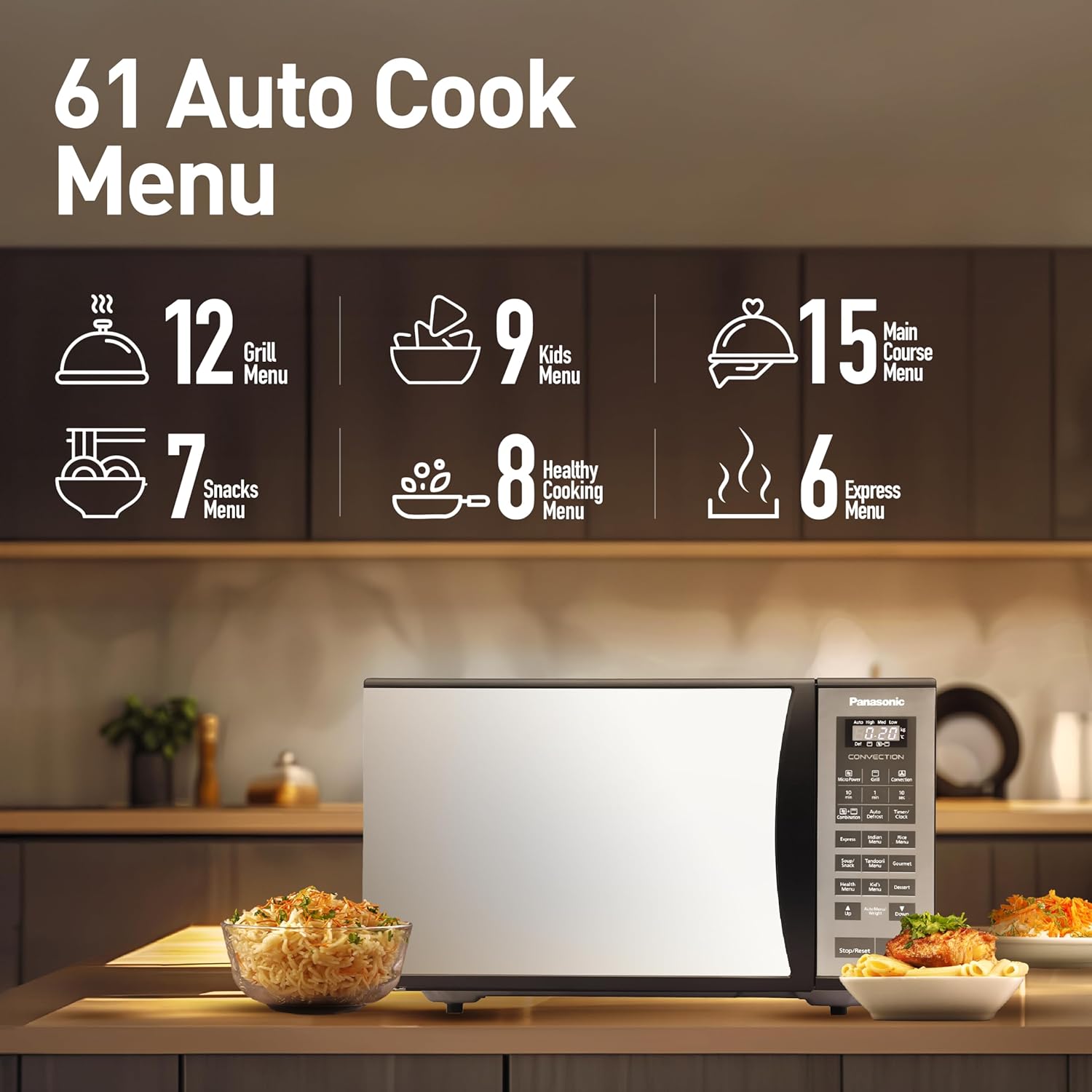
Image 5.4: Breakdown of the 61 Auto Cook Menus, including Grill, Kids, Main Course, Snacks, Healthy Cooking, and Express Menus.
- Press the desired menu category button (e.g., Express, Indian Menu, Kids Menu, Gourmet).
- Use the Up/Down arrows to select the specific menu number.
- Enter the food weight (if prompted) using the Auto Menu/Weight button and Up/Down arrows.
- Press Start.
5.6 Re-Heat & Defrost
These functions ensure food is heated or defrosted evenly.
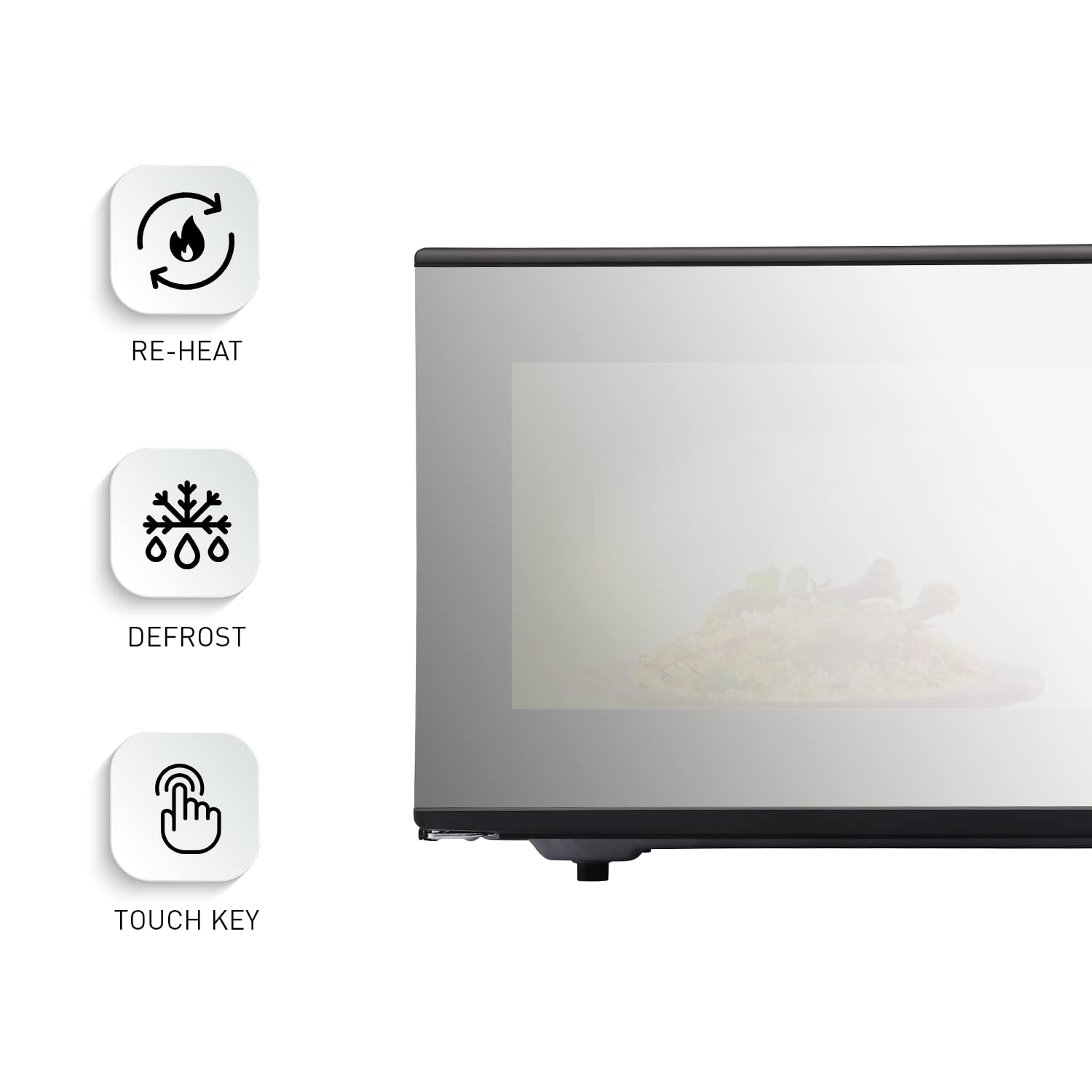
Image 5.5: Icons representing Re-Heat, Defrost, and Touch Key functions.
- For reheating, press the Re-Heat button. For defrosting, press the Auto Defrost button.
- Enter the food weight using the Up/Down arrows.
- Press Start.
5.7 Child Lock
To prevent accidental operation, especially by children.
- To activate: Press and hold the Stop/Reset button for 3 seconds until 'LOCK' appears on the display.
- To deactivate: Press and hold the Stop/Reset button for 3 seconds until 'LOCK' disappears.
6. Maintenance and Cleaning
Regular cleaning ensures optimal performance and extends the life of your oven.
6.1 Vapor Clean Function
This feature helps to loosen food residue and eliminate odors.
- Place a bowl of water inside the oven.
- Select the Vapor Clean function (refer to your control panel for the specific button or menu option).
- Press Start. After the cycle, wipe the interior with a damp cloth.
6.2 Cleaning the Interior
- Wipe the oven cavity, door seals, and door with a damp cloth after each use.
- For stubborn stains, use a mild detergent or a microwave-safe cleaner. Avoid abrasive cleaners or scouring pads.
- The stainless steel cavity is designed for easy cleaning.
- Remove the glass tray and roller ring for cleaning. Wash them in warm, soapy water or in a dishwasher. Ensure they are dry before placing them back in the oven.
6.3 Cleaning the Exterior
Wipe the exterior surfaces with a soft, damp cloth. Avoid spraying cleaners directly onto the control panel.
7. Troubleshooting
If you encounter issues with your oven, refer to the following common problems and solutions:
| Problem | Possible Cause | Solution |
|---|---|---|
| Oven does not start | Power cord unplugged; Door not closed properly; Fuse blown or circuit breaker tripped. | Check power connection; Ensure door is latched; Check household fuse/circuit breaker. |
| Food not cooking evenly | Improper stirring/turning; Incorrect power level or cooking time; Food quantity too large. | Stir or turn food during cooking; Adjust power level and time; Cook smaller portions. |
| Oven light not working | Bulb needs replacement. | Contact customer service for bulb replacement. |
| Excessive steam inside oven | High moisture content in food. | This is normal for foods with high moisture. Ensure proper ventilation around the oven. |
| Display shows 'LOCK' | Child Lock is activated. | Press and hold the Stop/Reset button for 3 seconds to deactivate. |
If the problem persists after attempting these solutions, please contact Panasonic customer support.
8. Specifications
| Feature | Specification |
|---|---|
| Brand | Panasonic |
| Model | NN-CT353BFDG |
| Capacity | 23 Litres |
| Oven Cooking Mode | Convection |
| Wattage | 800 Watts |
| Voltage | 230 Volts |
| Colour | Black Mirror |
| Material | Stainless Steel (Inner Cavity) |
| Installation Type | Countertop |
| Defrost System | Defrost |
| Product Dimensions (LxWxH) | 40.5D x 48.6W x 29.2H Centimeters |
| Item Weight | 2 kg 630 g |
| Country of Origin | Thailand |
9. Warranty and Support
9.1 Warranty Information
- Product Warranty: 1 year from the date of purchase.
- Magnetron Warranty: 5 years from the date of purchase.
Please refer to the included Warranty Card for detailed terms and conditions.
9.2 Customer Support
For service, technical assistance, or to inquire about replacement parts, please contact Panasonic customer support. Contact details can typically be found on the Panasonic official website or on your warranty card.


