
Optimate TM-451
Optimate 3 Dual Bank Battery Charger & Maintainer User Manual
Model: TM-451
Introduction
This manual provides essential information for the safe and effective use of your Optimate 3 Dual Bank (TM-451) Battery Charger and Maintainer. This device is designed to charge and maintain two independent 12V lead-acid batteries, including STD (Standard), AGM (Absorbed Glass Mat), and GEL types, typically found in powersport and utility vehicles.
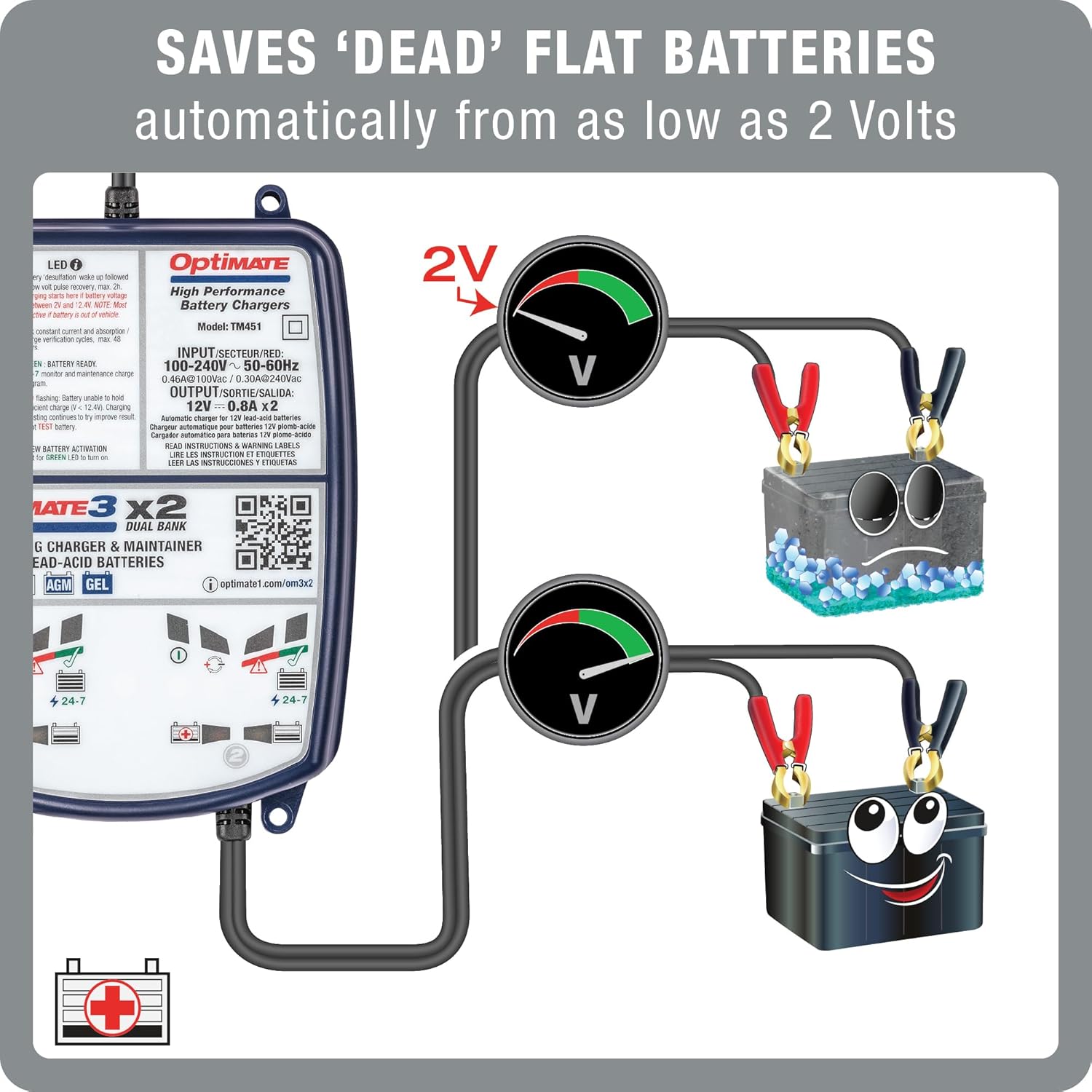
The Optimate 3 Dual Bank features a 7-step charging program and is capable of saving deeply discharged batteries from as low as 2 Volts. Its fully automatic operation ensures optimal battery care without constant supervision.
Important Safety Information
Read all instructions before using the charger.
- Always ensure proper ventilation when charging batteries.
- Do not expose the charger to rain or excessive moisture.
- Avoid charging frozen batteries. Allow them to warm up before connecting the charger.
- Never attempt to charge non-rechargeable batteries.
- Ensure correct polarity when connecting to the battery terminals (positive to positive, negative to negative).
- Keep out of reach of children.
- Disconnect the AC power before making or breaking connections to the battery.
What's in the Box
Verify that all items are present:
- Optimate 3 Dual Bank Charger Unit
- Battery Lead (with ring terminals)
- Battery Clips (alligator clips)
Product Overview
The Optimate 3 Dual Bank charger is designed for simultaneous charging and maintenance of two 12V lead-acid batteries. Each bank operates independently.


LED Indicators
The charger features LED indicators for each bank to display the charging status:
- SAVE (Red LED): Indicates the battery is in a deeply discharged state and the charger is attempting to recover it.
- CHARGE (Yellow LED): Indicates the battery is undergoing bulk constant current and absorption charging.
- GREEN (Green LED): Indicates the battery is fully charged and in 24/7 maintenance mode.
- RED Flashing (Red LED): Indicates a battery unable to hold charge or a short-circuit condition.
- NEW (Green LED): Indicates new battery activation or a battery that has been successfully recovered.
Setup Instructions
Before connecting the charger, ensure the battery terminals are clean and free of corrosion. Choose the appropriate connection method for your application.
Connection Options
- Battery Clips (Alligator Clips):
Ideal for temporary connections or when the battery is removed from the vehicle. Connect the red clip to the positive (+) battery terminal and the black clip to the negative (-) battery terminal.
- Battery Lead (Ring Terminals):
Recommended for permanent connection to the battery, allowing for quick and easy plug-in charging without accessing the battery directly. Securely attach the red ring terminal to the positive (+) battery terminal and the black ring terminal to the negative (-) battery terminal. Ensure the lead is routed safely away from moving parts and heat sources.

Operating Instructions
The Optimate 3 Dual Bank charger operates automatically through a 7-step program. Follow these steps to begin charging:
- Connect to Battery: Connect the charger to the 12V battery using either the battery clips or the ring terminal lead, ensuring correct polarity.
- Connect to AC Power: Plug the charger's AC power cord into a standard wall outlet (100-240V, 50-60Hz).
- Monitor Charging Process: The charger will automatically begin its 7-step program. Observe the LED indicators for the status of each battery bank.
- Automatic Operation: The charger will proceed through the SAVE, CHARGE, and then GREEN (maintenance) stages automatically. No manual intervention is required.

Battery Maintenance
The Optimate 3 Dual Bank is designed for long-term battery maintenance. Once the battery is fully charged, the charger automatically switches to a 24/7 maintenance mode.
- In maintenance mode, the charger periodically tests the battery and delivers a float charge as needed to prevent self-discharge.
- This interactive maintenance ensures the battery remains optimally charged and extends its lifespan.
- It is safe to leave the charger connected to the battery indefinitely.

Troubleshooting
If you encounter issues with your Optimate 3 Dual Bank charger, refer to the following common problems and solutions:
| Problem | Possible Cause | Solution |
|---|---|---|
| No LEDs illuminate. | No AC power or faulty connection. | Check AC power outlet. Ensure charger is securely plugged in. Verify battery connections. |
| RED Flashing LED. | Battery unable to hold charge (faulty battery) or short-circuit. | Disconnect and re-connect the battery. If the issue persists, the battery may be faulty and require replacement. Check for short circuits in the wiring. |
| Charger remains in SAVE (Red LED) mode for an extended period. | Battery is deeply discharged or heavily sulfated. | Allow the charger more time. The SAVE mode can take several hours to days for very flat batteries. If it does not progress, the battery may be beyond recovery. |
| Charger does not switch to GREEN (maintenance) LED. | Battery not fully charged or internal battery issue. | Ensure the battery has sufficient time to charge. If the battery never reaches full charge, it may have reduced capacity or an internal fault. |
Technical Specifications
| Feature | Detail |
|---|---|
| Model Number | TM-451 |
| Input Voltage | 100-240V, 50-60Hz |
| Output Voltage | 12V (DC) x2 banks |
| Output Current | 0.8A per bank |
| Battery Types | 12V Lead-Acid (STD, AGM, GEL) |
| Battery Capacity | 2-38Ah |
| Charging Steps | 7-Step Automatic Program |
| Minimum Battery Voltage for Recovery | 2 Volts |
| Dimensions (L x W x H) | 10 x 1.35 x 7 inches (approximate) |
| Weight | 1.35 pounds (approximate) |
| Certifications | CE, NRTL (UL & CSA), SAA (AU & NZ), PSE (Japan), IP54 |
Warranty and Support
For warranty information and technical support, please refer to the official Optimate website or contact your local distributor. Product registration may be available to activate or extend your warranty.
For additional product information and resources, visit the official product page: www.optimate1.com/om3x2
Related documentsTM-451


Ask a question about this manual
Ask about setup, troubleshooting, compatibility, parts, safety, or missing instructions. Manuals+ will review the question and use this page’s manual context to help answer it.