
1. Introduction
The Cigar Oasis Caliber V Digital Hygrometer and Thermometer provides precise monitoring of humidity and temperature. Designed with a slim profile and a reliable Swiss-made digital sensor, this device is ideal for maintaining optimal conditions in various storage environments, such as humidors. It offers accurate, real-time data to help preserve the quality of your stored items.
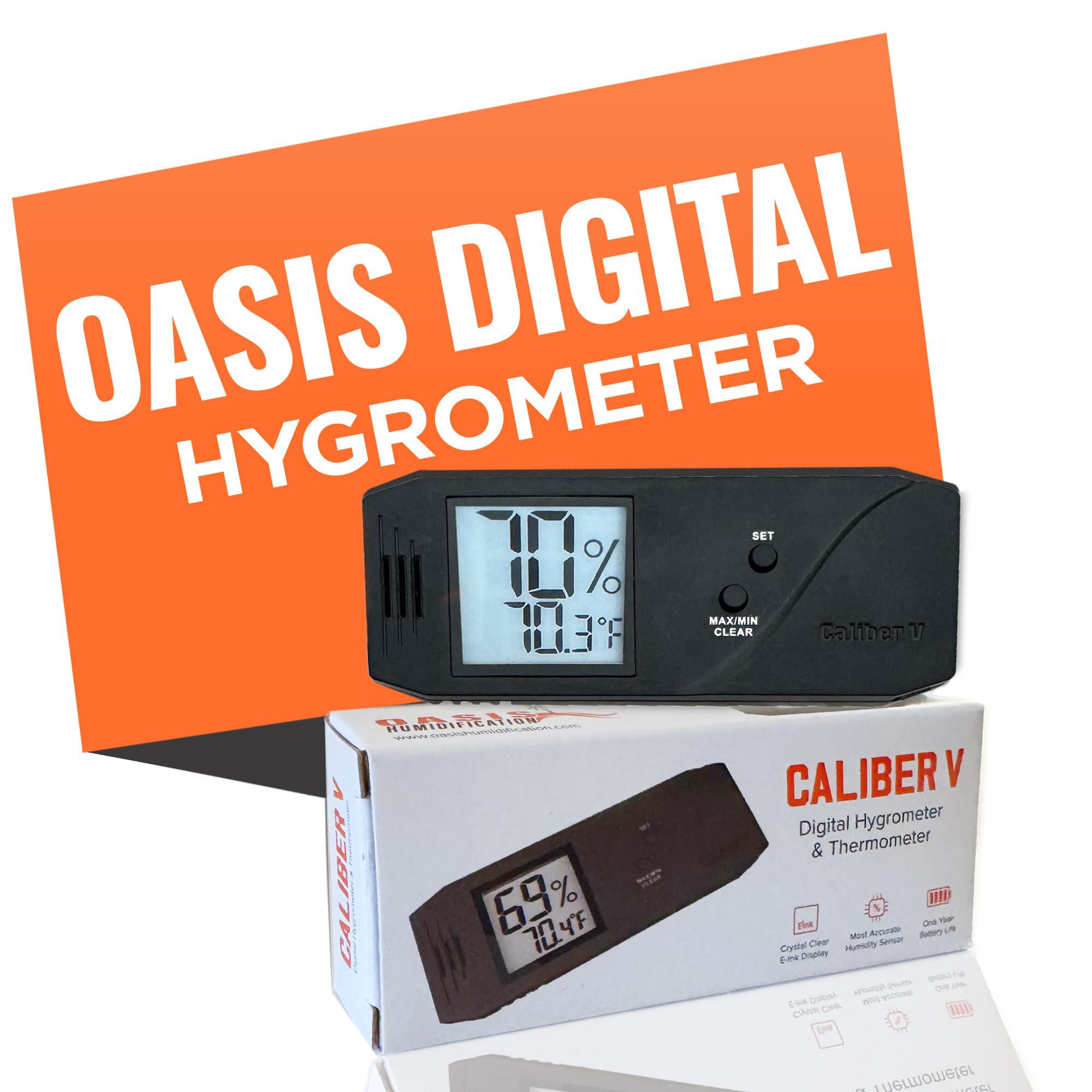
Image: The Caliber V hygrometer displaying humidity and temperature inside a humidor.
Key Features:
- Accurate Humidity and Temperature Monitoring: Equipped with an advanced Swiss-made digital humidity sensor for precise readings.
- Easy Setup and Calibration: Pre-calibrated from the factory, with options for user recalibration to ensure ongoing accuracy.
- Versatile and Space-Efficient Design: Slim profile optimizes space and promotes efficient airflow.
- Secure Magnetic Mount: Ensures easy and stable installation within your storage unit.
2. Setup
Battery Installation:
- Locate the battery compartment on the back of the Caliber V unit.
- Gently slide open the battery cover.
- Insert the included coin cell battery, ensuring the correct polarity (+/-) as indicated inside the compartment.
- Close the battery cover securely. The display should activate, showing current temperature and humidity readings.
Placement:
The Caliber V features a secure magnetic mount for easy installation. Choose a location within your humidor or storage area that allows for good airflow around the device and is easily visible for reading. The magnetic backing allows for attachment to any ferrous surface or can be used with an included metal plate if needed.
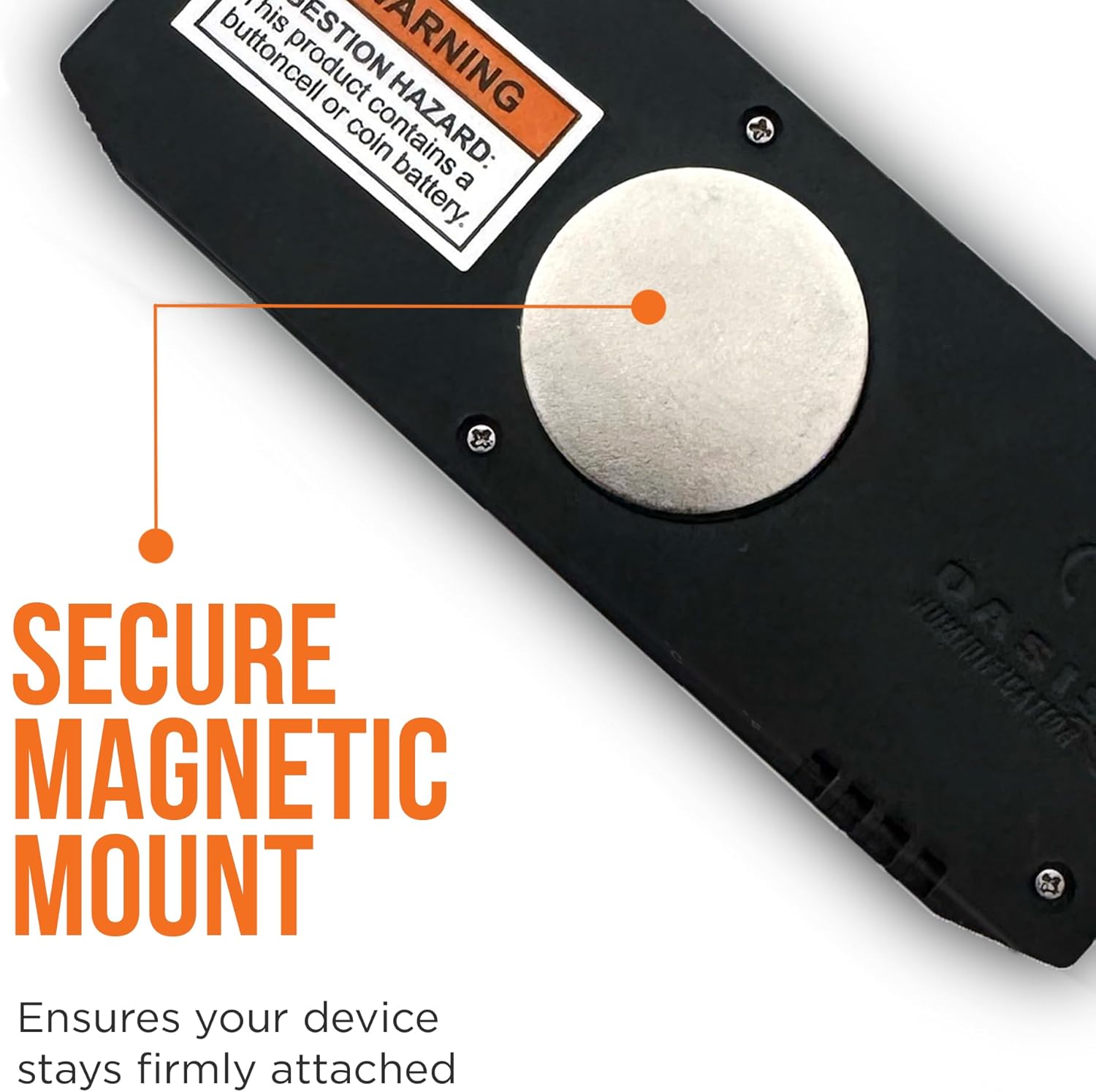
Image: The magnetic mount on the back of the Caliber V for secure placement.

Image: Example placement of the Caliber V inside a humidor lid.
3. Operation
Reading the Display:
The large digital display shows the current relative humidity (RH%) and temperature (°F or °C) simultaneously. The humidity is displayed prominently at the top, and the temperature below it.

Image: The slim profile design of the Caliber V with its clear digital display.
Button Functions:
- SET Button: Press to switch between Fahrenheit (°F) and Celsius (°C) temperature units.
- MAX/MIN/CLEAR Button:
- Press once to display the maximum recorded humidity and temperature.
- Press again to display the minimum recorded humidity and temperature.
- Press and hold for approximately 3 seconds to clear the recorded MAX/MIN values.
Operational Overview:
Video: An overview of the Cigar Oasis Caliber IV Digital Hygrometer, demonstrating features similar to the Caliber V model. This video is provided by the seller, Cigar Essentials.
4. Calibration
The Caliber V is pre-calibrated at the factory for immediate use. However, environmental factors or prolonged use may necessitate recalibration to maintain optimal accuracy. The device allows for manual calibration adjustment.
Recalibration Procedure:
- To recalibrate, place the hygrometer in a known humidity environment (e.g., a sealed container with a calibration kit or a Boveda pack).
- Allow sufficient time (at least 24 hours) for the hygrometer to stabilize and display a consistent reading.
- If the reading does not match the known humidity, locate the small calibration adjustment screw on the back of the unit.
- Using a small screwdriver, carefully turn the screw to adjust the humidity reading. The Caliber V allows for an adjustment range of approximately +/- 6%.
- Adjust until the displayed humidity matches the known reference value.
Note: For best results, perform calibration in a stable environment, avoiding rapid temperature or humidity fluctuations. Avoid handling the device excessively during calibration as body heat can affect readings.
5. Maintenance
Battery Replacement:
When the display dims or becomes inconsistent, it is time to replace the battery. Follow the battery installation steps in Section 2. The Caliber V uses a standard coin cell battery (type CR2032, typically). Ensure proper disposal of old batteries according to local regulations.
Cleaning:
To clean the exterior of the hygrometer, use a soft, dry cloth. Do not use abrasive cleaners, solvents, or immerse the unit in water, as this can damage the electronic components and sensors.
6. Troubleshooting
Inaccurate or Inconsistent Readings:
- Environmental Stability: Ensure the hygrometer is placed in a stable environment. Rapid air currents, direct sunlight, or proximity to heat/cold sources can cause fluctuating readings. Allow the device to acclimate to its environment for several hours before taking critical readings.
- Recalibration: If readings consistently deviate from a known accurate source, perform a recalibration as described in Section 4.
- Battery Level: A low battery can affect accuracy. Replace the battery if the display is dim or readings are erratic.
Display Not Working:
- Check Battery: Verify the battery is correctly installed and has sufficient charge. Replace if necessary.
- Battery Contacts: Ensure battery contacts are clean and free from corrosion.