
abcGoodefg EC-1P-A
abcGoodefg® 1 Pin Covert Acoustic Tube Earpiece Headset
Instruction Manual
Product Overview
The abcGoodefg® 1 Pin Covert Acoustic Tube Earpiece Headset is designed for discreet and clear communication in various professional and recreational environments. This headset features a clear acoustic tube for comfortable wear and a built-in Push-To-Talk (PTT) microphone for convenient operation. It is compatible with a wide range of Motorola COBRA Talkabout walkie-talkie two-way radios that utilize a standard 1-pin connection.

Image: A pack of five abcGoodefg 1 Pin Covert Acoustic Tube Earpiece Headsets, showing the earpiece, acoustic tube, and microphone/PTT unit.
Setup and Installation
- Identify the Radio Port: Locate the 1-pin audio accessory port on your compatible Motorola COBRA Talkabout walkie-talkie radio. This port is typically a 2.5mm jack.
- Connect the Earpiece: Carefully insert the 2.5mm pin connector of the abcGoodefg earpiece into the radio's audio accessory port. Ensure a firm and secure connection.
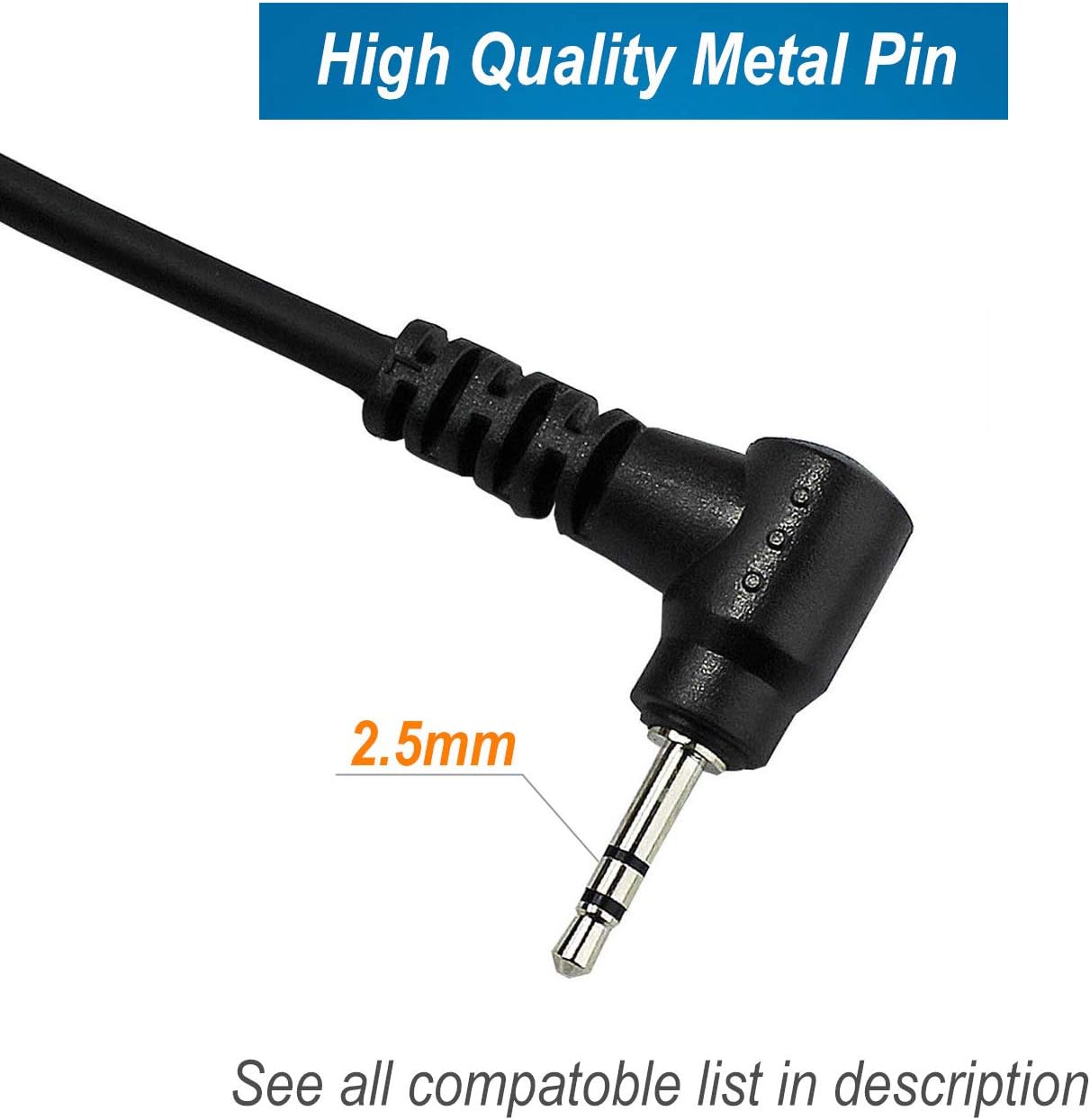
Image: A detailed view of the 2.5mm metal pin connector, highlighting its size and quality.
- Position the Acoustic Tube: Gently place the clear acoustic tube into your ear. The soft silicone earbud should fit comfortably to ensure clear audio reception.
- Secure the Microphone/PTT Unit: Use the integrated 360° rotation steel swivel clip on the compact lapel microphone and PTT unit to attach it to your collar, lapel, or clothing. Position it conveniently for easy access to the Push-To-Talk button and for optimal voice pickup.
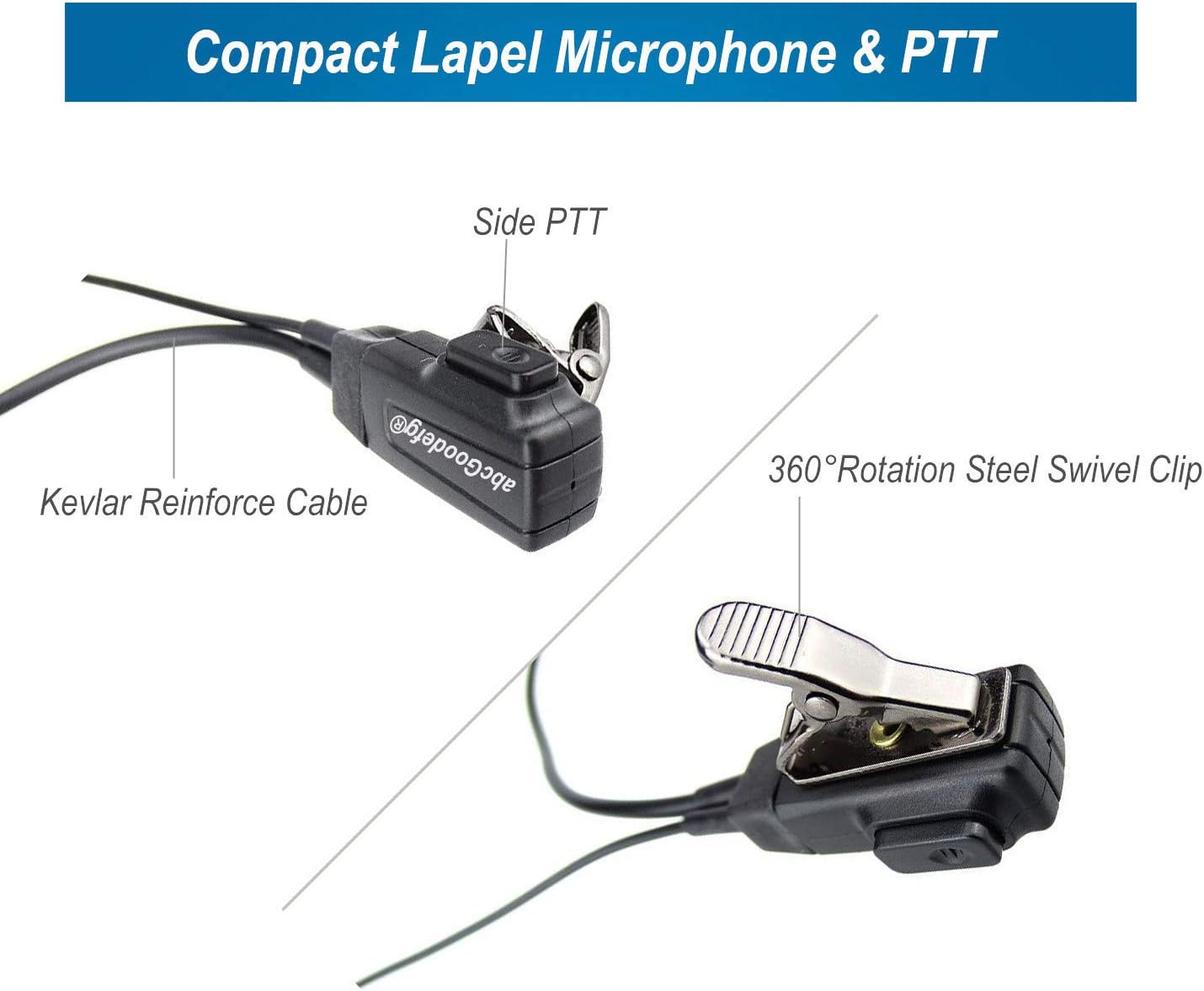
Image: A close-up of the compact lapel microphone and PTT (Push-To-Talk) unit, showing the side PTT button, Kevlar reinforced cable, and 360° rotation steel swivel clip.
- Adjust for Comfort: Adjust the length of the acoustic tube and the position of the PTT unit for maximum comfort and discretion.
Operating Instructions
- Receiving Audio: Once connected, audio from your two-way radio will be transmitted directly through the acoustic tube earpiece. Ensure your radio's volume is set to an appropriate level for clear listening.
- Transmitting Audio (Push-To-Talk - PTT): To speak, press and hold the PTT button located on the lapel microphone unit. Speak clearly into the microphone. Release the PTT button when you have finished speaking to return to receive mode.
- Microphone Placement: For optimal voice clarity, ensure the microphone is positioned close to your mouth and not obstructed by clothing.
Maintenance and Care
- Cleaning:
- Wipe the earpiece, acoustic tube, and PTT unit with a soft, damp cloth.
- Do not use harsh chemicals or abrasive cleaners.
- The silicone earbud can be removed and cleaned with mild soap and water, then thoroughly dried before reattaching.
- Storage: Store the earpiece in a clean, dry place away from direct sunlight and extreme temperatures. Avoid tangling the cable.
- Handling: While the cable is Kevlar reinforced for durability, avoid excessive pulling or bending of the cable, especially near the connectors, to prevent damage.
Troubleshooting
| Problem | Possible Cause | Solution |
|---|---|---|
| No audio from earpiece. |
|
|
| Cannot transmit (PTT not working). |
|
|
| Audio is distorted or unclear. |
|
|
Specifications
| Feature | Detail |
|---|---|
| Model Number | EC-1P-A |
| Connectivity | Wired, 2.5mm Jack (1-Pin) |
| Material | Plastic, Kevlar Reinforced Cable |
| Form Factor | On Ear (Acoustic Tube) |
| Microphone | Built-in line mic with PTT (Push-To-Talk) |
| Clip | 360° Rotation Steel Swivel Clip |
| Number of Items | 5 (in a pack) |
| Typical Use Environments | Police, military, nightclubs, bars, paintball, security, restaurants, hotels, bouncer, warehouses, noisy environments. |
Compatible Radio Models (Partial List):
This earpiece is compatible with many Motorola COBRA Talkabout walkie-talkie two-way radios requiring a standard 1-pin connection. Below is a partial list of known compatible models:
- COBRA MT200, MT400, MT550, MT600, MT750, MT800, MT850, MT900, MT975
- T270, T280, T289
- T4000, T6000, T7000, T8000, T9000
- T4800, T4900, T5000, T5100, T5146, T5200, T5300, T5320, T5400, T5410, T5412, T5420, T5422
- T5500, T5512, T5522, T5532, T5550, T5600, T5620, T5700, T5710, T5720, T5725, T5800
- T5820, T5900, T5920, T5950, T6200, T6210, T6220, T6222, T6250
- T6300, T6310, T6320, T6400, T6500, T6510, T6550
- T7100, T7150, T7200, T7400, T7450, T8500, T8550
- T9500, T9550, T9500R, T9500XLR, T9550XLR, T9580XLR, T9650, T9680
- XTL446, XTR446, PMR446
- SX500, SX620R, SX700, SX709R, SX750, SX800, SX900, SX920R
- FV200, FV300, FV500, FV600, FV700, FV750, FV800
- EM1000, EM100R, EM1020R
- TKLR T3, TLKR T5, TLKR T6, TLKR T7, XTX446
- Spirit GT / GT plus
- FR50, FR60, XTL446, SX700, FV200, FV500 etc.
Warranty and Support
For information regarding product warranty, returns, or technical support, please refer to the retailer's policy or contact abcGoodefg customer service directly through their official channels. Specific warranty details are not provided in this manual.