
Product Overview
This document provides essential information for the safe and effective use of your FI Lamps replacement projector lamp. This lamp is designed for specific Optoma projector models and includes the module and housing for convenient installation.
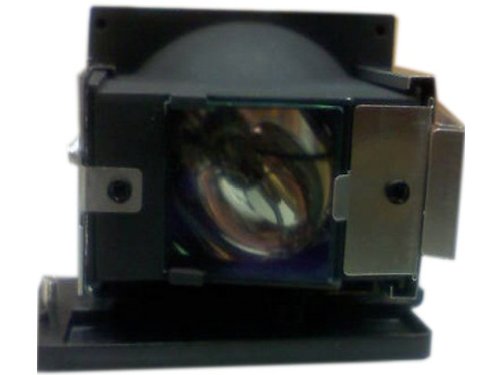
Image: FI Lamps Optoma Replacement Projector Lamp with Housing. This image shows the complete lamp module, including the bulb and its protective housing, ready for installation.
Key features of this replacement lamp include:
- Lamp Part Numbers: 5811100235, 5811100235-S, BL-FS200C, DE.5811100908, H1Z1DSP00005
- Wattage: 200 Watts
- Estimated Lamp Life: 2000 hours (normal mode) / 3000 hours (economy mode)
- Included Components: Module and Housing with Original Bulb
- Technology: DLP
Setup and Installation
Before beginning the lamp replacement process, ensure the projector is completely powered off and disconnected from the main power supply. Allow the projector to cool down for at least 60 minutes to prevent burns from hot components.
- Locate the lamp cover on your Optoma projector. Refer to your projector's user manual for the exact location and removal instructions.
- Using a screwdriver, carefully remove the screws securing the lamp cover.
- Gently remove the lamp cover.
- Unscrew the screws holding the old lamp module in place.
- Carefully pull out the old lamp module by its handle. Avoid touching the glass part of the lamp.
- Insert the new FI Lamps replacement lamp module into the projector, ensuring it is seated correctly and firmly.
- Secure the new lamp module with the screws previously removed.
- Replace the lamp cover and secure it with its screws.
- Reconnect the projector to the power supply and power it on.
- Reset the lamp timer in the projector's menu. Consult your projector's manual for specific instructions on resetting the lamp timer.
Warning: Projector lamps contain mercury. Handle with care and dispose of old lamps according to local regulations. Do not open the lamp housing or touch the bare bulb.
Operating Guidelines
Once the new lamp is installed and the lamp timer is reset, the projector is ready for operation. For detailed instructions on operating your Optoma projector, including power on/off procedures, input selection, and picture adjustments, please refer to the original user manual provided with your projector.
To maximize lamp life, avoid frequent power cycles and ensure adequate ventilation around the projector during operation.
Maintenance and Care
Proper maintenance helps ensure optimal performance and extends the life of your projector and its lamp.
- Air Filter Cleaning: Regularly clean or replace the projector's air filter as recommended by the projector manufacturer. A clogged filter can lead to overheating and reduced lamp life.
- Cool Down Period: Always allow the projector to complete its cool-down cycle after powering off before unplugging it or moving it. This protects the lamp from thermal shock.
- Environmental Conditions: Operate the projector in a clean, dust-free environment with stable temperature and humidity.
Lamp Disposal: The bulb in this lamp contains Mercury (Hg). Please dispose of the used lamp in accordance with all local, state, and federal laws and regulations. Do not dispose of it in regular household waste.
Troubleshooting Common Issues
If you encounter issues after installing the new lamp, consider the following:
- Lamp Not Lighting Up:
- Ensure the lamp module is fully seated and secured.
- Check that the lamp cover is correctly installed and its screws are tightened. Many projectors have a safety switch that prevents operation if the cover is not secure.
- Verify the projector is receiving power.
- Dim Image or Poor Picture Quality:
- Confirm the lamp timer has been reset.
- Check projector settings for brightness and contrast.
- Ensure the projector lens is clean.
- Lamp Warning Message:
- This usually indicates the lamp timer needs to be reset.
- If the message persists after resetting, consult your projector's manual or contact support.
For more complex issues, refer to your Optoma projector's troubleshooting guide or contact customer support.
Product Specifications
| Specification | Detail |
|---|---|
| Brand | FI Lamps |
| Compatible Projector Models | Optoma 1691, D326MX, D326WX, DS325 |
| Lamp Part Numbers | 5811100235; 5811100235-S; BL-FS200C; DE.5811100908; H1Z1DSP00005 |
| Wattage | 200 Watts |
| Lamp Life (Normal/Economy) | 2000 hours / 3000 hours |
| Lamp Technology | DLP |
| Item Weight | 1.5 pounds |
| Product Dimensions | 5 x 5 x 5 inches |
| UPC | 840398101695 |
Warranty Information
This FI Lamps replacement projector lamp comes with a 180-Day Warranty from the date of purchase. This warranty covers defects in materials and workmanship under normal use. Please retain your proof of purchase for warranty claims. For specific warranty terms and conditions, please contact the seller or manufacturer.
Customer Support
If you have any questions regarding the installation, operation, or troubleshooting of your FI Lamps replacement projector lamp, please contact the retailer or manufacturer's customer support. When contacting support, please have your product details and purchase information readily available.
