
Introduction
Welcome to the instruction manual for your Hasbro Bop It Beats portable music game. This manual provides essential information for setting up, operating, and maintaining your device. The Bop It Beats game challenges players with a series of commands, requiring quick reflexes and coordination to keep the beat going. Please note that this version of the game features voice commands and instructions primarily in French.
The Bop It Beats game is designed to enhance hand-eye coordination and reflexes through engaging musical gameplay.
Setup
1. Battery Installation
The Bop It Beats game requires 3 AA batteries, which are included for immediate use. To install or replace batteries:
- Locate the battery compartment on the back of the device.
- Using a Phillips head screwdriver, loosen the screw on the battery compartment cover.
- Remove the cover.
- Insert 3 new AA batteries, ensuring correct polarity (+/-) as indicated inside the compartment.
- Replace the cover and tighten the screw securely.
Always use fresh batteries for optimal performance. Do not mix old and new batteries, or different types of batteries.
2. Powering On
To turn on the Bop It Beats game, locate the power switch, typically found on the side or back of the unit. Slide the switch to the 'ON' position. The game will emit an introductory sound or voice command.
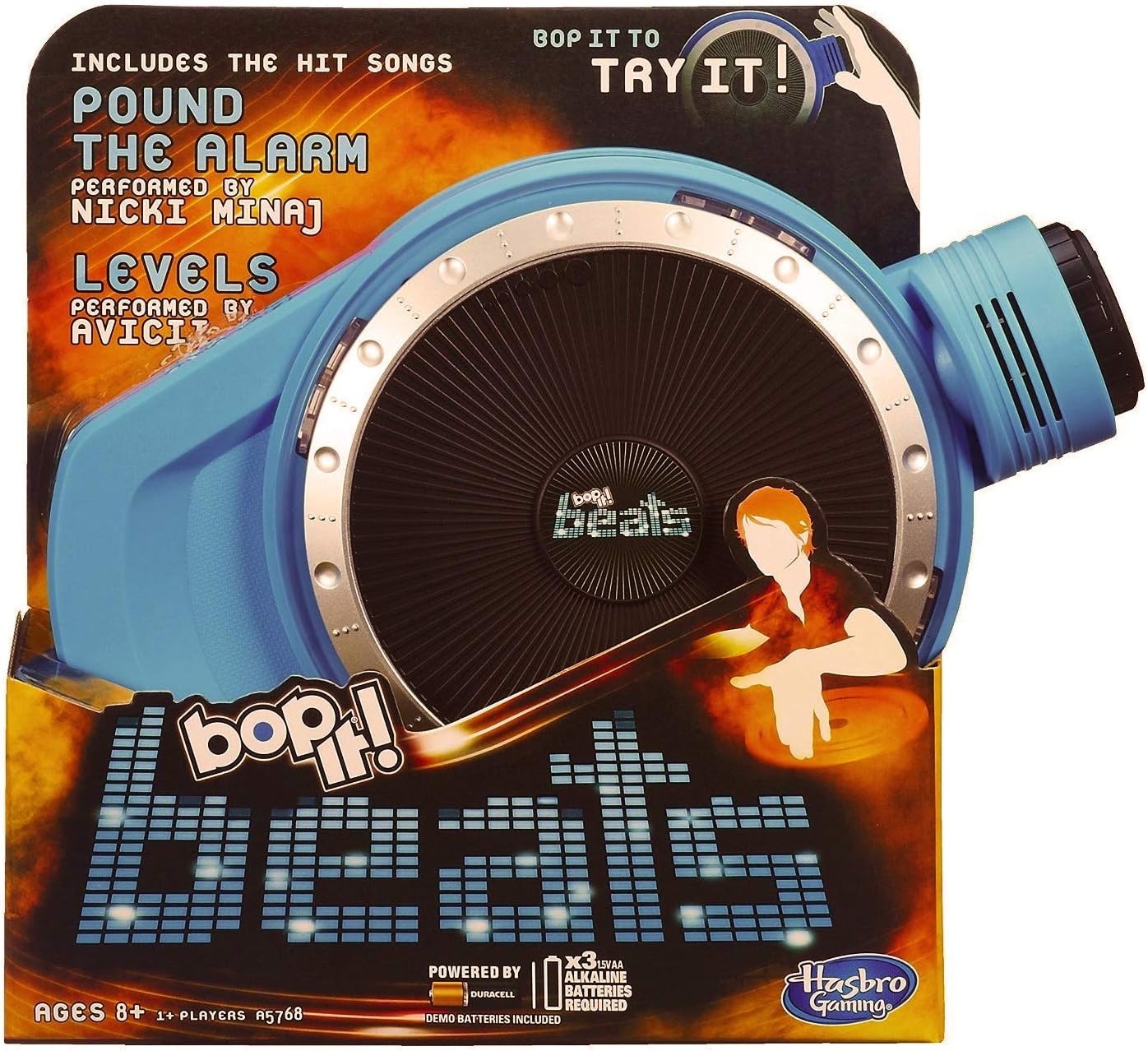
Image: The Bop It Beats game in its retail packaging, illustrating the device's design and key features.
Operating
Game Overview
Bop It Beats is a rhythm and reflex game. The device will issue voice commands, and players must perform the corresponding action on the device as quickly and accurately as possible. Commands typically include actions like 'Bop It', 'Spin It', 'Scratch It', and 'Reverse It'. The game features a DJ-style interface with a central turntable.

Image: A clear view of the Bop It Beats device from above, highlighting the interactive elements.
Game Modes
The Bop It Beats game typically includes various modes to challenge players, such as:
- Classic Mode: Follow the commands for as long as you can.
- DJ Mode: A specialized mode that incorporates DJ-style actions and music.
- Party Mode: Designed for multiple players to pass the game around.
Refer to the in-game voice instructions for specific mode selection and gameplay details. The game's voice commands are in French.
Volume Control
Please note that the Bop It Beats game may have a fixed volume level that is not adjustable. If the sound is too loud, consider playing in an environment where this will not be disruptive.

Image: A person holding the Bop It Beats game, illustrating its ergonomic design and portability.
Maintenance
Cleaning
To clean your Bop It Beats game, use a soft, dry cloth. For stubborn dirt, a slightly damp cloth can be used, but ensure no moisture enters the electronic components. Do not use abrasive cleaners or solvents.
Storage
Store the game in a cool, dry place away from direct sunlight and extreme temperatures. If the game will not be used for an extended period, it is recommended to remove the batteries to prevent leakage.
Troubleshooting
- Game not turning on: Check that the batteries are correctly installed and are not depleted. Replace with fresh AA batteries if necessary.
- No sound or distorted sound: Ensure batteries are fresh. If the issue persists, the internal speaker may be faulty.
- Game not responding to commands: Ensure you are performing the actions correctly and within the time limit. If the issue persists, try replacing the batteries.
- Language Issue: This specific model of Bop It Beats primarily operates in French. If you require an English version, please verify the product's language specifications before purchase.
Specifications
- Model Number: A57681010
- Brand: Hasbro
- Educational Value: Improvement of hand-eye coordination and reflexes
- Language: French (voice commands and instructions)
- Batteries Required: Yes (3 x AA)
- Batteries Included: Yes
- Self-assembly: No
- Remote Control Included: No
- Date Listed on Amazon.com.be: August 31, 2014
Warranty and Support
For information regarding warranty coverage, please refer to the documentation provided at the time of purchase or contact Hasbro customer support directly. Information regarding the availability of spare parts for this product is currently unavailable.
For further assistance or inquiries, please visit the official Hasbro website or contact their customer service department.