
Introduction
The Team Orion Vortex R10.1 2S Competition ESC (Electronic Speed Controller) is engineered for high-performance remote-controlled vehicle applications. This ESC is designed to provide precise control and efficient power delivery for competitive racing. This manual provides essential information for the proper setup, operation, maintenance, and troubleshooting of your Vortex R10.1 ESC.
Key Features
- Enhanced Efficiency: Features a new, thicker PCB design for reduced internal resistance, optimizing power efficiency.
- Improved Performance: Equipped with new generation FETs (Field-Effect Transistors) for superior performance and reliability.
- Optimized Cooling: Housed in a precision-machined aluminum case with a refined cooling system to maintain optimal operating temperatures.
- Flexible Installation: Includes dual sensor ports (one on top, one on the back) to accommodate various chassis layouts and wiring preferences.
- Advanced Software: Incorporates enhanced software for refined power delivery options, particularly beneficial for stock racing applications.
- Precise Control: Offers precise control over throttle and braking characteristics for improved vehicle handling.
Setup
Proper installation and initial setup are crucial for the performance and longevity of your ESC. Always ensure your vehicle's battery is disconnected before performing any wiring or installation steps.
1. Mounting the ESC
Mount the ESC securely in your vehicle using double-sided tape or screws, ensuring it is protected from excessive vibrations and impacts. Position it to allow for adequate airflow around the aluminum case for optimal cooling.
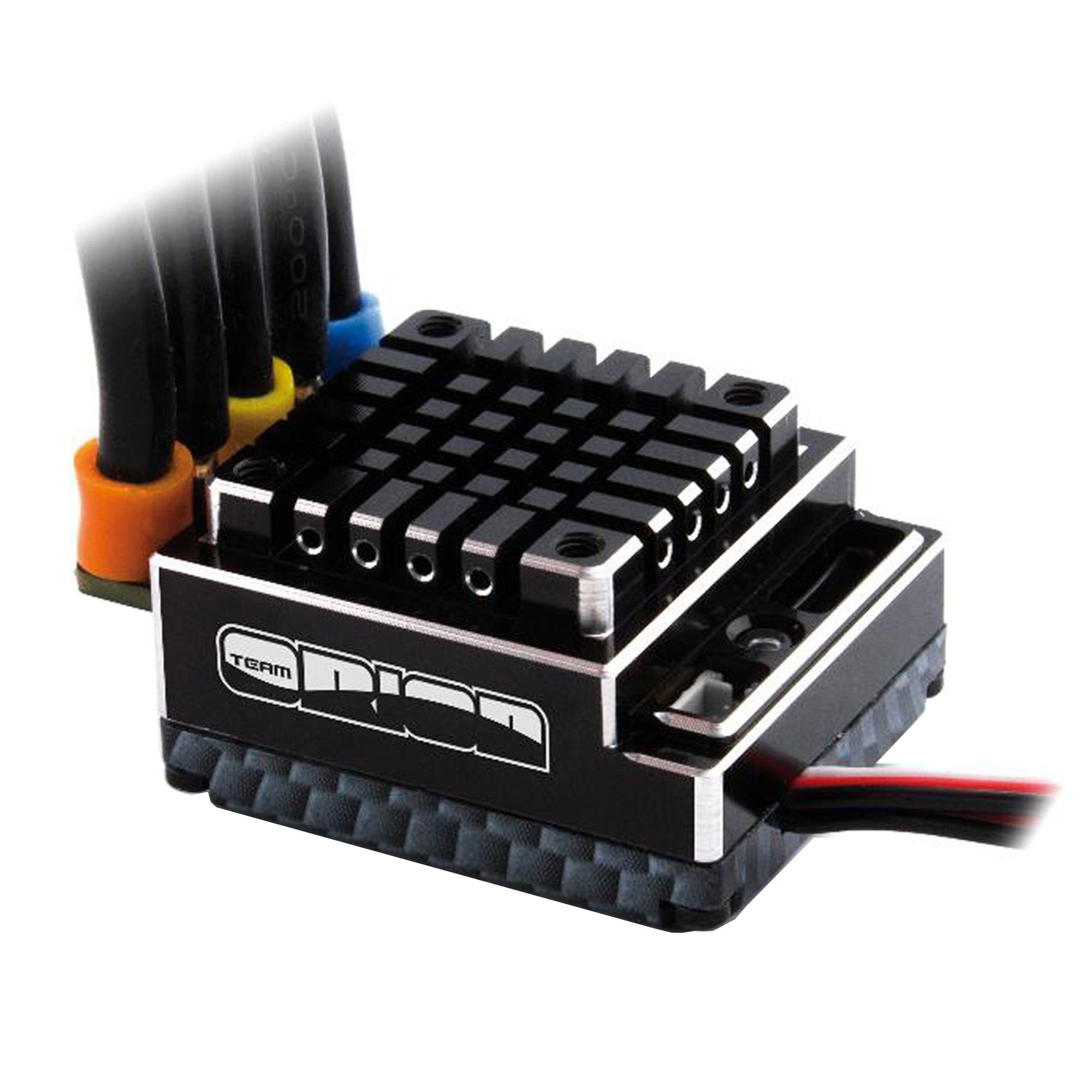
Image: Top view of the Team Orion Vortex R10.1 ESC, showing the cooling fins and branding. This image illustrates the compact design and the top sensor port location.
2. Wiring Connections
- Motor Wires: Connect the three motor wires from the ESC to your brushless motor. Ensure correct phase matching (A-A, B-B, C-C) for proper motor rotation. If the motor spins in the wrong direction, swap any two of the motor wires.
- Battery Wires: Connect the ESC's battery wires to your 2S LiPo battery connector. Observe correct polarity: red to positive (+), black to negative (-). Incorrect polarity will damage the ESC.
- Receiver Cable: Plug the ESC's receiver cable into the throttle channel (typically channel 2) of your radio receiver.
- Sensor Cable: Connect the sensor cable from your sensored brushless motor to one of the ESC's dual sensor ports. Choose the port that allows for the neatest and most secure cable routing.

Image: Angled view of the Team Orion Vortex R10.1 ESC, highlighting the side profile and connection points. This image helps visualize the physical layout for wiring.
3. Radio Calibration
Before first use, calibrate the ESC to your radio system's throttle endpoints. Refer to your ESC's detailed programming guide (often available from the manufacturer's website) for specific calibration steps. This typically involves powering on the ESC while holding a button, then setting neutral, full throttle, and full brake positions on your transmitter.
4. Firmware Updates
Periodically check the Team Orion website for available firmware updates. Updating the firmware can improve performance, add new features, or resolve known issues. A dedicated programming device (sold separately) is typically required for firmware updates and advanced programming.
Operating Instructions
1. Powering On/Off
- To Power On: Ensure your transmitter is turned on first. Then, connect the battery to the ESC and press the ESC's power button.
- To Power Off: Disconnect the battery from the ESC. It is good practice to turn off your transmitter after disconnecting the battery.
2. Basic Driving
Once powered on and calibrated, the ESC will respond to your transmitter's throttle inputs. Gently apply throttle to move the vehicle forward, and push the throttle stick forward (or pull the trigger back, depending on your transmitter type) for braking. Reverse is typically engaged by returning to neutral and then applying brake input a second time.
3. Programming Settings
The Vortex R10.1 ESC offers various programmable parameters to fine-tune its performance. These settings, such as drag brake, timing, punch, and cut-off voltage, can be adjusted using a dedicated programming box (sold separately). Refer to the programming box manual or the ESC's detailed programming guide for instructions on accessing and modifying these settings.
Maintenance
- Cleaning: Regularly clean the ESC to remove dirt, dust, and debris. Use a soft brush or compressed air. Avoid using solvents or harsh chemicals.
- Inspection: Periodically inspect all wires and connectors for signs of wear, fraying, or corrosion. Ensure all connections are secure. Check the cooling fan (if applicable) for obstructions or damage.
- Storage: When not in use, store the ESC in a clean, dry environment at room temperature. Disconnect the battery before storage.
Troubleshooting
If you encounter issues with your Vortex R10.1 ESC, consult the following common troubleshooting steps. For more detailed diagnostics, refer to the full product manual or contact customer support.
- No Power/No Response:
- Check battery connection and charge level.
- Ensure ESC power button is pressed.
- Verify receiver cable is securely plugged into the correct channel.
- Confirm transmitter is powered on and bound to the receiver.
- Motor Not Spinning/Incorrect Direction:
- Check motor wire connections for correct phasing.
- Ensure sensor cable is properly connected (if using a sensored motor).
- Recalibrate the ESC to your radio system.
- Overheating:
- Check for proper ESC mounting and adequate airflow.
- Ensure gearing is appropriate for your motor and vehicle.
- Verify motor timing and ESC settings are not overly aggressive.
Specifications
| Model Number | ORI65128 |
| Current Rating | 170A |
| Battery Compatibility | 2S LiPo |
| Product Dimensions | 5.94 x 4.45 x 0.13 inches |
| Item Weight | 12 ounces |
| Manufacturer | Horizon Hobby |
| Date First Available | February 10, 2014 |
| Recommended Age | 14 years and up |
Warranty and Support
For warranty information, technical support, or service inquiries regarding your Team Orion Vortex R10.1 ESC, please contact the manufacturer, Horizon Hobby. Details regarding warranty terms and conditions are typically provided with the product packaging or available on the Horizon Hobby official website.
Manufacturer: Horizon Hobby
It is recommended to register your product with the manufacturer to receive updates and support.