
1. Introduction
Thank you for choosing the I Concepts Headphones. These headphones are designed to provide a comfortable audio experience with clear sound and convenient communication features. This manual will guide you through the setup, operation, and maintenance of your new headphones.
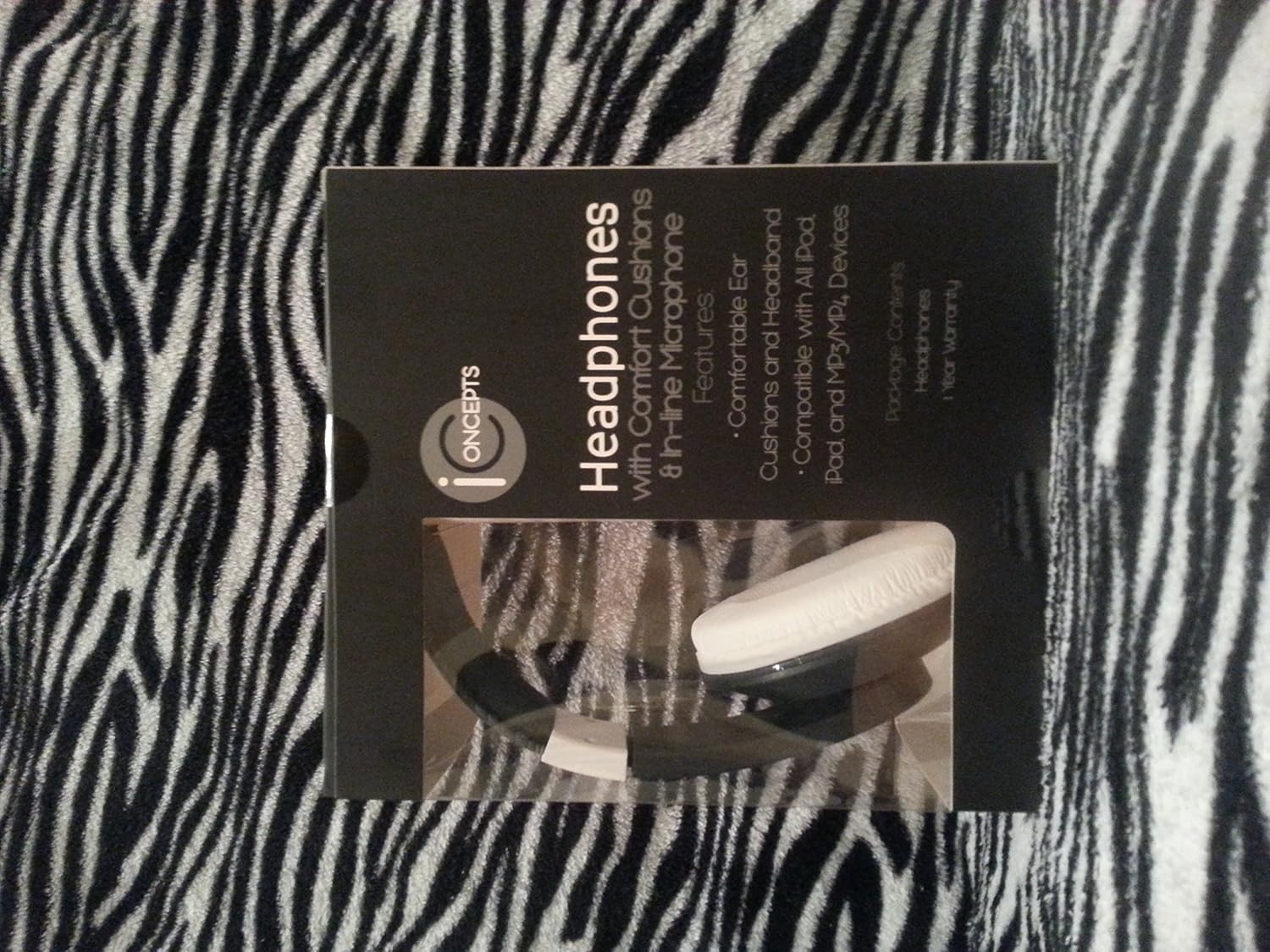
Image 1.1: The I Concepts Headphones, featuring comfortable ear cushions and a sleek black design.
Package Contents:
- I Concepts Headphones (Model: HP-C2-CHW)
- Integrated 3.5mm Audio Cable with In-line Microphone
2. Safety Information
Please read and follow these safety guidelines to ensure safe and proper use of your headphones:
- Adjust headphones sound to the proper volume or it may damage your ears. Prolonged exposure to loud sounds can cause permanent hearing damage.
- For traffic safety, never use headphones while riding a bicycle, motor bike, or while driving a car. Using headphones in these situations can distract you and lead to accidents.
- Do not use headphones in situations where the inability to hear ambient sounds could be dangerous, such as near traffic, construction sites, or railway crossings.
- Keep the headphones away from water and moisture. Do not use them in wet environments.
- Avoid extreme temperatures. Do not expose the headphones to direct sunlight or very cold conditions.
- Do not attempt to disassemble or modify the headphones. This may void the warranty and could lead to injury.
3. Features
The I Concepts Headphones are equipped with several features designed for user comfort and convenience:
- Comfortable Ear Cushions and Headband: Designed for extended listening sessions without discomfort.
- Compatible with All iPods, iPads, and MP3/MP4 Devices: Features a standard 3.5mm audio jack for broad compatibility.
- In-line Microphone: Allows for hands-free communication during calls or voice recording.
- Noise Cancellation: Helps reduce ambient noise for a clearer audio experience.
- Retractable Cable: Provides convenience for storage and prevents tangling.
4. Setup
Setting up your I Concepts Headphones is simple:
- Unpack the Headphones: Carefully remove the headphones from their packaging.
- Adjust the Headband: Gently extend or retract the headband to fit comfortably over your head. The ear cushions should fully cover your ears without excessive pressure.
- Connect to Your Device: Locate the 3.5mm audio jack on your audio device (e.g., smartphone, tablet, MP3 player, computer). Insert the 3.5mm plug from the headphone cable firmly into the audio jack of your device.
- Test Audio: Play some audio from your device to ensure sound is coming through the headphones. Adjust the volume on your device to a comfortable listening level.
5. Operating
Once connected, operating your I Concepts Headphones is straightforward:
Audio Playback:
- Control audio playback (play, pause, skip tracks) directly from your connected device.
- Adjust the volume using the volume controls on your connected device.
Using the In-line Microphone:
- When connected to a compatible device (e.g., smartphone), the in-line microphone will automatically activate for calls.
- For voice recording or voice commands, ensure your device's settings are configured to use the external microphone.
6. Maintenance
Proper care will extend the life of your headphones:
- Cleaning: Use a soft, dry cloth to wipe down the ear cushions and headband. Do not use harsh chemicals or abrasive cleaners.
- Storage: When not in use, store the headphones in a clean, dry place away from direct sunlight and extreme temperatures. Avoid tangling the cable by coiling it neatly.
- Avoid Moisture: Do not expose the headphones to water or excessive humidity. If they get wet, dry them thoroughly before storing or using them again.
- Handle with Care: Avoid dropping the headphones or subjecting them to strong impacts. Do not pull on the cable forcefully.
7. Troubleshooting
If you encounter issues with your headphones, try the following solutions:
No Sound:
- Ensure the 3.5mm plug is fully inserted into your device's audio jack.
- Check the volume level on your connected device. Make sure it is not muted or set too low.
- Try connecting the headphones to a different audio device to rule out an issue with the original device.
- Inspect the headphone cable for any visible damage or kinks.
Microphone Not Working:
- Ensure the headphones are fully plugged into your device. Some devices require a TRRS (Tip-Ring-Ring-Sleeve) jack for microphone functionality, which these headphones provide.
- Check your device's audio input settings to ensure the external microphone is selected.
- Test the microphone with a different application or device.
Poor Sound Quality:
- Ensure the audio source is of good quality.
- Check for loose connections at the 3.5mm jack.
- Try cleaning the 3.5mm jack on your device and the headphone plug.
8. Specifications
Detailed technical specifications for the I Concepts Headphones:
| Specification | Value |
|---|---|
| Model Number | HP-C2-CHW |
| Connectivity Technology | Wired |
| Headphones Jack | 3.5 mm Jack |
| Form Factor | On Ear |
| Color | Black |
| Special Features | Microphone Included, Noise Cancellation |
| Cable Feature | Retractable |
| Item Weight | 3.2 ounces (90.7 grams) |
| Package Dimensions | 6.7 x 5.4 x 2.6 inches (17 x 13.7 x 6.6 cm) |
| UPC | 021331528476 |
9. Warranty and Support
For warranty information and customer support, please refer to the documentation included with your purchase or visit the official Sakar website. Keep your proof of purchase for warranty claims.
Sakar International, Inc.
Website: www.sakar.com
Contact information may also be available on the product packaging.