
1. Product Overview
The Gator Frameworks ID Series Tripod Mic Stand with a 26-inch dual-section adjustable boom arm (GFW-ID-MIC) is designed for musicians and audio professionals. It features a heavy-duty steel construction for durability and stability. The stand is engineered for portability, folding neatly into a compact cylindrical shape for easy transport and storage. Adjustments for height and boom arm positioning are made simple with one-handed CAM operation and easy-close CAMs.
- Compact & Portable: Neatly folds into a cylinder shape for easy transport and storage.
- One-Handed CAM Operation: Quick and effortless height and boom adjustments with a secure locking mechanism.
- Adjustable Height Range: Extends from 39.5" to 68.5" (100cm - 174cm) to accommodate various setups.
- Adjustable Telescoping Boom: 26" boom arm extends and locks in place with easy-close CAMs for precise positioning.
- Built-In Cable Management: Keeps microphone cables neatly organized for a clean and professional setup.

Image 1.1: The Gator Frameworks ID Series Tripod Mic Stand in its fully assembled state.
Video 1.1: An overview of the Gator Cases GFW-ID-MIC Frameworks ID Series Tripod Microphone Stand with Boom Arm, demonstrating its key features and compact design.
2. Safety Information
Please read and understand all safety instructions before using the Gator Frameworks ID Series Tripod Mic Stand. Failure to follow these instructions may result in injury or damage to the product.
- Ensure all locking mechanisms are securely tightened before placing a microphone or other equipment on the stand.
- Do not overload the stand beyond its specified weight capacity (5 lbs).
- Place the stand on a stable, level surface to prevent tipping.
- Avoid extending the boom arm excessively, especially with heavy microphones, to maintain balance.
- Keep hands and fingers clear of moving parts during adjustment to prevent pinching.
- Do not use the stand if any parts are damaged or missing.
3. Setup and Assembly
The Gator Frameworks ID Series Mic Stand is designed for quick and easy setup. Follow these steps to assemble and prepare your stand for use.
- Unfold the Tripod Base: Gently pull the legs of the tripod base outwards until they are fully extended and locked into position. The one-handed CAM operation allows for easy deployment.
- Adjust Stand Height: Loosen the soft grip twist clutch on the main shaft. Extend the stand to your desired height (between 39.5" and 68.5") and then tighten the clutch securely to lock it in place.
- Attach Boom Arm: The boom arm is pre-attached. Ensure it is securely fastened to the main shaft.
- Extend and Position Boom Arm: Loosen the easy-close CAMs on the telescoping boom arm. Extend the boom arm to the desired length (up to 26") and angle. Tighten the CAMs firmly to secure the position.
- Attach Microphone Clip/Shock Mount: Screw your microphone clip or shock mount onto the threaded end of the boom arm. Use the provided jam nuts and adapters as needed to ensure a snug fit and proper orientation.

Image 3.1: The mic stand with its tripod base fully extended and the main shaft raised.

Image 3.2: Detail of the secure tripod base with its one-handed CAM operation for quick setup.

Image 3.3: The tripod feet provide stability and feature red accents for visibility.
4. Operating Instructions
Utilize the intuitive design of your Gator Frameworks mic stand for optimal microphone positioning.
- Height Adjustment: To change the stand's height, twist the soft grip clutch counter-clockwise to loosen, adjust the main shaft to the desired height, and then twist clockwise to tighten.
- Boom Arm Adjustment: The boom arm's length and angle can be adjusted by loosening the easy-close CAMs. Once positioned, firmly close the CAMs to secure the boom arm.
- Microphone Orientation (Jam Nuts): Your stand includes jam nuts and a 3/8" to 5/8" adapter to properly orient your microphone.
Video 4.1: A detailed guide on how to effectively use jam nuts with your microphone stand to secure and orient your microphone clip or shock mount.
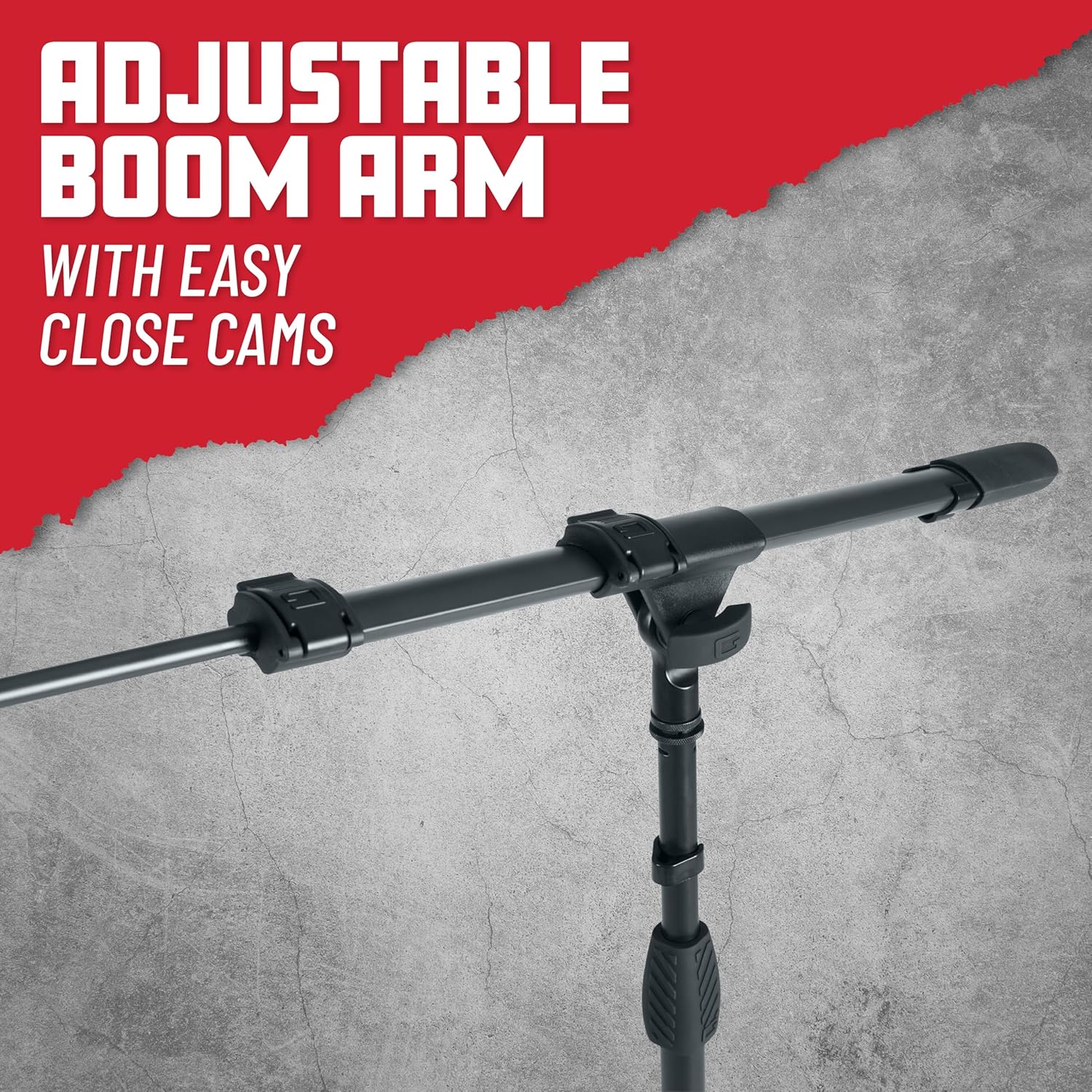
Image 4.1: The telescoping boom arm features easy-close CAMs for quick and precise adjustments.
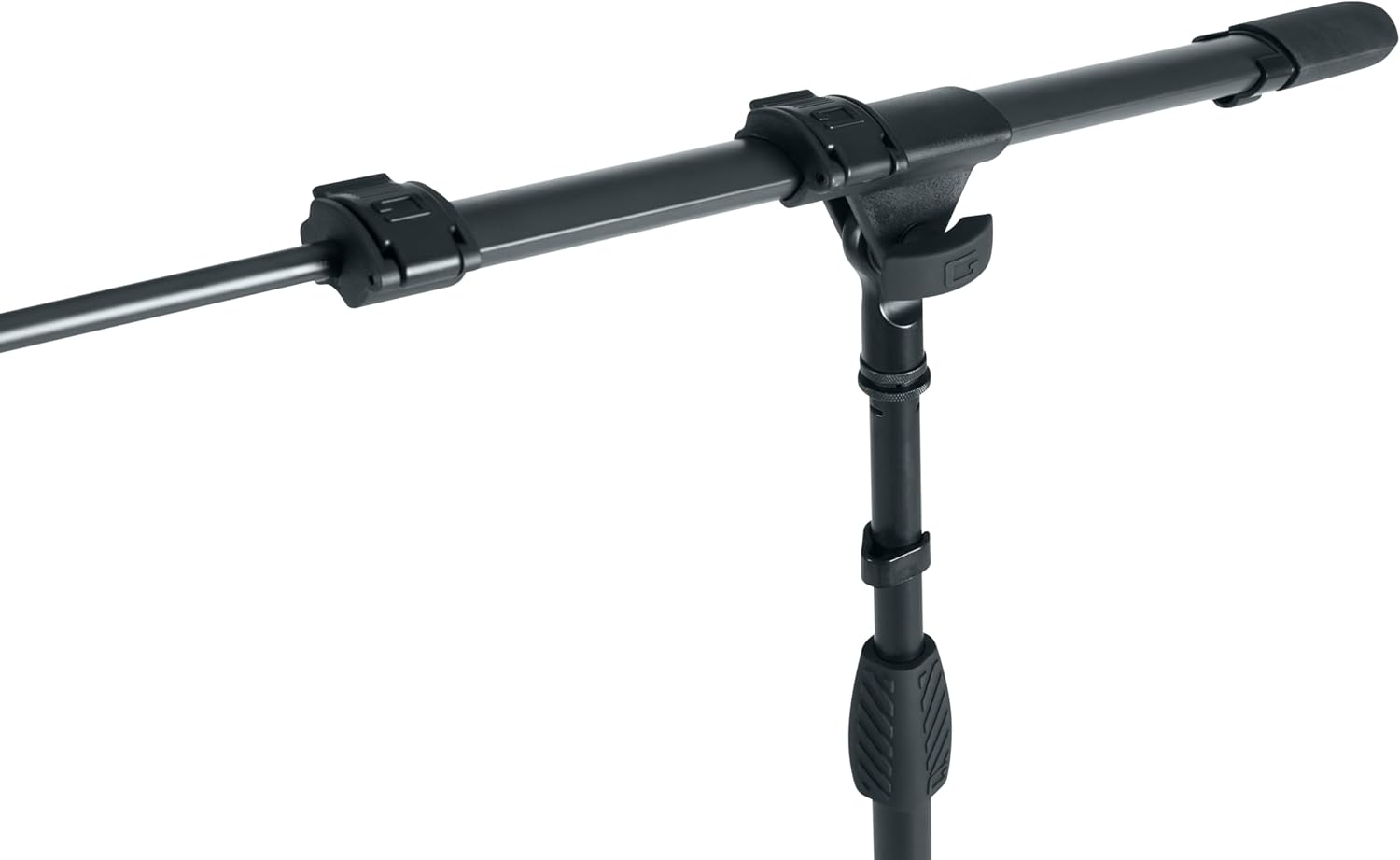
Image 4.2: A closer look at the boom arm's adjustment points, highlighting the secure locking design.

Image 4.3: The threaded end of the boom arm, ready for microphone clip or shock mount attachment.
5. Maintenance
Proper maintenance will ensure the longevity and optimal performance of your mic stand.
- Cleaning: Wipe down the stand with a soft, dry cloth after each use to remove dust and debris. For stubborn grime, use a slightly damp cloth and mild soap, then dry thoroughly.
- Lubrication: Periodically apply a small amount of silicone-based lubricant to the moving parts (e.g., CAM mechanisms, telescoping sections) to ensure smooth operation. Avoid oil-based lubricants as they can attract dust.
- Inspection: Regularly inspect all screws, nuts, and locking mechanisms for tightness. Tighten any loose components to prevent wobbling or instability.
- Storage: When not in use, collapse the stand into its compact cylindrical shape and store it in a dry, cool place to prevent corrosion and damage.
6. Troubleshooting
If you encounter issues with your Gator Frameworks ID Series Mic Stand, refer to the following common problems and solutions.
- Microphone Droops/Spins:
Problem: The microphone or mic clip does not stay in the desired position on the boom arm's threaded end.
Solution: Ensure the jam nut(s) are properly tightened against the microphone clip/shock mount. The jam nut is designed to secure the accessory in place and prevent rotation. Refer to Video 4.1 for proper jam nut usage. - Stand Height Slips:
Problem: The main shaft slides down after adjusting the height.
Solution: Ensure the soft grip twist clutch is fully tightened. If the issue persists, inspect the clutch mechanism for wear or damage. - Boom Arm Slips:
Problem: The telescoping boom arm or its angle slips.
Solution: Verify that the easy-close CAMs are firmly closed. If they are loose, adjust them for a tighter grip. - Stand is Unstable:
Problem: The entire stand feels wobbly or unstable.
Solution: Confirm that the tripod legs are fully extended and locked. Ensure the stand is placed on a flat, stable surface. Do not exceed the maximum weight capacity of 5 lbs.
7. Specifications
| Brand | Gator Frameworks |
| Model Number | GFW-ID-MIC |
| Color | Black |
| Material | Metal |
| Item Weight | 1.22 Kilograms (2.69 lbs) |
| Item Dimensions (L x W x H) | 47 x 5 x 5 inches (collapsed) |
| Maximum Height | 68.5 Inches (174 cm) |
| Minimum Height | 39.5 Inches (100 cm) |
| Boom Arm Length | 26 Inches (66 cm) |
| Base Type | Tripod |
| Included Components | Telescopic Boom Arm, Clutch Action Mechanism (CAMs) |

Image 7.1: Visual representation of the mic stand's dimensions and 5 lb weight capacity.

Image 7.2: The mic stand in its collapsed, compact cylindrical form for easy transport.
8. Warranty and Support
Warranty: This product comes with a 3-year warranty against manufacturing defects.
For technical support, troubleshooting assistance, or warranty claims, please visit the official Gator Frameworks website or contact their customer service department. Keep your purchase receipt as proof of purchase for warranty services.