Product Overview
This manual provides essential information for the installation, operation, and maintenance of your Farbbandfabrik black ink ribbon, specifically designed for NEC P72 X-GR.682 printers. This ink ribbon ensures high-quality, consistent printing performance.
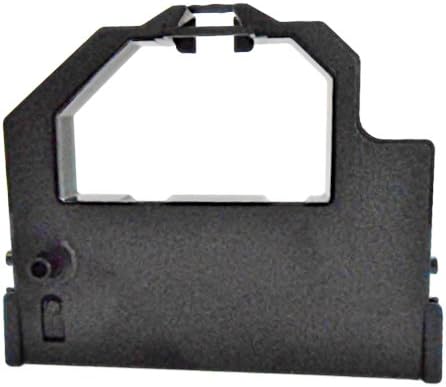
Figure 1: Front view of the Farbbandfabrik black ink ribbon cartridge. This image shows the main body of the ribbon cartridge, highlighting its compact design and the opening where the ribbon feeds into the printer mechanism.
Setup and Installation
Proper installation of the ink ribbon is crucial for optimal printing results and to prevent damage to your printer. Always refer to your printer's specific user manual for detailed instructions on opening the printer and accessing the ribbon compartment.
- Power Off Printer: Ensure your NEC P72 X-GR.682 printer is turned off and unplugged from the power source before beginning installation.
- Open Printer Cover: Carefully open the printer's top cover or access panel to expose the ribbon cartridge area.
- Remove Old Ribbon (if applicable): If replacing an existing ribbon, gently unclip and remove the old cartridge. Dispose of used ribbons responsibly.
- Unpack New Ribbon: Remove the new Farbbandfabrik ink ribbon from its packaging. Avoid touching the ribbon itself to prevent contamination.
- Insert New Ribbon: Align the new ribbon cartridge with the designated slot in your printer. The cartridge is designed to fit only one way. Gently push down until it clicks securely into place. Ensure the ribbon is properly threaded through any guides or tensioners as indicated by your printer's manual.

Figure 2: Angled view of the Farbbandfabrik black ink ribbon cartridge. This perspective helps in understanding the cartridge's shape and how it might align within the printer's ribbon bay.
After installation, close the printer cover, plug in the printer, and turn it on. The printer may perform a self-test or ribbon calibration.
Operating Instructions
Once the Farbbandfabrik ink ribbon is correctly installed, your NEC P72 X-GR.682 printer is ready for operation. The ribbon functions automatically as part of the printing process.
- Print Quality: The new ribbon should produce crisp, clear black text and graphics.
- Ribbon Life: The lifespan of the ribbon depends on printing volume and content. Print quality will gradually degrade as the ink is depleted.
- Replacement Indicator: Your printer may have an indicator or message to signal when the ribbon needs replacement. Consult your printer's manual for specific alerts.
Maintenance and Storage
Proper handling and storage can extend the life of your ink ribbons and ensure optimal performance.
- Storage: Store unused ink ribbons in their original, sealed packaging in a cool, dry place away from direct sunlight and extreme temperatures.
- Handling: When installing or removing, handle the ribbon cartridge by its plastic casing. Avoid touching the ribbon fabric directly.
- Cleaning: The ink ribbon itself does not require cleaning. If the printer's ribbon path becomes dusty, refer to your printer's manual for cleaning instructions.
Troubleshooting
If you encounter issues after installing the new ink ribbon, consider the following common problems and solutions:
| Problem | Possible Cause | Solution |
|---|---|---|
| Faint or streaky print | Ribbon not seated correctly; Ribbon nearing end of life; Print head issues. | Re-seat the ribbon cartridge; Replace the ribbon; Consult printer manual for print head cleaning/maintenance. |
| No print output | Ribbon not installed; Printer not recognizing ribbon; Printer error. | Ensure ribbon is installed correctly; Power cycle printer; Check printer error messages. |
| Ribbon jams or tears | Improper installation; Obstruction in ribbon path. | Remove and re-install ribbon carefully; Inspect ribbon path for debris; Ensure ribbon is not twisted. |
If problems persist, refer to your NEC P72 X-GR.682 printer's comprehensive user manual or contact the printer manufacturer's support.
Specifications
- Product Type: Ink Ribbon Cartridge
- Color: Black
- Compatibility: Specifically designed for NEC P72 X-GR.682 printers
- Model Number: 10186-682
- Material: Plastic (cartridge), Ink-impregnated fabric (ribbon)
- Manufacturer: F=T=I-Farbbandfabrik MEHMET DEMIRKAYA
- Country of Origin: China
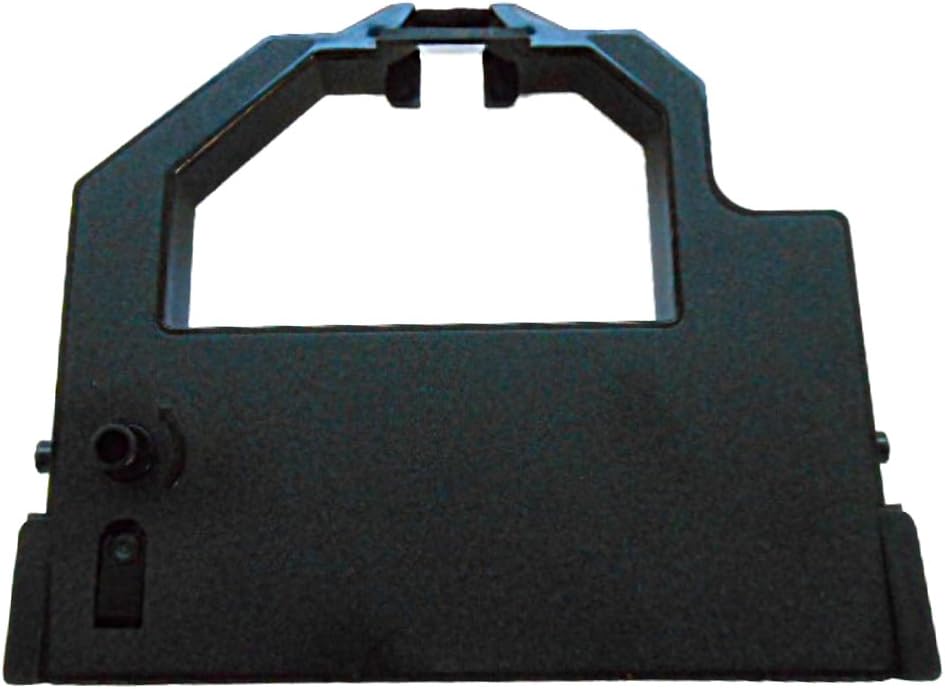
Figure 3: Another angled view of the Farbbandfabrik black ink ribbon cartridge. This view provides additional detail on the cartridge's structure, which aids in proper orientation during installation.
Warranty and Support
For information regarding warranty coverage or technical support for your Farbbandfabrik ink ribbon, please contact the manufacturer directly. Details can often be found on the product packaging or the manufacturer's official website.
Manufacturer: F=T=I-Farbbandfabrik MEHMET DEMIRKAYA
Note: This manual pertains specifically to the ink ribbon. For printer-related issues, please consult the user manual provided with your NEC P72 X-GR.682 printer.