
Introduction to Actionscript 3 Programming
Have you always wanted to create Flash animations but never really knew how? This book is designed specifically for you! "Program in Actionscript 3" is a step-by-step guide for beginners, teaching you Actionscript 3, the powerful programming language behind Flash.
This manual will help you navigate the book's content and maximize your learning experience, covering everything from fundamental concepts to advanced techniques in Flash animation and interactive application development.
Getting Started with the Book
To begin your journey into Actionscript 3, simply open the book and start with the first chapter. The content is structured progressively, building knowledge from basic principles to more complex topics.
What You Will Learn:
- The basics of Actionscript syntax and structure.
- Object-oriented programming (OOP) concepts.
- Creating vector drawings programmatically.
- Manipulating images within Flash.
- Implementing animations and interpolations.
- Handling user interaction and events.
- Developing mini-games and interactive applications.

Figure 1: Front cover of the "Program in Actionscript 3" book. This image displays the main title and authors, providing a visual representation of the product.
Operating and Learning Process
The book is designed for self-paced learning. Each chapter introduces new concepts with clear explanations and practical examples. It is recommended to follow along with the code examples and practice them to solidify your understanding.
Key Learning Strategies:
- Read Actively: Pay close attention to the explanations and theoretical concepts.
- Code Along: Replicate the code examples provided in the book. This hands-on approach is crucial for programming.
- Experiment: Modify the examples, try different values, and observe the outcomes to deepen your understanding.
- Review: Periodically revisit previous chapters to reinforce learned material.
Further Learning and Resources
Upon completing this book, you will have a strong foundation in Actionscript 3. To continue your learning journey, consider exploring more advanced topics, participating in online communities, or working on personal projects.
The publisher, OpenClassrooms, offers a vibrant e-learning platform with additional courses and resources. You can find more information and join their community at www.openclassrooms.com.
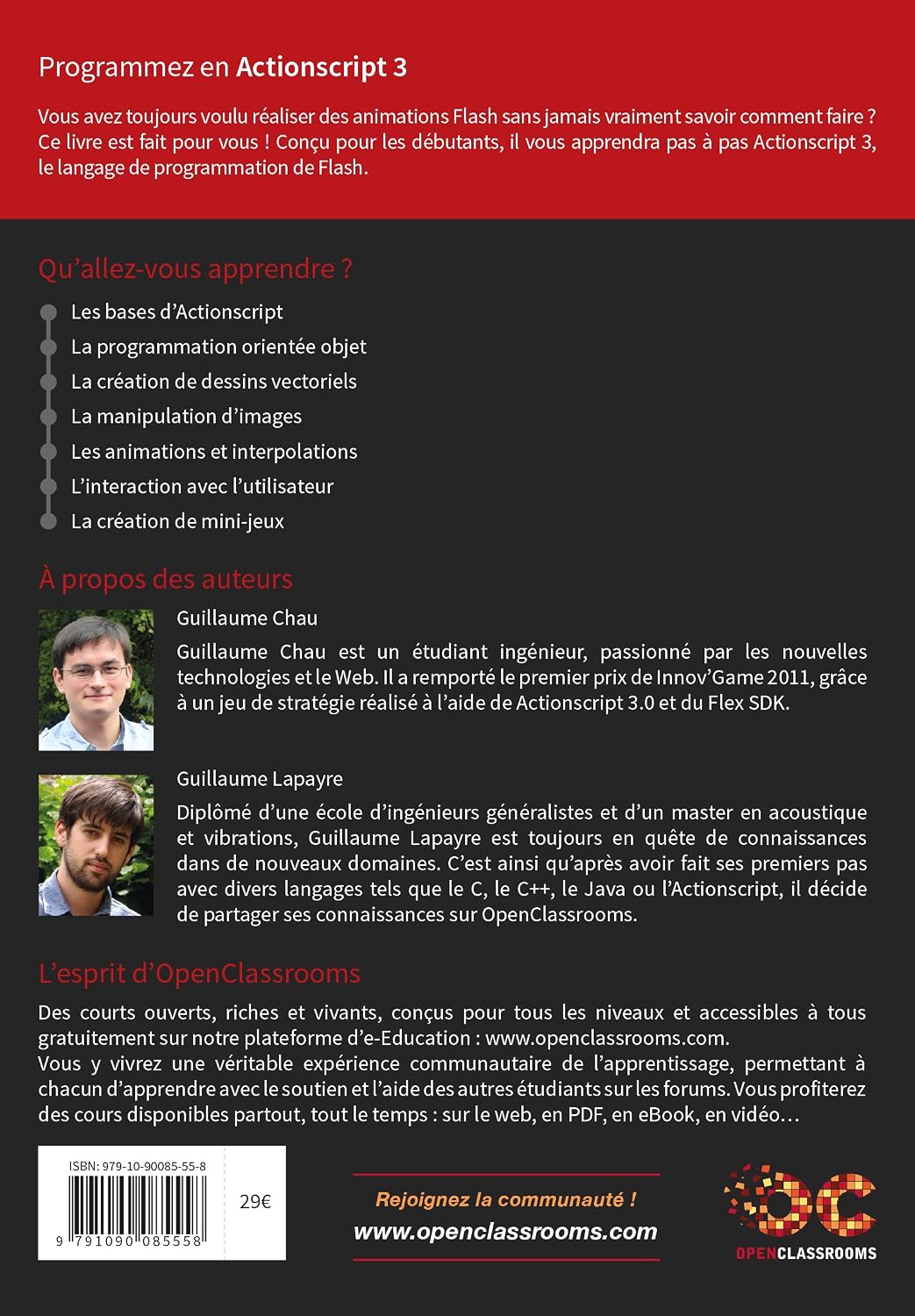
Figure 2: Back cover of the "Program in Actionscript 3" book. This image provides details about the authors, the publisher's philosophy, and a call to action to join the OpenClassrooms community.
Common Challenges and Solutions
Learning programming can present challenges. Here are some common issues and tips to overcome them:
- Syntax Errors: These are common. Double-check your code against the examples. Even a missing semicolon or a typo can cause an error.
- Logical Errors: Your code runs but doesn't do what you expect. Break down the problem into smaller parts, test each part, and use debugging tools if available.
- Feeling Stuck: It's normal to get stuck. Take a break, revisit the relevant section of the book, or search for solutions online. The OpenClassrooms community can also be a valuable resource.
Product Specifications
| Specification | Detail |
|---|---|
| Title | Programmez en Actionscript 3 |
| Authors | Guillaume Chau, Guillaume Lapayre |
| Publisher | EYROLLES |
| Publication Date | February 25, 2014 |
| Language | French |
| Print Length | 606 pages |
| ISBN-13 | 979-1090085558 |
| Item Weight | 2.43 pounds (1.1 kg) |
| Dimensions | 6.69 x 1.26 x 9.45 inches (17 x 3.2 x 24 cm) |
| Series | OpenClassrooms |
Support and Community
For additional support, questions, or to connect with other learners, we encourage you to visit the official OpenClassrooms community website:
OpenClassrooms Community: www.openclassrooms.com
This platform offers forums, additional courses, and resources that can complement your learning from this book.