
Introduction
This manual provides essential information for setting up, operating, and maintaining your Samsung Galaxy S4 Mini smartphone. Please read through these instructions carefully to ensure optimal performance and longevity of your device.
Setup
1. Unpacking Your Device
Carefully remove all components from the packaging. Ensure you have the Samsung Galaxy S4 Mini smartphone, battery, charger, and any included documentation.
2. Installing the SIM Card and Battery
- Gently remove the back cover of the phone.
- Insert your SIM card into the designated slot. Ensure it is correctly oriented.
- Insert the battery into its compartment, aligning the gold contacts.
- Replace the back cover, pressing firmly until it clicks into place.
3. Initial Power On and Basic Configuration
- Press and hold the Power button until the Samsung logo appears.
- Follow the on-screen prompts to select your language, connect to a Wi-Fi network, and set up your Google account.
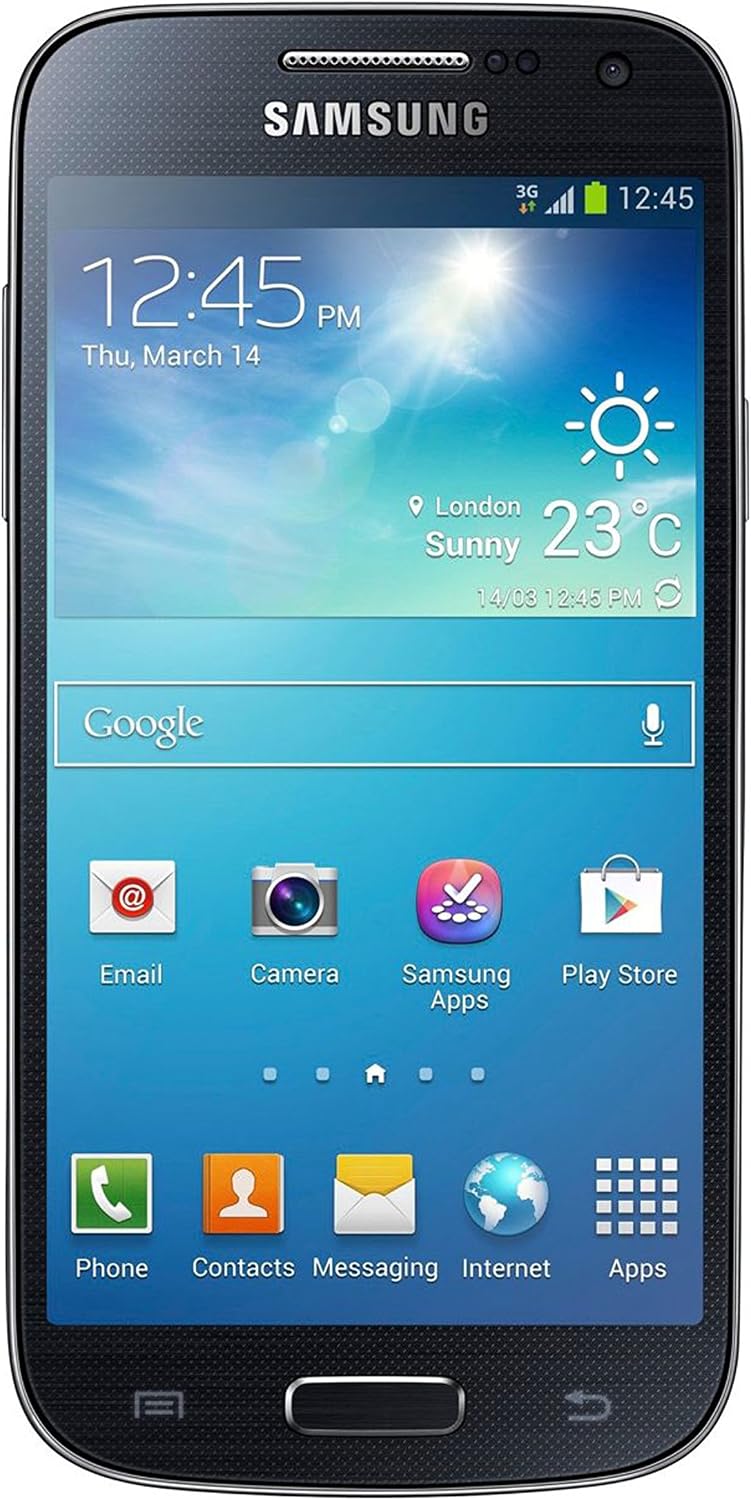
Figure 1: Front view of the Samsung Galaxy S4 Mini displaying the home screen.
Operating Your Device
1. Display and Navigation
- The device features a 4.3-inch touchscreen display with a resolution of 960 x 540 pixels.
- Navigate through menus and applications by tapping, swiping, and pinching on the screen.
- The Home button, located below the screen, returns you to the main home screen.
- Access notifications by swiping down from the top of the screen.
2. Camera Functions
The Galaxy S4 Mini is equipped with an 8-megapixel rear camera and a front-facing camera for photos and video calls.

Figure 2: Rear view of the Samsung Galaxy S4 Mini, highlighting the 8MP camera and LED flash.
- To open the camera, tap the Camera icon on the home screen or app drawer.
- Available shot modes include Sports, Best Face, and Panorama. Select your desired mode from the camera interface.
- Tap the shutter button to capture a photo or the record button to start/stop video recording.
3. Connectivity
- Wi-Fi: Connect to wireless networks for internet access. Go to Settings > Wi-Fi to manage connections.
- Bluetooth: Pair with other Bluetooth-enabled devices like headsets or speakers. Access via Settings > Bluetooth.
- S Beam: Share files between two S Beam-enabled devices by touching them back-to-back.
- USB: Connect your device to a computer using a USB cable for data transfer and charging.
4. Storage and Memory
The device comes with 16 GB of internal storage. You can expand storage using a microSD card (sold separately).
5. Battery Management
The Galaxy S4 Mini is powered by a Lithium Ion battery. To optimize battery life:
- Adjust screen brightness.
- Close unused applications.
- Disable Wi-Fi, Bluetooth, or GPS when not in use.
Maintenance
1. Software Updates
Ensure your device's software is up to date for optimal performance and security. Check for updates via Settings > About device > Software update.
2. Cleaning Your Device
Use a soft, lint-free cloth to clean the screen and body of your phone. Avoid harsh chemicals or abrasive materials.
3. Battery Care
Avoid exposing the battery to extreme temperatures. Use only Samsung-approved chargers and cables.
Troubleshooting
- Device not responding: Press and hold the Power button for 10 seconds to force a restart.
- Battery draining quickly: Review battery usage in Settings to identify power-consuming apps. Reduce screen brightness and disable unnecessary features.
- Connectivity issues: Restart your device and router for Wi-Fi problems. For Bluetooth, ensure both devices are in pairing mode and within range.
- Storage full: Delete unnecessary files, clear app caches, or move media to a microSD card.
Specifications
| Feature | Specification |
|---|---|
| Model Name | Galaxy S4 Mini |
| Display Size | 4.3 Inches |
| Display Resolution | 960 x 540 pixels |
| Operating System | Android 4.2 (Jelly Bean) |
| Processor Speed | 1.7 GHz |
| RAM | 16 GB (Internal Storage) |
| Rear Camera | 8 MP |
| Connectivity | 4G, USB |
| Battery | 1 Lithium Ion battery (included) |
| Talk Time | 660 Minutes |
| Standby Time (with data) | 300 hours |
| Product Dimensions | 2.4 x 0.4 x 4.9 inches |
| Item Weight | 4.6 ounces |
Warranty and Support
For detailed warranty information and customer support, please refer to the documentation included with your product or visit the official Samsung support website. Keep your proof of purchase for warranty claims.