TFA 60.1506

TFA Dostmann Analogue Radio Alarm Clock 60.1506 User Manual

Model: 60.1506

1. Product Overview

The TFA Dostmann Analogue Radio Alarm Clock 60.1506 is designed for precise timekeeping and reliable alarm functions. It features a radio-controlled mechanism for automatic time synchronization, a quiet sweep movement for undisturbed sleep, and an illuminated display for easy readability in low light conditions. This clock is suitable for indoor use, typically on a tabletop.
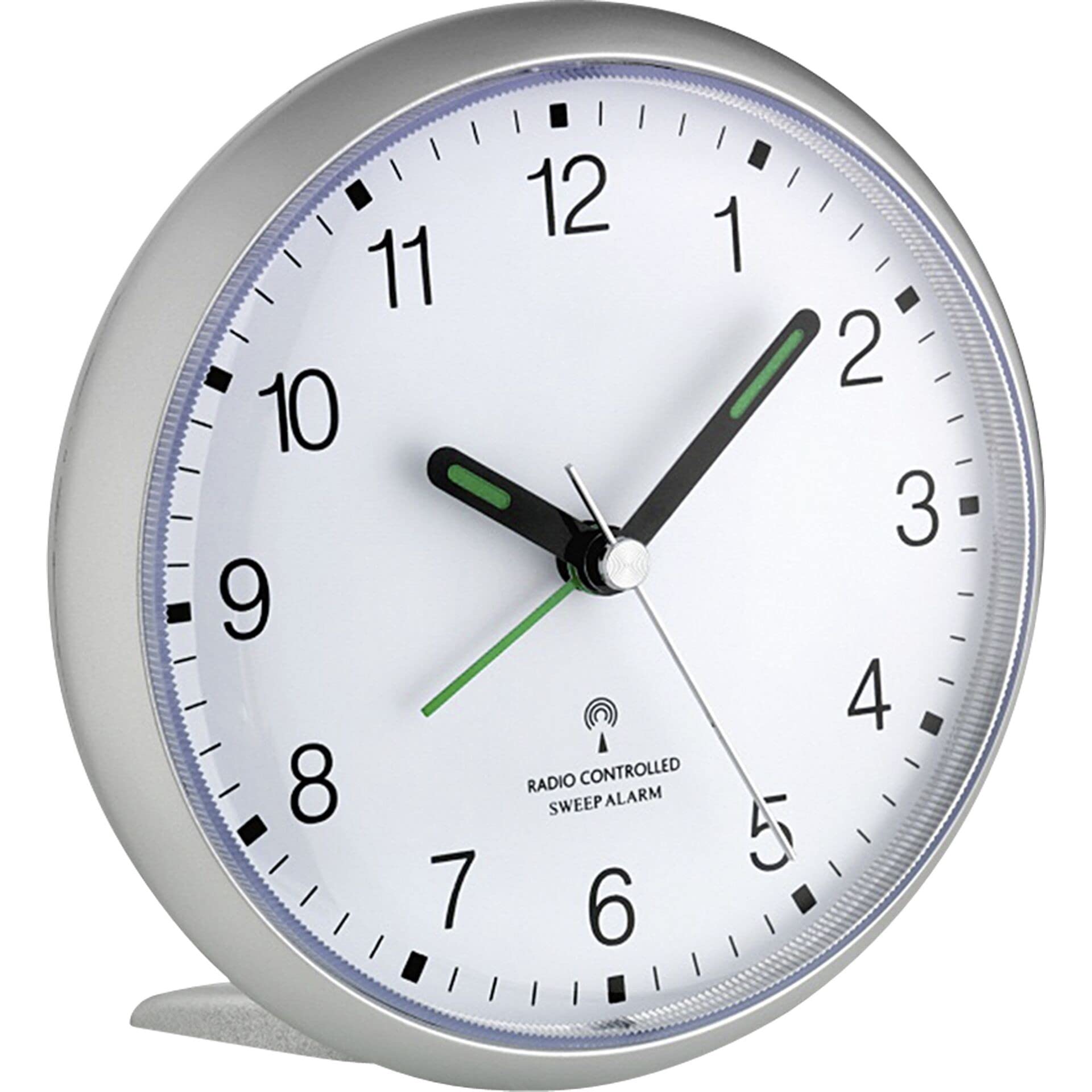
TFA Dostmann Analogue Radio Alarm Clock 60.1506, showing its front face and approximate size in a hand.

Figure 1: TFA Dostmann Analogue Radio Alarm Clock 60.1506. The image displays the silver-colored clock with a white dial, black numbers, and green hands. It is shown held in a hand, indicating its compact size, approximately 11 cm (4.4 inches) in height.

2. Setup Instructions

2.1 Battery Installation

  1. Locate the battery compartment cover on the back of the alarm clock.
  2. Remove the cover by sliding or lifting it according to the markings.
  3. Insert one (1) AA 1.5V battery, ensuring the correct polarity (+ and -) as indicated inside the compartment.
  4. Replace the battery compartment cover securely.
  5. Note: Batteries are not included with the product and must be purchased separately.

2.2 Initial Time Synchronization

Upon battery installation, the clock will automatically attempt to synchronize with the DCF-77 radio signal from Frankfurt, Germany. This process may take several minutes. Ensure the clock is placed in an area with good reception, away from electronic devices that may cause interference.

  • Place the clock on a stable, flat surface, such as a tabletop.
  • Avoid placing the clock near large metal objects or other electronic devices that could obstruct the radio signal.
  • The clock will automatically adjust for daylight saving time (summer/winter time) changes.

3. Operating Instructions

3.1 Reading the Time

The clock features an analogue display with large, easy-to-read numbers and luminous hands. In low light conditions, press the snooze/light button (typically located on top of the clock) to activate the backlight for approximately 5 seconds, illuminating the dial for better visibility.

3.2 Setting the Alarm

  1. Locate the alarm setting knob/switch on the back or side of the clock.
  2. Rotate the alarm setting knob to move the alarm hand to your desired wake-up time.
  3. Ensure the alarm ON/OFF switch (if present) is in the "ON" position.

The alarm signal is designed to increase in volume gradually, starting softly and becoming louder to ensure you wake up effectively.

3.3 Snooze Function

When the alarm sounds, press the large snooze/light button on the top of the clock. The alarm will pause and then repeat after approximately 5 minutes. You can typically press the snooze button multiple times.

3.4 Quiet Sweep Movement

This alarm clock is equipped with a quiet sweep movement. The second hand moves continuously rather than in distinct ticks, minimizing noise and providing a peaceful environment, especially in bedrooms.

4. Maintenance

4.1 Battery Replacement

It is recommended to replace the AA battery approximately once per year to ensure optimal performance and accurate timekeeping. Low battery power can affect the clock's accuracy and the alarm's functionality. Follow the battery installation steps in Section 2.1.

4.2 Cleaning

To clean the clock, gently wipe the surface with a soft, dry, or slightly damp cloth. Do not use abrasive cleaners, solvents, or chemical sprays, as these can damage the clock's finish or internal components. Ensure no moisture enters the battery compartment or other openings.

5. Troubleshooting

ProblemPossible CauseSolution
Clock does not display correct time or time is not set.
  • New battery not installed or battery is low.
  • Poor reception of the DCF-77 radio signal.
  • Clock is too far from the signal source (Frankfurt, Germany).
  • Install a fresh AA battery.
  • Relocate the clock to a different position, preferably near a window and away from electronic interference.
  • Allow up to 24 hours for the clock to receive and process the signal, especially after initial setup or battery change.
Alarm does not sound.
  • Alarm is not set or alarm switch is OFF.
  • Battery is too low to power the alarm.
  • Verify the alarm time is set correctly and the alarm switch is ON.
  • Replace the battery with a fresh AA battery.
Backlight is dim or not working.
  • Battery is low.
  • Replace the battery with a fresh AA battery.
Second hand movement is inconsistent (e.g., slower uphill).
  • This is a characteristic of some sweep movements and generally does not affect time accuracy.
  • No action required unless time accuracy is affected. If accuracy is an issue, replace the battery.

6. Specifications

  • Model Number: 60.1506
  • Brand: TFA Dostmann
  • Display Type: Analog
  • Movement: Radio-controlled, Quiet Sweep Movement (Mechanical)
  • Power Source: 1 x 1.5V AA Battery (not included)
  • Special Features: Alarm, Illuminated (backlight), Large Display, Luminous Hands, Snooze Function (5 minutes)
  • Material: Plastic
  • Color: Silver (variant shown)
  • Dimensions (L x W x H): 110 x 52 x 107 mm (4.33 x 2.05 x 4.21 inches)
  • Item Weight: 131 Grams (0.29 lbs)
  • Mounting Type: Tabletop
  • Indoor/Outdoor Usage: Indoor
  • Radio Signal: DCF-77 (from Frankfurt, Germany)

7. Warranty and Support

7.1 Warranty Information

Specific warranty details for the TFA Dostmann Analogue Radio Alarm Clock 60.1506 are not provided in this manual. Please refer to the documentation included with your purchase or contact the retailer/manufacturer directly for warranty terms and conditions.

7.2 Customer Support

For technical assistance, spare parts, or further inquiries, please contact your point of purchase or visit the official TFA Dostmann website for customer support contact information.

© 2024 TFA Dostmann. All rights reserved.

Ask a question about this manual

Ask about setup, troubleshooting, compatibility, parts, safety, or missing instructions. Manuals+ will review the question and use this page’s manual context to help answer it.

After a successful submission, we securely hash the supplied account or form email before sending it to Microsoft Advertising for conversion attribution. Privacy details.