
Introduction
Thank you for choosing the Hampton Bay Southwind 52-inch Ceiling Fan. This manual provides detailed instructions for the safe installation, operation, and maintenance of your new ceiling fan. Please read this manual thoroughly before beginning installation and keep it for future reference. This fan features a matte white finish, five reversible blades (white and maple), a frosted glass bowl light fixture, and a convenient remote control for ease of use. It is designed for indoor use in large rooms and offers quiet, wobble-free operation with patented Accu-Arm Technology.

Image: The Hampton Bay Southwind 52-inch ceiling fan in matte white with its accompanying remote control. The fan features five blades and a frosted glass light kit.
Safety Information
Always follow basic safety precautions when installing and operating electrical appliances. Failure to do so may result in fire, electric shock, or personal injury.
- Read all instructions carefully before beginning installation.
- Turn off power at the main circuit breaker or fuse box before installing or servicing the fan.
- All wiring must be in accordance with national and local electrical codes. If you are unfamiliar with wiring, consult a qualified electrician.
- Ensure the installation site allows for the fan blades to rotate without obstruction. A minimum clearance of 7 feet from the floor to the blade is recommended.
- The mounting structure must be capable of supporting the weight of the fan (approximately 23 pounds).
- Do not connect the fan to a dimmer switch or rheostat, other than the included remote control's dimming function.
- Avoid placing objects in the path of the fan blades.
- Do not attempt to repair or modify the fan yourself. Contact qualified service personnel for repairs.
Package Contents
Carefully unpack all components and ensure you have received all items listed below. If any parts are missing or damaged, do not proceed with installation and contact customer service.
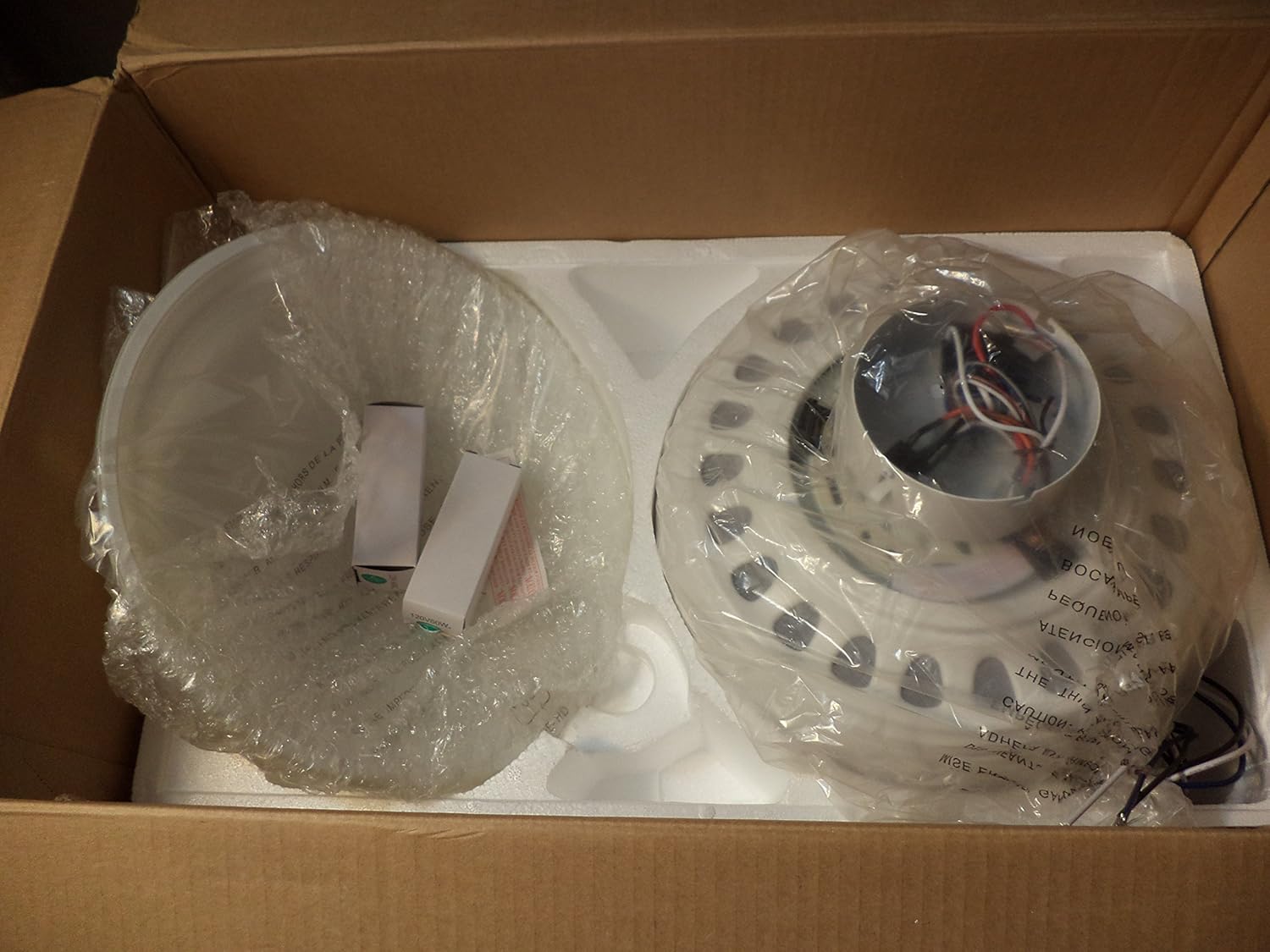
Image: Contents of the Hampton Bay Southwind ceiling fan box, showing the main motor housing, light kit, and fan blades, all individually wrapped for protection.

Image: All components of the Hampton Bay Southwind ceiling fan laid out, including the motor assembly, remote control, light kit, blade arms, and reversible fan blades.
- Ceiling Fan Motor Assembly
- Five Reversible Fan Blades (White/Maple)
- Five Blade Arms
- Frosted Glass Bowl Light Fixture
- Remote Control with Wall Mount
- 4.5-inch Downrod
- Mounting Bracket and Hardware Kit
- Two 60-watt Candelabra Bulbs
- Instruction Manual (this document)
Setup and Installation
This fan supports Tri-mount installation: close-to-ceiling, standard (with downrod), or angled mount. Ensure power is OFF at the circuit breaker before starting.
- Prepare the Mounting Location: Securely attach the mounting bracket to a ceiling joist or an outlet box approved for fan support. Ensure the structure can support the fan's weight.
- Assemble Fan Blades: Attach each fan blade to its respective blade arm using the provided screws. The blades are reversible, allowing you to choose between the white or maple finish.
- Attach Blade Arms to Motor: Securely fasten the assembled blade arms to the fan motor housing. The patented Accu-Arm Technology ensures accurate and easy installation for quiet, wobble-free operation.
- Wire the Fan: Connect the fan's electrical wires to the household wiring according to the wiring diagram in the full instruction manual (not provided here). Ensure all connections are secure and insulated.
- Mount the Fan: Carefully lift the fan assembly and hang it from the mounting bracket. Secure the canopy to the mounting bracket.
- Install Light Kit: Connect the light kit wires to the fan motor's light kit wires. Attach the frosted glass bowl light fixture to the fan housing.
- Install Bulbs: Screw in the two 60-watt candelabra bulbs into the light kit sockets.

Image: Close-up view of the Hampton Bay Southwind ceiling fan's frosted glass light bowl, two candelabra bulbs, and blade arms, ready for assembly.

Image: One of the reversible fan blades, showing the maple wood grain finish. The other side is white.
Operating Instructions
Your Hampton Bay Southwind ceiling fan is operated by the included remote control.
- Power On/Off: Ensure power is restored at the circuit breaker. The fan is now ready for operation.
- Remote Control Functions:
- LIGHT / DIMMER: Press to turn the light on or off. Press and hold to dim or brighten the light.
- HI: Sets fan speed to High.
- MED: Sets fan speed to Medium.
- LO: Sets fan speed to Low.
- FAN OFF: Turns the fan off.
- Reverse Function: The fan includes a manual reverse function, typically a switch located on the fan motor housing. This allows you to change the direction of airflow for seasonal comfort (downward airflow for cooling in summer, upward airflow for circulating warm air in winter). Ensure the fan is off before changing the direction.
Maintenance
Regular maintenance will help prolong the life and appearance of your ceiling fan.
- Cleaning: To clean the fan, wipe with a soft, damp cloth. Do not use abrasive cleaners or solvents, as these may damage the finish.
- Blade Cleaning: Clean the fan blades periodically to prevent dust buildup, which can cause wobbling.
- Light Kit: Ensure the light kit is clean and free of dust. Replace bulbs only after they have cooled down.
- Tighten Fasteners: Periodically check all screws and fasteners on the fan and mounting hardware to ensure they are secure.
- No Lubrication Required: The fan motor is permanently lubricated and does not require oiling.
Troubleshooting
If you experience issues with your fan, consult the following troubleshooting guide before contacting customer support.
| Problem | Possible Cause | Solution |
|---|---|---|
| Fan does not start. | No power to the fan; loose wire connections; remote control battery low or not paired. | Check circuit breaker/fuses. Ensure all wire connections are secure. Replace remote battery or re-pair remote if necessary. |
| Fan wobbles. | Loose blade screws; unbalanced blades; loose mounting bracket. | Tighten all blade screws. Check for bent blade arms. Ensure mounting bracket is securely fastened. Use a blade balancing kit if needed. |
| Light does not work. | Bulb burned out; loose wire connection in light kit; remote control issue. | Replace bulbs. Check light kit wiring connections. Ensure remote battery is good. |
| Noisy operation. | Loose screws; motor hum; fan not properly seated. | Check and tighten all screws. Some motor hum is normal. Ensure fan is securely mounted. |
Specifications
| Feature | Detail |
|---|---|
| Brand | Hampton Bay |
| Model Name | Southwind |
| Model Number | 813 545 |
| Size | 52 inches |
| Color | Matte White |
| Blade Finish | Reversible (White / Maple) |
| Light Kit | Frosted Glass Bowl |
| Bulb Type | 2 x 60-watt Candelabra (included) |
| Control Method | Remote Control |
| Airflow Capacity | Up to 4,961 CFM |
| Motor Size | 153 x 15 mm |
| Downrod Length | 4.5 inches |
| Installation Type | Tri-mount (close-to-ceiling, standard, angled) |
| Indoor/Outdoor Use | Indoor Use Only |
| Voltage | 120 Volts |
| Wattage | 120 watts |
| Item Weight | 23 Pounds |
| Product Dimensions (Assembled) | 52"D x 52"W x 19.3"H |
Warranty and Support
For warranty information or technical support, please refer to the warranty card included with your product or visit the official Hampton Bay website. You may also contact Hampton Bay customer service directly for assistance with installation, operation, or parts replacement.
Please have your model number (813 545) and purchase date available when contacting support.