
Introduction
The HUBSAN X4 H107D is a compact quadcopter featuring a built-in FPV (First Person View) camera. It offers real-time video transmission to a 4.3-inch LCD screen on the transmitter, allowing for an immersive flight experience. Designed for both indoor and outdoor use, this quadcopter incorporates a stable 6-axis flight control system with adjustable gyro sensitivity. This manual provides essential information for the safe and effective operation, maintenance, and troubleshooting of your HUBSAN X4 H107D FPV Quadcopter.
What's in the Box
Verify that all components are present before proceeding with setup.
- HUBSAN H107D X4 Quadcopter with FPV Camera (White)
- 4-Channel, 2.4GHz Transmitter with FPV Screen for X4 H107D
- Set of Four Replacement Propellers (Black/White)
- Protection Ring for X4 H107D Quadcopter (White)
- Replacement Rubber Feet for X4 H107D Quadcopter (White)
- X4 Quadcopter Rechargeable Flight Battery (3.7V, 380mAh LiPo)
- USB Charger for X4 H107D Quadcopter Flight Battery
- Propeller Blade Removal Wrench

Image: HUBSAN X4 H107D FPV Quadcopter and its transmitter, as typically found in the product packaging.
Setup
1. Charging the Flight Battery
- Connect the 3.7V, 380mAh LiPo flight battery to the USB charging cable.
- Plug the USB charging cable into a computer USB port or a compatible USB wall charger.
- The charging time is approximately 30 minutes. The charger's indicator light will change or turn off once charging is complete.
2. Transmitter Battery Installation
- Open the battery compartment on the back of the transmitter.
- Insert 4 AA batteries, ensuring correct polarity.
- Close the battery compartment securely.
3. Propeller Installation
- Ensure the correct propellers are installed on the corresponding motor shafts. Propellers are typically marked (e.g., A or B) and should match the markings on the quadcopter's arms or motor mounts.
- Gently push the propellers onto the motor shafts until they are snug. Do not force them.
- Use the provided propeller blade removal wrench for safe removal if needed.
4. Protection Ring Installation
- Attach the white protection ring around the quadcopter's propellers. This helps protect the propellers and the quadcopter during collisions.
- Ensure the ring is securely fastened and does not interfere with propeller rotation.
5. Initial Calibration
- Place the quadcopter on a flat, level surface.
- Power on the quadcopter, then power on the transmitter.
- Perform the automatic calibration procedure as detailed in the quick start guide or on the transmitter's FPV screen. This typically involves moving both control sticks to a specific corner or pattern to reset the gyroscopes.
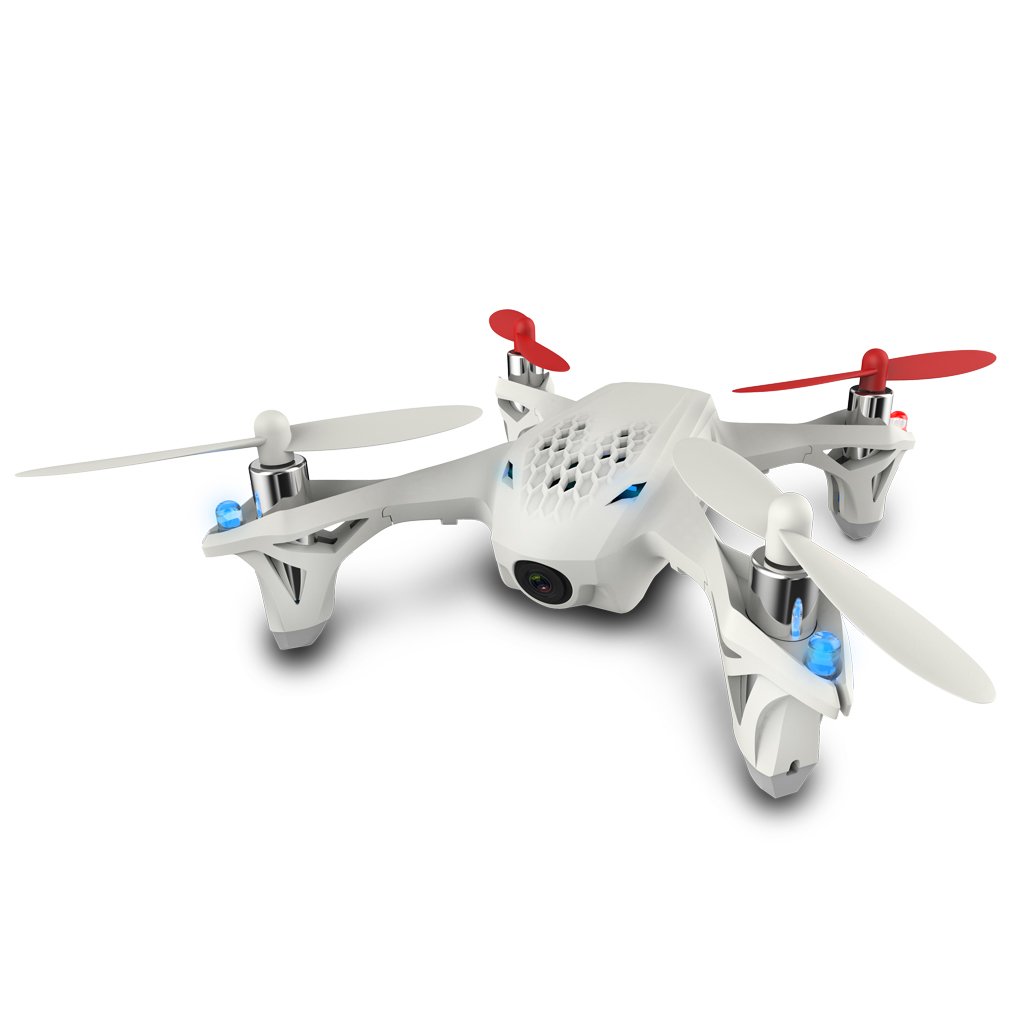
Image: The HUBSAN X4 H107D FPV Quadcopter alongside its dedicated transmitter with an integrated FPV screen.
Operating Instructions
1. Powering On and Binding
- Ensure the quadcopter battery is fully charged and installed.
- Place the quadcopter on a level surface.
- Power on the quadcopter. The LED lights will flash.
- Power on the transmitter. Move the left joystick (throttle) all the way up, then all the way down. The transmitter will beep, and the quadcopter's lights will become solid, indicating a successful bind.
2. Basic Flight Controls
- Left Joystick (Throttle/Yaw): Controls altitude (up/down) and rotation (left/right).
- Right Joystick (Pitch/Roll): Controls forward/backward movement (pitch) and left/right sideways movement (roll).
- The 6-axis flight control system provides stable flight characteristics.
3. FPV Operation and Video Recording
- The transmitter features a 4.3-inch LCD screen for real-time FPV video feed from the quadcopter's 0.3M pixel camera (640x480 resolution).
- To record video, ensure a Micro SDHC class 6 (2-16GB, optional) memory card is inserted into the transmitter. Use the designated button on the transmitter to start and stop recording.
- Live video transmission distance is approximately 100 meters.
4. Flight Modes and Features
- Normal Mode: Provides a more stable and forgiving flight experience, ideal for beginners.
- Expert Mode: Increases responsiveness and allows for advanced maneuvers, including flips. Refer to the transmitter's manual for specific flip instructions.
- LED Lights: The quadcopter is equipped with 4 night LED lights. These can be turned off via the transmitter to conserve battery power.
5. Flight Duration and Range
- Expected flight time is around 7 minutes on a full charge.
- Control distance ranges from 50 to 100 meters.
- When the battery is low, the quadcopter's lights will begin to flash, indicating it's time to land.

Image: The HUBSAN X4 H107D FPV Quadcopter flying outdoors, showcasing its compact design.

Image: A close-up view of the HUBSAN X4 H107D FPV Quadcopter in mid-flight, with its LED lights illuminated.
Maintenance
1. Propeller Care and Replacement
- Regularly inspect propellers for damage (chips, bends, cracks). Damaged propellers can affect flight stability and efficiency.
- Replace damaged propellers immediately using the provided spares and removal wrench. Ensure new propellers are installed correctly according to their markings.
2. Quadcopter Body Durability
- The quadcopter features a lightweight airframe designed for durability and shock absorption. In the event of a crash, parts of the body may appear to separate; these are often designed to click back into place.
- Inspect the body for any significant cracks or damage after crashes.
3. Battery Care
- Always use the provided USB charging cable. The LiPo battery includes an auto cut-off safety PCB to prevent overcharging.
- Store batteries in a cool, dry place away from direct sunlight and extreme temperatures.
- If the battery connector becomes loose or damaged, professional repair may be required.
4. Cleaning
- To clean the quadcopter, especially after exposure to moisture, disassemble it carefully.
- Use canned air to remove debris and moisture. A warm hairdryer can be used on a low setting to ensure components are dry before reassembly.

Image: The HUBSAN X4 H107D FPV Quadcopter featuring both red and white propellers, illustrating propeller types.
Troubleshooting
1. Quadcopter is Unstable or Drifts
- Recalibrate Gyro: Ensure the quadcopter is on a flat, level surface and perform the automatic calibration procedure.
- Check Propellers: Inspect all propellers for damage or incorrect installation. Even minor damage can cause instability. Ensure the correct propeller type (A/B) is on the correct motor.
- Trim Adjustment: Use the trim buttons on the transmitter to fine-tune stability if minor drifting occurs.
2. No Power or Quadcopter Not Responding
- Check Batteries: Ensure both the quadcopter's flight battery and the transmitter's AA batteries are fully charged and correctly installed.
- Re-bind: Power off both the quadcopter and transmitter, then follow the binding procedure in the Operating Instructions.
3. Poor FPV Video Quality or Interference
- Environmental Factors: FPV signal can be affected by obstacles, distance, and other 5.8GHz devices. Try flying in an open area with less interference.
- SD Card: Ensure the Micro SD card is properly inserted and formatted.
- Lens Condition: Check the camera lens for dirt or damage.
4. Short Flight Time or Transmitter Battery Drain
- Flight Battery: Ensure the flight battery is fully charged. Battery performance can degrade over time; consider replacing older batteries.
- Transmitter Batteries: The FPV screen consumes significant power. Use high-quality alkaline or rechargeable AA batteries for the transmitter. Consider having spare or rechargeable AA batteries readily available.
- LED Lights: Turning off the quadcopter's LED lights can slightly extend flight time.
Specifications
| Feature | Detail |
|---|---|
| Model Name | X4 (H107D) |
| Brand | HUBSAN |
| Flight Control System | Latest 6-axis with adjustable gyro sensitivity |
| Motor Type | 0820 Coreless Micro Brushed |
| Frequency | 2.4GHz (Control) + 5.8GHz (Video transmission) |
| Transmitter | 2.4GHz 4 channels with 4.3 Inch LCD |
| Control Distance | 50 - 100 meters |
| Live Video Distance | Around 100 meters |
| Flight Battery | 3.7V, 380mAh Li-Po with auto cut-off safety PCB |
| Charging Time | About 30 minutes |
| Flight Time | Around 7 minutes |
| Camera | 0.3M pixels, Resolution: 640 x 480 (480p) |
| Memory Card | Micro SDHC class6 2-16G (optional), inserted in TX |
| Special Features | Integrated Camera, FPV-capable, 4 Night LED lights, Rubber feet |
| Material | Plastic |
| Item Weight | 0.8 Pounds |
| Age Rating | Adult (14+ with Adult Supervision recommended) |
Warranty
This product is sold with No Warranty. Please refer to the retailer's return policy for any initial defects or issues upon receipt.
Support
For further assistance or detailed operational videos, please visit the official HUBSAN website or search for instructional videos on platforms like YouTube. Many community-created resources are available that can provide additional tips and tricks for flying and maintaining your HUBSAN X4 H107D FPV Quadcopter.
Always ensure you are operating the quadcopter in a safe and responsible manner, adhering to local regulations for drone operation.


