
Product Overview
The Prym 611916-1 Mini Steam Iron is a compact and powerful ironing solution designed for convenience and versatility. Ideal for travel, crafting, and quick touch-ups, this iron features dual voltage capability, a non-stick soleplate, and a robust steam function to keep your fabrics smooth and pristine.
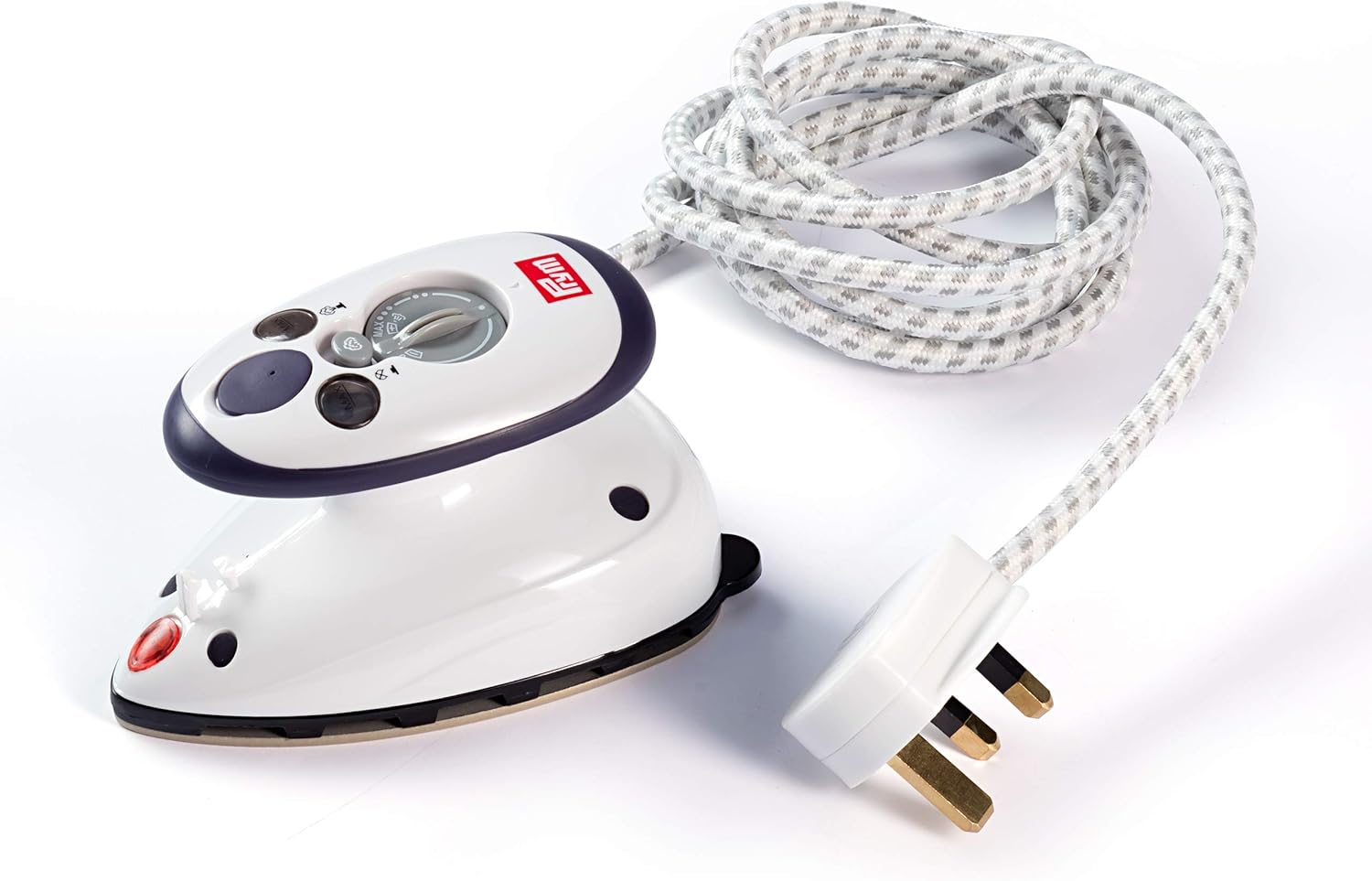
Image: The Prym 611916-1 Mini Steam Iron, showcasing its compact design and controls.
Setup
Unboxing and Initial Inspection
Upon unboxing, ensure all components are present: the Prym 611916-1 Mini Steam Iron, a measuring cup, and a carrying bag. Inspect the iron for any visible damage.

Image: The Prym Mini Steam Iron in its original packaging, highlighting the compact size and included accessories.
Voltage Selection
The iron features dual voltage capability (100-127V / 220-240V), making it suitable for international travel. Locate the voltage selector switch on the back of the iron. Use a small tool (e.g., a coin) to slide the switch to the appropriate voltage for your region before plugging in the iron.

Image: Close-up of the Prym Mini Steam Iron's UK plug, illustrating the power connection.
Filling the Water Tank
- Ensure the iron is unplugged and cool.
- Open the water filler cap located on the top of the iron.
- Using the provided measuring cup, carefully pour water into the tank up to the 'MAX' line. Do not overfill.
- Close the water filler cap securely.

Image: The Prym Mini Steam Iron shown with its measuring cup and carrying bag, demonstrating the complete set.
Operating Instructions
Powering On and Temperature Setting
- Plug the iron into a suitable power outlet. The indicator light will illuminate.
- Turn the temperature dial to select the desired heat setting for your fabric type. The indicator light will turn off once the iron reaches the set temperature (approximately 1 minute).
Steam Function
To activate steam, ensure the water tank is filled and the iron is at the correct temperature. Press the steam button located on the top of the iron. Steam will be released through the soleplate holes. To turn off steam, press the button again.

Image: The Prym Mini Steam Iron being used on fabric, illustrating its compact size and ease of handling.
Ironing Tips
- For best results, iron fabrics on a clean, heat-resistant surface.
- The compact size is ideal for intricate tasks like quilting, crafting, and pressing seams.
- The non-stick soleplate ensures smooth gliding over various materials.
Video: Official product video demonstrating the features and use of a similar mini steam iron by a seller. It highlights the iron's portability and effectiveness for various fabrics and crafts.
Video: Product overview video from Amazon Product Imaging, a seller, showcasing the mini iron's design and basic functions. This video provides a quick visual guide to the product.
Maintenance
After Each Use
- Always unplug the iron and allow it to cool completely before cleaning or storing.
- Empty any remaining water from the tank to prevent mineral buildup and leakage.
- Wipe the non-stick soleplate with a soft, damp cloth if necessary. Do not use abrasive cleaners or scouring pads.

Image: Underside view of the Prym Mini Steam Iron, showing its non-stick soleplate with steam holes.
Troubleshooting
- Iron not heating: Ensure the iron is properly plugged in and the voltage selector switch is set correctly for your region. Check the temperature dial setting.
- No steam: Verify the water tank is filled and the iron has reached the selected temperature. Ensure the steam button is pressed.
- Water leakage: Ensure the water tank is not overfilled and the filler cap is securely closed. Always empty the tank after use.
Specifications
| Brand | Prym |
| Model Number | PRYM_611916-1 |
| Wattage | 700 watts |
| Voltage | 100-127V / 220-240V (Dual Voltage) |
| Frequency | 50 Hz |
| Product Dimensions | 7.48"L x 6.69"W |
| Item Weight | 280 Grams |
| Soleplate Material | Stainless Steel (Non-stick) |
| Special Feature | Steam Boost Function |
Warranty and Support
For warranty information or product support, please refer to the documentation included with your purchase or contact Prym customer service directly. Keep your proof of purchase for any warranty claims.
