
Introduction
Thank you for choosing the Orium 11687 Giant Radio-Controlled Wall Clock. This manual provides essential information for the proper setup, operation, and maintenance of your clock. Please read these instructions carefully before use and retain them for future reference.
This clock features a radio-controlled movement for automatic time setting and adjustment for daylight saving time, ensuring precise timekeeping. It also offers excellent readability with large digits and a robust ABS casing.
Product Overview
The Orium 11687 is a large wall clock designed for clear visibility. It features a durable ABS casing, a white dial with prominent black numbers, and a protective mineral glass cover.
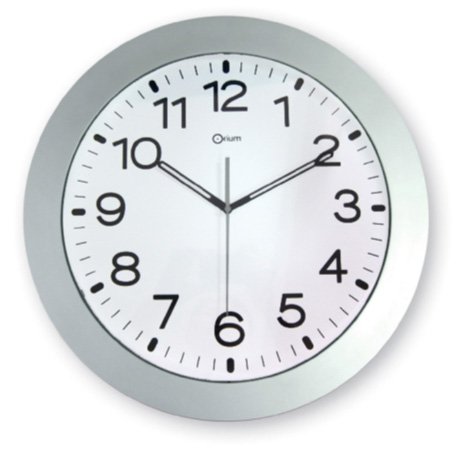
This image shows the Orium 11687 Giant Radio-Controlled Wall Clock. It features a silver ABS casing, a white dial with large black digits, and a protective glass cover.
Setup
- Battery Installation: Open the battery compartment cover on the back of the clock. Insert one LR6 (AA) battery, ensuring the correct polarity (+/-). Close the compartment cover securely.
- Initial Synchronization: After battery installation, the clock will automatically attempt to synchronize with the radio signal. The hands will move to 12:00 and then begin searching for the signal. This process may take several minutes. Ensure the clock is placed in an area with good signal reception, away from electronic devices that may cause interference.
- Mounting: Once the time is set, hang the clock securely on a wall using an appropriate hook or screw (not included).
Operating Instructions
- Automatic Time Setting: The clock automatically receives a radio signal to set the correct time. This ensures accuracy to the second.
- Automatic Summer/Winter Time Change: The clock automatically adjusts for daylight saving time (summer/winter time changes) without any manual intervention.
- Manual Adjustment (if needed): In areas with poor radio signal reception, manual time adjustment is possible. Refer to the specific buttons or dials on the back of your clock for manual setting. Typically, there is a button to initiate a signal search or to manually advance the hands.
Maintenance
- Cleaning: To clean the clock, wipe the casing and glass with a soft, dry, or slightly damp cloth. Do not use abrasive cleaners or solvents, as these may damage the finish.
- Battery Replacement: Replace the LR6 (AA) battery annually or when the clock hands stop moving or become erratic. Always dispose of used batteries responsibly.
- Environment: Avoid exposing the clock to extreme temperatures, direct sunlight for prolonged periods, or high humidity, which can affect its performance and lifespan.
Troubleshooting
| Problem | Possible Cause | Solution |
|---|---|---|
| Clock not displaying correct time. | Weak or no radio signal reception. Low battery. |
|
| Clock hands are stuck or not moving. | Depleted battery. Mechanical obstruction. |
|
| Clock resets itself unexpectedly. | Intermittent signal loss or power interruption. |
|
Specifications
| Brand | Orium |
| Model Number | 11687 |
| Color | Silver |
| Product Dimensions (L x W x H) | 38 x 5 x 38 cm |
| Weight | 1.42 Kilograms |
| Material | Plastic (ABS) |
| Visibility | Up to 40 meters |
| Digit Size | 3.1 cm (black on white dial) |
| Movement Type | Radio-controlled |
| Power Source | 1 x LR6 (AA) battery |
Warranty and Support
Orium products are manufactured to high-quality standards. For specific warranty information, please refer to the documentation included with your purchase or contact your retailer. If you encounter any issues or require technical assistance, please contact Orium customer support through their official website or the retailer where the product was purchased.
Please have your model number (11687) and purchase details ready when contacting support.


