
1. Introduction
Thank you for choosing the Rabbit Air BioGS 2.0 Air Purifier. This advanced system is designed to significantly improve your indoor air quality by effectively removing allergens, pollutants, odors, and harmful particles. Featuring a 4-stage filtration and deodorization process, including a BioGS HEPA filter and activated carbon filter, the SPA-550A is engineered for quiet operation and long-lasting performance. Please read this manual thoroughly to ensure proper setup, operation, and maintenance of your air purifier.

Figure 1: Front view of the Rabbit Air BioGS 2.0 Air Purifier.
2. Important Safety Instructions
To reduce the risk of fire, electric shock, or injury, always follow these basic safety precautions:
- Read all instructions before operating the appliance.
- Always unplug the air purifier before moving, cleaning, or performing any maintenance.
- Do not operate any appliance with a damaged cord or plug. If the cord or plug is damaged, contact customer support.
- Keep the power cord away from heated surfaces.
- Do not use the air purifier outdoors or on wet surfaces.
- Do not block air openings or place the unit on a soft surface where openings may be blocked.
- Do not insert foreign objects into any ventilation or exhaust opening.
- This appliance has a polarized plug (one blade is wider than the other). To reduce the risk of electric shock, this plug is intended to fit in a polarized outlet only one way. If the plug does not fit fully in the outlet, reverse the plug. If it still does not fit, contact a qualified electrician. Do not attempt to defeat this safety feature.
3. Product Overview
The BioGS 2.0 Air Purifier features an intuitive design with easy-to-access controls and indicators. Familiarize yourself with the main components and functions:

Figure 2: Top control panel and indicators.
Components:
- Air Outlet: Where purified air is released.
- Remote Holder: Convenient storage for the remote control.
- Control Button: Main power and mode selection.
- Air Quality Indicator: LED lights indicating current air quality.
- Fan Speed Indicators: Displays the current fan speed setting (1-5).
- Timer Indicators: Shows active timer settings.
- Negative Ion On/Off: Indicator for the negative ionizer function.
- Air Intake: Located on both sides and bottom for efficient air circulation.
- Air Quality Sensor: Detects odors and particles in the air.
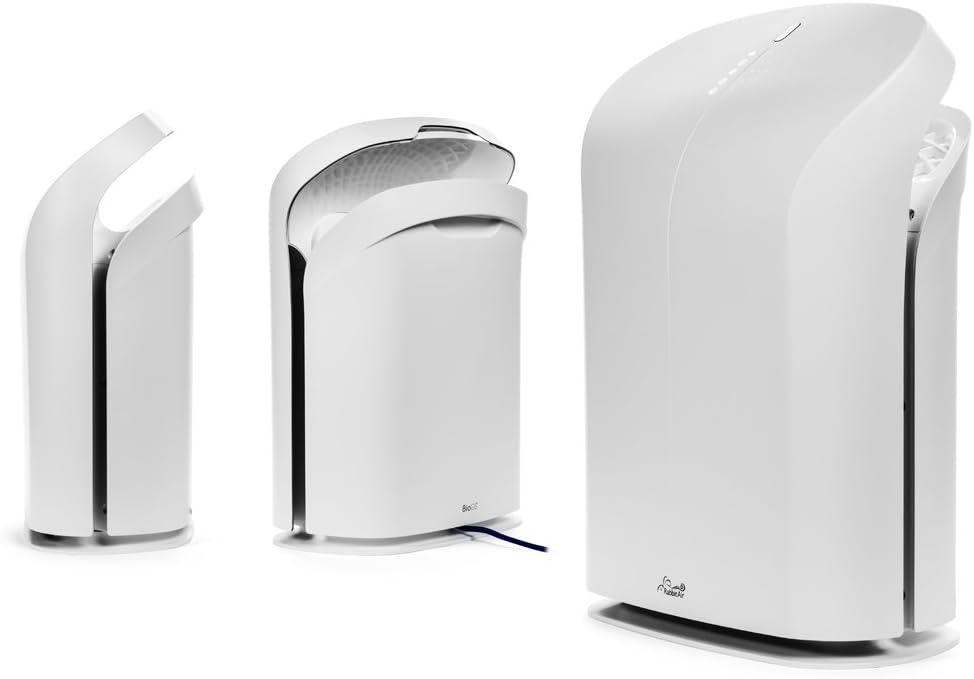
Figure 3: Various views of the BioGS 2.0 Air Purifier.
4. Initial Setup
Follow these steps to set up your BioGS 2.0 Air Purifier:
- Unpack the Unit: Carefully remove the air purifier from its packaging. Retain packaging for future transport or storage.
- Filter Installation: The filters are typically pre-installed. However, ensure all protective plastic packaging is removed from the filters before first use. Refer to the 'Maintenance' section for filter access.
- Placement: Place the air purifier on a firm, level surface. Ensure there is adequate space around the unit (at least 6 inches from walls or furniture) for optimal air intake and output. Avoid placing it near heat sources or in direct sunlight.
- Power Connection: Plug the power cord into a standard electrical outlet.

Figure 4: Recommended placement in a living room setting.
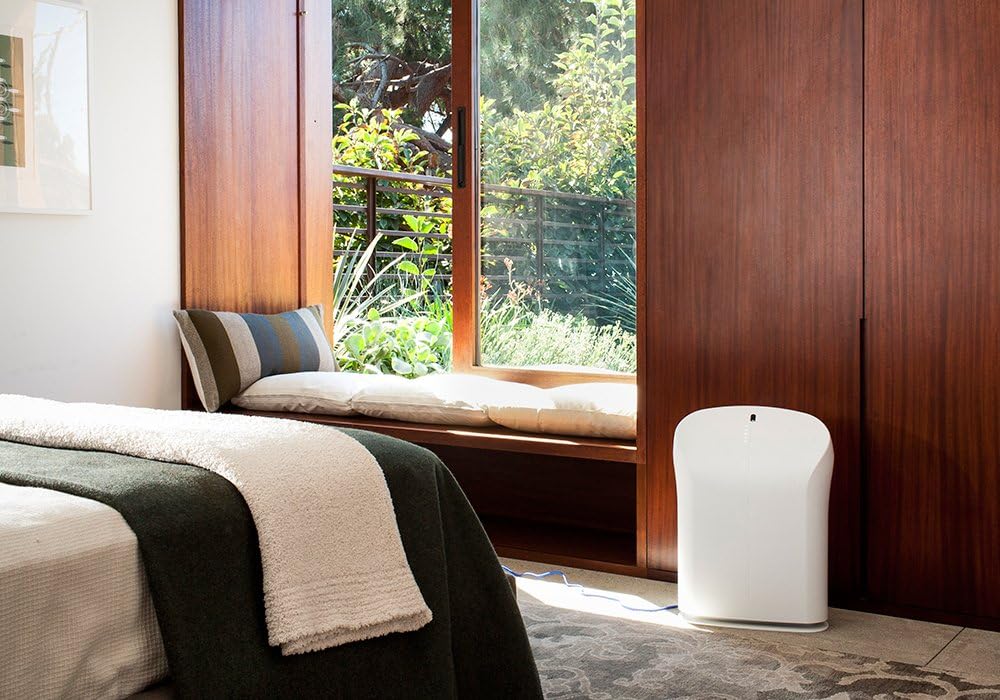
Figure 5: Recommended placement in a bedroom setting.
5. Operating Instructions
The BioGS 2.0 can be operated using the control panel on the unit or the included remote control.

Figure 6: Remote control for the BioGS 2.0 Air Purifier.
5.1. Power On/Off
Press the power button (usually indicated by a circle with a vertical line) on the control panel or remote to turn the unit on or off.
5.2. Fan Speed Adjustment
The unit has five adjustable fan speeds. Press the fan speed button (often depicted as a gear or fan icon) repeatedly to cycle through the speeds. The corresponding LED indicators will illuminate.
5.3. Auto Mode
Activate Auto Mode by pressing the dedicated button (often an 'A' or circular arrow icon). In this mode, the air purifier automatically adjusts the fan speed based on the detected air quality, optimizing performance and energy consumption.
5.4. Timer Function
Use the timer button (clock icon) to set the operating duration. You can typically set the unit to run for a specific number of hours before automatically turning off.
5.5. Negative Ion Function
The negative ionizer can be turned on or off by pressing its respective button (often a smiling face or wave icon). This function helps to freshen the air by releasing negative ions.
5.6. Air Quality Indicator
The LED lights on the control panel provide a visual indication of the current air quality, allowing you to monitor your environment at a glance.
6. Maintenance and Care
Regular maintenance ensures optimal performance and extends the lifespan of your air purifier.
6.1. Pre-Filter Cleaning
The washable pre-filter captures larger particles. It should be cleaned regularly, typically once a month or as needed. To clean:
- Unplug the unit.
- Remove the front panel and carefully detach the pre-filter.
- Vacuum the pre-filter with a brush attachment or rinse it under cool running water.
- Allow the pre-filter to air dry completely before reinstalling.
6.2. HEPA and Activated Carbon Filter Replacement
The BioGS HEPA and Charcoal-Based Activated Carbon Filters are designed to last up to three years with 12-hour daily use. Filter life may vary based on usage and air quality. Replace filters when the filter indicator light illuminates or when you notice a decrease in performance or an increase in odors.
- Unplug the unit.
- Remove the front panel and old filters.
- Install new genuine Rabbit Air replacement filters, ensuring they are correctly seated.
- Reset the filter life indicator according to the instructions provided with the replacement filters or in the full user manual.
6.3. General Cleaning
Wipe the exterior of the unit with a soft, dry cloth. Do not use abrasive cleaners or solvents. Ensure the unit is unplugged before cleaning.
7. Troubleshooting Guide
Refer to this table for common issues and their solutions:
| Problem | Possible Cause | Solution |
|---|---|---|
| Unit does not turn on. | No power, power cord loose, unit not plugged in. | Check power connection, ensure outlet is functional. |
| Weak airflow. | Clogged pre-filter, dirty HEPA/Carbon filters. | Clean pre-filter, replace HEPA/Carbon filters. |
| Unusual noise. | Foreign object in fan, unit not on a level surface. | Unplug and check for obstructions. Place on a stable surface. |
| Odor persists. | Activated carbon filter saturated, source of odor too strong. | Replace activated carbon filter. Identify and remove odor source. |
8. Technical Specifications
| Feature | Specification |
|---|---|
| Model Number | SPA-550A |
| Product Dimensions (D x W x H) | 9.8" x 16.6" x 22.2" |
| Weight | 16.8 Pounds |
| Recommended Floor Area | Up to 550 Square Feet |
| Noise Level | 25 Decibels (at lowest setting) |
| Wattage | 39 watts |
| Filter Lifespan | Up to 3 years (HEPA & Activated Carbon, 12-hour daily use) |
9. Warranty and Customer Support
Rabbit Air stands behind the quality of its products. The BioGS 2.0 Air Purifier comes with an industry-leading five-year warranty, covering defects in materials and workmanship under normal use.
For technical assistance, warranty claims, or general inquiries, Rabbit Air offers 24/7 lifetime technical support. Please visit the official Rabbit Air website or refer to the contact information provided in your product packaging for the most current support details.
Online Resources: For additional information, FAQs, and filter purchasing, please visit the Rabbit Air Store on Amazon.


