
1. Introduction
The Tayogo Waterproof MP3 Player is designed for active individuals who wish to enjoy music during various water and land-based activities. Featuring IPX8 waterproof certification, 8GB of internal memory, and a comfortable silicone-coated design, this device offers a versatile audio experience. It supports MP3, Bluetooth, and FM modes, allowing for flexible use in different environments.
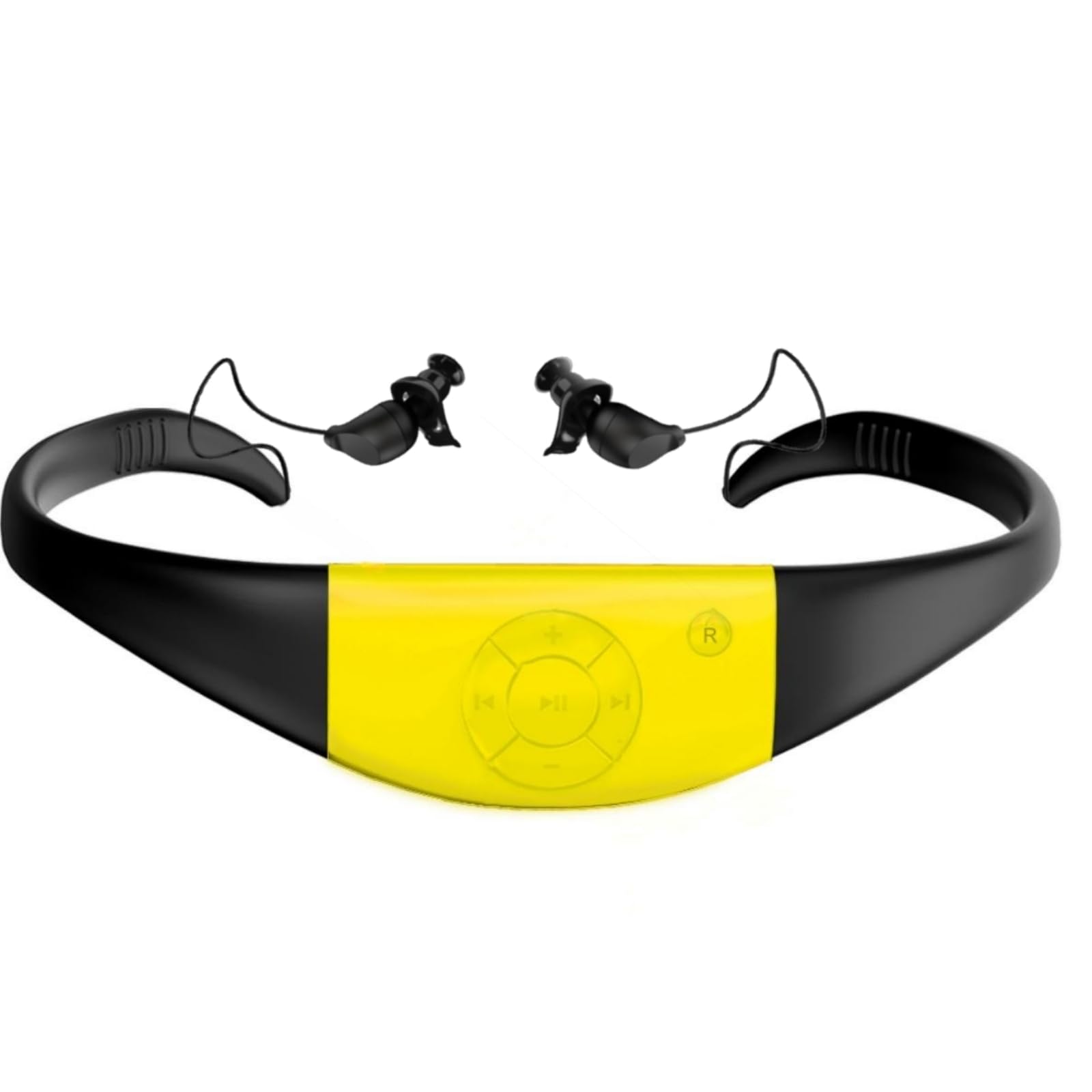
Image: A woman floating on her back in a pool, wearing the Tayogo waterproof MP3 player around her neck, demonstrating its use in water.
2. What's in the Box
Upon opening your Tayogo Waterproof MP3 Player package, you should find the following components:
- 1x Waterproof MP3 Headphones
- 1x Ergonomic Earplugs (pre-installed)
- 3x Land Earplugs (various sizes: S, M, L)
- 1x Magnetic Charging Cable
- 1x USB to Type-C Plug
- 1x Instruction Manual

Image: A visual representation of all items included in the Tayogo MP3 player package, neatly arranged next to the product box.
3. Product Overview and Controls
The Tayogo MP3 Player features an all-in-one design with integrated controls for easy operation. The main unit houses the playback controls and the USB connector for charging and data transfer.

Image: A detailed view of the central control panel on the Tayogo headset, showing the play/pause, volume, and track navigation buttons.
Controls:
- Play/Pause Button: Press once to play or pause. Long press to power on/off.
- Volume Up (+): Short press to increase volume. Long press for next track.
- Volume Down (-): Short press to decrease volume. Long press for previous track.
- Mode Button (M): Press to switch between MP3, Bluetooth, and FM modes.
- LED Indicator: Displays device status (e.g., charging, power on, mode).
Video: A user demonstrates unboxing the Tayogo Waterproof MP3 Player, highlighting the main unit, its controls, and the process of detaching the USB module for music transfer.
4. Setup: Loading Music
The Tayogo MP3 Player comes with 8GB of internal storage for your music files. Follow these steps to load music onto your device:
- Remove the Main Player: Gently squeeze the frame near the main unit to detach the MP3 player module.
- Connect to Computer: Plug the detached MP3 player module directly into a USB port on your computer. If needed, use the provided USB to Type-C adapter.
- Transfer Files: Your computer will recognize the device as a removable drive. Simply drag and drop your desired audio files (MP3, WMA, OGG, APE, FLAC, WAV, M4A) into the device's storage.
- Eject Safely: Once files are transferred, safely eject the device from your computer before unplugging.
- Reattach Player: Reattach the MP3 player module to the headset frame until it clicks securely into place.

Image: An illustration showing various audio file formats (MP3, WMA, OGG, APE, FLAC, WAV) supported by the Tayogo MP3 player, indicating its compatibility for music playback.
5. Operating Modes
The Tayogo MP3 Player offers three distinct operating modes:
- MP3 Mode: For listening to music stored on the device's 8GB internal memory. This mode is fully waterproof (IPX8) and ideal for swimming.
- Bluetooth Mode: Connects wirelessly to your smartphone or other Bluetooth-enabled devices for streaming audio. Note: Bluetooth functionality is not compatible with the waterproof feature; use this mode for land-based activities.
- FM Mode: Allows you to tune into FM radio stations. The number of available channels and signal reception may vary, especially in enclosed spaces.
To switch between modes, press the 'M' (Mode) button on the control panel.
Image: A graphic illustrating the FM/Receiving mode of the Tayogo device, alongside a list of supported audio formats like M4A, MP3, WMA, FLAC, and APE, and playback options including shuffle, order, and single repeat.
6. Wearing and Comfort
The Tayogo MP3 Player is designed for a secure and comfortable fit, especially during physical activity. The flexible frame is coated in skin-friendly silicone.
- Secure Fit: Place the headset around the back of your neck, with the earplugs inserted into your ears. The design ensures it stays in place during swimming or other movements.
- Earplugs: Use the ergonomic waterproof earplugs for swimming to prevent water entry and optimize sound quality underwater. For land use, you may prefer the standard land earplugs for a different fit.

Image: A man in a swimming pool wearing the Tayogo headset, emphasizing its skin-friendly silicone coating and flexible frame designed for a secure fit.

Image: A close-up showing the ergonomic design of the earplugs and the three-layer waterproof earplugs, designed for comfort and water protection.
7. Battery and Charging
The device is equipped with a 300mAh battery, providing extended playtime.
- Charging Time: A full charge typically takes less than 2 hours.
- Playtime: Enjoy up to 20 hours of music playback in MP3 mode or 11 hours in FM mode on a single charge. Actual battery life may vary based on volume level and usage.
- Charging Process: Detach the main player unit from the headset. Connect the magnetic charging cable to the unit and then to a USB power source. The LED indicator will show charging status.

Image: A visual highlighting the 300mAh battery capacity and the magnetic charging cable connection point on the Tayogo headset.
8. Waterproof Features
The Tayogo MP3 Player boasts an IPX8 waterproof rating, making it suitable for continuous immersion in water. This allows you to enjoy your music while swimming, surfing, or engaging in other water sports.
Video: A person demonstrates swimming with the Tayogo headset, showcasing its waterproof capabilities and secure fit during underwater activity.
9. Maintenance
To ensure the longevity and optimal performance of your Tayogo MP3 Player, follow these maintenance guidelines:
- Cleaning: After use, especially in chlorinated or saltwater, rinse the headset with fresh water and wipe it dry with a soft cloth.
- Earplug Care: Periodically remove and clean the earplugs. Ensure they are fully dry before reattaching. If earplugs become loose, consider using a small amount of waterproof adhesive to secure them, as suggested by some users.
- USB Port: Always ensure the USB port on the main player module is completely dry before connecting it to a computer or charging cable.
- Storage: Store the device in a cool, dry place away from direct sunlight and extreme temperatures.
10. Troubleshooting
If you encounter any issues with your Tayogo MP3 Player, refer to the following common troubleshooting tips:
- No Power: Ensure the device is fully charged. Connect it to the charging cable and a power source for at least 30 minutes.
- No Sound/Poor Sound Quality:
- Check the volume level.
- Ensure earplugs are correctly inserted and form a good seal, especially the waterproof ones for swimming.
- Verify the audio files are not corrupted and are in a supported format.
- If using Bluetooth, ensure the device is properly paired and within range.
- Device Not Recognized by Computer:
- Ensure the main player module is correctly detached and the USB connector is clean and dry.
- Try a different USB port or computer.
- Ensure the USB connector is inserted in the correct orientation.
- Buttons Unresponsive: Try resetting the device by holding down the power button for an extended period (e.g., 10-15 seconds) or allowing the battery to fully drain and then recharging.
11. Specifications
| Product Dimensions | 6.2 x 5.8 x 1.6 inches |
| Item Weight | 3.2 ounces |
| Item Model Number | WMP8 (also referred to as W16) |
| Batteries | 1 Lithium Ion battery required (included) |
| Brand | Tayogo |
| Special Feature | Waterproof (IPX8) |
| Connectivity Technology | Wireless (Bluetooth) |
| Memory Storage Capacity | 8 GB |
| Compatible Devices | iPhone, iWatch, Mobile Phone, Laptop |
| Media Type | Audio |
| Display Technology | No display |
12. Warranty and Support
Tayogo offers a standard 1-year warranty on this product. You can extend your warranty from 1 year to 2 years by following these steps:
- Send an email to jd@tayogo.com or sales@tayogo.com.
- Include "2 year Warranty Application" in the subject line of your email.
- Your email serves as the warranty application. You have two weeks from the date the product is delivered by the carrier to apply. Terms and conditions apply.
For further assistance or support, please visit the official Tayogo website or contact their customer service.