
Introduction
Welcome to your Monster NCredible NTune Core On-Ear Headphones. This manual provides instructions for setup, operation, maintenance, and troubleshooting to ensure optimal performance and longevity of your device. Please read this guide thoroughly before using your headphones.
What's Included
- Monster NCredible NTune Core On-Ear Headphones
- ControlTalk Universal Cable
Setup Guide
Connecting the Cable
Locate the audio input jack on the left earcup of your headphones. Insert the 3.5mm connector of the ControlTalk Universal Cable firmly into this jack. Connect the other end of the cable to your audio source (e.g., smartphone, tablet, computer).

Image Description: A side view of the Monster NCredible NTune Core headphones in Pearl Grey, showing the audio cable connected to the left earcup.
Adjusting Fit
Extend or retract the headband slides on both sides of the headphones until the earcups comfortably cover your ears. The earcups should sit snugly without excessive pressure.

Image Description: A top-down view of the Monster NCredible NTune Core headphones, highlighting the adjustable headband and earcups.
Operating Your Headphones
Audio Playback
Once connected to an audio source, begin playback from your device. Adjust the volume using your device's controls or the inline ControlTalk Universal remote if available.
Using ControlTalk Universal
The ControlTalk Universal cable features an inline remote and microphone for convenient control of music and calls.
- Play/Pause: Press the center button once.
- Next Track: Press the center button twice quickly.
- Previous Track: Press the center button three times quickly.
- Answer/End Call: Press the center button once during an incoming or active call.
- Decline Call: Press and hold the center button during an incoming call.
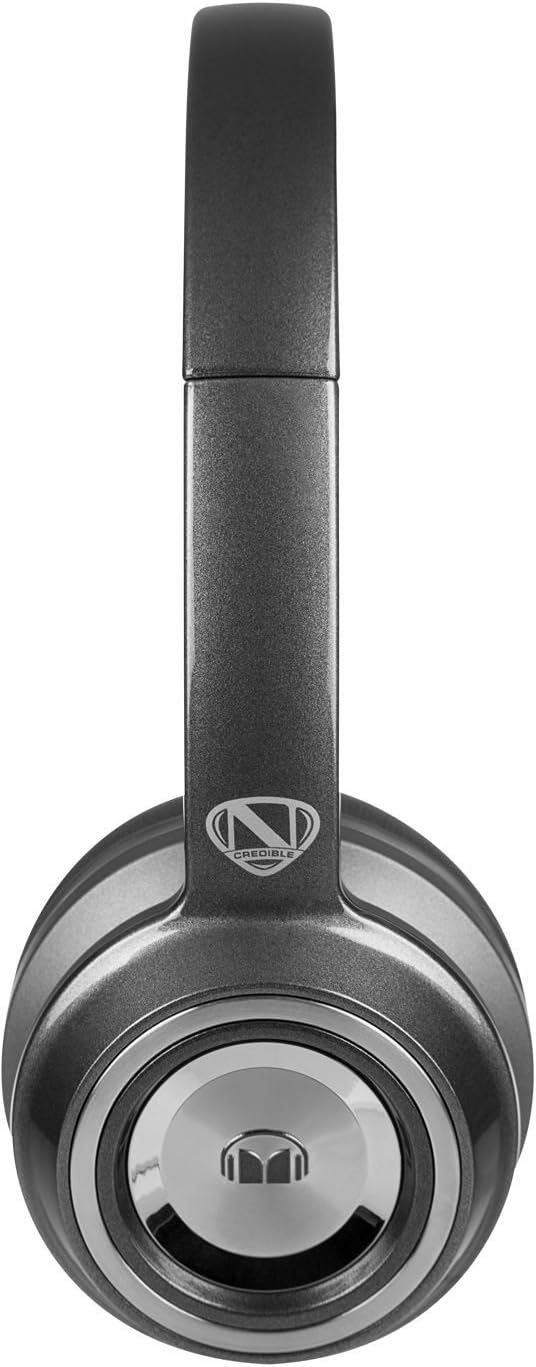
Image Description: A close-up view of the earcup of the Monster NCredible NTune Core headphones, showing the Monster logo and design details.
Care and Maintenance
Cleaning
Gently wipe the earcups and headband with a soft, dry, lint-free cloth. Do not use liquid cleaners or solvents. Avoid getting moisture into the headphone openings.
Storage
When not in use, store your headphones in a cool, dry place. Avoid extreme temperatures and direct sunlight. Do not store heavy objects on top of the headphones.
Cable Care
To prevent damage, avoid sharply bending or twisting the audio cable. Always grasp the plug, not the cable, when disconnecting.
Troubleshooting Guide
No Sound
- Ensure the audio cable is securely connected to both the headphones and your audio source.
- Check the volume level on your audio source and ensure it is not muted.
- Test the headphones with a different audio source or cable if possible.
Poor Sound Quality
- Verify the audio cable is fully inserted into both jacks. A loose connection can cause static or intermittent sound.
- Ensure the audio source is playing high-quality audio files.
- Clean any debris from the headphone jack on your audio device.
Microphone Not Working
- Ensure the ControlTalk Universal cable is fully connected.
- Check your device's settings to confirm the correct microphone input is selected.
- Test the microphone with a different application or device.
Product Specifications
| Feature | Detail |
|---|---|
| Model Number | NC MH NTU ON CRE-GY WW |
| Connectivity Technology | Wired |
| Ear Placement | On Ear |
| Form Factor | Closed-back |
| Headphones Jack | 3.5 mm Jack |
| Included Components | ControlTalk Universal Cable |
| Material | Titanium |
| Color | Dark Titanium (Pearl Grey) |
| Control Type | Media Control |
| Control Method | Remote (Inline) |
| Special Feature | Lightweight, Tangle Free Cord, Android-phone-control |
| Product Dimensions | 3.75 x 6.75 x 10 inches |
| Item Weight | 1.6 pounds |
| Manufacturer | Monster |
Warranty and Support
For warranty information and technical support, please refer to the documentation provided with your purchase or visit the official Monster Cable website. Keep your proof of purchase for warranty claims.
Online Support: www.monstercable.com