
1. General Information
This manual provides essential information for the safe and correct installation, operation, and maintenance of the Omron E2E-X4MD1 Inductive Proximity Sensor. Please read this manual thoroughly before using the product to ensure optimal performance and prevent potential hazards.
- Product Name: Omron E2E-X4MD1 Inductive Proximity Sensor
- Model Number: E2E-X4MD1
- Sensor Type: Inductive, Cylindrical M8
- Sensing Distance: 4 mm
- Output Configuration: Normally Open (NO)
- Power Supply: 10 to 30 VDC
- Wiring Type: 2-wire
- Shielding: Unshielded
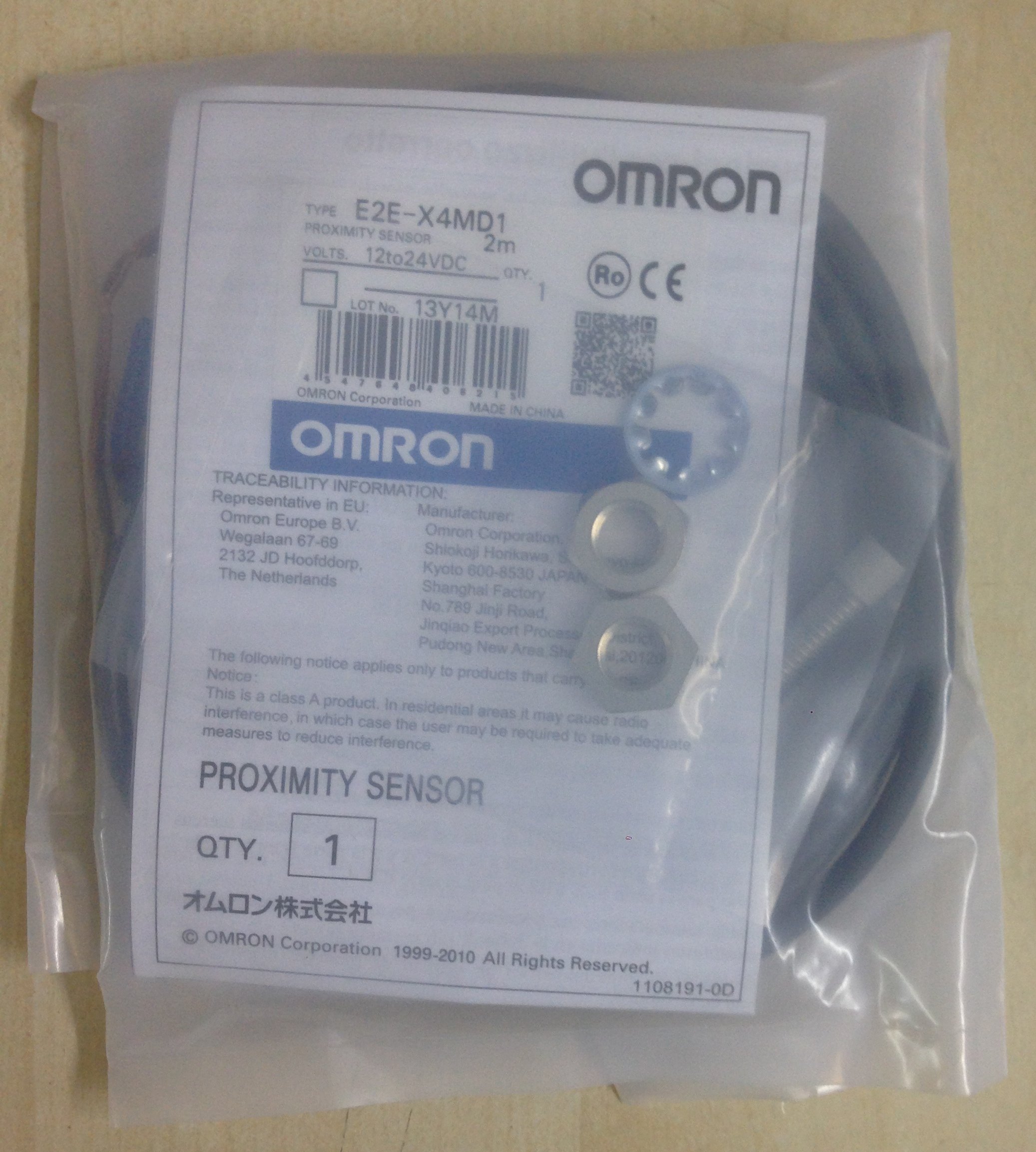
Figure 1: Omron E2E-X4MD1 Inductive Proximity Sensor. This image shows the cylindrical M8 sensor with its cable, illustrating its compact design suitable for various industrial applications.
2. Safety Instructions
Observe the following safety precautions to prevent electric shock, fire, malfunction, or damage to the product.
- Do not use the product in environments with explosive or flammable gases.
- Ensure the power supply is disconnected before wiring or performing any maintenance.
- Verify that the power supply voltage is within the specified range (10 to 30 VDC).
- Do not disassemble, repair, or modify the product.
- Avoid applying excessive force or impact to the sensor.
- Properly ground all associated equipment to prevent electrical noise interference.
3. Setup and Installation
3.1 Mounting
The E2E-X4MD1 is an unshielded M8 cylindrical sensor. When mounting, ensure sufficient clearance around the sensor head to prevent interference from surrounding metal objects, as it is unshielded.
- Mount the sensor securely using appropriate M8 mounting brackets or nuts.
- For unshielded sensors, maintain a minimum distance of 2 times the sensor diameter (2 x M8 = 16mm) from surrounding metal objects on the sides of the sensing head.
- Ensure the sensing face is perpendicular to the target object for reliable detection.
3.2 Wiring
The E2E-X4MD1 is a 2-wire DC sensor. Connect it as follows:
- Connect one wire to the positive (+) terminal of the DC power supply.
- Connect the other wire in series with the load (e.g., PLC input, relay coil) to the negative (-) terminal of the DC power supply.
- Observe correct polarity. Incorrect wiring can damage the sensor.
Note: A typical 2-wire DC sensor wiring involves connecting the sensor in series with the load. When the sensor detects a target, it completes the circuit, allowing current to flow through the load.
4. Operating Principles
The Omron E2E-X4MD1 is an inductive proximity sensor designed to detect the presence of metallic objects without physical contact. It operates on the principle of electromagnetic induction.
- An internal coil generates a high-frequency electromagnetic field at the sensing face.
- When a metallic object enters this field, eddy currents are induced in the object.
- These eddy currents absorb energy from the sensor's oscillating field, causing a change in the oscillation amplitude.
- The sensor detects this change and, when it exceeds a certain threshold, triggers its output.
- As an NO (Normally Open) sensor, its output is OFF (open circuit) when no target is detected and turns ON (closed circuit) when a metallic target is within the sensing range.
- The nominal sensing distance for this model is 4 mm. The actual sensing distance can vary slightly depending on the target material, size, and shape.
5. Maintenance
The E2E-X4MD1 sensor is designed for robust industrial use and requires minimal maintenance. However, regular inspection and cleaning can prolong its lifespan and ensure reliable operation.
- Cleaning: Keep the sensing face free from dust, dirt, metal shavings, and other debris. Use a soft, dry cloth for cleaning. Avoid abrasive cleaners or solvents.
- Inspection: Periodically check the sensor's mounting for tightness and ensure the cable is not damaged or pinched. Verify that the wiring connections are secure.
- Environmental Conditions: Ensure the sensor operates within its specified environmental conditions (temperature, humidity) to prevent premature failure.
6. Troubleshooting
If the sensor is not operating as expected, refer to the following troubleshooting guide:
| Problem | Possible Cause | Solution |
|---|---|---|
| Sensor does not detect target. |
|
|
| Sensor detects continuously or falsely. |
|
|
| No power to sensor. |
|
|
7. Specifications
| Parameter | Value |
|---|---|
| Model Number | E2E-X4MD1 |
| Manufacturer | Omron Industrial |
| Part Number | E2E-X4MD1 DC12-24 2M |
| Sensor Type | Inductive Proximity Sensor |
| Sensing Distance | 4 mm |
| Output Configuration | Normally Open (NO) |
| Power Supply Voltage | 10 to 30 VDC |
| Wiring Type | 2-wire |
| Housing Size | M8 Cylindrical |
| Shielding | Unshielded |
| Item Weight | 2.11 ounces (approx. 60 grams) |
| Package Dimensions | 15.75 x 7.87 x 3.94 inches (40 x 20 x 10 cm) |
| Measurement System | Metric |
| Batteries Required | No |
| Date First Available | October 13, 2013 |
8. Warranty and Support
Omron products are manufactured under strict quality control standards. For information regarding warranty terms, technical support, or service, please contact your local Omron representative or visit the official Omron website. Keep your purchase receipt for warranty claims.
Omron Official Website: www.omron.com


