
1. Introduction
This manual provides essential information for the installation, operation, and maintenance of your HP 826A Yellow Toner Cartridge (CF312A). Original HP Toner Cartridges are designed to deliver high-quality, reliable printing experiences, contributing to office productivity by minimizing common printing issues.
Key features of this product include:
- High-quality, reliable printing to avoid common printing problems.
- Compatibility with HP Color LaserJet Enterprise M855x+ and M855xh printers.
- Approximate cartridge yield of 31,500 pages.
- Designed to eliminate toner leaks and premature failures.
- Contains 100% recycled content, promoting sustainability.
- Features tamper-resistant chips, firmware, and packaging for printer and data protection.
- Designed and tested to meet eco-label emissions guidelines for office air quality.
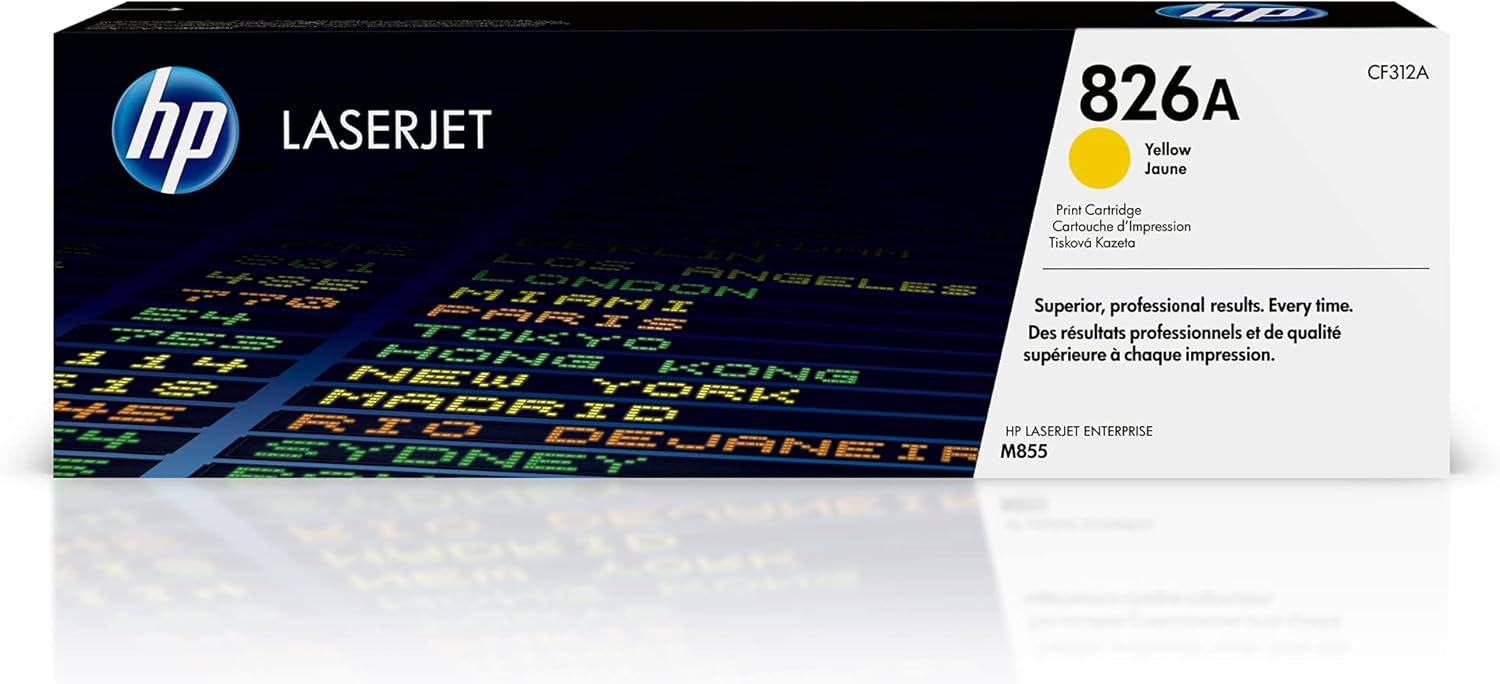
Image: The retail box of the HP 826A Yellow Toner Cartridge, showing the HP LaserJet branding and product details.
2. Safety Information
Please read and follow these safety guidelines to ensure safe handling and use of the toner cartridge:
- Keep out of reach of children: Toner cartridges contain fine powder that can be harmful if ingested.
- Avoid direct contact with toner: If toner gets on your skin or clothing, wash it off immediately with cold water and soap. Hot water may set the toner into the fabric.
- Do not open or dismantle the cartridge: This can lead to toner spills and potential damage to the cartridge or printer.
- Store properly: Store cartridges in their original packaging, in a cool, dry place, away from direct sunlight and extreme temperatures.
- Dispose of responsibly: Follow local regulations for recycling or disposing of used toner cartridges. HP offers a recycling program for used cartridges.
- Use in well-ventilated areas: While HP toner is designed for office air quality, ensure adequate ventilation during printer operation.
3. What's in the Box
Your HP 826A Yellow Toner Cartridge package includes:
- 1 new Original HP 826A Yellow Toner Cartridge (CF312A)
4. Setup and Installation
This HP 826A Yellow Toner Cartridge is designed for use with HP Color LaserJet Enterprise M855x+ and M855xh series printers. For detailed installation steps, always refer to your specific printer's user manual.
- Unpack the new cartridge: Carefully remove the new HP 826A Yellow Toner Cartridge from its packaging. Avoid touching the imaging drum or electrical contacts.
- Prepare the printer: Open the toner access door on your HP Color LaserJet Enterprise M855 series printer.
- Remove the old cartridge: Grasp the handle of the used yellow toner cartridge and pull it straight out of the printer.
- Install the new cartridge: Hold the new cartridge by its handle and align it with the corresponding slot in the printer. Push the cartridge firmly until it clicks into place.
- Close the access door: Close the toner access door. The printer will typically perform a calibration or initialization process.

Image: An HP 826A Yellow Toner Cartridge being prepared for insertion into a compatible HP LaserJet printer, with a checkmark indicating compatibility.
5. Operating Instructions
Once installed, the HP 826A Yellow Toner Cartridge operates seamlessly with your HP Color LaserJet Enterprise M855 series printer to produce high-quality prints.
- Print Quality: Expect vibrant colors and rich blacks for all your documents and images. HP Original Toner is engineered for precision output, ensuring consistent quality page after page.
- Page Yield: This cartridge is designed to yield approximately 31,500 pages, providing long-lasting performance for high-volume printing environments.
- Consistent Performance: Original HP Toner Cartridges are designed to provide consistent, uninterrupted printing, helping you stay on task without frequent interruptions due to print quality issues or cartridge failures.

Image: Two magnifying glasses highlighting the vibrant colors and rich black text on printed documents, demonstrating print quality.

Image: Documents exiting a printer's output tray, with a red warning triangle icon, illustrating the concept of consistent, uninterrupted printing.
6. Maintenance and Care
Proper care of your toner cartridge and printer ensures optimal performance and longevity.
- Recycling: HP is committed to sustainability. Used HP Original Toner Cartridges are easy to recycle. 100% of Original HP Toner Cartridges contain recycled content. Participate in the HP Planet Partners program to return used cartridges for recycling.
- Printer and Data Protection: Original HP Toner Cartridges feature tamper-resistant chips, firmware, and packaging. These security measures help protect your printer from malicious code and maintain the integrity of your data.
- Office Air Quality: HP voluntarily designs and tests its printing systems to meet eco-label emissions guidelines, demonstrating a commitment to office air quality.

Image: An HP LaserJet toner cartridge with the text "Easy to recycle" indicating its environmental benefits.

Image: An HP toner cartridge next to a lock icon and a QR code, illustrating features that help protect your printer and data through tamper-resistant chips, firmware, and packaging.

Image: An HP toner cartridge box and documents next to a small potted plant, symbolizing HP's commitment to office air quality through designed and tested cartridges.
7. Troubleshooting
If you encounter issues with your HP 826A Yellow Toner Cartridge, consider the following common solutions:
| Problem | Possible Cause | Solution |
|---|---|---|
| Faded or light prints | Low toner level, incorrect print settings. | Check printer's toner level indicator. Ensure print settings are appropriate for the document type (e.g., not in 'draft' mode). Gently shake the cartridge to redistribute toner (as a temporary measure). |
| Streaks or lines on prints | Dirty imaging drum or transfer roller, damaged cartridge. | Refer to your printer's manual for instructions on cleaning the imaging drum or transfer roller. If the issue persists, the cartridge may be faulty and require replacement. |
| Printer not recognizing cartridge | Improper installation, dirty electrical contacts, faulty cartridge. | Remove and reinsert the cartridge, ensuring it is seated correctly. Clean the electrical contacts on the cartridge and in the printer with a lint-free cloth. If the problem continues, contact HP support. |
| Toner leaks | Damaged cartridge, improper handling. | Original HP Toner Cartridges are designed to prevent leaks. If a leak occurs, carefully remove the cartridge (wearing gloves if possible) and dispose of it. Install a new cartridge. |
For more complex issues, consult your HP Color LaserJet Enterprise M855 series printer's user manual or visit the official HP support website.
8. Specifications
| Feature | Detail |
|---|---|
| Brand | HP |
| Model Number | CF312A |
| Ink Color | Yellow |
| Page Yield (Approx.) | 31,500 pages |
| Compatible Devices | HP Color LaserJet Enterprise M855 series (M855x+, M855xh) |
| Material Type | Toner |
| Item Weight | 1.57 pounds (710 Grams) |
| Product Dimensions | 22.99 x 5.12 x 7.68 inches |
| Total Recycled Content Percentage | 100% |
| UPC | 193808120749, 193808120725, 193808120756, 642125314558, 886112501174, 193808120732, 745666765527, 887111323897 |
| Date First Available | October 14, 2013 |
9. Warranty and Support
Original HP Toner Cartridges are designed for dependable performance. HP stands behind the quality of its products.
Legal Disclaimer
Expect professional-quality documents when you use Original HP printer ink and toner cartridges. Dependable performance, consistent page yields, and standout results are the norm – something the competition can’t match. With Original HP Ink and Toner cartridges, you can also avoid costly reprints and help ensure the flawless performance you expect from your HP printer.
Customer Support
For technical assistance, warranty claims, or further information regarding your HP 826A Yellow Toner Cartridge, please visit the official HP support website or contact HP customer service. You can find support resources and contact information on the HP Support Website.
For more information about HP products and solutions, visit the HP Store on Amazon.