
Introduction
Thank you for choosing the pangshi Camera Bag. This manual provides essential information for the proper use, care, and maintenance of your new camera bag. Designed for DSLR cameras and their accessories, this bag offers protection and convenient transport for your photographic equipment. Please read these instructions thoroughly before using the product.
Product Features
The pangshi Camera Bag is equipped with several features to enhance the protection and usability for your camera gear:
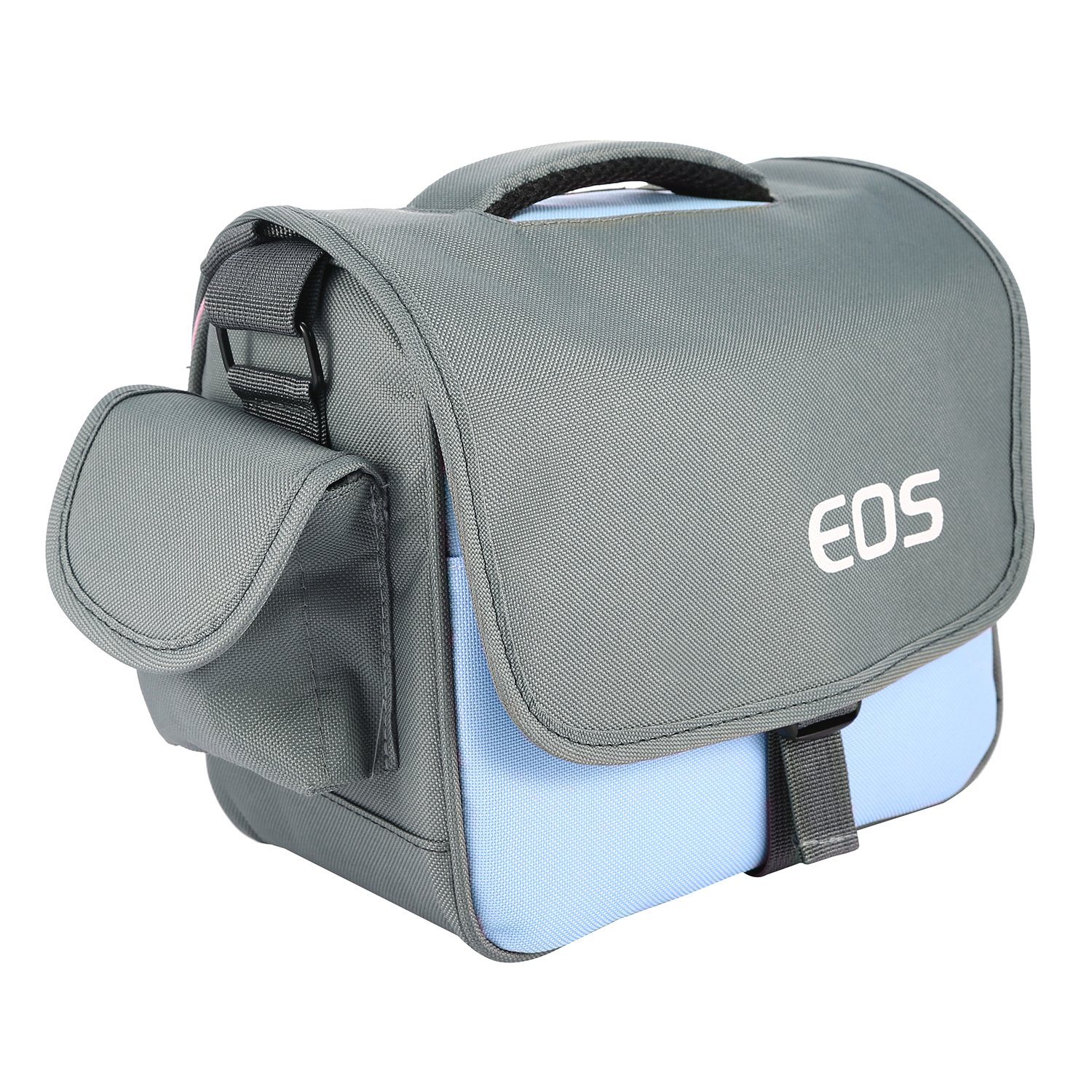
- Waterproof Material: Constructed from nylon, the bag's exterior helps protect your camera from light rain and moisture.
- Anti-Pressure Shoulder Pad: The adjustable shoulder strap includes a large, padded section designed to reduce pressure and enhance comfort during transport.
- Detachable Dividers: The interior features flexible, removable dividers that allow for customizable organization of your camera body, lenses, and other accessories.
- Spacious Capacity: Designed to accommodate a DSLR camera or mini camcorder, multiple lenses, a charger, memory cards, and various other small accessories.
- Shockproof and Anti-Resistant Design: The bag's construction provides shock absorption to safeguard your equipment from impacts.
Setup
- Unpacking: Carefully remove the camera bag from its packaging. Inspect for any signs of damage.
- Adjusting Dividers:
The interior of the bag contains several padded, detachable dividers secured by hook-and-loop fasteners. Arrange these dividers to create compartments that snugly fit your camera body, lenses, and other accessories. Ensure that each item is well-cushioned and does not shift excessively within its compartment.
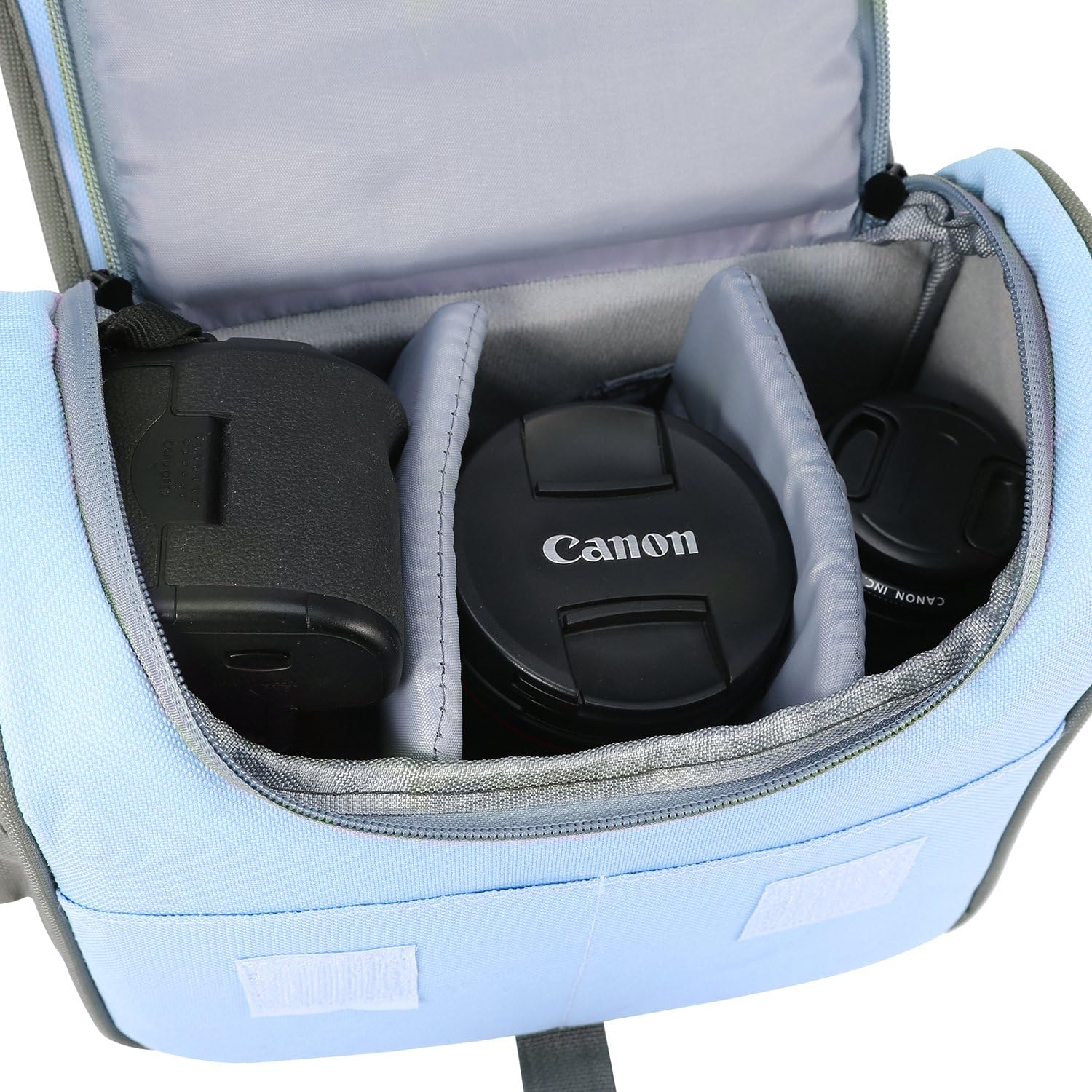
Figure 2: Interior view demonstrating the flexible arrangement of detachable dividers to secure camera equipment. - Attaching Shoulder Strap: Attach the adjustable shoulder strap to the D-rings located on either side of the bag. Adjust the strap length to a comfortable position for carrying. The padded section should rest on your shoulder.
Operating Instructions
- Inserting Equipment: Place your camera body, lenses, and accessories into the customized compartments. Ensure that all items are securely positioned and do not rattle.
- Securing the Main Compartment: Close the main compartment zipper completely. This provides the primary seal for your equipment.
- Closing the Top Flap: Fold the top flap over the main compartment. Secure it using the quick-release buckle. This flap offers additional protection against elements and impacts.
- Utilizing Side Pockets: The bag features side pockets for smaller items like lens caps, cleaning cloths, or extra batteries. Secure these pockets as needed.


Maintenance
- Cleaning: For general cleaning, wipe the exterior with a damp cloth and mild soap. Avoid harsh chemicals or abrasive cleaners. Allow the bag to air dry completely before storing equipment.
- Interior Care: The interior lining and dividers can be spot cleaned with a soft, damp cloth. Ensure they are fully dry before reassembling.
- Zipper Maintenance: Periodically check zippers for smooth operation. If a zipper becomes stiff, apply a small amount of zipper lubricant or wax. Avoid forcing stuck zippers to prevent damage.
- Storage: Store the bag in a cool, dry place away from direct sunlight when not in use.
Troubleshooting
| Problem | Possible Cause | Solution |
|---|---|---|
| Bag has an odor upon arrival. | New product manufacturing odors. | Air out the bag in a well-ventilated area for several days or weeks until the odor dissipates. |
| Zipper is stiff or gets stuck. | Lack of lubrication, debris in zipper teeth, or misalignment. | Clean zipper teeth. Apply a small amount of zipper lubricant or wax. Operate the zipper gently. Avoid excessive force. |
| Equipment does not fit securely. | Improper divider arrangement. | Re-adjust the detachable dividers to create custom compartments that snugly hold each item. Ensure hook-and-loop fasteners are firmly attached. |
Specifications
- Brand: pangshi
- Model Number: FBA_Camera BAG/X57/AA564
- Product Dimensions: 9.45 x 5.51 x 7.87 inches
- Item Weight: 10.4 ounces
- Material: Nylon
- First Available Date: October 5, 2013

Warranty and Support
For information regarding warranty coverage, product support, or to address any issues not covered in this manual, please contact pangshi customer service. Refer to the product packaging or the retailer's website for specific contact details.