
Introduction
This manual provides detailed instructions for the assembly, operation, and maintenance of your Omegon AC 80/400 AZ-3 Telescope. This compact refractor telescope is designed for both astronomical and terrestrial observations, offering a wide field of view suitable for observing celestial objects like the Moon, planets, and star clusters, as well as distant terrestrial landscapes and wildlife.
Please read this manual thoroughly before using your telescope to ensure proper setup and optimal performance.
1. Setup
1.1 Unpacking and Component Identification
Carefully unpack all components from the box. Verify that all parts listed below are present:
- Telescope Optical Tube (OTA)
- AZ-3 Altazimuth Mount
- Adjustable Aluminum Tripod
- Accessory Tray
- Finderscope with Bracket
- Diagonal Mirror (Star Diagonal)
- Eyepieces (e.g., 25mm, 10mm Kellner)
- Slow-motion Control Cables
1.2 Tripod Assembly
- Spread the tripod legs outwards until they are fully extended.
- Secure the accessory tray to the center brace of the tripod. This provides stability and a convenient place for eyepieces.
- Extend the tripod legs to your desired height and tighten the locking clamps on each leg.
1.3 Mounting the Telescope Tube
- Place the AZ-3 mount onto the tripod head and secure it using the central screw located underneath the tripod head.
- Attach the telescope optical tube to the AZ-3 mount's dovetail clamp. Ensure the tube is balanced and securely fastened by tightening the clamp screws.
- Attach the slow-motion control cables to the appropriate shafts on the mount for fine adjustment in altitude and azimuth.

Figure 1: The Omegon AC 80/400 AZ-3 Telescope fully assembled on its altazimuth mount and tripod.

Figure 2: Detail of the AZ-3 altazimuth mount, showing the telescope tube attachment and slow-motion control cables.
1.4 Attaching the Finderscope and Diagonal
- Slide the finderscope into its bracket on the telescope tube and tighten the retaining screws.
- Insert the diagonal mirror into the focuser drawtube. Secure it with the thumbscrew.
1.5 Inserting Eyepieces
Insert the desired eyepiece into the diagonal mirror. Secure it with the thumbscrew on the diagonal. Start with the lowest magnification eyepiece (e.g., 25mm) for the widest field of view, which makes finding objects easier.
2. Operating the Telescope
2.1 Aligning the Finderscope
The finderscope must be aligned with the main telescope for easy object location. This should be done during daylight hours:
- Point the main telescope at a distant, stationary object (e.g., a chimney, a tree top) at least 500 meters away. Center the object in the main telescope's eyepiece.
- Look through the finderscope. Adjust the finderscope's alignment screws until the same object is centered in its crosshairs.
2.2 Using the AZ-3 Altazimuth Mount
The AZ-3 mount allows movement in two axes: altitude (up-down) and azimuth (left-right). Loosen the main clutches to make large movements. For fine adjustments, tighten the clutches and use the slow-motion control cables.

Figure 3: The AZ-3 mount allows movement in both horizontal (azimuth) and vertical (altitude) directions for tracking objects.
2.3 Focusing
Once an object is centered in the eyepiece, turn the focuser knobs slowly until the image appears sharp and clear. You may need to refocus slightly when changing eyepieces or as atmospheric conditions change.
2.4 Astronomical Observation
The Omegon AC 80/400 is excellent for wide-field astronomical viewing:
- Moon: Provides detailed views of lunar craters and maria.
- Planets: Observe the rings of Saturn, the moons and cloud bands of Jupiter, and the phases of Venus.
- Deep Sky Objects: Its wide field of view is ideal for observing large star clusters, nebulae, and galaxies like the Andromeda Galaxy.
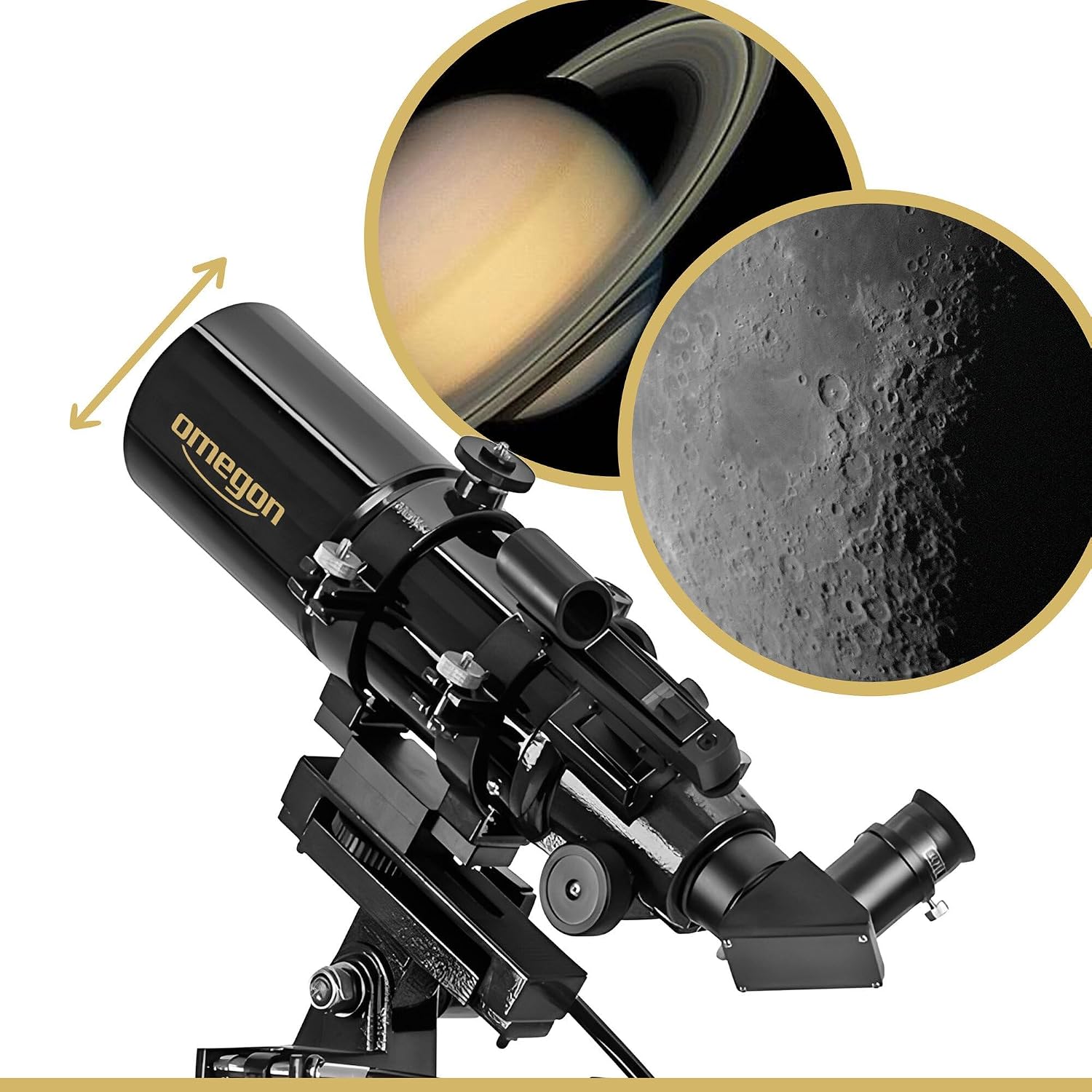
Figure 4: The telescope provides clear views of celestial objects such as Saturn and the Moon.
2.5 Terrestrial Observation
This telescope can also be used for daytime terrestrial viewing. The image will appear correctly oriented (not inverted or reversed) when using the diagonal mirror. Observe distant landscapes, wildlife, or ships with clarity.

Figure 5: The Omegon AC 80/400 AZ-3 is versatile for both astronomical and terrestrial observations.
3. Maintenance
3.1 Cleaning Optics
- Use a soft brush or compressed air to remove loose dust from lenses.
- For smudges or fingerprints, use a specialized optical cleaning solution and a microfiber cloth designed for optics. Apply solution to the cloth, not directly to the lens.
- Avoid touching optical surfaces with bare hands.
3.2 Storage
- Store the telescope in a dry, dust-free environment.
- Keep dust caps on the objective lens and focuser when not in use.
- If storing for extended periods, consider disassembling the telescope and storing components in their original packaging or a padded case.
3.3 General Care
- Avoid exposing the telescope to extreme temperatures or sudden temperature changes.
- Do not overtighten screws or clamps, as this can damage components.
4. Troubleshooting
| Problem | Possible Cause | Solution |
|---|---|---|
| Image is blurry or out of focus. | Incorrect focus setting. | Adjust the focuser knobs until the image is sharp. |
| Cannot find objects easily. | Finderscope is not aligned. | Align the finderscope with the main telescope during daylight hours (refer to Section 2.1). |
| Image is dim or dark. | Using too high magnification for current conditions; light pollution. | Use a lower magnification eyepiece. Observe from a darker location if possible. |
| Image appears shaky. | Unstable tripod; windy conditions. | Ensure tripod legs are fully extended and locked. Observe from a sheltered location. Allow telescope to stabilize after touching. |
5. Specifications
| Feature | Specification |
|---|---|
| Model | AC 80/400 AZ-3 |
| Optical Design | Refractor |
| Objective Lens Diameter | 80 Millimeters |
| Focal Length | 400 Millimeters |
| Focal Ratio | f/5 |
| Mount Type | Altazimuth Mount (AZ-3) |
| Focus Type | Manual Focus |
| Finderscope | Reflex |
| Eyepiece Lens Description | Kellner |
| Lens Coating | Multi-Coated |
| Compatible Devices | Camera, Smartphone (with adapter, not included) |
| Manufacturer Reference | 33134 |
6. Warranty and Support
Your Omegon AC 80/400 AZ-3 Telescope is covered by a manufacturer's warranty against defects in materials and workmanship. Please refer to the warranty card included with your product for specific terms and conditions, including the warranty period and how to make a claim.
For technical support, spare parts, or service inquiries, please contact your retailer or the Omegon customer service department. Contact information can typically be found on the Omegon official website or on your purchase documentation.


