
1. Introduction
Thank you for choosing the Orpat TBB-137 Plastic Beep Alarm Analog Clock. This compact and functional timepiece is designed to provide reliable timekeeping and a clear alarm function. This manual will guide you through the setup, operation, and maintenance of your new clock.
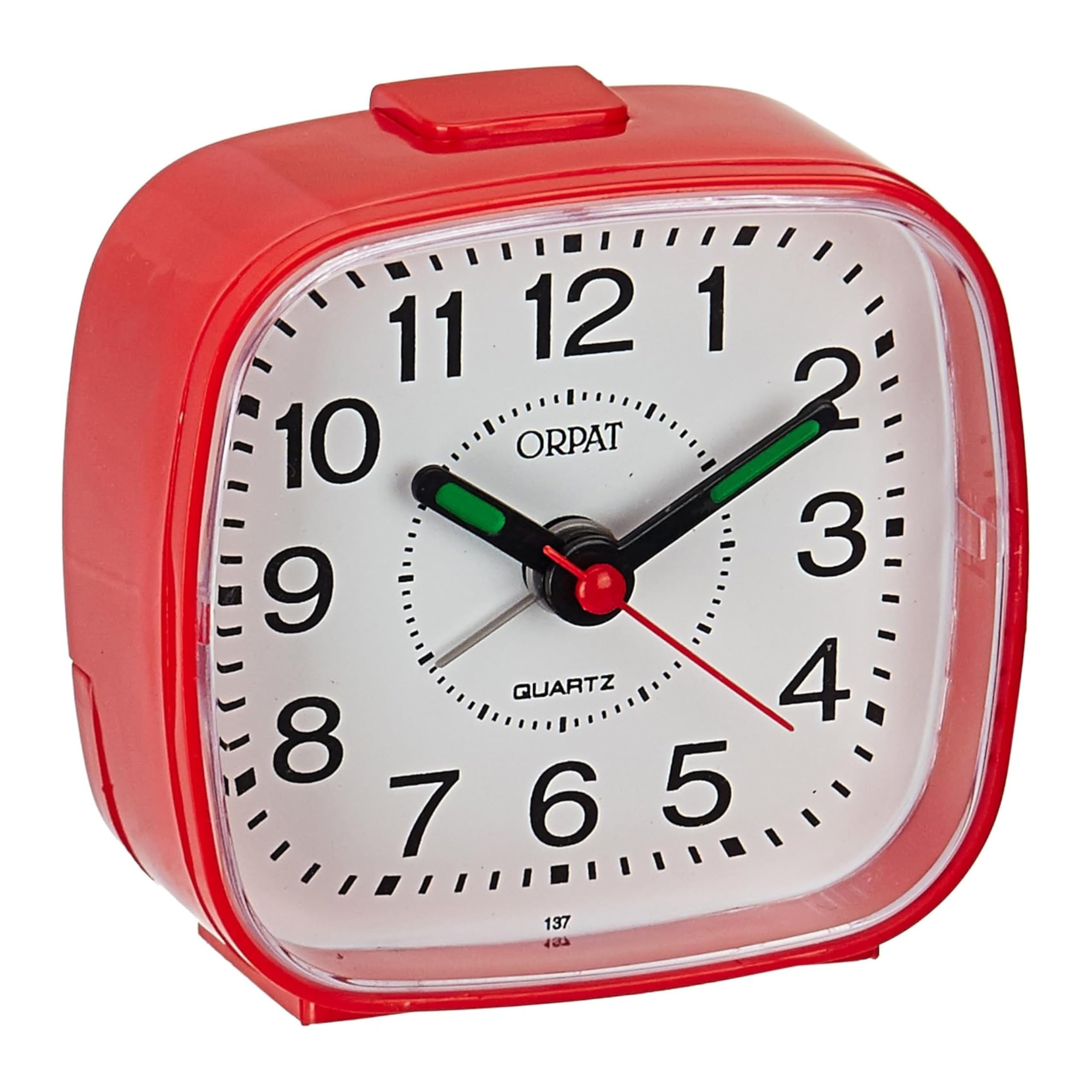
Figure 1: Front view of the Orpat TBB-137 Plastic Beep Alarm Analog Clock.
2. Product Overview
2.1 Key Features
- Analog Display: Classic dial with hour, minute, and second hands.
- Quartz Mechanism: Ensures accurate timekeeping.
- Beep Alarm: A clear and reliable alarm sound.
- Durable Plastic Construction: Lightweight and robust.
- Compact Design: Ideal for bedside tables, desks, or travel.
- Battery Powered: Operates on standard batteries (not included).
2.2 Components

Figure 2: Rear view of the clock with control knobs and battery compartment.
- Time Setting Knob: Used to adjust the current time.
- Alarm Setting Knob: Used to set the desired alarm time.
- Alarm ON/OFF Switch: Activates or deactivates the alarm function.
- Battery Compartment: Holds the required battery.
- Speaker Grille: Emits the alarm sound.
3. Setup
3.1 Battery Installation
The Orpat TBB-137 clock requires one AA battery (not included) for operation.
- Locate the battery compartment cover on the back of the clock.
- Slide the cover downwards to open the compartment.
- Insert one AA battery, ensuring the positive (+) and negative (-) terminals match the indicators inside the compartment.
- Replace the battery compartment cover by sliding it upwards until it clicks into place.
Note: Always use fresh batteries and dispose of old batteries responsibly.
3.2 Initial Time Setting
After installing the battery, set the current time:
- Turn the Time Setting Knob (usually the larger knob on the back) clockwise or counter-clockwise until the hour and minute hands display the correct current time.
- Ensure the time is set accurately to avoid confusion with the alarm time.
4. Operating Instructions
4.1 Setting the Alarm
To set the alarm time:
- Turn the Alarm Setting Knob (usually the smaller knob on the back) to move the alarm hand (often a distinct color or shorter) to your desired wake-up time.
- Be precise when setting the alarm hand to ensure the alarm sounds at the correct moment.
4.2 Activating and Deactivating the Alarm
To turn the alarm on or off:
- To activate the alarm, slide the Alarm ON/OFF Switch (located on the back or top of the clock) to the 'ON' position.
- To deactivate the alarm, slide the Alarm ON/OFF Switch to the 'OFF' position.
Video 1: Demonstration of the Orpat TBB-137 clock's alarm sound and basic operation. This video shows how to set the time and alarm, and activate/deactivate the alarm function.
5. Maintenance
5.1 Cleaning
To maintain the appearance of your clock:
- Wipe the clock's exterior with a soft, dry cloth.
- Do not use abrasive cleaners, solvents, or chemical sprays, as these can damage the plastic finish.
5.2 Battery Replacement
Replace the battery when the clock starts losing time or the alarm weakens. Follow the battery installation steps in Section 3.1.
6. Troubleshooting
If you encounter issues with your Orpat TBB-137 clock, refer to the following common problems and solutions:
| Problem | Possible Cause | Solution |
|---|---|---|
| Clock not working / hands not moving | Dead or incorrectly installed battery. | Replace the battery with a fresh AA battery, ensuring correct polarity. |
| Alarm not sounding | Alarm switch is OFF; alarm time not set correctly; dead battery. | Ensure the alarm switch is ON. Verify the alarm hand is set to the desired time. Replace the battery. |
| Clock losing or gaining time | Weak battery; environmental factors. | Replace the battery. Ensure the clock is not exposed to extreme temperatures or strong magnetic fields. |
7. Specifications

Figure 3: The compact size of the clock, approximately 7 cm in height.
| Feature | Detail |
|---|---|
| Model Number | TBB-137 |
| Brand | Orpat |
| Display Type | Analog |
| Watch Movement | Quartz |
| Special Feature | Beep Alarm |
| Material | Plastic |
| Color | Red |
| Product Dimensions (W x H) | 6.8W x 7.2H Centimeters |
| Item Weight | 50 Grams |
| Power Source | Battery Powered (AA battery, not included) |
| Mounting Type | Tabletop |
| Country of Origin | India |
8. Warranty and Support
For warranty information or technical support, please contact the manufacturer directly. The manufacturer is AJANTA LLP, located at ORPAT INDUSTRIAL ESTATE, RAJKOT HIGHWAY, MORBI-363641, India.
Please retain your purchase receipt as proof of purchase for any warranty claims.


