
Vivitar VIV-58-KIT
Vivitar Series-1 13-piece 2-Lens Kit Instruction Manual
Model: VIV-58-KIT | Brand: Vivitar
Introduction
This manual provides comprehensive instructions for the Vivitar Series-1 13-piece 2-Lens Kit. This kit is designed to enhance your camera's capabilities by providing a .43x wide-angle lens, a 2.5x telephoto lens, and a macro function, along with various adapter rings to ensure compatibility with multiple lens filter thread sizes. Please read this manual thoroughly before use to ensure proper operation and care of your new lens kit.
Kit Contents
Verify that all items listed below are included in your package:
- 1 x Vivitar Series-1 .43x High Definition Wide Angle Lens with Macro
- 1 x Vivitar Series-1 2.5x High Definition Telephoto Lens
- 2 x Protective Lens Pouches
- 4 x Adapter Rings (e.g., 46-58mm, 49-58mm, 52-58mm, 55-58mm)
- 2 x Lens Caps (front and rear for each lens)
- 1 x Microfiber Cleaning Cloth

Image: The complete Vivitar Series-1 13-piece 2-Lens Kit, showcasing the wide-angle lens, telephoto lens, various adapter rings, and two protective drawstring pouches.
Setup and Installation
Follow these steps to properly attach the Vivitar Series-1 lenses to your camera's existing lens.
- Identify Your Camera Lens Filter Thread Size: Locate the filter thread size on the front of your camera's lens. This is usually indicated by a diameter symbol (Ø) followed by a number in millimeters (e.g., Ø52mm).
- Select the Correct Adapter Ring: Choose the adapter ring from the kit that matches your camera lens's filter thread size on one end and has a 58mm thread on the other end (e.g., a 52-58mm adapter ring for a 52mm camera lens).
- Attach the Adapter Ring: Screw the smaller end of the selected adapter ring onto the front filter thread of your camera's lens. Turn clockwise until it is securely fastened, but do not overtighten.
- Attach the Vivitar Lens: Screw either the .43x Wide Angle Lens or the 2.5x Telephoto Lens onto the 58mm thread of the attached adapter ring. Turn clockwise until it is securely fastened.

Image: A close-up view of the four adapter rings included in the kit, clearly labeled with their respective thread sizes (e.g., 46-58mm, 49-58mm, 52-58mm, 55-58mm), designed to fit various camera lens diameters.
Operating Instructions
Using the .43x Wide Angle Lens
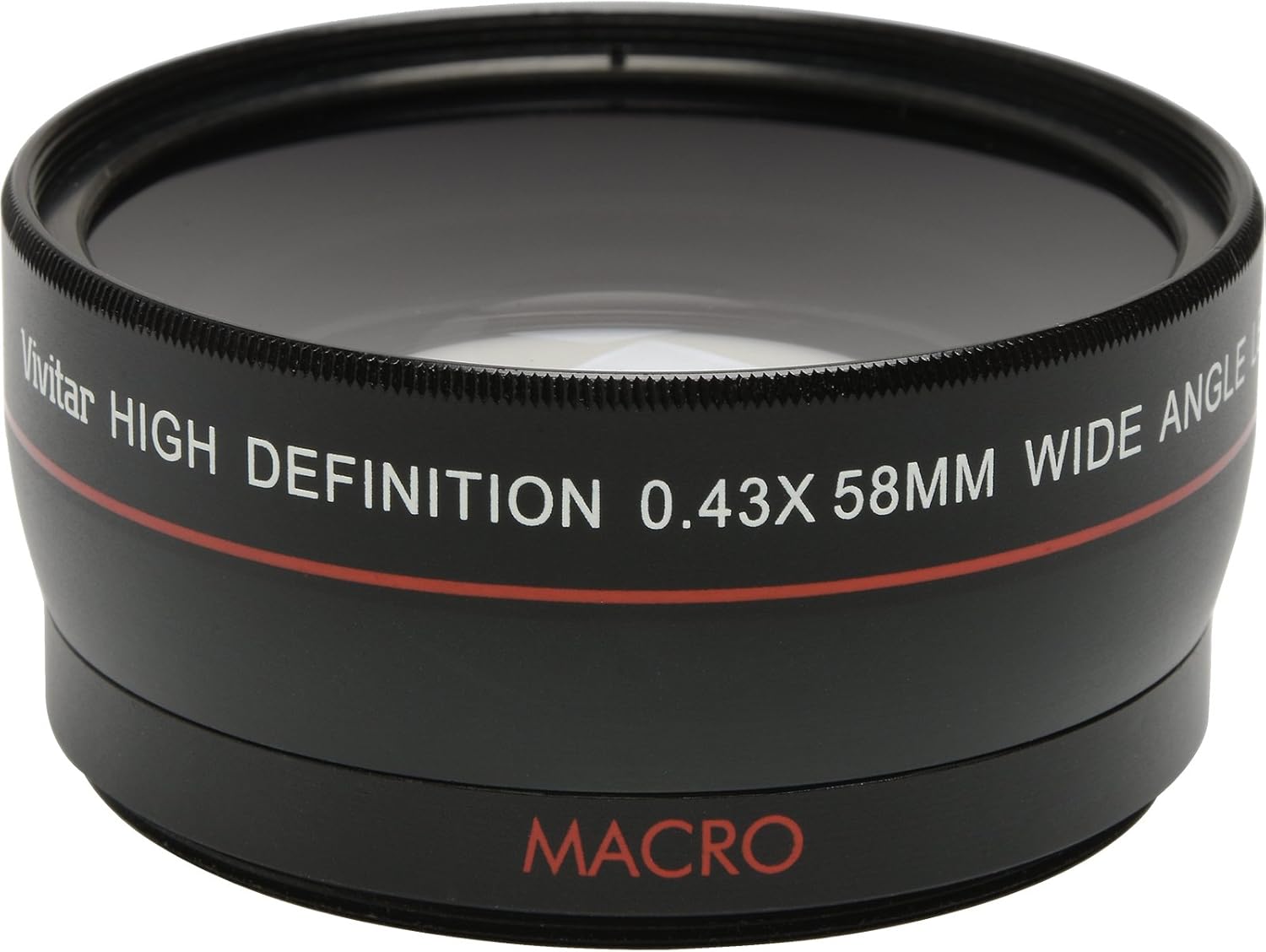
Image: A detailed view of the Vivitar High Definition 0.43x 58mm Wide Angle lens, showing its front element and the "MACRO" designation.
The .43x Wide Angle Lens expands your camera's field of view, allowing you to capture more of the scene. This is ideal for landscapes, group photos, and interior shots where you need to fit more into the frame.
- Attach the .43x Wide Angle Lens as described in the "Setup and Installation" section.
- For optimal results, ensure your camera's lens is set to its widest focal length.
- Adjust focus as you normally would with your camera.
Using the 2.5x Telephoto Lens

Image: A detailed view of the Vivitar High Definition 2.5x 58mm Telephoto lens, highlighting its magnification capability.
The 2.5x Telephoto Lens magnifies distant subjects, bringing them closer and making them appear larger in the frame. This is suitable for wildlife photography, sports, and portraits where you want to isolate the subject.
- Attach the 2.5x Telephoto Lens as described in the "Setup and Installation" section.
- For best results, use a tripod to minimize camera shake, especially in low light conditions.
- Adjust focus as you normally would with your camera.
Using the Macro Function
The macro function is integrated into the .43x Wide Angle Lens. To use it, unscrew the front element of the .43x Wide Angle Lens. The remaining rear element functions as a macro lens, allowing for extreme close-up photography of small objects.
- Unscrew the front portion of the .43x Wide Angle Lens. The part that remains attached to the adapter ring is the macro lens.
- Position your camera very close to the subject. The working distance for macro photography is typically very short.
- Adjust focus carefully. Manual focus may provide more precise control for macro shots.
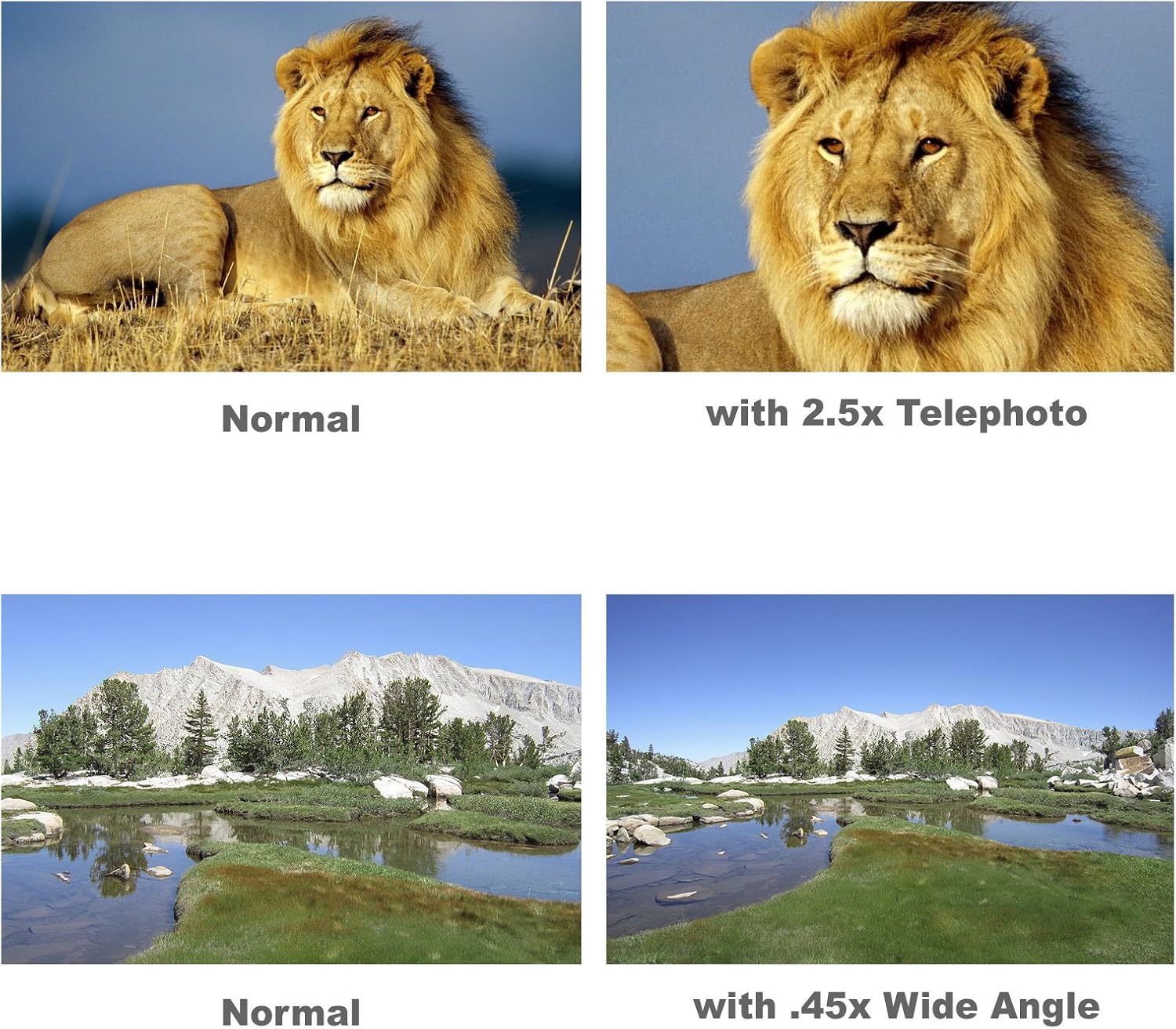
Image: Visual comparison demonstrating the effect of the lenses. The top row shows a normal image of a lion versus the same image captured with the 2.5x telephoto lens, illustrating magnification. The bottom row displays a normal landscape image compared to the same landscape captured with the .43x wide-angle lens, showing an expanded field of view.
Maintenance and Care
Proper care will extend the life and performance of your Vivitar Series-1 lens kit.
- Cleaning Lenses: Use the provided microfiber cleaning cloth or a professional lens cleaning solution and cloth. Gently wipe the lens surface in a circular motion. Avoid using abrasive materials or harsh chemicals.
- Storage: When not in use, store the lenses in their protective pouches to prevent dust accumulation and scratches. Keep them in a dry, cool place away from direct sunlight and extreme temperatures.
- Handling: Always handle the lenses by their barrels, avoiding touching the glass elements.
- Protection: Keep lens caps on when the lenses are not attached to the camera or stored.
Troubleshooting
| Problem | Possible Cause | Solution |
|---|---|---|
| Vignetting (dark corners in image) | Occurs more frequently with wide-angle lenses, especially at the widest focal lengths of the camera's primary lens. | Slightly zoom in with your camera's primary lens until the vignetting disappears. This is a common characteristic of auxiliary wide-angle lenses. |
| Image appears blurry or out of focus | Improper focus, camera shake (especially with telephoto), or dirty lens elements. | Ensure proper focus. Use a tripod for telephoto shots. Clean lens surfaces with a microfiber cloth. |
| Lens not attaching securely | Incorrect adapter ring used, or threads are misaligned. | Verify you are using the correct adapter ring for your camera lens's filter thread size. Carefully align threads before screwing. Do not force. |
| Chromatic Aberration (color fringing) | Common optical phenomenon, especially with auxiliary lenses. | Can often be corrected in post-processing software. Try adjusting camera settings if available. |
Specifications
- Model Number: VIV-58-KIT
- Lens Type: Wide Angle, Telephoto, Macro
- Wide Angle Magnification: 0.43x
- Telephoto Magnification: 2.5x
- Filter Thread Size (Lenses): 58mm
- Included Adapter Ring Sizes: 46-58mm, 49-58mm, 52-58mm, 55-58mm
- Product Dimensions: Approximately 4.5 x 3 x 11 inches (packaged)
- Item Weight: Approximately 14.4 ounces
- Manufacturer: Sakar
- Date First Available: September 14, 2013
Warranty and Support
For information regarding warranty coverage, technical support, or replacement parts for your Vivitar Series-1 13-piece 2-Lens Kit, please refer to the contact information provided by the manufacturer or your point of purchase. Keep your proof of purchase for warranty claims.
For general inquiries or further assistance, you may visit the official Vivitar website or contact their customer service department.
Ask a question about this manual
Ask about setup, troubleshooting, compatibility, parts, safety, or missing instructions. Manuals+ will review the question and use this page’s manual context to help answer it.