
1. Introduction
This manual provides essential information for the proper installation, operation, and maintenance of your Ranco A12-700 Commercial Refrigeration Temperature Cold Control. This device is designed to regulate temperature in commercial refrigeration units by controlling the compressor's on/off cycles based on a set temperature range. Please read this manual thoroughly before installation and operation to ensure safe and efficient use.
2. Safety Information
WARNING: Electrical shock hazard. Disconnect power before installation or servicing. Installation should be performed by a qualified technician in accordance with all local and national electrical codes.
- Always disconnect power to the refrigeration unit before attempting any installation, wiring, or maintenance.
- Ensure all wiring connections are secure and comply with local electrical codes.
- Do not expose the control unit to excessive moisture or extreme temperatures outside its operating range.
- Handle the capillary tube with care to avoid kinking or damaging it, as this can affect temperature sensing accuracy.
3. What's in the Box
Verify that all components are present before beginning installation:
- Ranco A12-700 Temperature Cold Control Unit
- Control Knob
- 2 Mounting Screws
- Protective Cover

Front view of the Ranco A12-700 temperature cold control unit with coiled capillary tube.

Rear view of the Ranco A12-700 temperature cold control unit, showing electrical terminals and mounting bracket.

Black control knob with temperature settings for the Ranco A12-700.

Black protective cover for the Ranco A12-700 control unit.
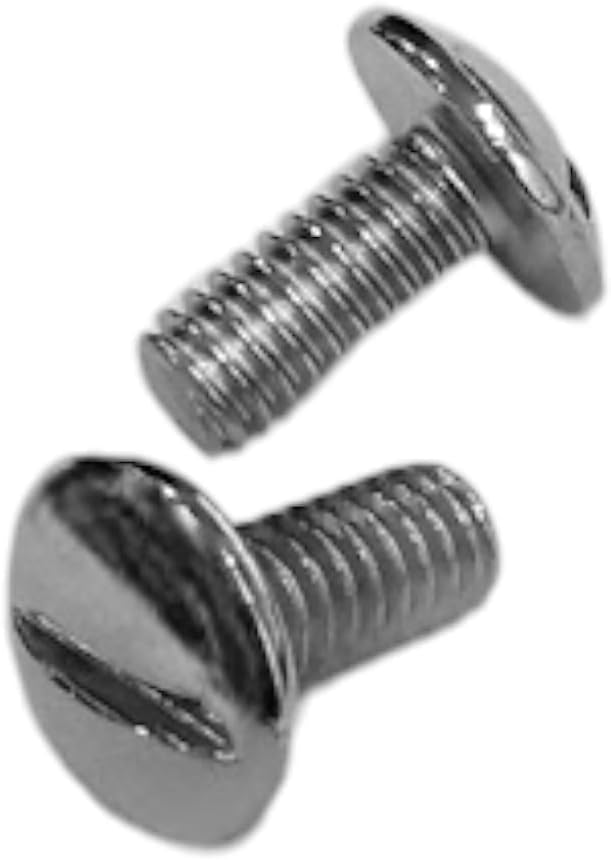
Two mounting screws included with the Ranco A12-700.
4. Specifications
| Feature | Specification |
|---|---|
| Model Number | A12-700 |
| Brand | Ranco |
| Cut Out Range | 11.5°F to 27.5°F |
| Constant Cut In | 37°F |
| Capillary Tube Length | 84 inches |
| Material | Metal |
| Product Dimensions | 5 x 5 x 5 inches (approximate, control unit only) |
| Item Weight | 6.5 ounces (0.19 Kilograms) |
| UPC | 686608000286 |

Product label displaying model number, cut-in/cut-out ranges, and capillary length.
5. Setup and Installation
Important: Ensure power to the refrigeration unit is disconnected before proceeding.
- Remove Old Control: Carefully disconnect and remove the existing temperature control unit. Note the wiring connections for proper reinstallation.
- Mounting the New Control: Position the Ranco A12-700 control unit in the designated mounting location. Use the provided screws to secure the unit firmly.
- Capillary Tube Placement: The 84-inch capillary tube is crucial for accurate temperature sensing. Carefully uncoil the tube and route it to the area where temperature needs to be monitored (e.g., inside the refrigerated compartment). Ensure the capillary tube is not kinked, pinched, or exposed to direct airflow that could cause inaccurate readings. Secure it in place without damaging the tube.
- Wiring Connections: Connect the electrical wires to the appropriate terminals on the Ranco A12-700 control unit. Refer to the wiring diagram of your specific refrigeration unit for correct connections. Typically, these controls have terminals for line voltage input and compressor output. Ensure all connections are tight and secure.
- Install Protective Cover: Once wiring is complete, place the protective cover over the control unit to shield the electrical connections.
- Install Control Knob: Push the control knob onto the shaft of the temperature control unit.
6. Operating Instructions
The Ranco A12-700 operates by sensing the temperature via its capillary tube and activating or deactivating the refrigeration compressor to maintain the desired temperature range.
- Power On: After installation, restore power to the refrigeration unit.
- Setting Temperature: Use the control knob to adjust the desired temperature setting. Turning the knob towards "Colder" will lower the cut-out temperature, causing the compressor to run longer and achieve a colder temperature.
- Temperature Range: The control has a constant cut-in temperature of 37°F. The cut-out range can be adjusted from 11.5°F to 27.5°F using the knob. This means the compressor will turn on when the temperature reaches 37°F and turn off when it reaches the set cut-out temperature.
- Monitoring: Allow the unit to run for a period to stabilize and verify that the desired temperature is being maintained.
7. Maintenance
Regular maintenance helps ensure the longevity and optimal performance of your temperature control.
- Periodic Inspection: Periodically inspect the control unit and wiring for any signs of wear, damage, or loose connections.
- Capillary Tube Check: Ensure the capillary tube remains securely positioned and free from kinks or damage.
- Cleaning: Keep the control unit free from dust and debris. Use a dry, soft cloth for cleaning. Do not use liquid cleaners directly on the unit.
- Professional Service: For any complex issues or repairs, contact a qualified refrigeration technician.
8. Troubleshooting
If you experience issues with your Ranco A12-700, refer to the following common troubleshooting steps:
| Problem | Possible Cause | Solution |
|---|---|---|
| Compressor not starting | No power to the unit; Loose wiring; Control set too high; Faulty control. | Check power supply; Verify all wiring connections; Adjust temperature setting lower; Test control for continuity (professional only). |
| Compressor runs continuously | Control set too low; Capillary tube improperly placed or damaged; Faulty control. | Adjust temperature setting higher; Ensure capillary tube is sensing actual compartment temperature and is undamaged; Test control (professional only). |
| Inaccurate temperature readings | Capillary tube kinked, damaged, or improperly placed; External heat source affecting capillary tube. | Inspect and reposition capillary tube; Ensure capillary tube is isolated from external heat sources. |
If troubleshooting steps do not resolve the issue, contact a qualified service technician.
9. Warranty Information
Ranco products are manufactured to high-quality standards. For specific warranty terms and conditions, please refer to the documentation provided with your purchase or contact Ranco customer support directly. Typically, warranties cover defects in materials and workmanship under normal use.
10. Support
For technical assistance, replacement parts, or further inquiries, please contact your Ranco distributor or visit the official Ranco website. When contacting support, please have your model number (A12-700) and purchase information readily available.


