
1. Introduction
Welcome to the user manual for the BTicino Living International L4652-2 SCS Single/Double Load Control Module. This document provides essential information for the safe and effective installation, operation, and maintenance of your new device. Please read this manual thoroughly before attempting any installation or operation to ensure proper functionality and to prevent potential hazards.
2. Safety Information
WARNING: Electrical installation should only be performed by qualified personnel. Disconnect power at the main circuit breaker before installation or maintenance to prevent electric shock.
- Always follow local electrical codes and regulations.
- Do not expose the module to moisture or extreme temperatures.
- Ensure all connections are secure and properly insulated.
- Do not attempt to modify or repair the module yourself. Contact qualified service personnel.
3. Product Overview
The BTicino Living International L4652-2 is an SCS (Simplified Cable System) module designed for controlling single or double loads. It enables the control of an actuator, performing standard switching functions and offering advanced features such as the activation of pre-programmed scenarios within the module.
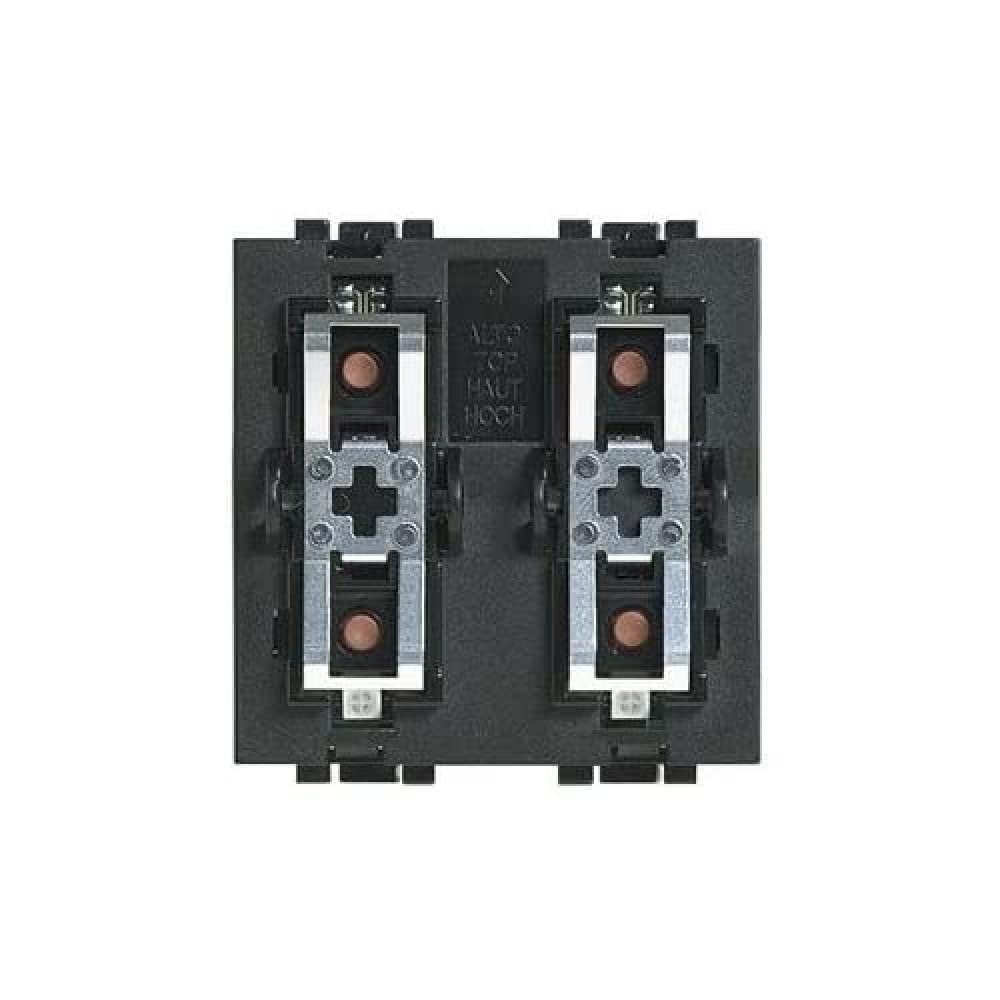
Figure 1: BTicino Living International L4652-2 SCS Single/Double Load Control Module. This image displays the front view of the module, typically designed for integration into a standard electrical wall plate.
Key Features
- 2 modules (standard size for electrical installations).
- Integrated timer functionality.
- Direct actuator activation.
- Activation of up to 4 stored scenarios.
4. Installation
This module is intended for integration into an SCS system. Professional installation by a certified electrician is highly recommended to ensure compliance with safety standards and proper system functionality.
Installation Steps (General Guidelines)
- Power Disconnection: Before beginning any work, ensure the main power supply to the installation area is completely disconnected at the circuit breaker. Verify with a voltage tester.
- Mounting: Install the L4652-2 module into a compatible electrical box or frame according to the system's design.
- Wiring: Connect the module to the SCS bus and the actuator according to the specific wiring diagrams provided with your SCS system documentation. Pay close attention to polarity and terminal designations.
- Secure Connections: Ensure all wire connections are tight and secure to prevent loose contacts and potential hazards.
- System Configuration: After physical installation, the module may require configuration within the SCS system using appropriate programming tools or software. Refer to your SCS system's programming guide for detailed instructions.
- Power Restoration: Once installation and configuration are complete, restore power to the circuit.
- Functionality Test: Test the module's operation to ensure it controls the connected actuator and scenarios as expected.
5. Operation
The L4652-2 module provides both standard load control and advanced scenario activation capabilities within your SCS system.
Standard Control Functions
Once installed and configured, the module acts as a switch for the connected actuator. Depending on the system setup, this can involve:
- On/Off Switching: Toggling the connected load (e.g., lights, blinds) between active and inactive states.
- Dimming: If connected to a dimmable load and configured, adjusting the intensity.
- Timed Operations: Utilizing the integrated timer for automatic switching after a set duration.
Refer to your SCS system's user interface or associated control devices for specific interaction methods (e.g., button presses, touch screen commands).
Special Functions: Scenario Activation
The module can activate up to 4 pre-programmed scenarios stored within its memory or the SCS system. Scenarios are sequences of actions that can be triggered by a single command (e.g.,


