
1. Introduction
This manual provides essential instructions for the safe and efficient use of your Panasonic KX-TG3611SX Digital Cordless Landline Phone. Please read this manual thoroughly before using the product and retain it for future reference.

Figure 1: Panasonic KX-TG3611SX Handset and Base Unit
This image displays the Panasonic KX-TG3611SX cordless phone, featuring the handset docked in its white base unit. The handset has an alphanumeric keypad, a display screen, and various function buttons. The base unit is compact and designed to hold the handset securely.
2. Package Contents
Verify that your package contains the following items:
- Handset
- Base Unit
- Rechargeable AAA Ni-MH Batteries (2)
- AC Power Adaptor for Base Unit
- Telephone Line Cord
- User Guide (this document)

Figure 2: Product Packaging
This image shows the retail box for the Panasonic KX-TG3611SX cordless phone, indicating the model number and key features like 2.4 GHz Digital technology.
3. Setup
3.1 Connecting the Base Unit
- Connect the AC power adaptor to the base unit and plug it into a standard electrical outlet.
- Connect the telephone line cord to the base unit and plug the other end into your telephone wall jack.
3.2 Installing Batteries in the Handset
- Remove the battery compartment cover on the back of the handset.
- Insert the two supplied AAA Ni-MH rechargeable batteries, observing the correct polarity (+ and -).
- Replace the battery compartment cover.
3.3 Charging the Handset
Place the handset on the base unit. The charge indicator on the handset should illuminate, indicating that the batteries are charging. Allow the handset to charge for at least 7 hours before initial use to ensure full battery capacity.
3.4 Wall Mounting (Optional)
The base unit can be mounted on a wall. Use the provided wall mounting bracket or integrated slots on the base unit to secure it to a wall using two screws (not supplied).

Figure 3: Base Unit Rear View with Wall Mount Slots
This image shows the back of the Panasonic KX-TG3611SX base unit, highlighting the two keyhole slots designed for wall mounting. This feature allows for flexible placement of the phone system.
4. Operating Instructions
4.1 Basic Call Functions
- Making a Call: Press [TALK], then dial the phone number.
- Answering a Call: When the phone rings, press [TALK].
- Ending a Call: Press [OFF] or place the handset back on the base unit.
4.2 Speakerphone
During a call, press [SP-PHONE] to activate the speakerphone. Press it again to switch back to the handset receiver.
4.3 Phonebook
The phone can store up to 50 phonebook entries. Use the [MENU] button and the navigation wheel to access and manage your contacts.
- Storing a Number: Navigate to the phonebook menu, select 'Add Entry', enter the name and number using the alphanumeric keypad, and save.
- Dialing from Phonebook: Press the navigation wheel to access the phonebook, scroll to the desired entry, and press [TALK].
4.4 Redial Memory
The phone stores the last 5 dialed numbers. Press [REDIAL] to view the list, then use the navigation wheel to select a number and press [TALK] to redial.
4.5 Handset Locator (Paging)
If you misplace your handset, press the [LOCATOR] button on the base unit. The handset will ring, allowing you to locate it.

Figure 4: Handset Locator Function
This diagram illustrates the Handset Locator feature. A finger is shown pressing a button on the rear of the base unit, and a signal icon indicates the handset ringing, helping users find a misplaced device.
4.6 Ringer ID
The Ringer ID feature allows you to assign different ringer patterns to specific entries in your phonebook. When an incoming call matches a programmed Caller ID, the assigned ringer pattern will sound.
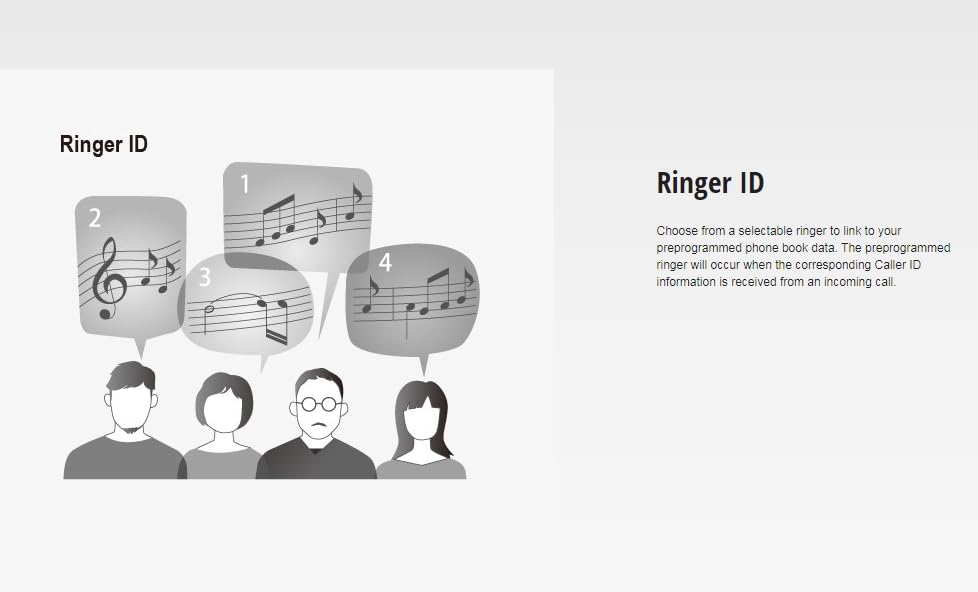
Figure 5: Ringer ID Feature
This image visually represents the Ringer ID feature, showing different musical notes associated with various individuals, indicating that distinct ringtones can be set for specific contacts.
5. Maintenance
5.1 Cleaning
Wipe the phone and base unit with a soft, dry cloth. Do not use liquid or abrasive cleaners.
5.2 Battery Care
- Use only the specified rechargeable Ni-MH batteries.
- Do not dispose of batteries in a fire. They may explode.
- If the handset will not be used for an extended period, remove the batteries to prevent leakage.
6. Troubleshooting
If you experience issues with your phone, refer to the following common problems and solutions:
| Problem | Solution |
|---|---|
| No dial tone. | Ensure the telephone line cord is securely connected to both the base unit and the wall jack. Check if the AC power adaptor is properly connected. |
| Handset does not charge. | Ensure the handset is correctly placed on the base unit. Check that the AC power adaptor is plugged in. Verify batteries are inserted with correct polarity. |
| Poor sound quality or static. | Move closer to the base unit. Ensure the base unit is not near other electrical appliances that may cause interference. Check the telephone line cord for damage. |
| Cannot make or receive calls. | Check all connections (power, telephone line). Ensure the handset batteries are charged. If the issue persists, contact your telephone service provider. |
7. Specifications
| Feature | Detail |
|---|---|
| Model Number | KX-TG3611SXS |
| Technology | 2.4 GHz Digital Gigarange |
| Phonebook Entries | 50 |
| Redial Memory | 5 entries |
| Talk Time | Approximately 5 hours |
| Standby Time | Approximately 264 hours (11 days) |
| Battery Type | 2 x AAA Ni-MH rechargeable batteries (included) |
| Display | Alphanumeric Display |
| Special Features | Speakerphone, Paging Support, Ringer ID, Light-up Indicator with Ringer Alert |
| Dimensions (Base Unit) | 19.4 x 12.6 x 8.6 cm (approximate) |
| Weight | 510 g (approximate) |
| Material | ABS plastic |
8. Warranty Information
This Panasonic KX-TG3611SX Digital Cordless Landline Phone comes with a 1-year manufacturer warranty from the date of purchase. Please retain your purchase receipt as proof of purchase for warranty claims. The warranty covers manufacturing defects under normal use conditions.
9. Support
For further assistance, technical support, or service inquiries, please contact Panasonic customer service. Refer to the official Panasonic website or your product packaging for the most current contact information.
You can also visit the Panasonic Store on Amazon for additional product information and support resources.


