
Schallen SCH1244
Schallen Portable Air Cooler User Manual
Model: SCH1244
Brand: Schallen
Introduction
This manual provides essential information for the safe and efficient operation of your Schallen Portable Air Cooler. Designed for home and office use, this unit offers efficient cooling with its 3-speed settings, large 10-litre water tank, and convenient remote control. Please read this manual thoroughly before use and retain it for future reference.
Safety Information
- Always place the air cooler on a stable, level surface.
- Do not immerse the unit, cord, or plug in water or other liquids.
- Ensure the power supply matches the voltage specified on the rating label.
- Unplug the unit from the power outlet when not in use, before filling or emptying the water tank, and before cleaning.
- Keep out of reach of children and pets.
- Do not block air inlets or outlets.
- Do not operate the unit if the cord or plug is damaged, or if the unit malfunctions or has been damaged in any way.
- Use only as described in this manual.
Package Contents
- Schallen Portable Air Cooler Unit
- Remote Control
- 2 x Reusable Ice Packs
- User Manual
Setup
1. Placement
Place the air cooler on a flat, stable surface in the desired location. Ensure there is adequate space around the unit for proper airflow.
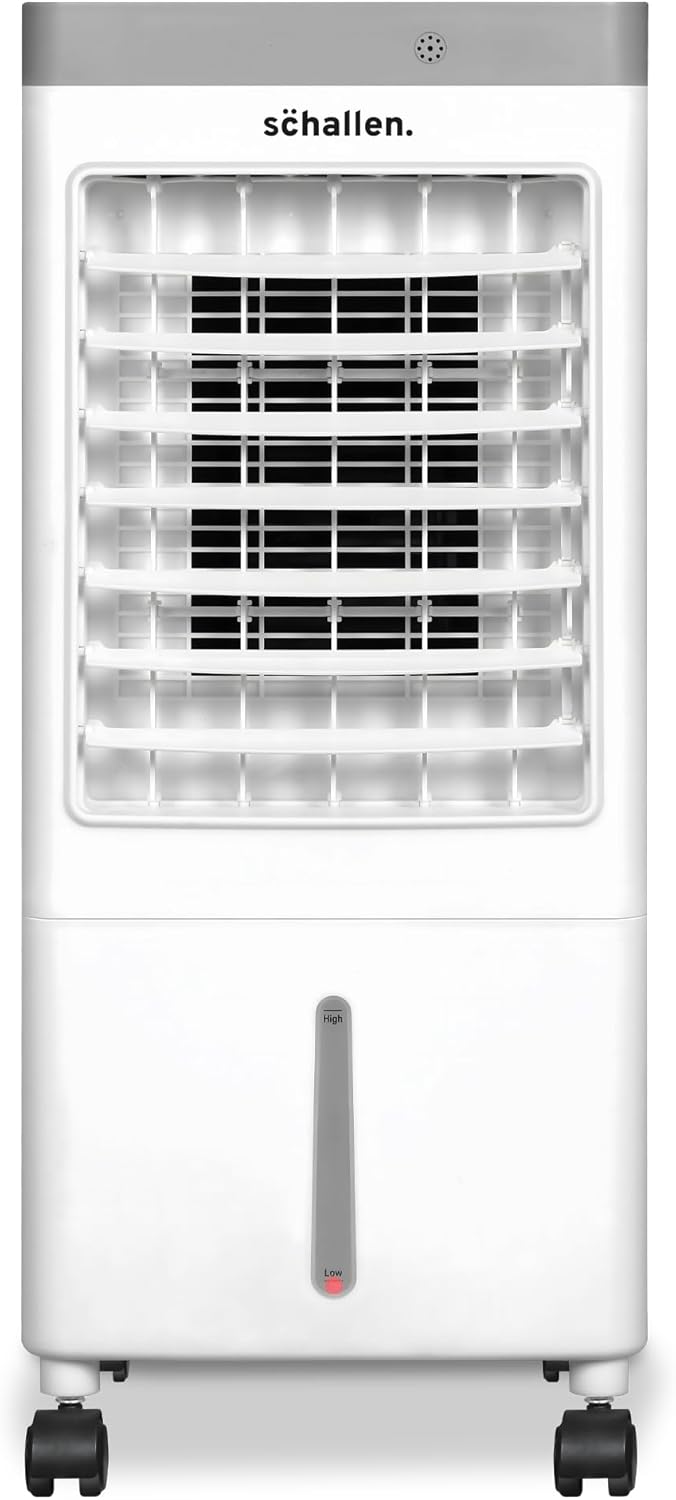
Figure 1: Front view of the Schallen Portable Air Cooler.
2. Filling the Water Tank
Open the top panel of the air cooler. Carefully pour clean water into the water tank. Do not exceed the maximum fill line indicated on the water gauge. The unit features a visual water gauge on the front for easy observation of the water level.

Figure 2: Visual water gauge and embedded handle for portability.
3. Using Ice Packs (Optional for Enhanced Cooling)
For enhanced cooling performance, fill the provided reusable ice packs with water and place them in a freezer until completely frozen. Once frozen, place the ice packs into the designated compartment within the water tank. This will help to lower the air temperature further.
Video 1: A demonstration of how to set up and use the Schallen Portable Air Cooler, including filling the water tank and adding ice packs.
Operating Instructions
Your Schallen Portable Air Cooler can be operated using the touch screen buttons on the top panel or the included remote control.
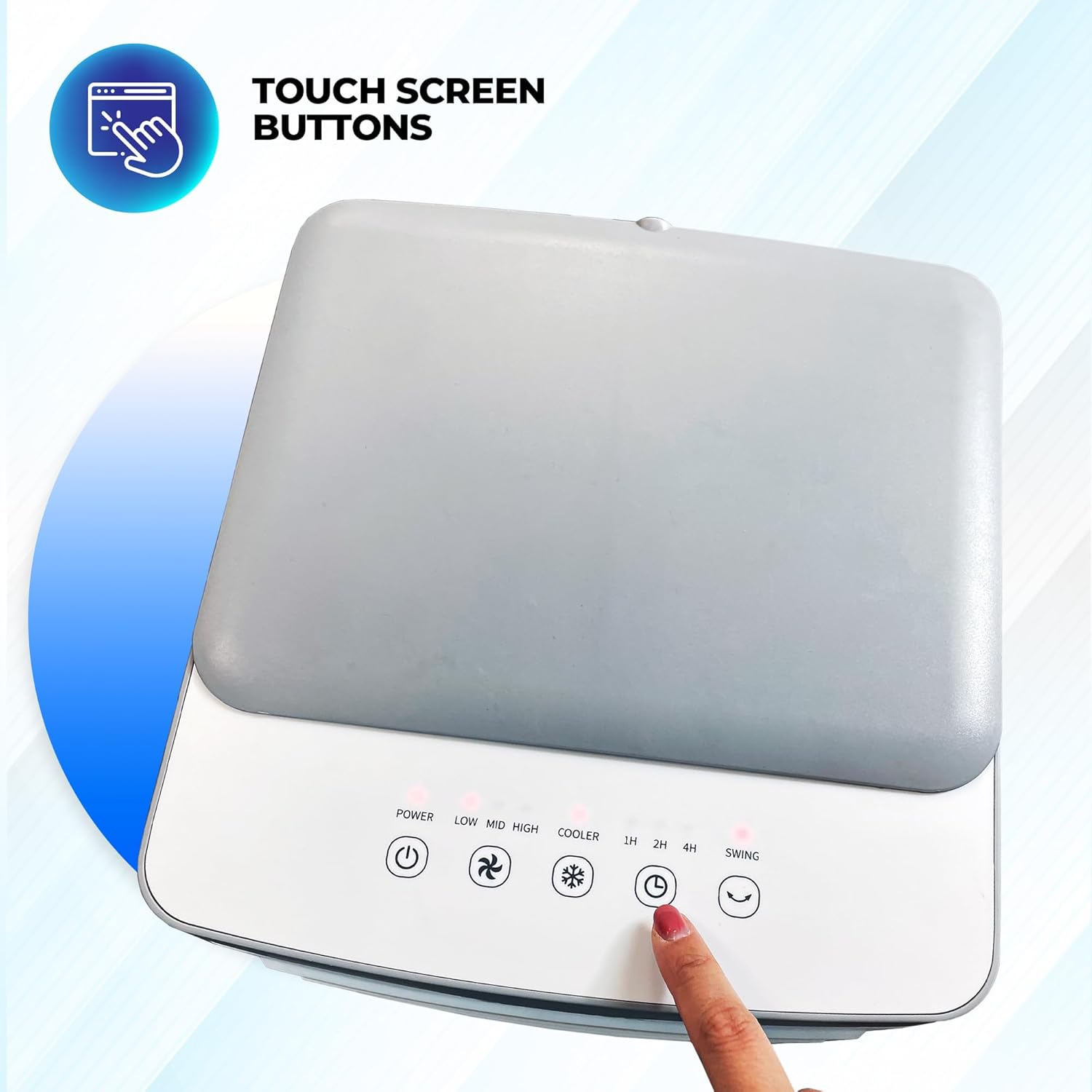
Figure 3: Touch screen control panel on the top of the unit.
1. Power On/Off
Press the Power button (symbol: circle with vertical line) on the control panel or remote control to turn the unit on or off.
2. Speed Settings
Press the Speed button (symbol: fan blades) repeatedly to cycle through the three available fan speeds: Low, Mid, and High. Adjust the speed according to your comfort level.
3. Cooling Function
Press the Cooler button (symbol: snowflake) to activate the evaporative cooling function. This function uses water from the tank to cool the air. Ensure the water tank is filled when using this mode.
4. Oscillation Function
Press the Swing button (symbol: oscillating arrows) to activate the 120-degree oscillation feature. This distributes cool air more widely across the room.

Figure 4: The air cooler demonstrating its 120-degree oscillation function.
5. Timer Function
Press the Timer button (symbol: clock) to set the operating time. The timer can be set for up to 7 hours, allowing the unit to automatically turn off after the selected duration.
6. Remote Control Usage
The included remote control allows for convenient operation from a distance. Ensure the remote control is pointed towards the front of the air cooler for optimal signal reception.
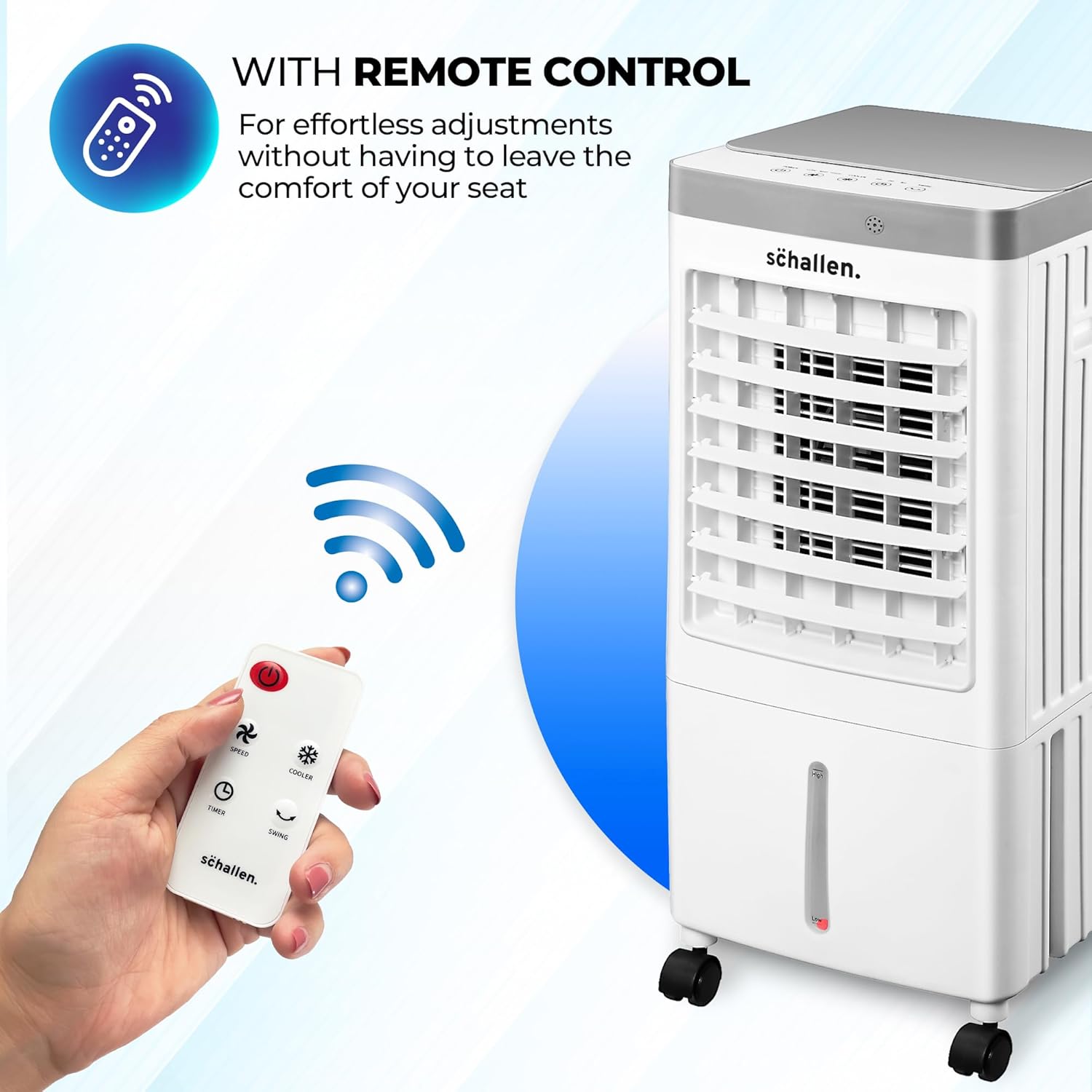
Figure 5: Remote control for convenient operation.
Maintenance
1. Cleaning the Water Tank
Regularly clean the water tank to prevent mold and mildew growth. Unplug the unit, remove the water tank, and clean it with a mild detergent and water. Rinse thoroughly and dry before reassembling.
2. Cleaning the Air Filter
The air filter should be cleaned periodically to maintain optimal performance. Refer to the unit's design for filter access. Gently remove the filter and clean it with a soft brush or vacuum cleaner. If washable, rinse with water and allow to dry completely before reinserting.
3. Storage
When storing the air cooler for an extended period, ensure the water tank is empty and dry. Clean the unit thoroughly and store it in a cool, dry place, away from direct sunlight and extreme temperatures. It is recommended to store the unit in its original packaging to protect it from dust and damage.
Troubleshooting
| Problem | Possible Cause | Solution |
|---|---|---|
| Unit does not turn on. | No power supply; Power button not pressed. | Check if the unit is plugged in and the power outlet is working. Press the Power button. |
| Weak airflow. | Air filter is dirty; Air inlets/outlets blocked; Low fan speed. | Clean the air filter. Ensure no obstructions. Increase fan speed. |
| No cooling effect. | Water tank is empty; Cooler function not activated; Ice packs not used. | Fill the water tank. Press the Cooler button. Use frozen ice packs. |
| Unusual noise. | Unit not on a level surface; Obstruction in fan. | Place the unit on a flat surface. Check for and remove any obstructions (unplug first). |
Specifications
- Brand: Schallen
- Model Number: SCH1244
- Product Dimensions: 28 x 30 x 64 cm
- Colour: White and Grey
- Voltage: 230 Volts (AC)
- Power Consumption: 65W
- Water Tank Capacity: 10 Litres
- Air Flow Capacity: 588 Cubic Feet Per Minute
- Special Features: Adjustable Speed, Portable, Oscillating Fan, Remote Control, Built-In Wheel
- Mounting Type: Freestanding
- Controls Type: Remote, Touch
Warranty and Support
For warranty information or technical support, please refer to the contact details provided with your purchase or visit the official Schallen website. Keep your proof of purchase for any warranty claims.