
1. Product Overview
The Sennheiser CX 180 Street II are wired in-ear earphones designed to deliver powerful, bass-driven stereo sound. They feature a comfortable and sturdy design, optimized for use with various portable audio devices. The finger-contoured housing allows for easy adjustment and optimal wearing comfort, while the in-ear design helps to reduce peripheral noise for an enhanced listening experience.
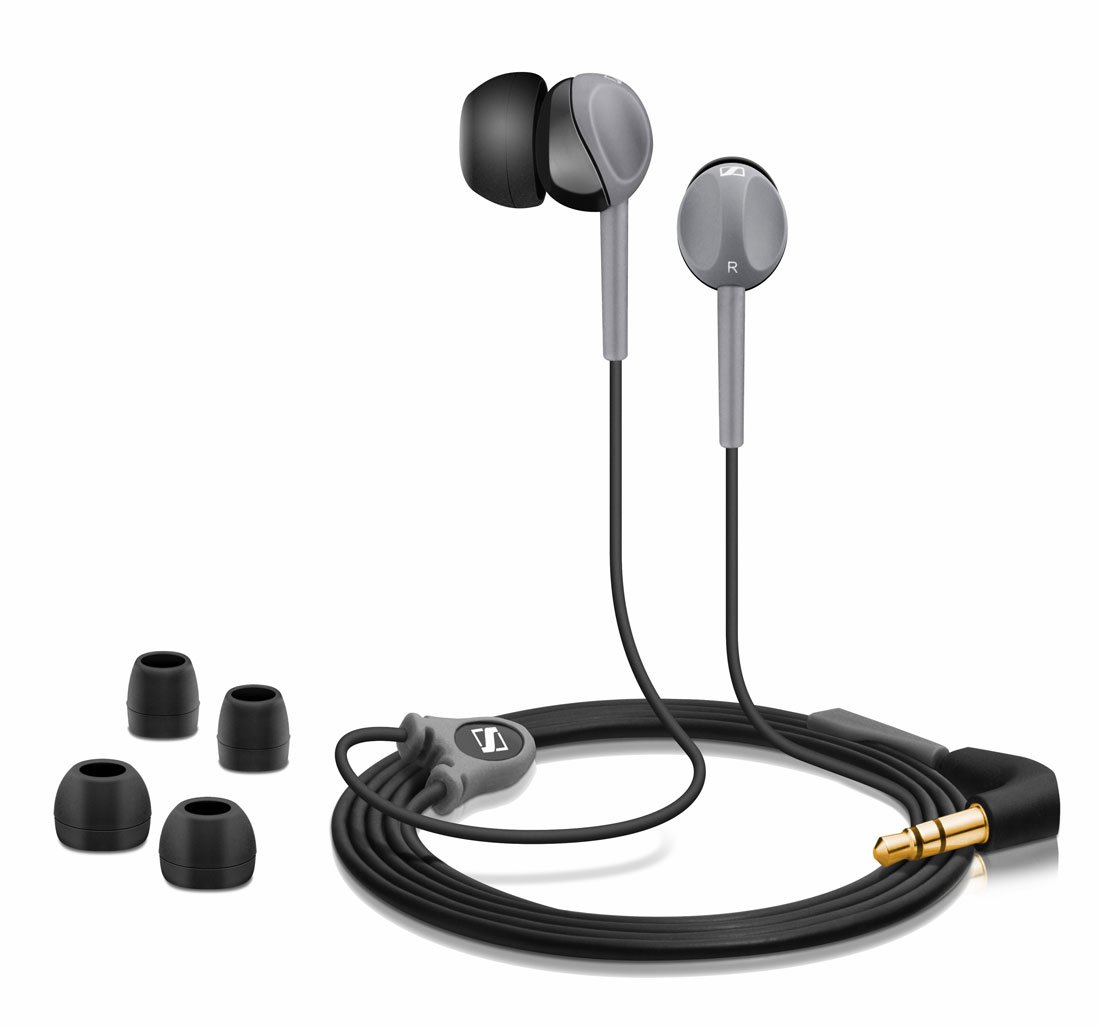
Image: Sennheiser CX 180 Street II In-Ear Earphones. This image displays the black and grey earphones with their 3.5mm L-shaped jack and cable.
2. What's in the Box
Your Sennheiser CX 180 Street II package includes the following items:
- Sennheiser CX 180 Street II In-Ear Earphones
- Connecting Cable (integrated)
- Storage Pouch
- Quick Guide
- Multiple sets of ear adapters (ear caps) for a customized fit
3. Setup
3.1 Selecting the Right Ear Adapters
For optimal sound quality and comfort, it is crucial to select the correct size of ear adapters (ear caps). The package includes multiple sizes (Small, Medium, Large). Experiment with each size to find the one that provides a secure fit and effective passive noise isolation.
- Gently pull off the pre-installed ear adapters from the earphones.
- Select a different size and carefully push it onto the earphone nozzle until it is securely attached.
- Test the fit and sound. A good fit will feel snug and block out most external noise.
3.2 Connecting to Your Audio Device
The Sennheiser CX 180 Street II earphones are equipped with a standard 3.5mm stereo mini plug.
- Locate the 3.5mm audio jack on your smartphone, tablet, MP3 player, CD player, or portable gaming system.
- Insert the earphone's 3.5mm plug firmly into the audio jack.
4. Operating the Earphones
4.1 Audio Playback
Once connected to your audio device, simply start playing your desired audio content. Adjust the volume directly on your connected device.
4.2 Important Note on Controls
Please note that the Sennheiser CX 180 Street II earphones are designed for audio playback only. They do not include an inline microphone or volume control buttons. All call management and volume adjustments must be performed directly on your connected audio device.
5. Maintenance
Proper care will extend the life of your earphones and maintain optimal sound quality.
- Cleaning: Regularly clean the ear adapters and earphone nozzles. Gently remove earwax or debris using a soft, dry cloth or a small brush. Do not use harsh chemicals or abrasive materials.
- Storage: When not in use, store your earphones in the provided storage pouch to protect them from dust, dirt, and tangling.
- Cable Care: Avoid sharply bending or pulling the cable, especially near the connectors, to prevent internal damage.
6. Troubleshooting
If you encounter issues with your earphones, refer to the following common solutions:
- No Sound:
- Ensure the 3.5mm plug is fully inserted into your audio device's jack.
- Check the volume level on your audio device.
- Test the earphones with a different audio device to rule out a device-specific issue.
- Inspect the cable for any visible damage.
- Poor Sound Quality (e.g., muffled, distorted, low bass):
- Ensure the ear adapters are correctly sized and securely fitted in your ears to create a good seal.
- Clean the earphone nozzles and ear adapters to remove any obstructions.
- Try different ear adapter sizes to find the best fit for sound isolation.
- Check the audio source for quality issues.
- Earphones keep falling out:
- Experiment with different ear adapter sizes to find a more secure fit.
- Ensure the earphones are inserted correctly into your ear canal.
7. Specifications
| Brand | Sennheiser |
| Model Name | CX 180 Street II |
| Color | BlackGrey |
| Ear Placement | In Ear |
| Connectivity Technology | Wired |
| Headphone Jack | 3.5 mm Jack |
| Impedance | 16 Ohms |
| Frequency Range | 20 Hz - 20,000 Hz |
| Sound Pressure Level (SPL) | 110dB (1kHz/1Vrms) |
| Cable Length | 1.2 meters |
| Weight | 68 Grams |
| Microphone | No |
| Inline Remote | No |
8. Warranty & Support
The Sennheiser CX 180 Street II earphones come with a 2 Years Manufacturer Warranty. To claim warranty service, please retain your product's SKU package and proof of purchase.
For further assistance or support, please refer to the official Sennheiser website or contact their customer service.


