Introduction
The SIRUI N-3004X Aluminium Tripod is a versatile support system designed for photographers requiring stability and flexibility. This tripod features an integrated monopod, a compact folding design, and robust construction for various shooting environments, from studio to outdoor locations.
This manual provides instructions for the proper setup, operation, and maintenance of your SIRUI N-3004X tripod.
Safety Information
- Ensure all leg locks and adjustments are securely tightened before mounting equipment.
- Do not exceed the maximum load capacity of 18 kg (39.6 lbs).
- Always keep a hand on your camera and lens when adjusting the tripod, especially on uneven terrain.
- Avoid exposing the tripod to extreme temperatures or corrosive substances.
- When carrying the tripod with equipment mounted, ensure the setup is balanced and stable.
- Be aware of your surroundings to prevent accidental tipping or collisions.
Package Contents
Verify that all items are present in your package:
- SIRUI N-3004X Aluminium Tripod
- Second Mounting Plate (for monopod conversion)
- Hand Strap (for monopod)
- Carrying Bag with Shoulder Strap
- Allen Key (for adjustments)
- User Manual (this document)
Setup
1. Unfolding the Tripod
- Grasp the tripod legs and rotate them 180 degrees outwards from the folded position until they lock into place. The legs are designed to fold upwards for compact transport.
- Adjust the leg angles by pressing the leg angle lock mechanism located at the top of each leg. There are three distinct click stops (20°, 51°, 83°) for various shooting heights and stability requirements.
- Extend the tripod legs by twisting the ring locks (twist locks) counter-clockwise a quarter turn to loosen. Pull out the leg sections to the desired length and then twist the ring locks clockwise to secure them. The tripod has 4 sections per leg.
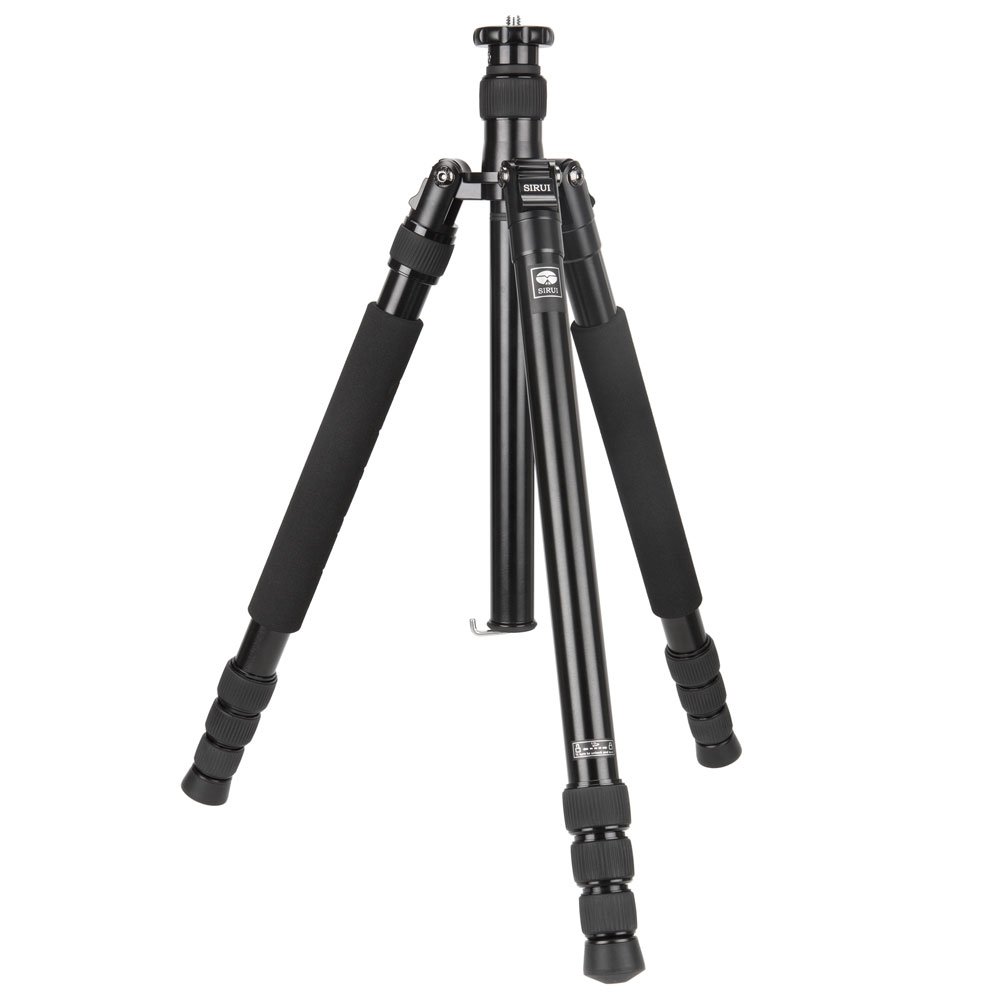
Image: The SIRUI N-3004X tripod in its compact, folded state, ready for transport.

Image: The tripod legs featuring foam rubber grips for comfortable handling in various temperatures.
2. Attaching a Tripod Head
- The head mounting plate has a reversible screw with 1/4 inch and 3/8 inch threads. Select the appropriate thread size for your tripod head.
- Screw your tripod head onto the mounting plate until it is secure. Use the provided Allen key to tighten the grub screw located on the side of the mounting plate to prevent the head from unscrewing during use.

Image: Detail of the tripod's top plate, showing the reversible 1/4 inch and 3/8 inch screw for attaching a tripod head.
3. Converting to a Monopod
- Identify the tripod leg with the foam grip that can be detached. Unscrew this leg from the tripod chassis.
- Unscrew the center column from the tripod. The center column is divisible into two parts: a long section and a short section.
- To create a full-height monopod, attach the long section of the center column to the detached leg. Secure the provided mounting plate and hand strap to the top of the monopod.
- Alternatively, the short section of the center column can be used with the detached leg for a more compact monopod, or the short center column can be used on the tripod for low-angle shooting.
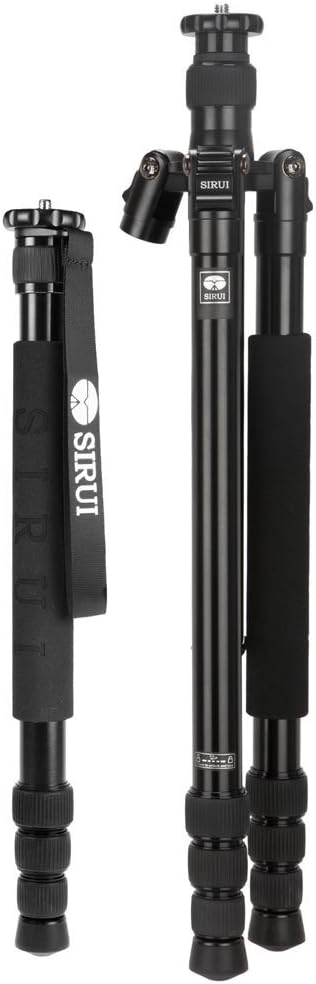
Image: The SIRUI N-3004X tripod alongside its integrated monopod, demonstrating the versatility of the system.

Image: An illustration showing the divisible center column and how it combines with a detachable leg to form a monopod.
Operating the Tripod
Adjusting Height and Stability
- Leg Extension: Loosen the twist locks, extend the leg sections to the desired height, and then firmly tighten the twist locks.
- Center Column: The center column can be extended for additional height. To do this, loosen the center column lock, raise the column, and then tighten the lock. For maximum stability, keep the center column retracted as much as possible.
- Low-Angle Shooting: For shots close to the ground, fold the legs out to their widest angle (83°) and replace the standard center column with the shorter, divisible section.
- Weight Hook: A retractable hook is located at the bottom of the center column. Attach a weight (e.g., your camera bag) to this hook in windy conditions or when using heavy equipment to increase stability.
- Footing: The tripod features rubber feet for general use. For soft ground or ice, retract the rubber feet to expose the metal spikes for improved grip.
Using the Monopod
- Once assembled, extend the monopod sections using the twist locks to achieve the desired height.
- Use the hand strap for added security and stability while operating the monopod.
- The monopod is ideal for situations requiring quick setup and mobility, or where tripods are not permitted.
Maintenance
- Cleaning: Wipe down the tripod with a soft, damp cloth after use, especially if exposed to sand, salt water, or dirt. Avoid harsh chemicals.
- Lubrication: Periodically check the leg locks and moving parts. If they become stiff, apply a small amount of silicone-based lubricant. Do not over-lubricate.
- Storage: Store the tripod in its carrying bag in a dry, cool place away from direct sunlight.
- Inspection: Regularly inspect all screws, bolts, and leg locks for tightness. Use the provided Allen key to tighten any loose components.
Troubleshooting
- Leg sections are stiff or difficult to extend/retract:
Loosen the twist locks completely. Clean any dirt or debris from the leg sections and inside the twist locks. Apply a small amount of silicone lubricant if necessary. Ensure you are not over-tightening the locks.
- Center column is jammed:
Ensure the center column lock is fully loosened. Gently twist and pull the column. If it remains jammed, do not force it. Contact customer support for assistance.
- Tripod head feels loose:
Check that the tripod head is securely screwed onto the mounting plate. Ensure the grub screw on the side of the mounting plate is tightened with the Allen key to prevent rotation.
- Tripod is unstable:
Verify that all leg sections are fully extended and all twist locks are securely tightened. Ensure the leg angles are set appropriately for the terrain. Consider using the weight hook for added stability.
Specifications
| Material | Aluminium Alloy |
| Sections | 4 |
| Tube Diameter | 22 - 32 mm |
| Tripod Height (Min-Max) | 16 cm - 179 cm (6.3 in - 70.5 in) |
| Monopod Height (Min-Max) | 47 cm - 175 cm (18.5 in - 68.9 in) |
| Folded Length | 51.5 cm (20.3 in) |
| Leg Angle Stops | 20°, 51°, 83° |
| Head Mounting Plate Diameter | 59 mm |
| Head Connection Thread | 1/4 inch and 3/8 inch (reversible) |
| Weight | 2.3 kg (5.07 lbs) |
| Load Capacity | 18 kg (39.6 lbs) |
| Item Model Number | M-3004X |
| Special Features | Integrated Monopod, Reversible Folding Legs, Divisible Center Column, Retractable Metal Spikes, Weight Hook, Foam Grips |
Warranty and Support
SIRUI products are manufactured to high-quality standards. For warranty information, please refer to the warranty card included with your product or visit the official SIRUI website. For technical support or service inquiries, please contact your local SIRUI distributor or the retailer where you purchased the product.
Keep your purchase receipt as proof of purchase for warranty claims.


